AI Calendar Design
Custom monthly layouts with accurate dates
AI Calendar Design
Custom monthly layouts with accurate dates
Showcase
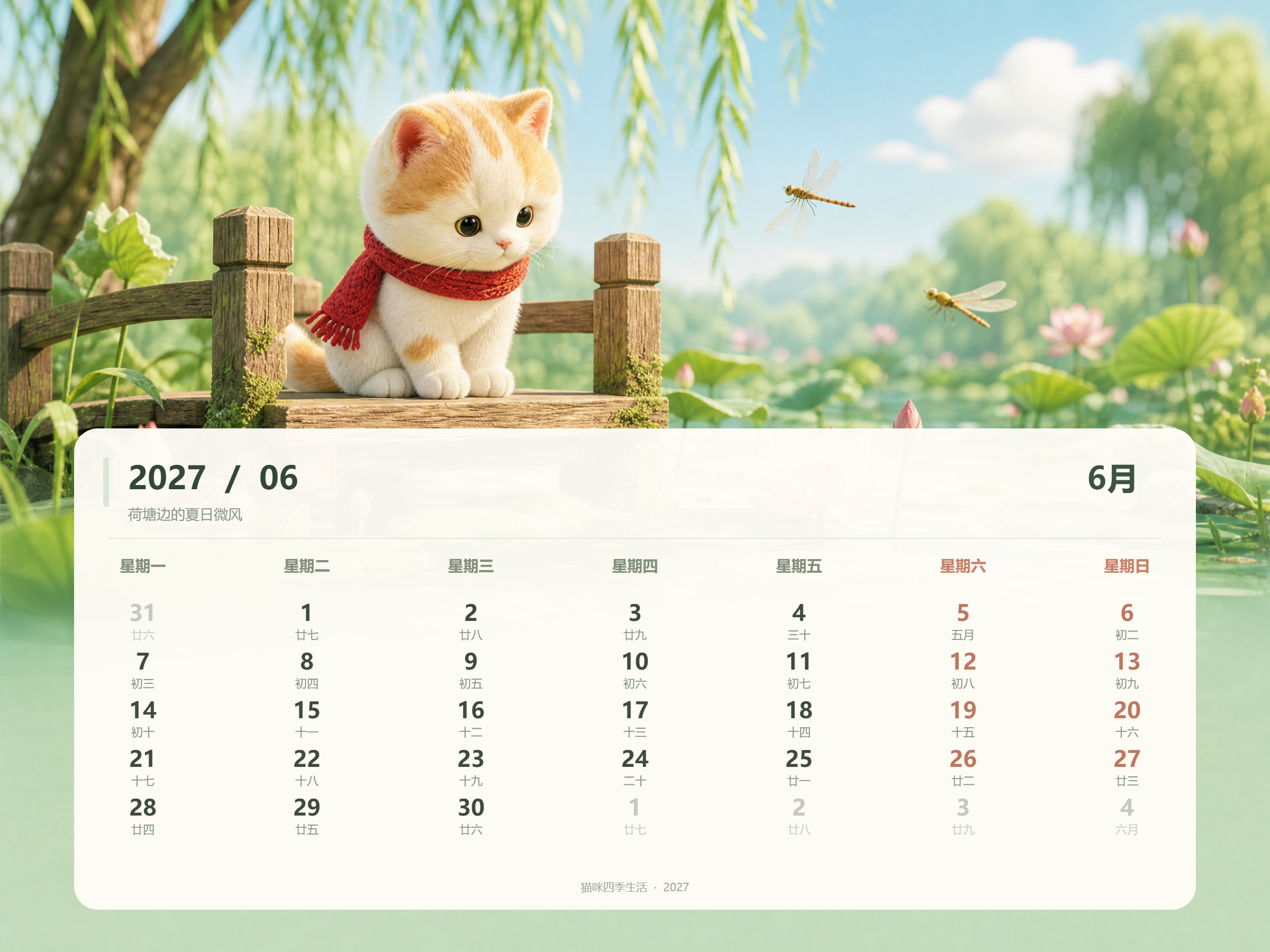
2027猫咪四季日历
2027猫咪四季日历
2027猫咪四季日历
2027猫咪四季日历
Description
Provide a year, theme, and photos to create a calendar ready for printing, gifting, or selling. The core advantage is absolute date accuracy: it calculates days per month, leap year rules, and the correct starting day of the week before laying out the grid, preventing any date misalignment. The full-year mode automatically plans 12 independent scenes across spring, summer, autumn, and winter, maintaining a unified yet varied style. Uploaded photos preserve people and pets accurately without altering faces or fur colors, and can also be transformed into watercolor, 3D cartoon, or clay styles. It supports desk calendars, wall calendars, poster layouts, and gift editions with reserved binding areas, customizable with corporate logos, brand colors, and QR codes, ready for direct A4/A3 printing. Suitable For Print shops and copy centers: handle year-end calendar order spikes without design staff shortages. E-commerce sellers: tap into year-end demand with differentiated, themed bestsellers. Corporate administration and gift procurement: create annual client gifts and employee benefit calendars. Photographers, pet shops, and baby stores: offer high-value portrait, pet, and baby milestone calendars. Illustrators and cultural creators: produce and sell original themed calendars. Individual users: make personalized calendars for parents, partners, or children.
Recommended by
Dancang
Why we love this skill
Integrates date calculation, year-end theme planning, and visual layout, supporting everything from single-month to 12-month independent visuals, photo customization, and desk or wall calendar output. Highlights leap year validation, seasonal changes, and print size adaptation to make creative calendars truly accurate, unified, and printable.
Best for
Great for individuals, creators, merchants, and corporate gift buyers looking to create personalized, themed, or branded calendars.
How to use this Skill
Provide your input
Provide the year, month range, theme, layout, or visual style; you can also upload reference images of people, pets, scenery, or brand logos, and specify the aspect ratio, start day of the week, and print size.
Run the Skill
Select a single-month, multi-month, or full-year calendar. The system designs the visuals and date layouts based on your specifications, incorporating any uploaded materials for personalized customization.
Review your result
Get month-by-month calendar images complete with the year, months, days of the week, and date grids, ready for display, gifting, or printing at supported specifications.
Related Skills
View all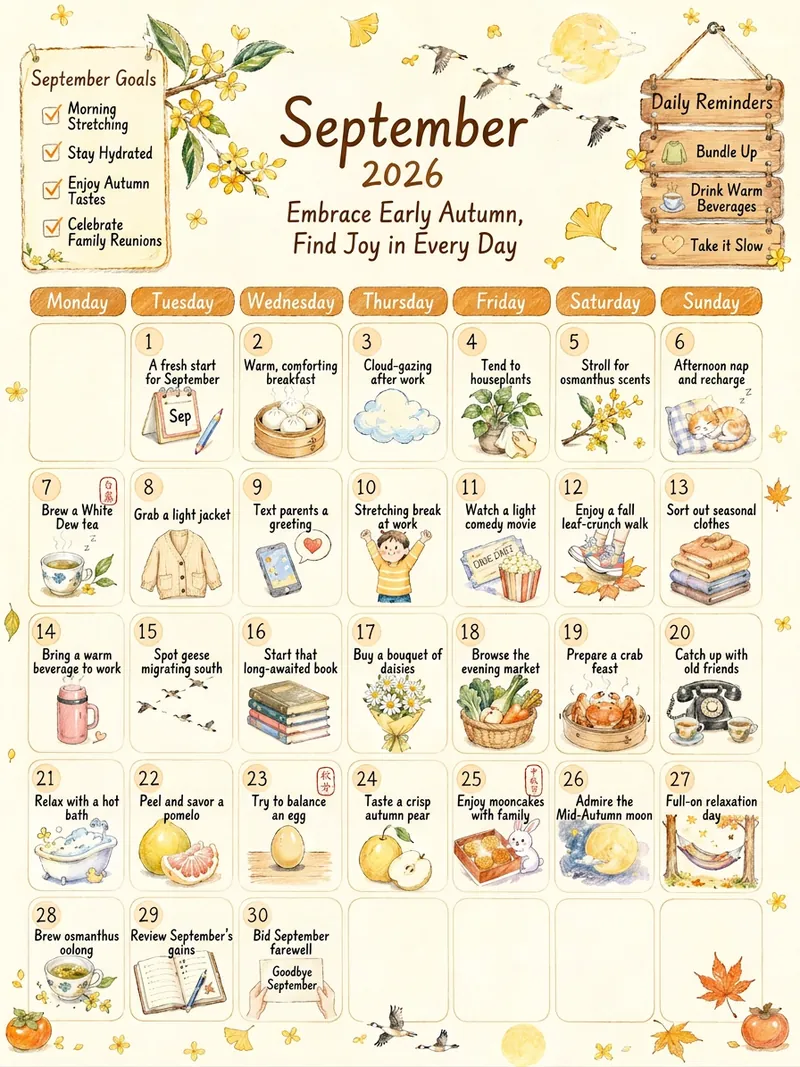
Every Day a Good Day Calendar
Input the year and month along with your mood, and generate a hand-drawn self-care monthly calendar poster with precise dates, incorporating solar terms and festivals. 【What it does】Input the year, month, and optional mood keywords or themes to generate a 3:4 hand-drawn warm-style monthly calendar poster. Each day features a self-care activity you can do that day, accompanied by a warm hand-drawn icon in the same style. 【Why choose it】 📅 Accurate dates: Zeller's formula + online double verification ensures that the day of the week for the 1st exactly matches the real calendar. Solar terms and festival dates are verified month by month. 🏮 Chinese flavor: Automatically incorporates the month's solar terms and traditional festivals—White Dew tea brewing, Autumn Equinox egg balancing, Mid-Autumn mooncakes, Double Ninth climbing—timely and relevant. 🧠 Never repeats: Built-in cross-month action memory bank ensures used actions and icons are not repeated; 12 months form a continuous annual work. 📖 Themed month mode: Reading month, exercise month, early sleep month... the month's actions follow a "start-deepen-wrap-up" growth arc around the theme. 🎨 Consistent art style: Fixed style anchors; 12 posters on a wall feel like the same artist's hand. ✅ Preview before output: A list of 31 days of actions is generated for your review; modify until satisfied before final output. 🖨 Precise text mode: Optional flawless text scheme, suitable for printing and posting on walls. 【Suitable for】Those who want to add a bit of ritual to each month, journal and planner enthusiasts, content creators needing monthly poster materials, and anyone looking to give a friend a "living calendar." 【Usage】"Generate a calendar for November 2026" / "Generate a November calendar with theme: early sleep month" / "Use precise text mode"
 Image
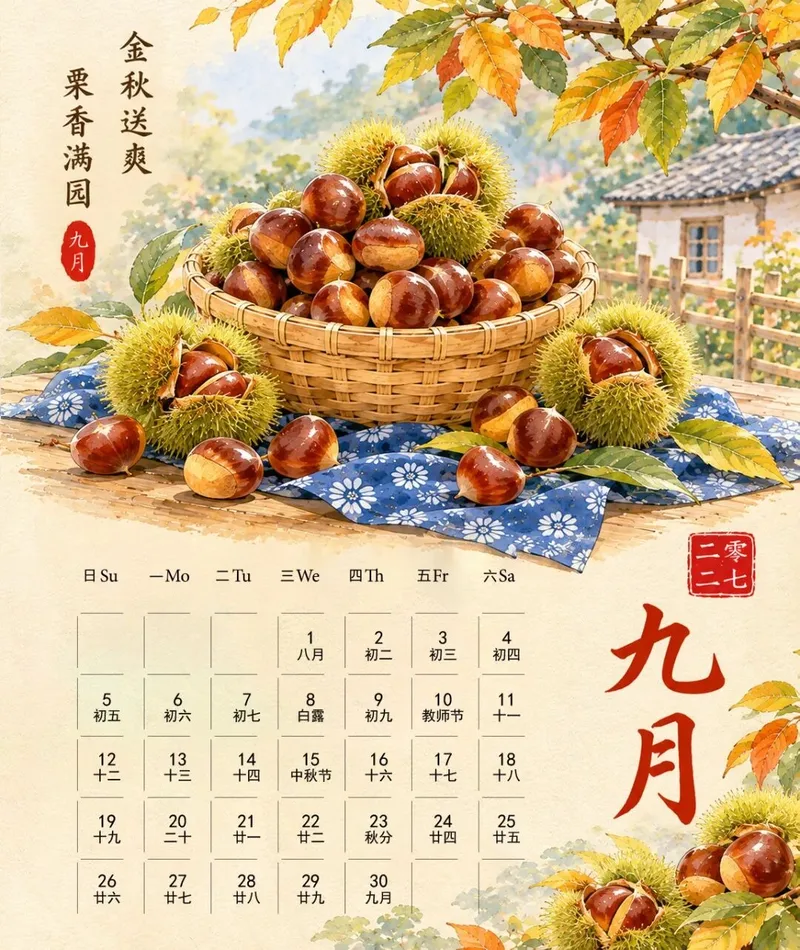
Seasonal Produce Calendar Maker
Batch generate 2027 Chinese-style watercolor calendar illustrations featuring seasonal fruits and vegetables for all twelve months. Each month is matched with exclusive in-season ingredients, featuring a unified artistic style and layout. Includes a complete Gregorian and lunar calendar grid, traditional calligraphy month titles, left-side poetic inscriptions, seal stamps, bamboo baskets, blue-and-white printed fabric, and a traditional Chinese rural background. Outputs high-resolution vertical calendar images ready for direct printing, perfect for calendar materials, planners, and social media illustrations.
 Image
Photo Print Journal
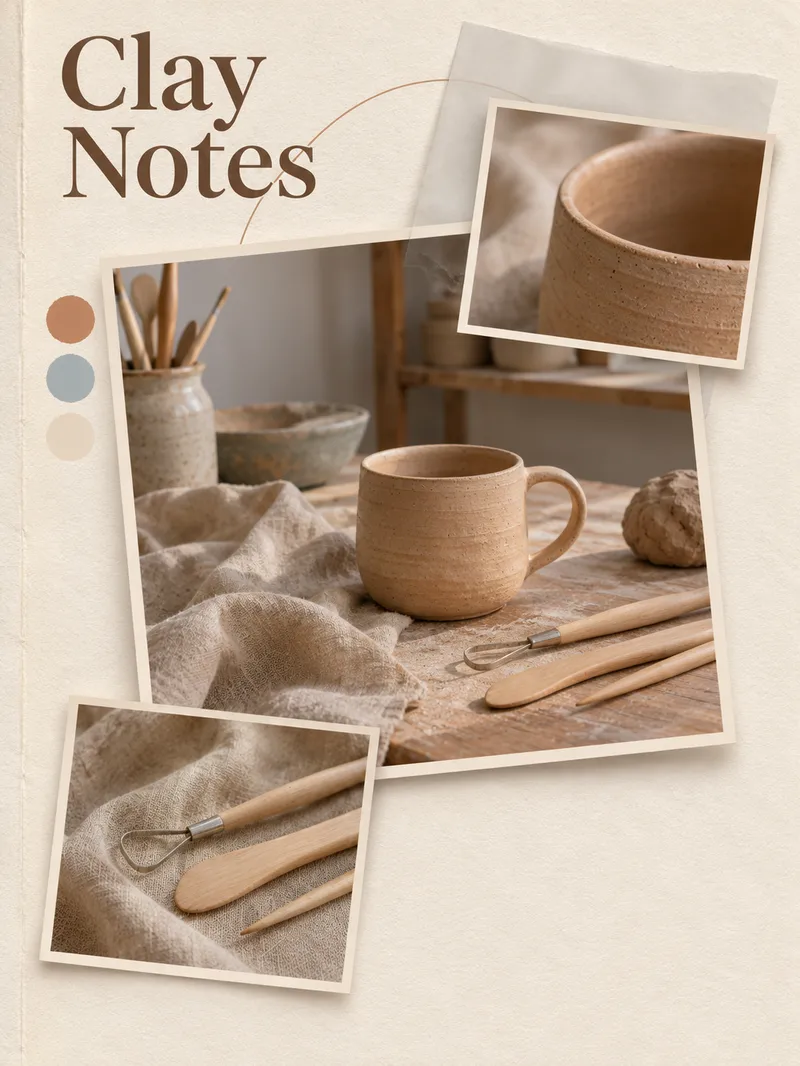
Ideal for creators who need journal-style companion images for reading, pets, still lifes, or scene themes. Provide a text theme or authorized photos, a crop range, a short title, a color scheme, and an intended use; unconfirmed dates, locations, or experiences will not be fabricated. The Skill first arranges one main image and two visible details to create a single-page three-print layout: warm white cotton paper, binding creases, offset white-bordered prints, and soft shadows, paired with a touch of tracing paper, fine curved lines, and thematic color swatches. After generating via the current image tool, it verifies the print count, subjects and props, title, and cropping, then delivers the actual poster, title, and inspection notes, with prompts provided on demand. Usage: Describe the theme and what the three prints should display, or upload authorized photos and specify elements to keep. Review the results and request edits by specific section. Photo mode organizes content based solely on readable details and does not invent new events beyond the photos. Four showcases represent fictional AI examples generated locally following the final skill workflow for November 12, 2026: Garden Reading, Coast and Straw Hat, Ginger Cat Afternoon, and Pottery Desktop; these are not real photographs, actual trips, or client projects. All four examples feature the three-print hierarchy of one main image and two details. Some color swatches are circular rather than rough small squares, and hands, print margins, and detail textures still vary. The avatar reference was generated separately from the reading example to show the actual layout direction with a large Chinese title, not as a fifth independent example. This version is an independently designed single-page three-print method that does not copy or distribute third-party photos, prompts, specific consecutive slice layouts, or attributions. GPT is recommended for text planning, and image generation depends on available image generation or editing tools. Local use relies on built-in image_gen; because the tool does not return a specific model ID, no binding to Image2 is claimed. Photo editing and YouMind operation have not been empirically tested, so identity, product structure, text, or cross-image consistency cannot be guaranteed. If image tools are unavailable, it will clearly state that image creation is incomplete. The 299 credits are the skill installation price and do not include platform model or third-party service fees; PSD or vector source files are not delivered, and automatic publishing or purchasing is not supported.
Information
- Version
- v2
- Last updated
- Runtime credits
- Usage-based
- Models
- Auto
- Use cases
- Images & designMarketing & growthE-commerce & sales
- What you get
- Image
- Visual styles
- 3DWatercolorPaper art
