Visual Diary Object Poster
Two 3:4 object posters from one photo
Visual Diary Object Poster
Two 3:4 object posters from one photo
Showcase
Description
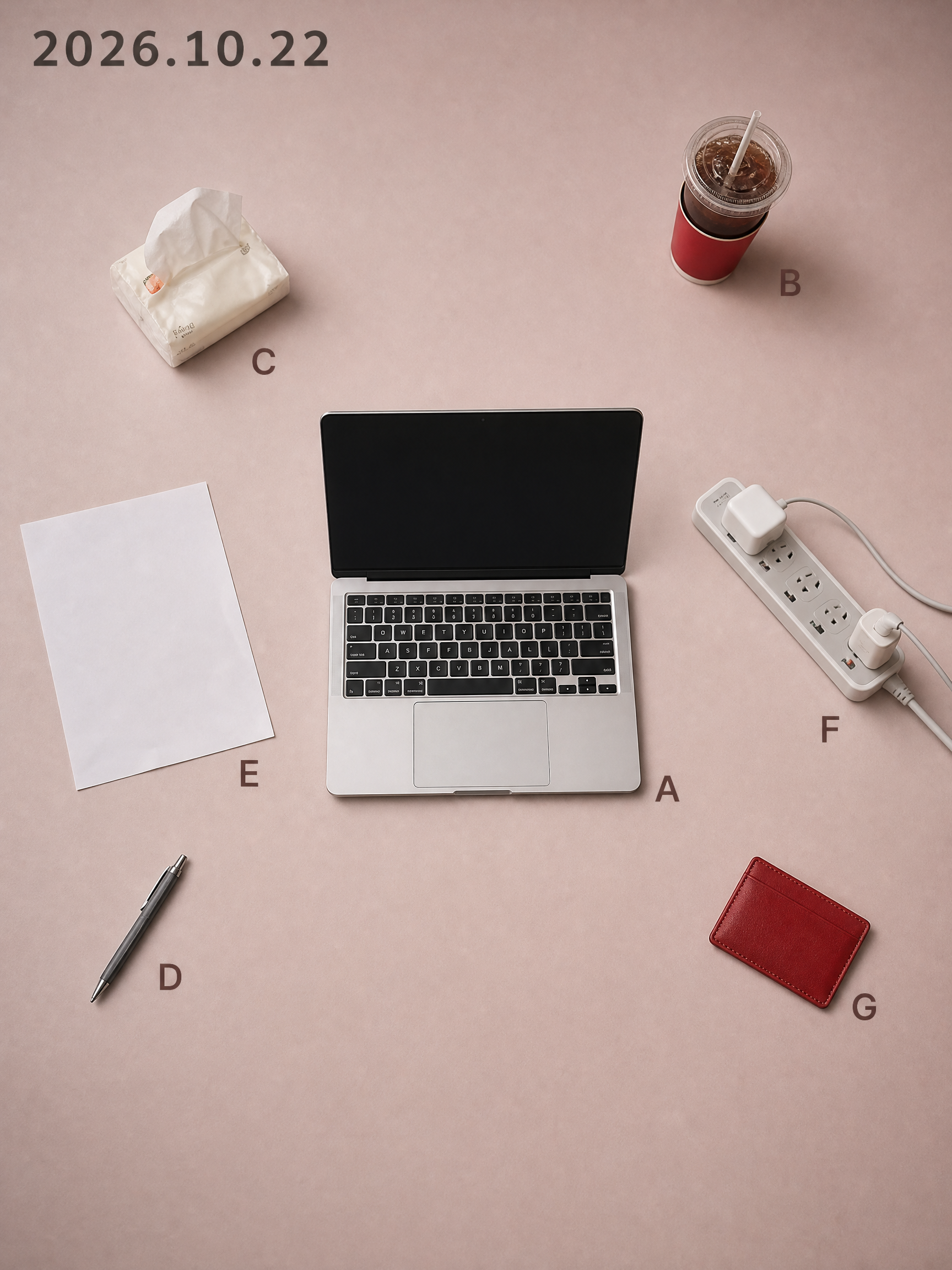
While others share the same batch of templates, you share that exact day. Every day has a desktop worth remembering: half a cup of cold coffee, an open book, a watch casually taken off. Yet when you take a photo and post it, it just looks like a slightly messy phone snapshot; turning it into a proper poster means opening design software, searching for templates, laying things out, and color grading, taking half an hour only to end up worse than the original. This Skill compresses that entire process into a single upload. You drop in a casual photo taken that day, and it recognizes the objects in the frame one by one, keeping only 5 to 11 items with traces of use. It rearranges them according to the grid position and orientation from the moment you took the photo, delivering two 3:4 vertical object posters at once. Using the same layout, you get one matte background in a low-saturation soft rose pink and one in dark ink, with the date at the top and a letter next to each item. The pink background is suited for daytime posting, while the dark background is great for night. The biggest difference between this and typical poster templates on the market is that it is never reused: the positions come from your own perspective. If two people photograph the exact same scene, they get two different posters. Your composition itself is your signature, ensuring no one else will have the same style. It asks no questions throughout, provides no analysis tables, and doesn't make you confirm styles. Upload and get two posters instantly without wasting extra credits. It also automatically avoids human faces, ID cards, screen contents, and brand logos, so the generated images are ready to post directly. Buy it once, and every day that desk can turn into a piece of art, ready to be shared straight to your social platforms.
Recommended by
Dancang
Why we love this skill
Transforms a casual snapshot into a unique visual diary poster by strictly preserving objects, textures, and shooting angles to generate an asymmetric object constellation, delivered in dual matte rose pink and deep ink versions with exceptional narrative and layout control.
Best for
Great for anyone who wants to turn everyday desks or snippets of life into unique visual records.
How to use this Skill
Provide your input
Upload a casual photo of your desktop or environment from today. You can also specify if you only want the pink or dark version.
Run the Skill
The system identifies retainable objects in the photo and arranges them into two posters with identical composition based on the original angle.
Review your result
Receive two 3:4 vertical object posters: one with a muted rose-pink matte background and one with a dark ink matte background, featuring the date and object letter labels.
Related Skills
View all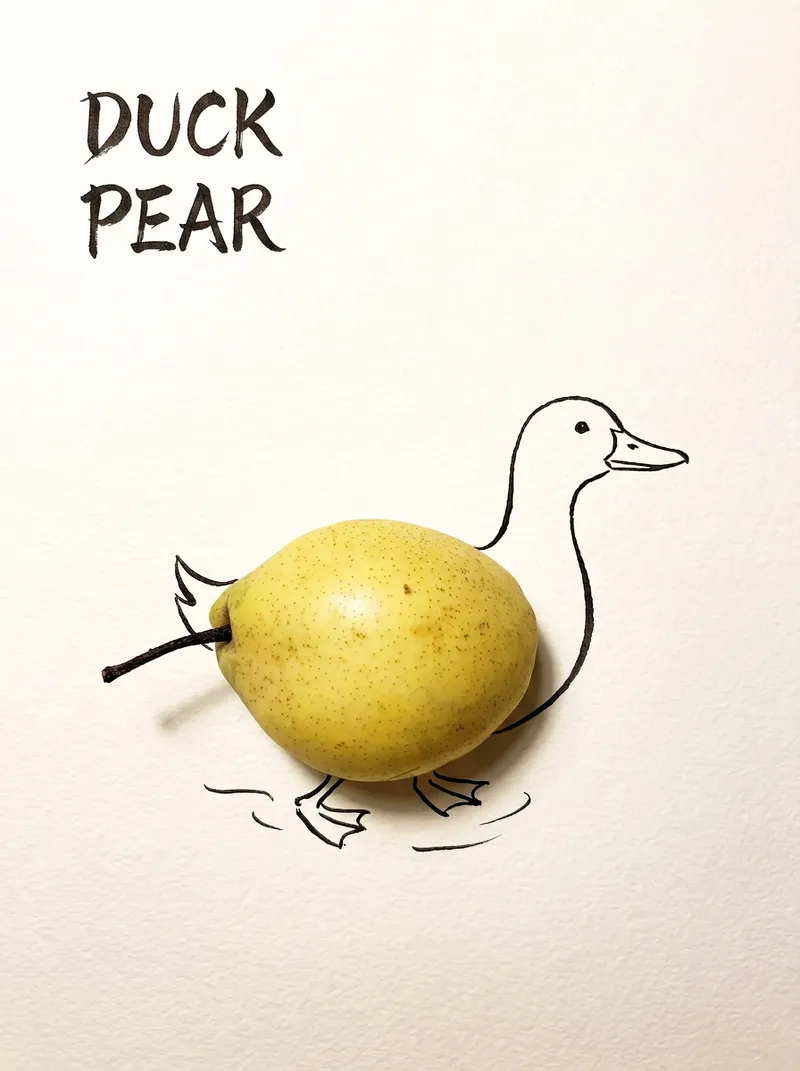 Image
ImageBring Objects to Life
Best for: Xiaohongshu / Douyin creators Turn everyday objects into posters and create a consistent "bring-to-life series" with highly engaging content Food and lifestyle creators Turn ingredients into cover images that make your work more memorable Illustrators / designers Find inspiration quickly and test the "real object + line art" creative direction Teachers / parents Create materials for arts and crafts lessons, helping children make up stories with objects around them Businesses / brand operators Create creative hero images, holiday posters, and packaging inspiration for produce, fruit, and snacks Cultural creative brands, stationery shops, and coffee shops Design merchandise, postcards, stickers, and menu illustrations Everyday enthusiasts Photograph something nearby and share an "artwork" on social media Everything you photograph is hiding another character. "Bring Objects to Life" is a creative poster generator that combines real-object photography with minimalist line art. Just upload a photo of an object, and AI will automatically do three things: 🔍 Read the shape: Analyze the object's outline, curves, and texture to find what it most resembles ✏️ Add line art: Use dark ink pen lines to draw in a head, limbs, a human figure, ropes, and more, fitting the lines precisely to the object's edges 🖋 Turn the idea into a phrase: Create a 2–4-character Chinese pun title and arrange it in the empty space in an artistic typeface The finished image preserves the object's real colors and texture. The background is clean, warm-white watercolor paper, with at least 40% negative space. The result feels calm and refined: recognizable at a glance, then delightfully witty once you see the idea. The default format is a 3:4 vertical layout, suited to Xiaohongshu, Moments, and Douyin image posts. The aspect ratio, font, and title can all be customized.
 Image
ImageLay Out Your Everyday
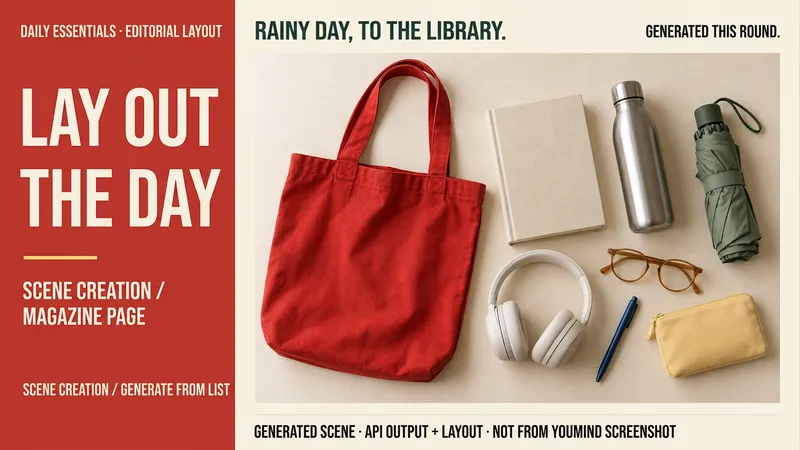
Rainy days at the library, weekend city walks, a short getaway… your everyday life can have a magazine-worthy look. Tell me a life scene, or share an item list and reference image, and I’ll create a story-driven overhead still-life image: a bag, book, headphones, and water bottle, each with its own place and texture. Here’s how you can use it: ① Scene creation: Start with one sentence and pair it with 6–8 fitting items, clearly labeled as a fictional scene. ② List-based arrangement: Generate an image using the items and quantities you provide, without adding props at random. ③ Visual design: Straight overhead view, natural light, and a balanced rhythm of density and open space. The default is text-free, vertical 3:4. ④ Targeted edits: Change items, background color, or aspect ratio while preserving as much of the approved image as possible. Great for lifestyle sharing, travel inspiration, and personal content images. One image is generated by default; you can request a landscape, square, or other visual style. Actual generation depends on the image tools and usage limits available on the current platform. Item counts, structure, logos, and small packaging text may vary, so product-level exact replication is not guaranteed. If the tool is unavailable, this will be stated clearly and a complete prompt will be provided. Usage is calculated according to the platform’s rules at the time.
 Image
ImageDraw That Day | Photo Poster
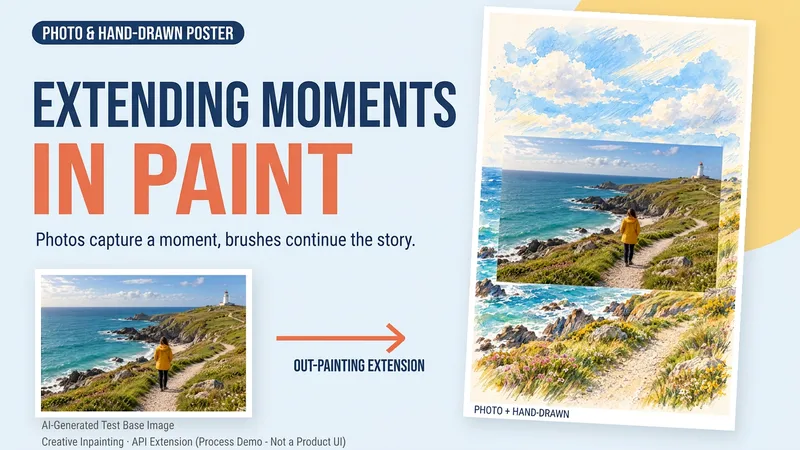
Some photos deserve another page. Upload a travel, walking, or everyday photo to create a keepsake poster where the photo meets hand-drawn scenery. The photo preserves that moment, while watercolor and colored pencil continue the scene beyond its edges. You can get: ① A keepsake poster: 2:3 portrait format by default, with a warm paper texture and no text. ② A grounded extension: starting from the sky, coast, road, or room in your photo, hand-drawn elements echo the original setting. ③ A note about photo preservation: when compositing is supported, the photo layer can be retained; with generative editing only, details may change, and this will be explained. ④ An optional short caption: use a sentence, location, or date you provide to preserve a little of how you felt at the time. Suitable for travel memories, everyday keepsakes, and social sharing. One image by default; it does not automatically create a full storybook. The scene beyond the photo is an artistic creation, not a recreation of the actual surroundings. Generation and compositing depend on the platform's current image tools and usage limits. We do not promise that the original photo will remain completely unchanged using a generative model alone. If the tools are unavailable, this will be stated clearly and a complete prompt will be provided.
Information
- Version
- v26
- Last updated
- Runtime credits
- Usage-based
- Models
- Auto
- Use cases
- Images & designLifestyle & entertainment
- What you get
- Image
- Visual styles
- MinimalistEditorialPhotorealistic
