
TableCraft
Clear tables for comparisons and reports
TableCraft
Clear tables for comparisons and reports
Showcase
Description
Turn CSV, JSON, Markdown tables, or pasted cells into clear, editable HTML tables. Ideal for comparing pricing plans, selecting tools, and preparing team weekly reports, with support for seven preset styles and brand colors. Preserve currencies, units, billing cycles, number precision, and sources; missing values stay missing—no filling with 0 or guessing prices. Calculate and verify totals only when conditions allow; flag discrepancies without changing numbers. Split wide tables into column-group pages and repeat key columns; repeat headers for long tables. Never silently remove columns or abbreviate content. A first version is created by default. When the environment supports actual rendering and export, a PNG is also provided; otherwise, complete HTML is provided with an explanation that it was not exported. Try it directly: compare three subscription tiers, organize tool-selection materials, or polish an eight-column team weekly report. For chart-based infographics, use Infographic Maker; for text carousels, use a knowledge card generator.
Recommended by
nene@YouMind
Why we love this skill
Seven polished editorial presets turn messy data into publication-ready tables inspired by The Economist and McKinsey, with high-resolution PNG and HTML export.
Related Skills
View all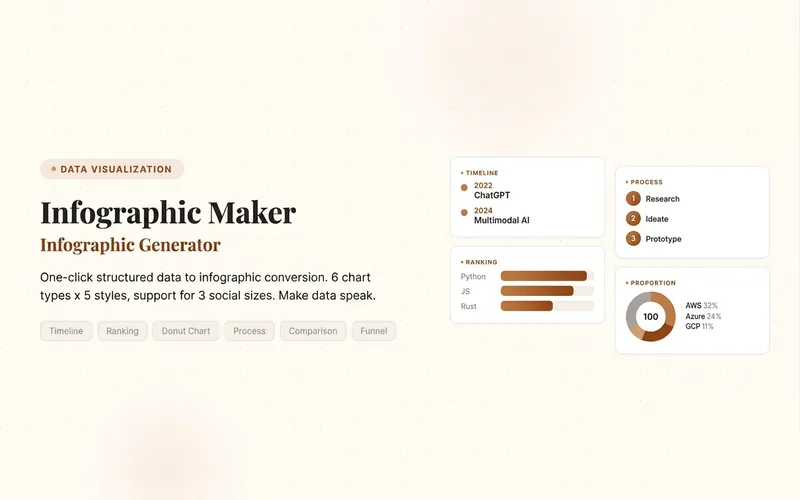 Image
ImageInfographic Maker
Easily turn any article, table, link, or casual note into a professional infographic, making your data and insights stand out. Whether it's a single poster or a multi-page carousel, this tool intelligently identifies content structure and automatically extracts key information—no manual formatting required. Choose from six chart types: timeline, flowchart, ranking, proportion, comparison, or funnel, and pair them with visual styles like Business Blue, Creative Color, Dark Tech, Elegant Warm, Minimalist Black & White, or Xiaohongshu-exclusive styles. We specially support Chinese content and brand colors to ensure visuals are both professional and aligned with your brand identity. Whether for annual reports, social media (e.g., Xiaohongshu, Instagram, X), or study notes, this tool generates high-resolution PNG images in multiple sizes, helping your information spread in the most appealing way. Say goodbye to tedious design work—create stunning infographics with one click, letting data speak and stories come alive. Companion tools: For final drafts to be published on WeChat Official Accounts, look for '公众号排版器'; for data tables needing publication-grade formatting, look for 'TableCraft'; for quote card sets, look for '知识卡片生成工坊'.
 Research
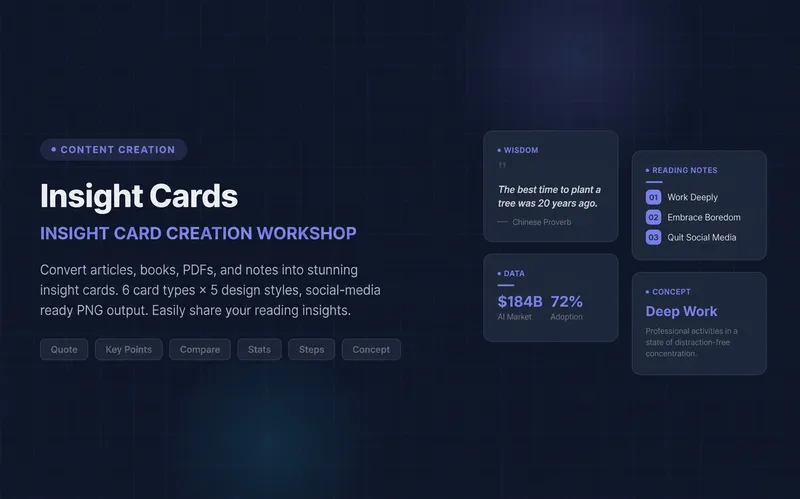
Knowledge Card Studio
Turn articles, notes, or book excerpts into a single knowledge card or a 3–5-page carousel. Choose from six card types and five existing styles; each page delivers one takeaway while preserving quotes, numerical qualifiers, and sources. Create a reusable series brand profile with fixed colors, font hierarchy, margins, title placement, page numbers, and byline. For the next edition, provide the profile to reuse the same system and keep the series consistent—no need to explain the design requirements again. The default deliverables are editable HTML/SVG and the brand profile. When the environment supports actual rendering, sequentially numbered PNGs are also included. Missing glyphs, overflow, and inconsistencies across pages are checked and fixed; if the images were not actually rendered, the skill will not claim that image checks passed. No local scripts are required. Try it directly: create a five-page book-notes carousel, use a brand profile for the next edition, or turn quotes from the original text into cards. For complex relationships or charts, use Infographic Maker. For a finished WeChat Official Account post, use the WeChat Official Account Formatter.
 Webpage
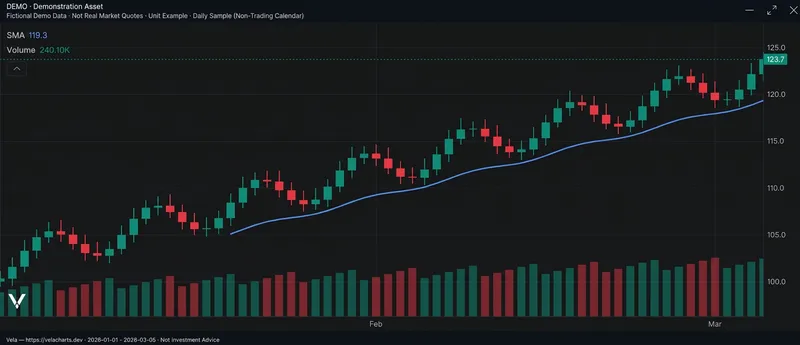
One-Click Financial Charts
Upload CSV or JSON files, or paste market data, to generate Vela-based financial chart webpages and editable source code. Complete OHLC data can produce candlestick charts, while closing prices alone produce line charts. You can add original volume data, SMA lines, light and dark themes, and chart exports. Suitable for research reports, post-market review, financial content creation, and market page prototyping. Dates, missing values, duplicate records, and price relationships are checked first, without fabricating market data. When real data is unavailable, clearly labeled demo samples are used only when you explicitly request them. Chinese is used by default. Real-time quotes, forecasts, and trading advice are not provided; webpage and export features depend on the current runtime environment. Built on the open-source Vela core with its attribution retained; not an official LuxAlgo product.
Information
- Version
- v8
- Last updated
- Runtime credits
- Usage-based
- Models
- Auto
