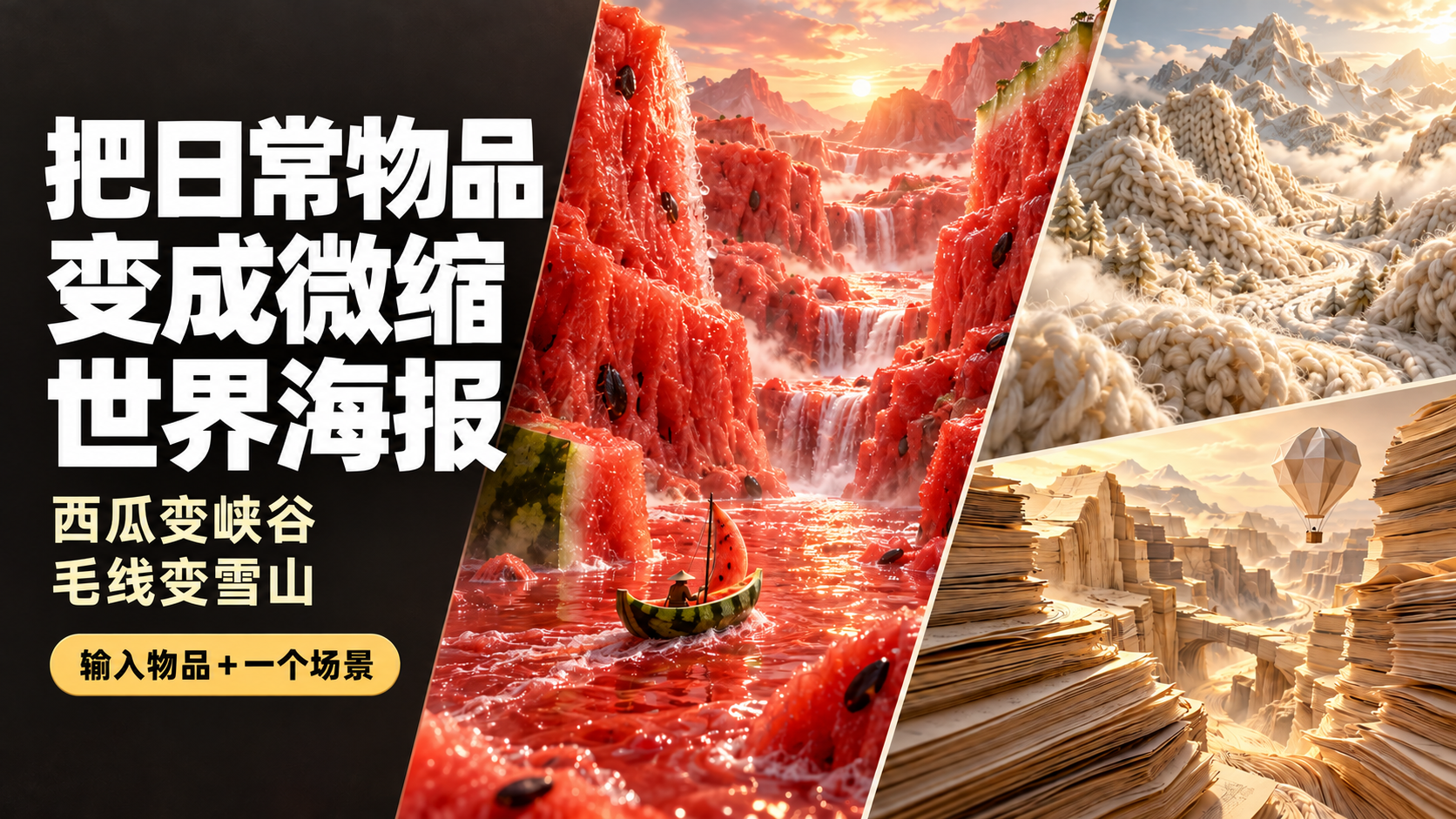
Everyday Items to Mini Worlds
Turn everyday objects into vivid mini worlds.
Everyday Items to Mini Worlds
Turn everyday objects into vivid mini worlds.
Showcase
Description
Enter “boating through a watermelon canyon” to generate a realistic poster made of flesh-colored mountain ranges, a juice river, and a watermelon-rind boat. This Skill transforms everyday objects such as food, yarn, and paper into miniature worlds you can explore. Simply describe “what object+what scene,” and it uses the object's real textures to arrange the terrain, lighting, and composition, then generates the image directly. Here are some ways to use it: Boating through a watermelon canyon: the flesh becomes mountains, and the rind becomes a small boat. Camping on yarn-covered snowy mountains: knitted textures form the mountain ranges, with a small campsite set up on the slopes. Hiking through coffee dunes: coffee grounds form the dunes, and coffee beans become giant boulders. Traveling through a book-page canyon: layered pages form the cliffs, while a paper hot-air balloon passes through the valley. You can start by naming just one object, and the Skill will automatically pair it with a scene. You can also upload a reference image and carry over its colors and textures. People, props, titles, and aspect ratios can all be adjusted as needed. By default, each generation produces one 3:4 portrait, text-free poster, suitable for creative visuals, social media covers, themed posters, and brand-visual inspiration. After generation, it checks the materials, composition, and unwanted elements, then makes corrections as needed. An environment that supports image generation is required; actual usage is subject to the platform's rules. The displayed images are AI-generated examples.
Recommended by
Dancang
Why we love this skill
Turns everyday textures into believable, cinematic miniature worlds with real terrain, liquid, and scale relationships.
Best for
Content creators and brand designers who need creative visuals, social media covers, or themed poster concepts.
How to use this Skill
Provide your input
Enter an everyday object or material, optionally adding a scene, activity, reference image, and requirements for people, props, a title, or aspect ratio.
Run the Skill
The Skill extends the item's real textures into a miniature world with depth and consistent lighting, then adjusts the composition and elements as requested.
Review your result
Generates a realistic miniature-world image, with a portrait poster composition by default.
Related Skills
View all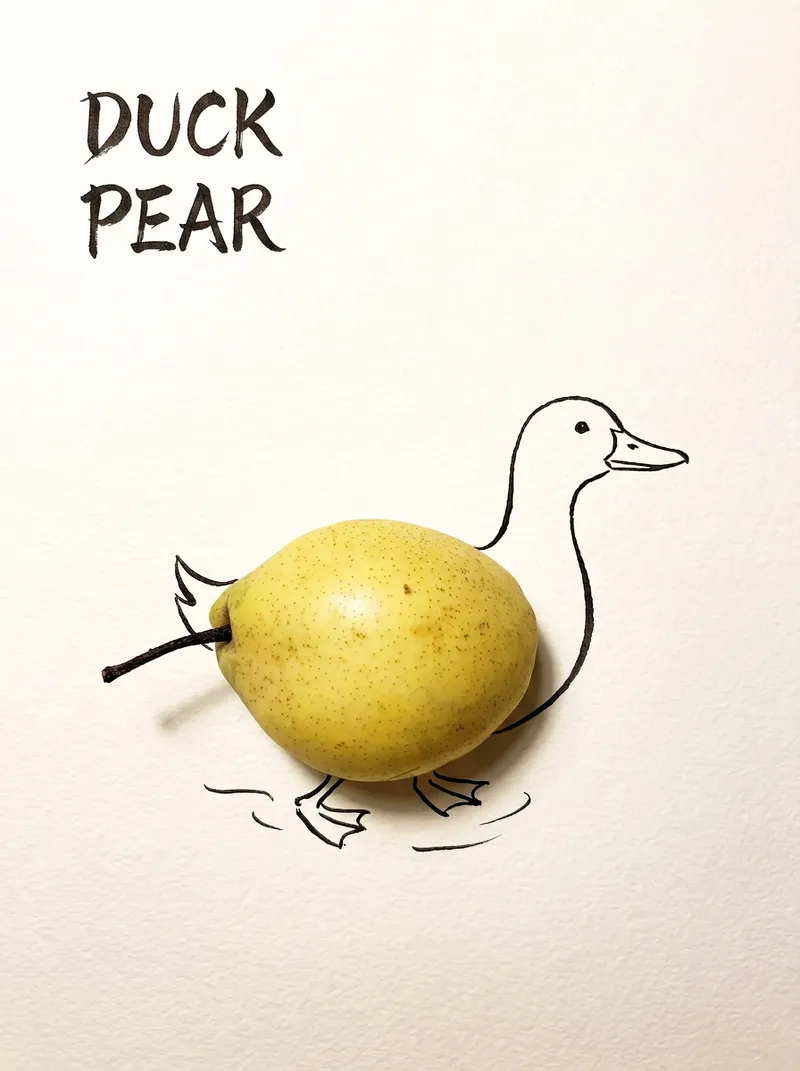 Image
ImageBring Objects to Life
Best for: Xiaohongshu / Douyin creators Turn everyday objects into posters and create a consistent "bring-to-life series" with highly engaging content Food and lifestyle creators Turn ingredients into cover images that make your work more memorable Illustrators / designers Find inspiration quickly and test the "real object + line art" creative direction Teachers / parents Create materials for arts and crafts lessons, helping children make up stories with objects around them Businesses / brand operators Create creative hero images, holiday posters, and packaging inspiration for produce, fruit, and snacks Cultural creative brands, stationery shops, and coffee shops Design merchandise, postcards, stickers, and menu illustrations Everyday enthusiasts Photograph something nearby and share an "artwork" on social media Everything you photograph is hiding another character. "Bring Objects to Life" is a creative poster generator that combines real-object photography with minimalist line art. Just upload a photo of an object, and AI will automatically do three things: 🔍 Read the shape: Analyze the object's outline, curves, and texture to find what it most resembles ✏️ Add line art: Use dark ink pen lines to draw in a head, limbs, a human figure, ropes, and more, fitting the lines precisely to the object's edges 🖋 Turn the idea into a phrase: Create a 2–4-character Chinese pun title and arrange it in the empty space in an artistic typeface The finished image preserves the object's real colors and texture. The background is clean, warm-white watercolor paper, with at least 40% negative space. The result feels calm and refined: recognizable at a glance, then delightfully witty once you see the idea. The default format is a 3:4 vertical layout, suited to Xiaohongshu, Moments, and Douyin image posts. The aspect ratio, font, and title can all be customized.
 Image
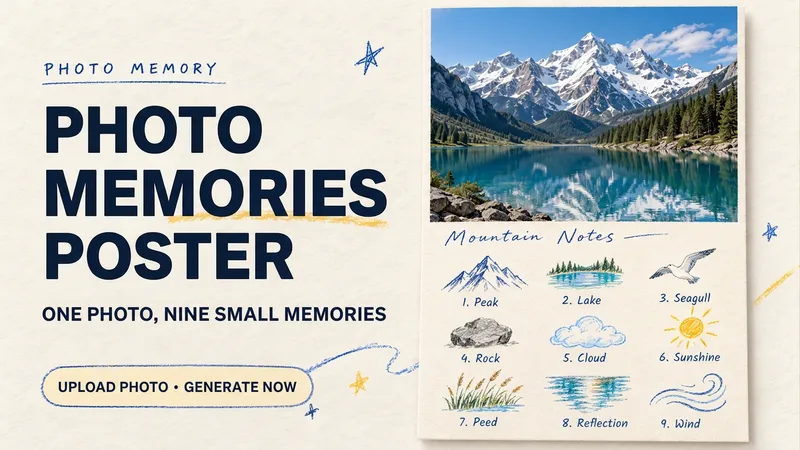
ImagePhoto Memory Poster
Some photos in your album deserve to be remembered with care. Upload an original photo of a trip, a coffee break, a pet, or an everyday moment to turn it into a textured memory poster with paper grain and drawn strokes: the top half preserves the real moment, while the bottom half illustrates the details worth remembering as nine small crayon-and-colored-pencil icons. Each photo is output separately in a 3:4 portrait layout, with no multi-photo collage. The top and bottom each take up half the page, with a loose nine-grid layout, short handwritten title, and small caption, creating the feel of a private visual diary. Colors adapt to the photo instead of using a fixed scenic template. Just upload a photo and optionally add a title. The Skill extracts memorable details, creates the image, and checks the subject, nine icons, and actual layout divisions. When an image tool with reference-image support is available, it can generate the image directly. Strict layout separation and fidelity to the original photo also depend on the editing and assembly capabilities of the runtime environment; if the requirements cannot be met, this will be explained. Suitable for travel keepsakes, pet collections, lifestyle journaling, and social sharing. The showcase images are demonstrations using locally created original AI scenes, not examples from real users; on YouMind, the Skill has been trialed with input guidance for missing photos, while complete image generation still awaits testing. Image-generation usage is subject to the current platform.
 Image
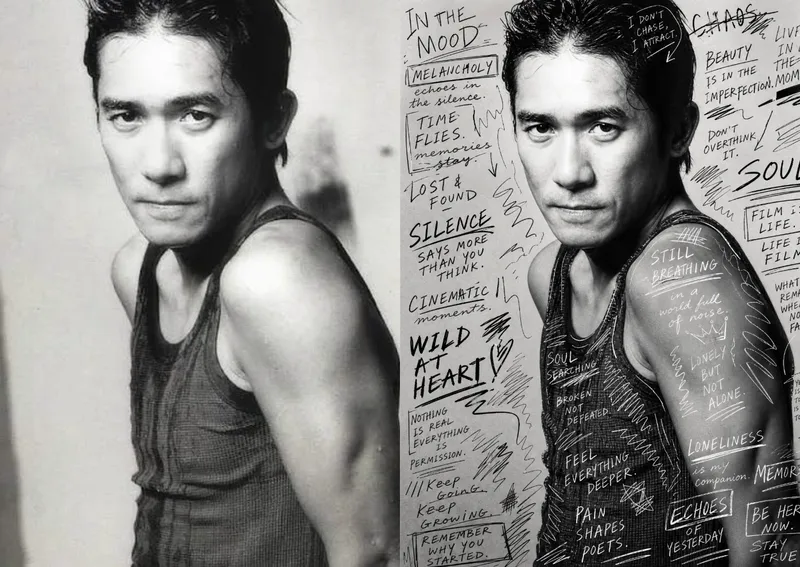
ImageHand-Drawn Photo Posters
Turn an ordinary photo into a vertical art poster with an authentic hand-drawn feel. Upload a photo and describe the lettering, doodles, or theme you want to add. You’ll get handwritten copy, free-flowing lines, and stylized icons drawn directly onto the original image, preserving the photo’s subject and atmosphere while adding a natural, spontaneous creative touch. Based on the photo’s composition, subject, and overall mood, it plans a suitable 3:4 portrait layout, balances the original image with areas of negative space, and designs hand-drawn elements and lettering styles to match each placement. The results emphasize authentic physical pen strokes: lines have natural curves and texture, avoiding printed fonts, computer-generated text effects, and a digital painting look. Handwritten content defaults to English but can be changed to Chinese as needed. Along with the finished image, you’ll receive a complete, reproducible image-generation prompt and a brief creative explanation—ideal for social media visuals, personal photo posters, travel keepsakes, and artistic photos with a handcrafted feel.
Information
- Version
- v4
- Last updated
- Runtime credits
- Usage-based
- Models
- Auto
- Use cases
- Images & designMarketing & growth
- What you get
- Image
- Visual styles
- CinematicPhotorealistic
