Pictogram / Icon Set (Light)
Generate organic pictograms with a light palette
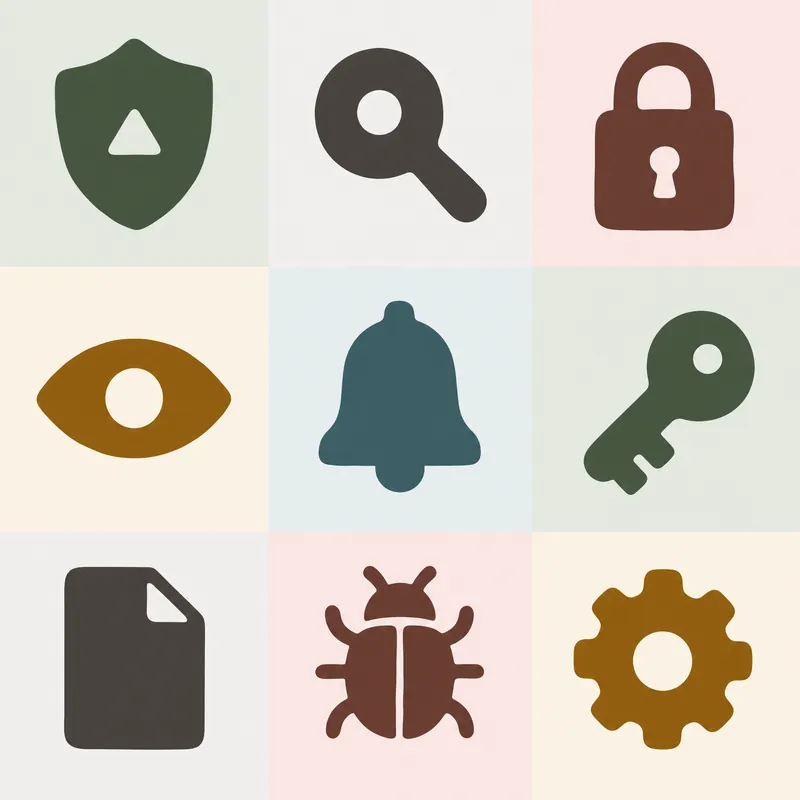
Instructions
Analyze the user's input (skill name, keyword, or topic) and extract the core semantic meaning. Select ONE visual metaphor using this priority: 1) Tool metaphor (pen for writing, magnifying glass for review) → 2) Process metaphor (spark for generation, two overlapping shapes for duplication/mirroring, extraction for style) → 3) Result metaphor (chart for infographic, browser for webpage). The metaphor must be a single recognizable object, not a scene. For 'generate similar' or 'duplicate' concepts, use two overlapping identical shapes slightly offset to suggest mirroring.
Determine the color palette. Use this 4-color palette — each color pair consists of a dark fill color (图标色) and a light background color (底色):
1. 橄榄绿: fill #495A40 / bg #E3E8E0
2. 灰紫: fill #625267 / bg #E7E5E7
3. 青蓝: fill #455F61 / bg #E7EEEF
4. 深黄:fill #815A0D / bg #FAF4E8
Assign one color pair per icon. Distribute colors evenly and avoid similar hues for semantically similar skills. Each icon MUST use its assigned dark fill color for the pictogram silhouette and its assigned light color for the background tile. For single icons, the background is the pure flat light color. For grids, tiles sit adjacent with clean edges — no borders, no strokes, no dividers between them, and no black canvas behind them.
Determine internal negative-space cutouts. For applicable subjects, add ONE small geometric cutout that enhances recognition: shield → triangle cutout at center; magnifying glass → small circular cutout inside lens. Do not add cutouts to shapes where they reduce clarity (eye, star, landscape, browser window). The cutout must never compromise the block-based solid silhouette identity.
Generate the pictogram using generateImage with these STRICT style parameters — consistency across all icons is the highest priority:
FILL & BACKGROUND:
- Fill: Each icon uses its assigned dark fill hex (图标色) as the solid fill color for the pictogram silhouette
- Background tile: Pure flat light color (底色) from the same assigned color pair
ORGANIC SHAPE RULES (critical — icons must feel hand-crafted, not machine-drawn):
- ASYMMETRY: Avoid strict left-right and top-bottom mirror symmetry. Shapes should feel slightly irregular in detail — one side may bulge a little more, one corner may angle differently — yet the overall composition remains visually balanced and centered. No shape should feel like a perfect geometric primitive.
- LINE CHARACTER: Edges and contours must NOT be purely straight lines or perfectly smooth mathematical arcs. Use a mix of gentle curves with subtle direction changes, slight kinks, and micro-variations in curvature. Corners should be neither sharp nor uniformly rounded — some may be softly blunted, others slightly more curved, creating a natural hand-drawn irregularity.
- HAND-DRAWN WAVINESS: Along every edge, introduce subtle micro-fluctuations — as if drawn by a steady hand with the faintest tremor. This means tiny, almost imperceptible wobbly deviations from a perfect line or curve, never repeating exactly. The result should feel like a confident brush stroke, not a vector path with noise.
- WEIGHT: Thick uniform visual weight, same across all icons
- COVERAGE: Centered, roughly 60% of canvas
CANVAS & FORMAT:
- Format: 1:1 square for single icons; 4:3 for grids (4 columns × N rows)
- Grid mode: Tiles sit adjacent with clean edges, no borders, no black canvas between them
FORBIDDEN:
- Gradients, shadows, text, fine lines, strokes between tiles
- Perfect geometric symmetry (mirror, radial, or rotational)
- Perfectly straight edges or perfectly uniform arcs
- Machine-precise vector look
PROMPT TEMPLATE (single icon):
'A single bold solid-filled organic pictogram silhouette in [FILL_COLOR_NAME] ([FILL_HEX]). Subject: a [METAPHOR_OBJECT]. [CUTOUT_INSTRUCTION if applicable]. The shape is intentionally hand-drawn: slightly asymmetrical left vs right and top vs bottom, yet compositionally balanced. Edges have a subtle hand-drawn waviness — not perfectly straight or uniformly curved, with micro-fluctuations and gentle irregularity along contours. Corners are blunted and uneven, never identically rounded. Block-based, thick uniform visual weight, not linear or wireframe. Pure flat [BG_COLOR_NAME] ([BG_HEX]) background, no texture. Centered, 60% canvas coverage. Flat graphic design. No gradients, no shadows, no text.'
PROMPT TEMPLATE (grid):
'A grid of N square colored tiles arranged in rows and columns. No borders, no strokes, no dividers between cells. Each tile has a pure flat light-colored background and a single bold solid-filled organic pictogram silhouette in its corresponding dark fill color centered inside, no gradients or textured fill. All pictograms share identical organic style: block-based, thick uniform visual weight, hand-drawn with slight asymmetry left-vs-right and top-vs-bottom yet compositionally balanced, edges with subtle micro-waviness and irregular curvature, corners unevenly blunted. [LIST EACH TILE WITH BG COLOR, FILL COLOR, SUBJECT, AND CUTOUT]. Flat graphic design. No gradients, no shadows, no text, no texture.'
Quality: medium.
Description
A variant of the Organic Pictogram Generator that uses a 5-color light-dark palette: each icon gets a light background tile and a dark solid fill, establishing a strict one-to-one color correspondence per skill.
Related Skills
View allOrganic Pictogram Generator
Generate consistent organic block-based pictograms for skill/feature icons. Uses a curated 9-color palette with all-black silhouettes, hand-drawn organic edges, and a dark grid layout.
Light Blue Woodcut Presentation
Craft stunning presentations with a unique "Clay Minimal" aesthetic, designed to convey your message with understated elegance. This skill specializes in creating slides that feature a sophisticated two-color palette of warm cream and light periwinkle blue, ensuring a clean and professional appearance without relying on harsh blacks or grays.
Modern Light Soft-glow
A modern, minimalist presentation template inspired by Studio Salford's bold typography, light-dominant pages with frosted pastel gradient halos, and high-contrast editorial photography. Dark backgrounds are reserved only for slogan/quote emphasis. Supports cover, introduction, numbered content, diagram, data, and closing page types with consistent branding elements.
Pictogram / Icon Set (Light)
Generate organic pictograms with a light palette
Instructions
Analyze the user's input (skill name, keyword, or topic) and extract the core semantic meaning. Select ONE visual metaphor using this priority: 1) Tool metaphor (pen for writing, magnifying glass for review) → 2) Process metaphor (spark for generation, two overlapping shapes for duplication/mirroring, extraction for style) → 3) Result metaphor (chart for infographic, browser for webpage). The metaphor must be a single recognizable object, not a scene. For 'generate similar' or 'duplicate' concepts, use two overlapping identical shapes slightly offset to suggest mirroring.
Determine the color palette. Use this 4-color palette — each color pair consists of a dark fill color (图标色) and a light background color (底色):
1. 橄榄绿: fill #495A40 / bg #E3E8E0
2. 灰紫: fill #625267 / bg #E7E5E7
3. 青蓝: fill #455F61 / bg #E7EEEF
4. 深黄:fill #815A0D / bg #FAF4E8
Assign one color pair per icon. Distribute colors evenly and avoid similar hues for semantically similar skills. Each icon MUST use its assigned dark fill color for the pictogram silhouette and its assigned light color for the background tile. For single icons, the background is the pure flat light color. For grids, tiles sit adjacent with clean edges — no borders, no strokes, no dividers between them, and no black canvas behind them.
Determine internal negative-space cutouts. For applicable subjects, add ONE small geometric cutout that enhances recognition: shield → triangle cutout at center; magnifying glass → small circular cutout inside lens. Do not add cutouts to shapes where they reduce clarity (eye, star, landscape, browser window). The cutout must never compromise the block-based solid silhouette identity.
Generate the pictogram using generateImage with these STRICT style parameters — consistency across all icons is the highest priority:
FILL & BACKGROUND:
- Fill: Each icon uses its assigned dark fill hex (图标色) as the solid fill color for the pictogram silhouette
- Background tile: Pure flat light color (底色) from the same assigned color pair
ORGANIC SHAPE RULES (critical — icons must feel hand-crafted, not machine-drawn):
- ASYMMETRY: Avoid strict left-right and top-bottom mirror symmetry. Shapes should feel slightly irregular in detail — one side may bulge a little more, one corner may angle differently — yet the overall composition remains visually balanced and centered. No shape should feel like a perfect geometric primitive.
- LINE CHARACTER: Edges and contours must NOT be purely straight lines or perfectly smooth mathematical arcs. Use a mix of gentle curves with subtle direction changes, slight kinks, and micro-variations in curvature. Corners should be neither sharp nor uniformly rounded — some may be softly blunted, others slightly more curved, creating a natural hand-drawn irregularity.
- HAND-DRAWN WAVINESS: Along every edge, introduce subtle micro-fluctuations — as if drawn by a steady hand with the faintest tremor. This means tiny, almost imperceptible wobbly deviations from a perfect line or curve, never repeating exactly. The result should feel like a confident brush stroke, not a vector path with noise.
- WEIGHT: Thick uniform visual weight, same across all icons
- COVERAGE: Centered, roughly 60% of canvas
CANVAS & FORMAT:
- Format: 1:1 square for single icons; 4:3 for grids (4 columns × N rows)
- Grid mode: Tiles sit adjacent with clean edges, no borders, no black canvas between them
FORBIDDEN:
- Gradients, shadows, text, fine lines, strokes between tiles
- Perfect geometric symmetry (mirror, radial, or rotational)
- Perfectly straight edges or perfectly uniform arcs
- Machine-precise vector look
PROMPT TEMPLATE (single icon):
'A single bold solid-filled organic pictogram silhouette in [FILL_COLOR_NAME] ([FILL_HEX]). Subject: a [METAPHOR_OBJECT]. [CUTOUT_INSTRUCTION if applicable]. The shape is intentionally hand-drawn: slightly asymmetrical left vs right and top vs bottom, yet compositionally balanced. Edges have a subtle hand-drawn waviness — not perfectly straight or uniformly curved, with micro-fluctuations and gentle irregularity along contours. Corners are blunted and uneven, never identically rounded. Block-based, thick uniform visual weight, not linear or wireframe. Pure flat [BG_COLOR_NAME] ([BG_HEX]) background, no texture. Centered, 60% canvas coverage. Flat graphic design. No gradients, no shadows, no text.'
PROMPT TEMPLATE (grid):
'A grid of N square colored tiles arranged in rows and columns. No borders, no strokes, no dividers between cells. Each tile has a pure flat light-colored background and a single bold solid-filled organic pictogram silhouette in its corresponding dark fill color centered inside, no gradients or textured fill. All pictograms share identical organic style: block-based, thick uniform visual weight, hand-drawn with slight asymmetry left-vs-right and top-vs-bottom yet compositionally balanced, edges with subtle micro-waviness and irregular curvature, corners unevenly blunted. [LIST EACH TILE WITH BG COLOR, FILL COLOR, SUBJECT, AND CUTOUT]. Flat graphic design. No gradients, no shadows, no text, no texture.'
Quality: medium.
Description
A variant of the Organic Pictogram Generator that uses a 5-color light-dark palette: each icon gets a light background tile and a dark solid fill, establishing a strict one-to-one color correspondence per skill.
Related Skills
View allOrganic Pictogram Generator
Generate consistent organic block-based pictograms for skill/feature icons. Uses a curated 9-color palette with all-black silhouettes, hand-drawn organic edges, and a dark grid layout.
Light Blue Woodcut Presentation
Craft stunning presentations with a unique "Clay Minimal" aesthetic, designed to convey your message with understated elegance. This skill specializes in creating slides that feature a sophisticated two-color palette of warm cream and light periwinkle blue, ensuring a clean and professional appearance without relying on harsh blacks or grays.
Modern Light Soft-glow
A modern, minimalist presentation template inspired by Studio Salford's bold typography, light-dominant pages with frosted pastel gradient halos, and high-contrast editorial photography. Dark backgrounds are reserved only for slogan/quote emphasis. Supports cover, introduction, numbered content, diagram, data, and closing page types with consistent branding elements.
Find your next favorite skill
Explore more curated AI skills for research, creation, and everyday work.