Bring Maps to Life
Create engaging vertical geography shorts
Bring Maps to Life
Create engaging vertical geography shorts
Showcase
Description
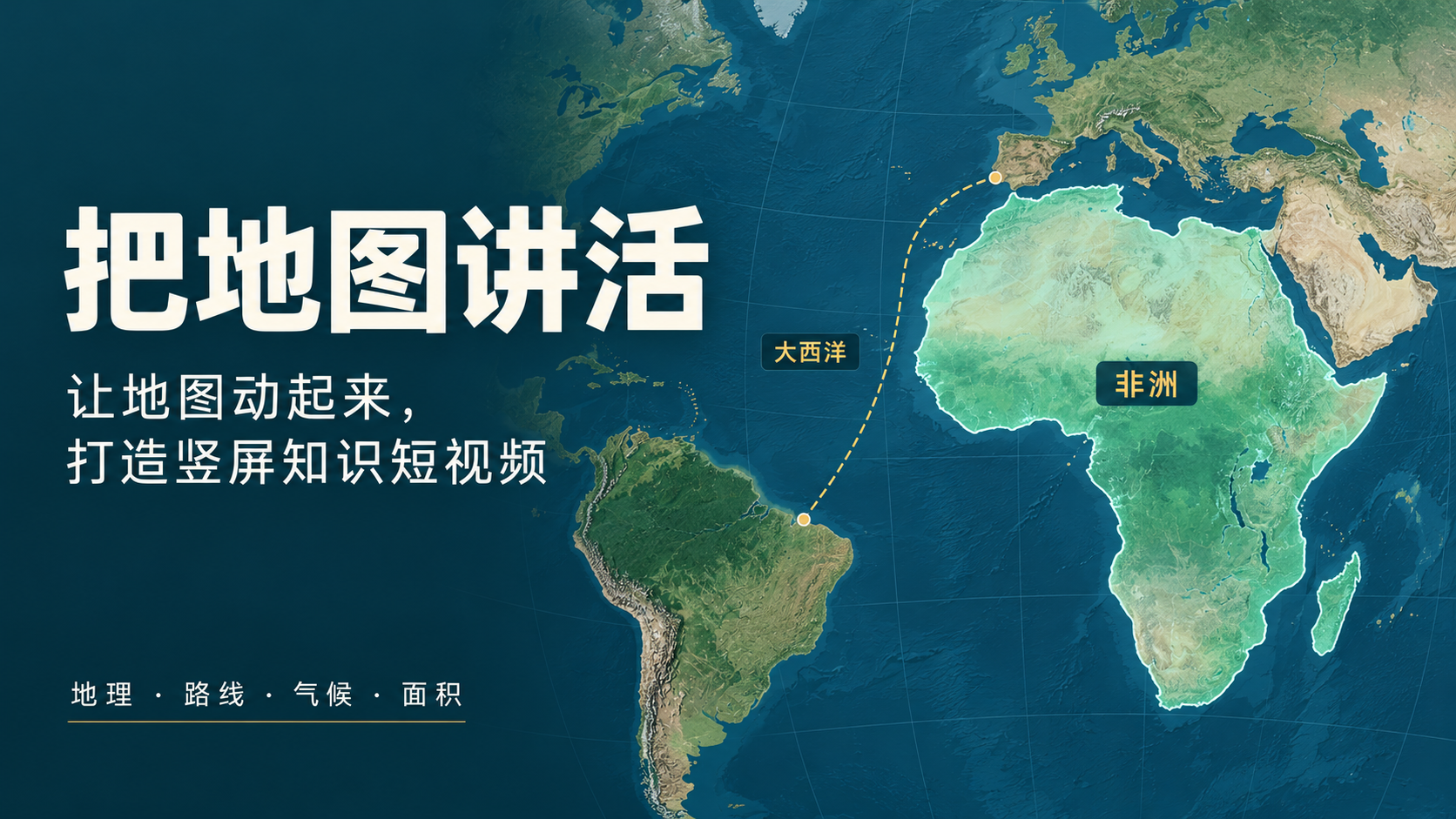
Want to make geography science short videos, but struggling to make maps engaging? From "Is Greenland really that big?" to "Why a single mountain changes rainfall on both sides," focus on counter-intuitive, suspenseful viral topics. Use real maps, dynamic routes, camera pans and zooms, and intuitive comparisons to turn knowledge into a vivid story. Designed for vertical short video creation and knowledge account growth, it supports topic planning, fact-checking, script-storyboarding, Chinese subtitles, and user self-voiceover. It defaults to producing 9:16 map animations and exports MP4 in supported browsers, making it great for geography science, trivia, and map commentary content. Examples on this page were generated by GPT-6 Astra using this Skill. You can also try other models; actual results depend on preview and export outputs. Try entering: "Help me create a 60-second vertical video for a geography knowledge account. The theme is 'Are maps lying to us?' Start with a counter-intuitive question, use dynamic maps in the middle, and end with viewers clearly seeing that Africa is about 14 times the size of Greenland."
Recommended by
Dancang
Why we love this skill
Combines real geographic data, spatial mechanisms, and vertical storytelling to deliver editable animated web pages, sources, and verified MP4s. Uniquely uses map motion to present paths, scales, and climate relationships while maintaining strict fact-checking and export verification.
Best for
Ideal for content creators and knowledge accounts producing vertical short videos on geography education, map commentary, and trivia.
How to use this Skill
Provide your input
Enter the geographic topic, target duration, reference materials, and optional voiceover or subtitle requirements.
Run the Skill
The system organizes the topic, verifies key facts, and arranges map animations, camera movements, narration scripts, and Chinese subtitles.
Review your result
Receive a previewable vertical geography knowledge short video project, editable webpage, subtitles, and sources; videos can be downloaded in supported export environments.
Related Skills
View all Video
Video(Trending) Portrait to 3D Map
Turn one portrait and a city or place into a vertical portrait-to-3D-map short video with a memorable visual hook. The skill first arranges the person into a 9:16 opening frame with a white background, while preserving facial features, clothing, pose, and identity as closely as possible. If you specify that the original background, composition, or reference style should be retained, it will follow those requirements. If the photo or place is missing, it will ask you to confirm first. The finished video uses a rotating camera move for a natural transition: the person starts on a white background, then transitions into a 3D city map with dimensional buildings, illuminated road networks, and landmarks, ending on a clear location interface. The video can show English landmark labels, the place name in Chinese, its English name, and country and city information—ideal for travel sharing, personal introductions, city check-ins, and short-video openings. Before generating the video, it shows the required credit cost and waits for confirmation. The default output is an approximately 6-second, 9:16 vertical video. After completion, it checks character consistency, transition smoothness, map depth, and text clarity. When needed, it holds the ending on a readable location interface and saves the editable final video as “Place · Portrait 3D Map Transition.”
 Video
VideoShort Video Creator
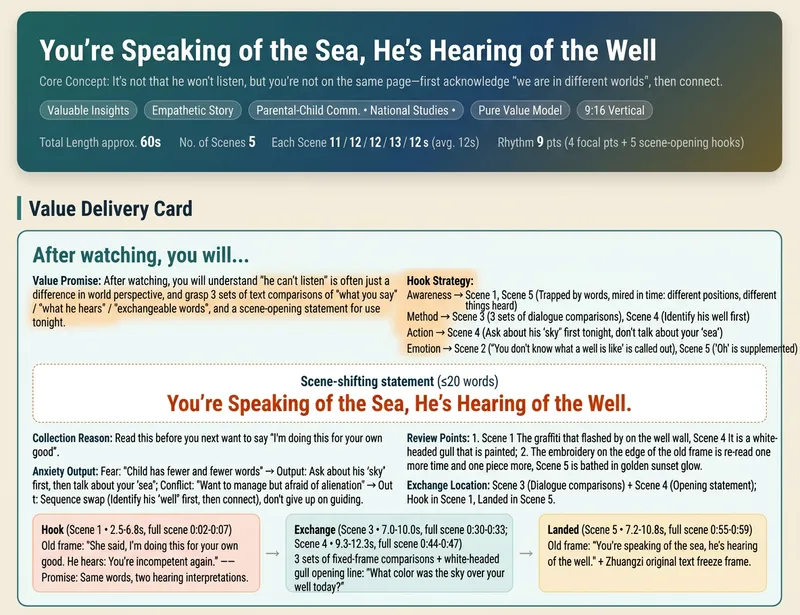
Turn a vague short video idea into a complete content plan ready for generation, editing, and publishing. Whether it is drama shorts, philosophical fables, cute pets, knowledge explainers, food reviews, travel scenery, product showcases, or emotional mood videos, simply describe the theme, characters, or effects in natural language to get genre-appropriate creative directions, story structures, visual styles, and audience value designs. The skill builds value cards around "what viewers take away," balancing save-worthy points, replay value, emotional resonance, and original recognition to avoid generic templates and homogeneous content, while preparing vertical short video assets for Seedance 2.0, Doubao, or Jimeng. Finally, it provides storyboard scripts, Chinese video generation prompts, and protagonist reference image prompts to help you generate scenes segment by segment and assemble them with background music and captions in editing software. It also generates titles, descriptions, tags, and publishing copy for Douyin, Xiaohongshu, and Video Channel, covering necessary disclosures for AI generation, fictional performances, and commercial content. Supporting creative directions like pure content, brand sponsorships, and in-app product tags, it emphasizes native platform alignment and compliant expression without external traffic redirection or exaggerated clickbait endings. All three deliverables are single-file HTMLs that can be opened and copied directly in the browser, suitable for completing short video production and publishing preparation all the way from creative planning.
 Video
VideoHistory in Motion
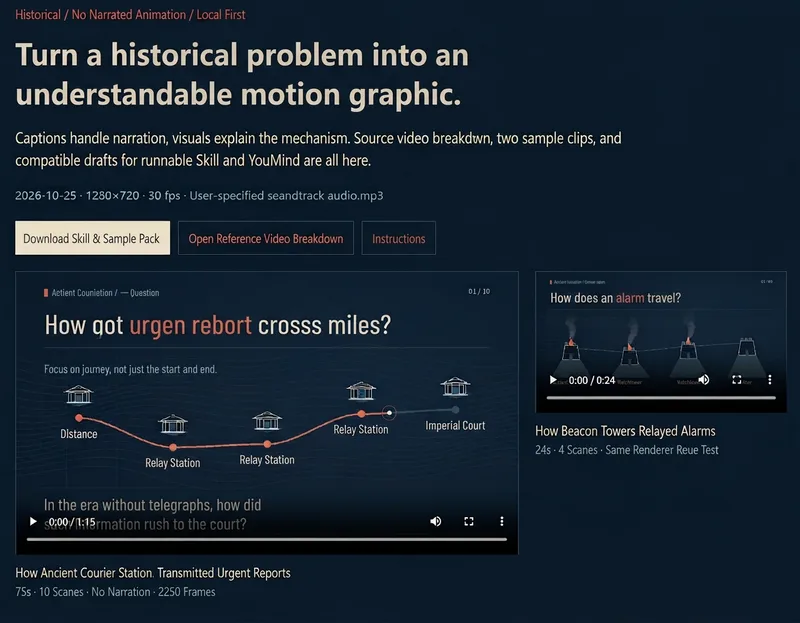
Enter a historical question to create a 60–90 second Chinese knowledge short video. From fact-checking and storyboard arrangement to screen narration, it uses a dark blue background, off-white text, vermilion highlights, and line-drawing animations to gradually unfold historical transmission processes, collaboration methods, and institutional operations. Without voiceover, it relies on subtitles and dynamic diagrams to explain the whole story clearly, paired with your favorite background music so it can be understood even on mute. Especially suitable for explaining ancient communications and historical mechanisms, it can be used for historical science popularization, classroom demonstrations, and website displays. It includes fact sources and supports local MP4 export.
Information
- Version
- v8
- Last updated
- Runtime credits
- Usage-based
- Models
- Auto
- Use cases
- Images & designVideo & audioLearning & education
- What you get
- WebpageVideoScript
