(Trending) Portrait to 3D Map
Turn a portrait and place into a 3D map video
(Trending) Portrait to 3D Map
Turn a portrait and place into a 3D map video
Showcase
Description
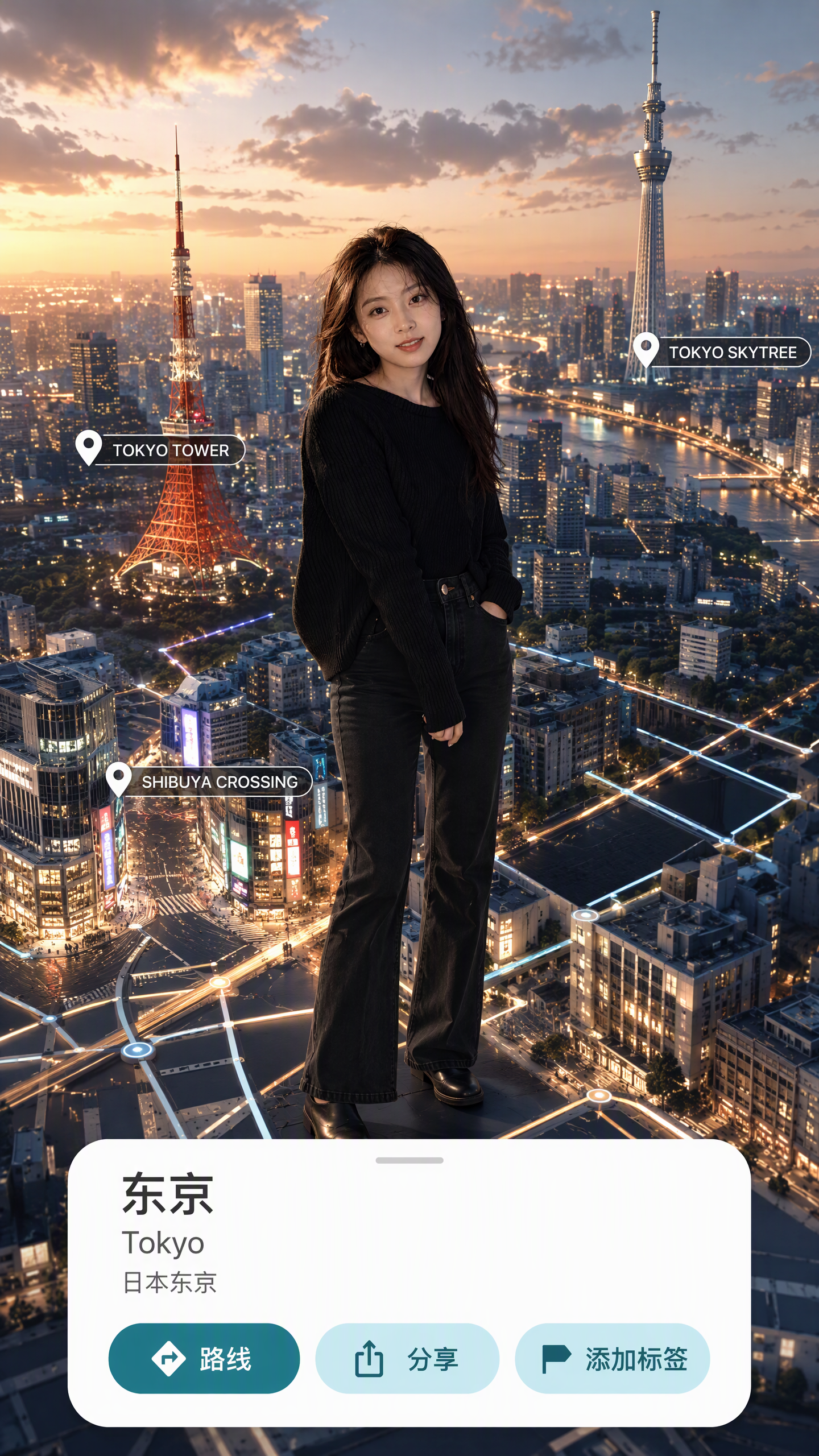
Turn one portrait and a city or place into a vertical portrait-to-3D-map short video with a memorable visual hook. The skill first arranges the person into a 9:16 opening frame with a white background, while preserving facial features, clothing, pose, and identity as closely as possible. If you specify that the original background, composition, or reference style should be retained, it will follow those requirements. If the photo or place is missing, it will ask you to confirm first. The finished video uses a rotating camera move for a natural transition: the person starts on a white background, then transitions into a 3D city map with dimensional buildings, illuminated road networks, and landmarks, ending on a clear location interface. The video can show English landmark labels, the place name in Chinese, its English name, and country and city information—ideal for travel sharing, personal introductions, city check-ins, and short-video openings. Before generating the video, it shows the required credit cost and waits for confirmation. The default output is an approximately 6-second, 9:16 vertical video. After completion, it checks character consistency, transition smoothness, map depth, and text clarity. When needed, it holds the ending on a readable location interface and saves the editable final video as “Place · Portrait 3D Map Transition.”
Recommended by
淡苍
Why we love this skill
Connects a portrait and destination in one polished 3D map transition—from a white-background full-body opening through landmark search to a labeled location card, with character consistency and quality checks.
Related Skills
View all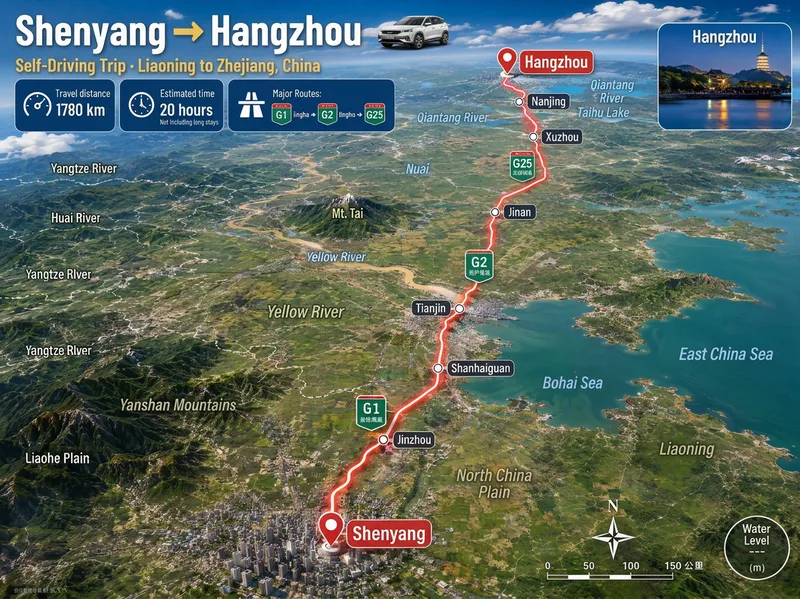 Image
Image3D Aerial Route Map
Ideal for: 1. Travel, road-trip, and local discovery content creators. 2. Guide creators on Xiaohongshu, Douyin, and WeChat Official Accounts. 3. Operators at travel agencies, guesthouses, car rental companies, and tourism bureaus. 4. Video editors who need "route animation assets" for short-video openings and transitions. 5. Teachers, geography enthusiasts, and people creating educational travel materials. 6. Anyone who wants to make a commemorative "Our Route" poster for a partner or friends. Enter a city, town, village, or country. Mountains, deserts, river valleys, and coastlines are recreated from real maps, with distance, travel time, road numbers, and stops provided at once. The image includes a prominent headline, three information cards for distance, travel time, and the main route, a glowing red route line, labels for real stops, road-number shields, province or country borders, names of mountains, deserts, forests, and other terrain along the route, a small destination landmark image, a compass, and a scale bar. The default format is 3:4 portrait with Simplified Chinese. Both the aspect ratio and language can be customized. Routes across seas or continents automatically switch to flight paths or dashed ferry routes.
Infinite Loop Selfie
Turn your written concept or character reference image into a selfie photo with a Droste effect: the person in the image holds a phone with its screen facing the camera, clearly showing the complete scene—including the person, phone, and white studio background—nested and shrinking layer by layer to form a visible visual loop with at least three levels. Customize the person’s gender, age, hairstyle, clothing, pose, and expression. You can also specify a portrait 3:4, square 1:1, or vertical 9:16 aspect ratio. When you upload a reference image, the person’s facial features, hairstyle, skin tone, body type, accessories, and visible clothing will be faithfully recreated. If the reference is only a half-body shot or even a close-up, unseen bottoms, shoes, and accessories will be carefully inferred from visible cues such as the collar, top fabric, and color palette to complete a coordinated outfit in the same style. These details will only be changed when you explicitly describe the changes in text. Without a reference image or character specifications, an original character will be generated, with a consistent appearance, pose, and outfit at every layer. The final image uses a pure white or light gray seamless studio background, soft high-key lighting, and a realistic photographic look, highlighting natural skin tones, fabric details, and a clearly visible phone screen. The composition remains a clean, front-facing shot of one person against an uncluttered background. It avoids incorrect screen content, mirrored text, watermarks, and distorted phones or fingers, keeping the infinite nesting effect natural and easy to recognize.
 Image
ImageSame-Scene Instant Photo
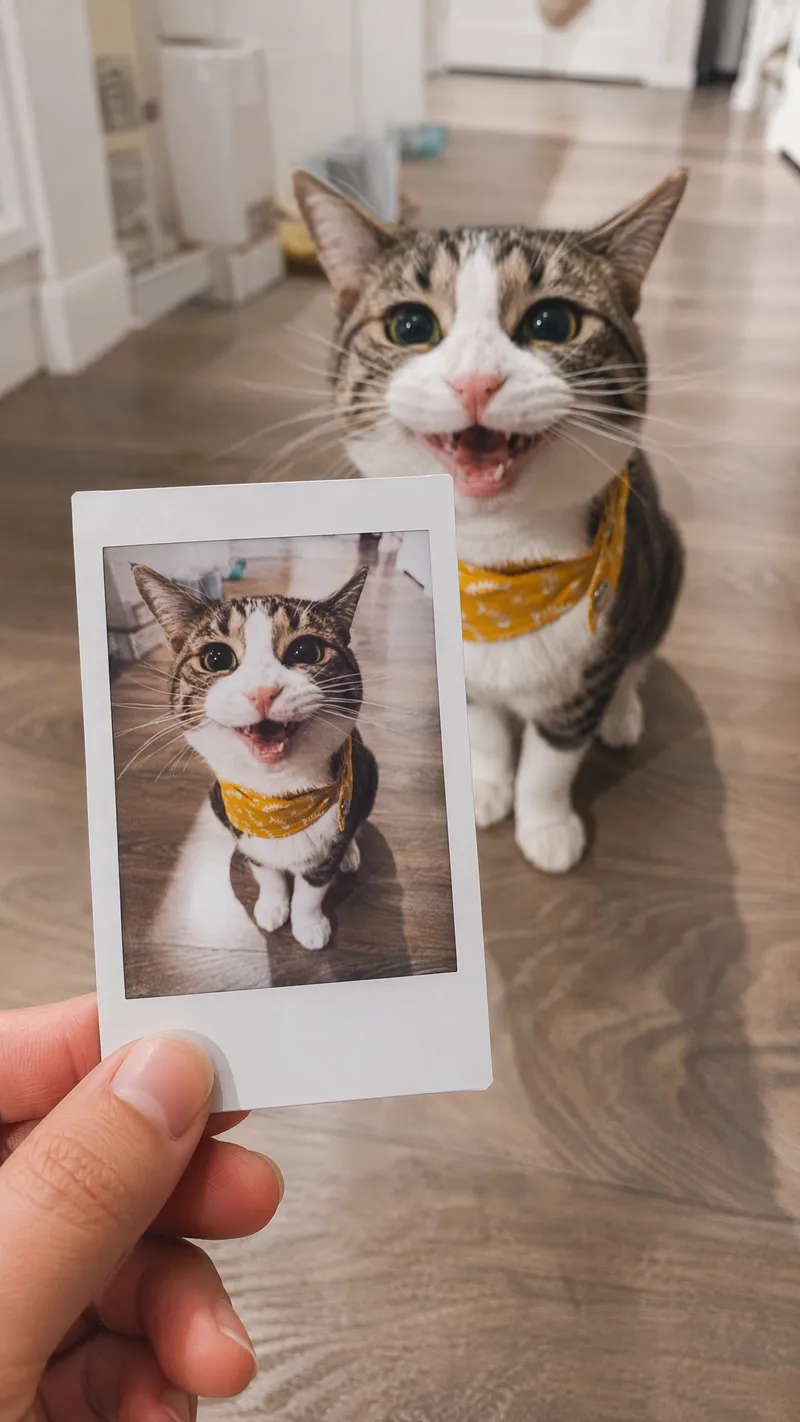
Turn an image or natural-language scene description into a realistic, natural-looking handheld instant photo: a hand holds a physical white-bordered instant print in the foreground, while the real scene from the same place and moment appears in the background, creating a coherent picture-within-picture effect. Whether the subject is a landscape, urban architecture, person, animal, car, product, or everyday object, the image preserves its key appearance and places it in a plausible real-world setting—not simply pasted into a frame. The results emphasize authentic photographic qualities, including natural perspective, paper texture, contact shadows, hand details, moderate depth of field, and the casual feel of a phone snapshot. Mountains, buildings, people, animals, and other subjects in the instant photo correspond to the background, allowing viewers to directly compare the image inside the print with the real scene outside it. Unnatural elements such as floating cards, digital collages, design lines, and excess text are avoided. The composition automatically adapts to landscape, portrait, or square formats based on the original image or your specified aspect ratio, while keeping the instant photo in your hand aligned with the final image. You can also use natural language to adjust the photo’s position, tilt, size, background clarity, lighting, and overall style. It’s suitable for travel photography, life documentation, and scene images with a convincing realistic illusion.
Information
- Version
- v6
- Last updated
- Runtime credits
- Usage-based
- Models
- Auto
