
Glass Refraction Split Poster
Generate glass refraction and magazine split posters
Glass Refraction Split Poster
Generate glass refraction and magazine split posters
Showcase
Description
Ideal for content creators looking to produce visual posters for people, still life, or products. Enter a theme to generate images from text, or upload a photo you have the rights to use, and specify a two-line title and color scheme. The skill first identifies the subject and scene, then plans a 3:4 vertical split layout: natural photography on top, and displaced transparent glass prisms, partial refraction, iridescent fine-edge highlights, and large magazine typography on the bottom. It calls available image tools to generate the output, then checks the text, subject, and visual layers. Delivery: An actually generated split poster, title, and verification notes; copyable prompts included when needed. Usage: Enter the subject and scene or upload a photo, provide a title, run the skill to check character/product details and text, and adjust as needed. Display images are AI examples generated locally using the skill's visual method and image tools, not real person photos or client cases. Not yet verified on YouMind; results depend on the platform's models and tools. GPT is recommended for text planning, and available generation/editing models are used for images. Limitations: Photo editing requires the current environment to support reference image input, and exact consistency of character identity, clothing, product structure, or cross-frame details is not guaranteed. Accurate text and refraction are not guaranteed every time and require manual review. Without image tools, only pending execution plans can be provided, not final images. Do not upload photos without usage rights or request copying author signatures or brands. Square avatars are cropped by local AI examples with titles overlaid, not new independent cases.
Recommended by
Dancang
Why we love this skill
Turns text or photos into magazine-style vertical split posters, combining natural photography on top with multi-layered transparent glass prisms, displacement, and iridescent highlights on the bottom for a polished finish.
Best for
Ideal for content creators who need to produce visual posters for people, still life, or products.
How to use this Skill
Provide your input
Provide a theme, subject, scene, two-line title, and color scheme, or upload a photo you have the rights to use.
Run the Skill
The system plans a vertical split-layout composition based on your input, adds transparent glass prism refraction and magazine typography, and checks subject continuity and text legibility.
Review your result
Receive a split-layout poster and title verification notes, with copyable prompts provided when needed. If no image tool is available, an execution plan is provided instead of a final image.
Related Skills
View all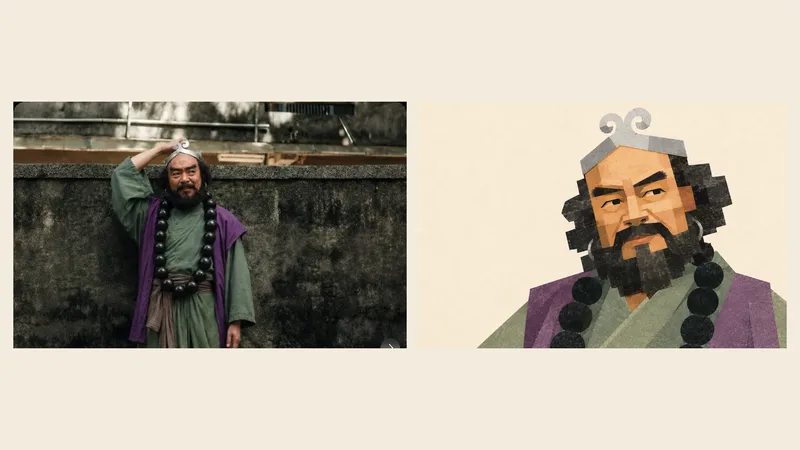 Image
Geometric Photo Collage
Turn photos of people, pets, buildings, or landscapes into geometric collage illustrations with asymmetrical forms, offset paper pieces, a grayscale palette, and fine printed grain. Provide a subject photo and optionally add a target style image. The photo determines the subject’s identity and recognizable features, while the reference guides the styling, composition, negative space, and paper layering. First create a standalone illustration, then optionally make a 3:4 comparison poster with the original photo on top and the illustration below. No text by default; multiple photos are rendered separately. The result can be refined based on actual comparisons, including facial proportions, hair and beard structure, building hierarchy, the negative space within bridges, and the paper texture. This helps avoid generic geometric cartoons and three-dimensional block effects. Version 1.1.0. Three sets of original photos and corresponding target images have been calibrated locally for reference; city details may still appear overly fragmented or too three-dimensional. Cross-subject performance and image generation on the YouMind platform still require practical testing, so exact reproduction is not guaranteed. Image generation capabilities, operating costs, and precise collage alignment depend on the environment used.
 Image
Photo Memory Poster
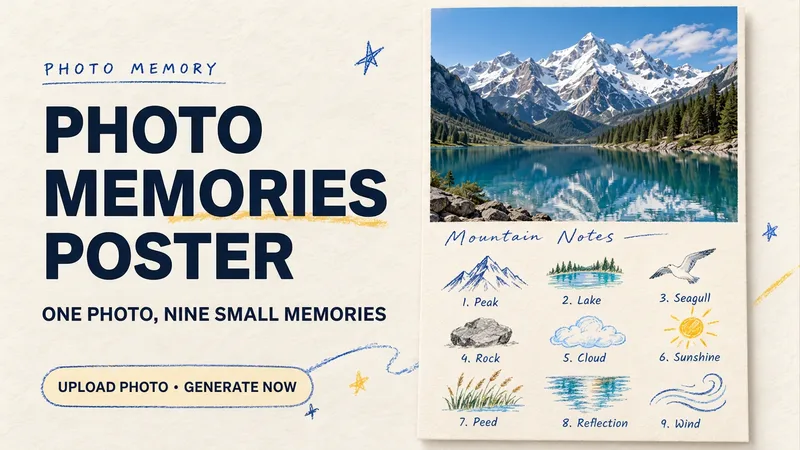
Some photos in your album deserve to be remembered with care. Upload an original photo of a trip, a coffee break, a pet, or an everyday moment to turn it into a textured memory poster with paper grain and drawn strokes: the top half preserves the real moment, while the bottom half illustrates the details worth remembering as nine small crayon-and-colored-pencil icons. Each photo is output separately in a 3:4 portrait layout, with no multi-photo collage. The top and bottom each take up half the page, with a loose nine-grid layout, short handwritten title, and small caption, creating the feel of a private visual diary. Colors adapt to the photo instead of using a fixed scenic template. Just upload a photo and optionally add a title. The Skill extracts memorable details, creates the image, and checks the subject, nine icons, and actual layout divisions. When an image tool with reference-image support is available, it can generate the image directly. Strict layout separation and fidelity to the original photo also depend on the editing and assembly capabilities of the runtime environment; if the requirements cannot be met, this will be explained. Suitable for travel keepsakes, pet collections, lifestyle journaling, and social sharing. The showcase images are demonstrations using locally created original AI scenes, not examples from real users; on YouMind, the Skill has been trialed with input guidance for missing photos, while complete image generation still awaits testing. Image-generation usage is subject to the current platform.
 Image
Event Enrollment Poster Generator
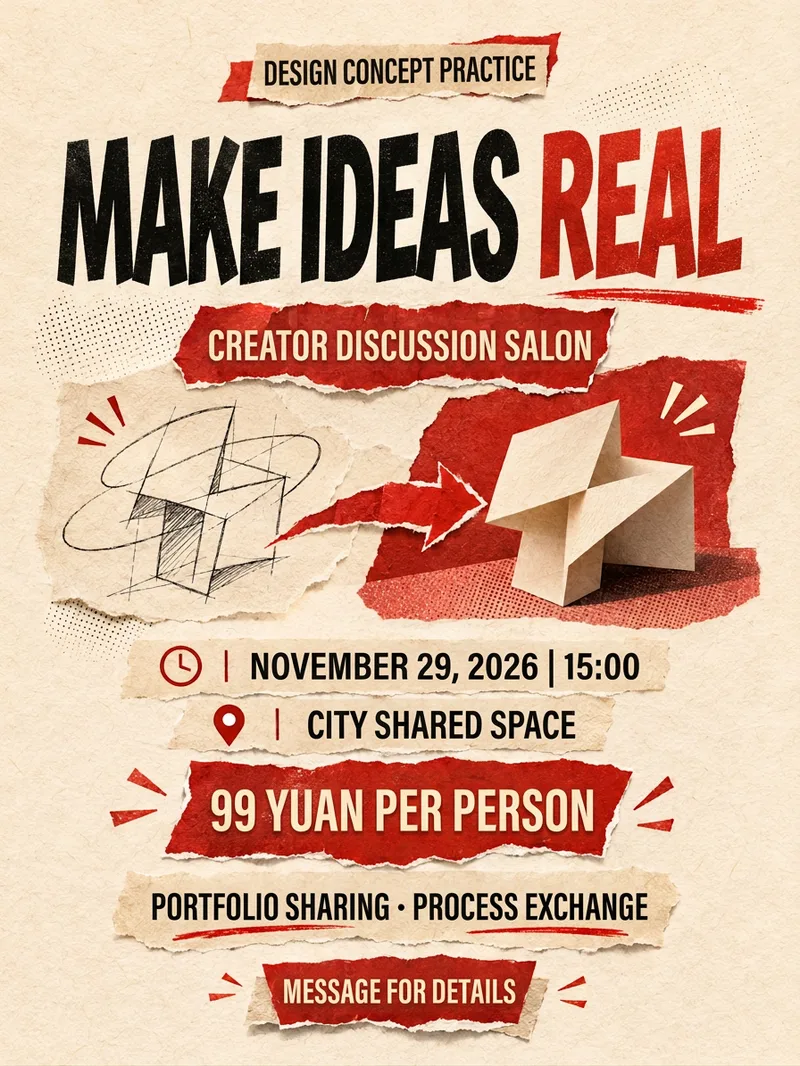
Target audience: Creators and small teams who need to design posters for book clubs, open classes, events, or enrollment campaigns. What you need to provide: Event title, target audience, time and location, content, pricing conditions, registration method, aspect ratio, and authorized assets. Mark unknown items as pending; do not upload unauthorized logos, photos, or QR codes. How it works: First, organize the text fact sheet, then determine the information hierarchy and visual direction. Use available image tools to generate the poster, and systematically verify the title, numbers, location, and registration details. Final deliverables: Poster image, copyable text list, and verification notes. Original PNG attachments are prioritized; actual formats, pixels, and download capabilities depend on the tool used, without passing off JPEG previews as PNG originals. PSD/AI vector source files or automatic publishing are not provided. Usage: Paste the event briefing, specify the aspect ratio and style, review the text, facts, and cropping after generation, and request revisions if needed. Text planning is recommended via GPT, while image generation relies on the platform's image tools. The four display images are fictional design exercises generated locally during the final skill workflow, illustrating a book club, open class, experience day, and networking salon respectively. They are not real events or client projects. Individual examples may feature tight whitespace and do not serve as exact safe zones or print specifications; Chinese text, pixels, and composition still need to be checked. Not suitable for: Fabricated instructors, certifications, partnerships, enrollment revenue, or event results. The skill does not create real events, nor does it guarantee enrollment or ad review outcomes.
Information
- Version
- v2
- Last updated
- Runtime credits
- Usage-based
- Models
- Auto
- Use cases
- Images & design
- What you get
- ImagePrompt
- Visual styles
- Editorial3DPhotorealistic
