xiaoxiaodong P104 | Zen
Created by xiaoxiaodong
xiaoxiaodong P104 | Zen
Created by xiaoxiaodong
Showcase
Description
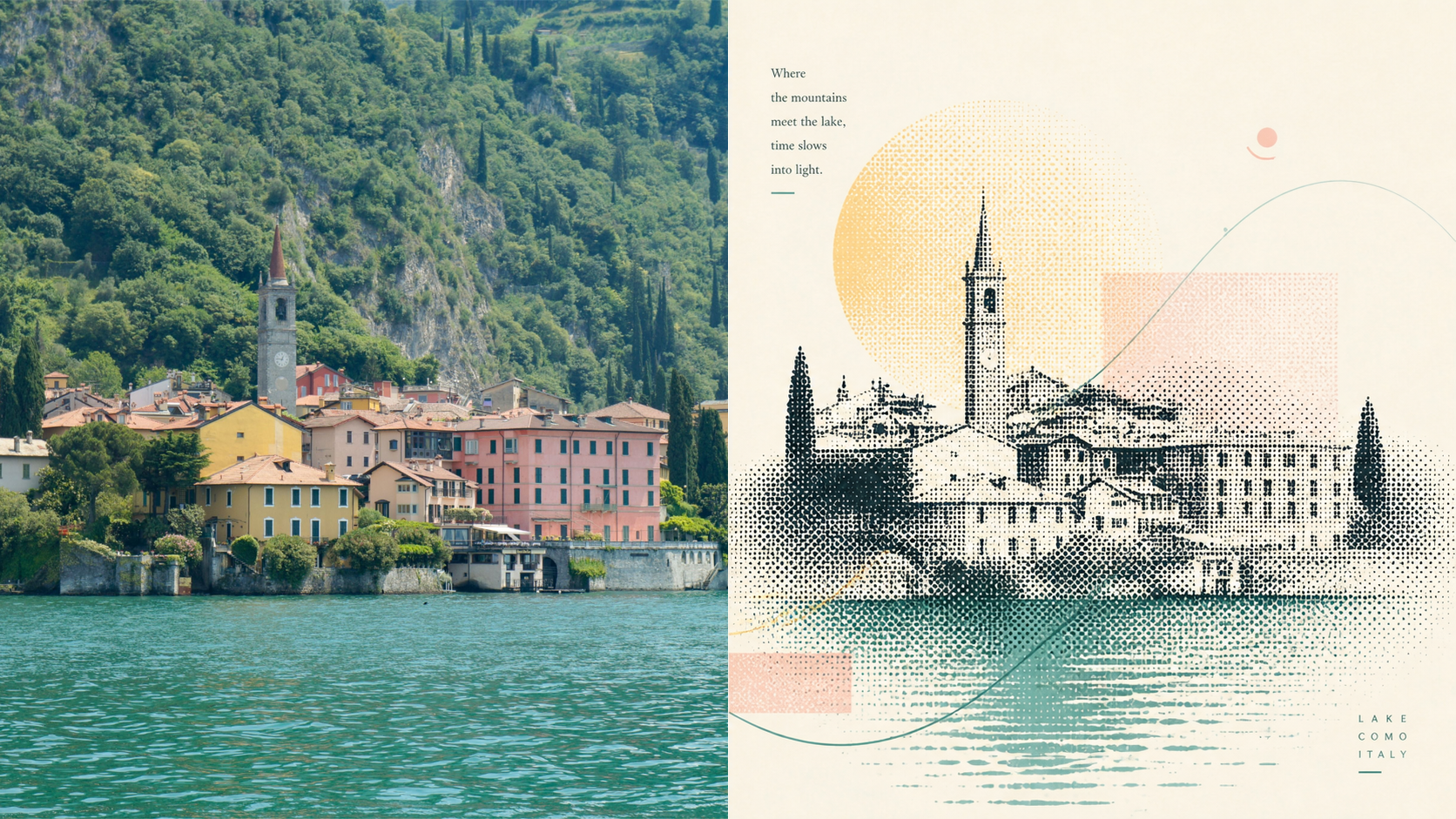
When a photo deserves to be redesigned but not covered in decoration, Panel 104 preserves the original photo and compresses its most memorable subject into a halftone form within the design area. A few colored lines, negative space, and light typography then establish a sense of order. The result is quiet and perceptive, with a printed quality that preserves the mood and sense of time in the original scene. Suitable for these situations The content has a story, but a busy background steals attention: Extract the subject, contours, and relationships worth preserving, then retell them through halftone layers. You want an experimental print feel without visual clutter: Use halftone forms as the framework, while colored lines convey only direction, emotion, and a sense of time. You need calm, refined negative space rather than emptiness: Create tension through visual focus, varying density, and layout order, allowing the blank space itself to carry impact. You need flexible deliverables: Suitable for exhibition posters, editorial visuals, art covers, design-only graphics, multi-aspect-ratio outputs, four-device wallpapers, and batch catalog processing. Quick start Send an image to the Agent and say: Use XXD Panel 104 to process this image. First, recommend the most suitable composition and dimensions.
Recommended by
Dancang
Why we love this skill
Featured for treating the original visual brief as the sole aesthetic authority, separating creative from delivery variables, supporting independent top/bottom, left/right, pure-design, and multi-device wallpaper outputs, and validating each image in isolation.
Related Skills
View all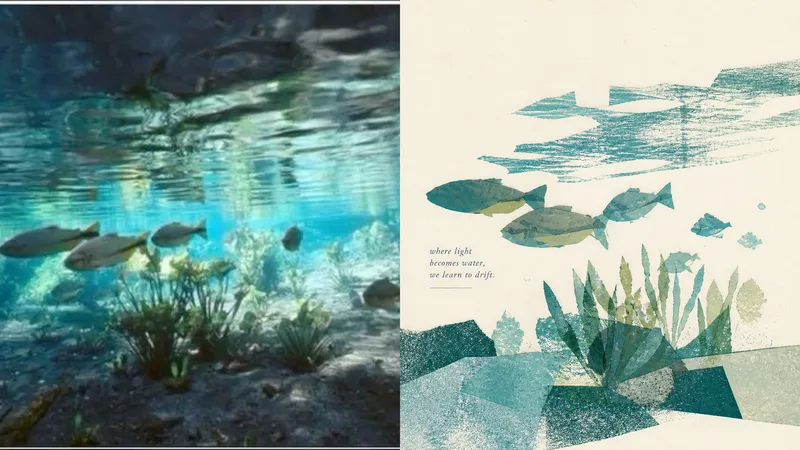 Image
Imagexiaoxiaodong P105 | Poetic
Some photos are truly moving not because they reveal every detail, but because of a gesture, a relationship, or a moment meant to stay in memory. Panel 105 is designed to turn photos like these into quiet, refined visual excerpts: it first determines what is most worth keeping, then reconstructs the image with paper pieces, color blocks, negative space, and print textures instead of mechanically tracing the original into an illustration. Best for these situations Your photo contains too much information, but you only want to preserve the emotion: Select one central subject and only a few essential supporting elements from a complex scene. You want a breathable poster or cover: Use a single visual focus and generous paper white to create rhythm between the subject, text, and negative space. You prefer real paper over a smooth digital look: Keep collage edges, grain, uneven ink, dry-brush marks, imperfect ink coverage, and subtle color-registration shifts. You need flexible delivery in one consistent style: Support top-and-bottom comparisons, side-by-side comparisons, pure design, multiple aspect ratios, four-edge wallpapers, and batch processing for image catalogs. What it solves for you No more filling the frame with cluttered backgrounds, repeated objects, and details with no narrative value. You do not have to decide which elements to keep or remove; the model makes an aesthetic selection based on the photo’s beauty and recognizability. Colors are not sampled evenly. Instead, the most memorable color relationships are preserved and refined into a soft, clear, harmonious limited palette. Get started quickly Use XXD Panel 105 to process this image, and first recommend the most suitable composition and size.
 Image
Imagexiaoxiaodong P106: Soft Pixel
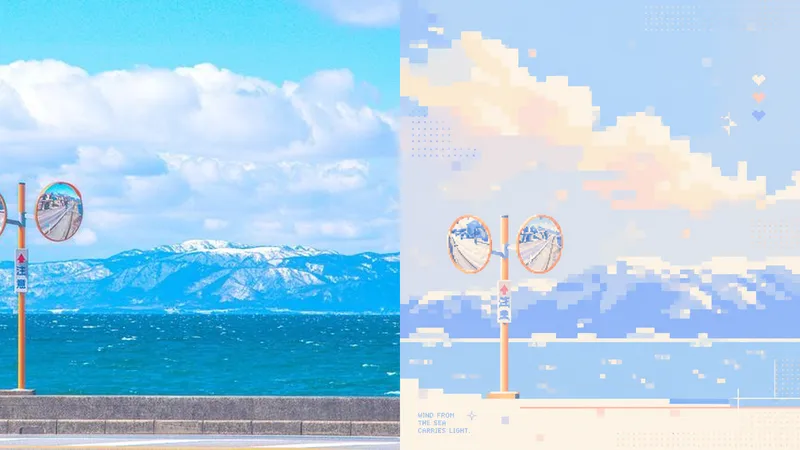
Photos often contain too many details, yet what stays memorable may be just a silhouette, a gesture, a sense of distance, or a patch of color. Panel 106 selects 2–4 visual anchors that define the subject’s identity from the original image, then reconstructs them as a soft, clear pixel memory with geometric order: from a distance, it looks like a refined abstract composition; up close, you can still tell that it is your photo. Works well when Your photo is complex, but you don’t want to lose its identity: Remove secondary objects and trivial structures, keeping only the silhouettes, poses, directions, and color relationships that truly define the image. You want an abstract poster without turning it into unrecognizable decoration: Use a regular grid, hard-edged color blocks, localized dithering, and positive and negative space to let the subject gradually emerge from the abstract order. You like a fresh, soothing look but dislike a cheap candy-like feel: Recompose a soft, bright limited palette from the original image, using colors such as creamy white, peach pink, milky blue, and mint green for a sweet but balanced result. You need flexible delivery in a consistent style: Supports top-and-bottom comparisons, side-by-side comparisons, pure designs, multiple aspect ratios, four-device wallpapers, and batch processing of image folders. What it solves for you It does not simply shrink the photo, apply a filter, or pixelate each object individually. Instead, it reorganizes the visual memory directly from the original image in a single pass. The 2–4 anchors work together to form one single-focus image, rather than being split into cards, grids, or a collage wall. Comparison mode always has exactly two 50:50 areas: top-and-bottom places the original image on top and the design below; side-by-side places the original on the left and the design on the right, with no extra third strip. Get started quickly Use XXD Panel 106 to process this image for me, starting by recommending the most suitable composition and size.
 Image
Imagexiaoxiaodong P117 | Fine Line
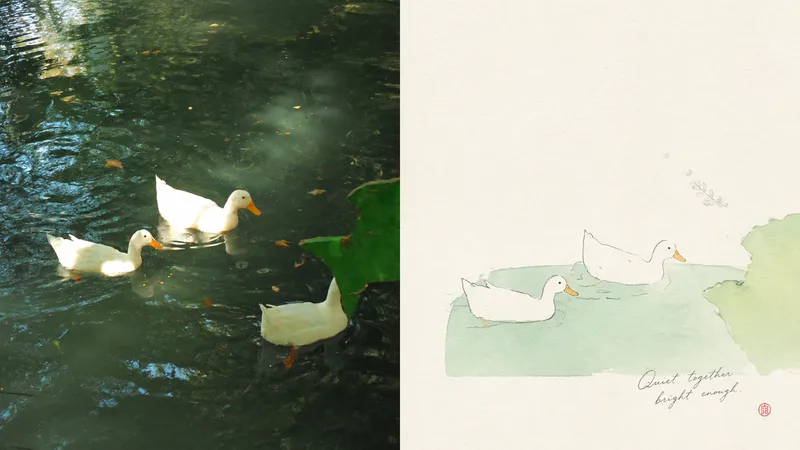
When a photo is cluttered or ordinarily composed but still contains a subject worth keeping, Panel 117 first identifies one core subject, one visual anchor, and one emotional relationship, then re-directs them into a small-scale image made of fine lines, pale colors, paper texture, and light collage. The original photo can remain in the comparison area, while the design area gains an independent expression through generous, intentional negative space. Best for Keeping the original subject recognizable while rearranging its position, scale, direction, and crop. Creating an artistic poster with few elements and a strong theme, without tracing every object or retaining a cluttered background. Using delicate lines, soft pastels, and the breathing quality of paper while avoiding realistic detail and smooth vector styling. Producing the same style in top-and-bottom, side-by-side, design-only, multiple aspect ratios, four-end wallpapers, or catalog batch processing. What it solves for you Selects the truly important visual anchor from complex source material and removes secondary information. Lets negative space shape positive and negative forms, distance, and asymmetrical balance instead of filling the entire canvas. Keeps the comparison image strictly divided into two areas, each occupying 50%, with no third band or inset panel. Generates each output independently from the current original image in a single round, avoiding the re-rendering of intermediate results.
Information
- Version
- v3
- Last updated
- Runtime credits
- Usage-based
- Models
- Auto
