
Handwritten Newspaper Hero
Name a theme: images + line art to color
Handwritten Newspaper Hero
Name a theme: images + line art to color
Showcase
Description
At 10 PM, your child suddenly says, "I need to hand in a handwritten newspaper tomorrow"—have you ever panicked? 😱 Scrolling through Xiaohongshu for templates, spending money to have someone else do it, staying up late to draw until your hand cramps... Every handwritten newspaper assignment doesn't torment the child—it torments the parents. Even worse: after spending time and money, the teacher still says it lacks effort. 🦸 Handwritten Newspaper Hero is here to cure this 'back-to-school anxiety.' Just tell me the theme—any theme works—and within 30 seconds, you get images: a beautiful color version for reference and a black-and-white line art version for your child to color and write on. The teacher will praise the effort, your child will feel accomplished, and all you did was tap a few times. ⏰ How long did it take before? 30 minutes searching for materials, 1 hour planning the layout, 2 hours drawing—an entire evening gone. Now? Enter the theme, choose a size, and you're done. 3 steps save you 3 hours. ✅ Why it's worth it: 🖼️ The black-and-white line art keeps room for your child's creativity—it's not just outsourcing, so teachers approve. 💬 Any theme works—no fixed templates, just say what you want. 📐 Supports standard sizes like A4 and A3—print directly after generation, no reformatting needed. 🙌 No drawing skills required, no software to download—just open and use. One sentence summary: While others are still up late drawing their handwritten newspapers, you're already asleep with the lights off.
Why we love this skill
Handmade Poster Savior intelligently generates posters based on grade level and topic, offering colored finished versions or outline coloring versions, and also allows you to choose whether to keep text, meeting personalized needs, making poster creation a breeze.
Related Skills
View all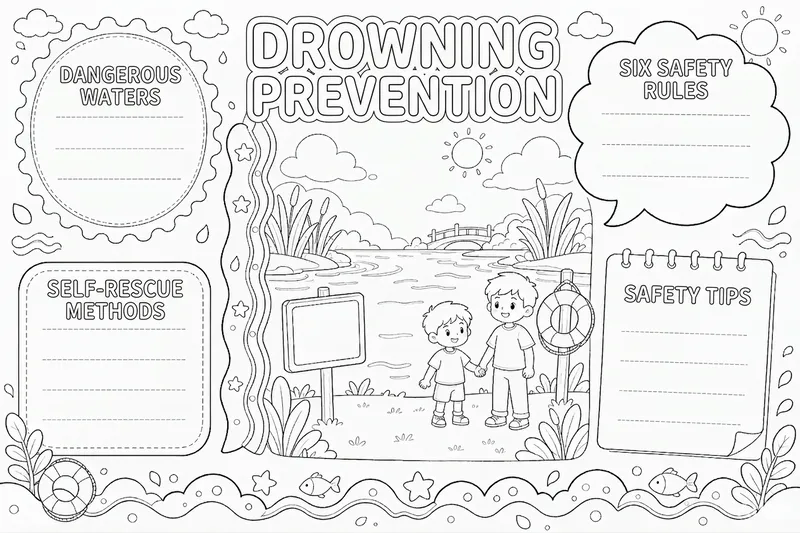 Image
ImageHandwritten Poster Trio
Teachers assign handwritten posters, and children end up drawing until 11 p.m. Online templates either require a membership or download with incorrect text and proportions, so the printed layout no longer lines up. Give me any topic—Mid-Autumn Festival, drowning prevention, waste sorting, back-to-school season, or Reading Month—and you’ll get a set of three versions, using the same layout in three ways: ① Completed example: includes the title and sample phrases, so children can see what to copy. ② Blank text version: the layout, sections, and decorations are all in place, while the main text is left blank for children to copy themselves. This is the primary version—print it and start writing. ③ Black-and-white line drawing: the same layout in plain line art. Children who want to color can do so themselves, then copy the text afterward. All three versions share exactly the same structure; only the text and colors change, so you won’t end up with “three pictures drawn three different ways.” What sets this apart from simply asking me to generate one: Titles and section headings are checked character by character; if something is wrong, the whole poster is recreated. Facts aren’t made up: poems include the author and source, holiday dates are checked digit by digit, and drowning-prevention content follows the Ministry of Education’s original “Six Don’ts” wording. Each set includes a copying checklist that lists, item by item, what belongs in each blank area and where it comes from, so parents can verify it. The default format is landscape 4:3, ready to print on A4 paper in landscape orientation. It works for holidays, health and safety, subject posters, and class activities.
 Image
ImageTurn Photos into Healing Comics
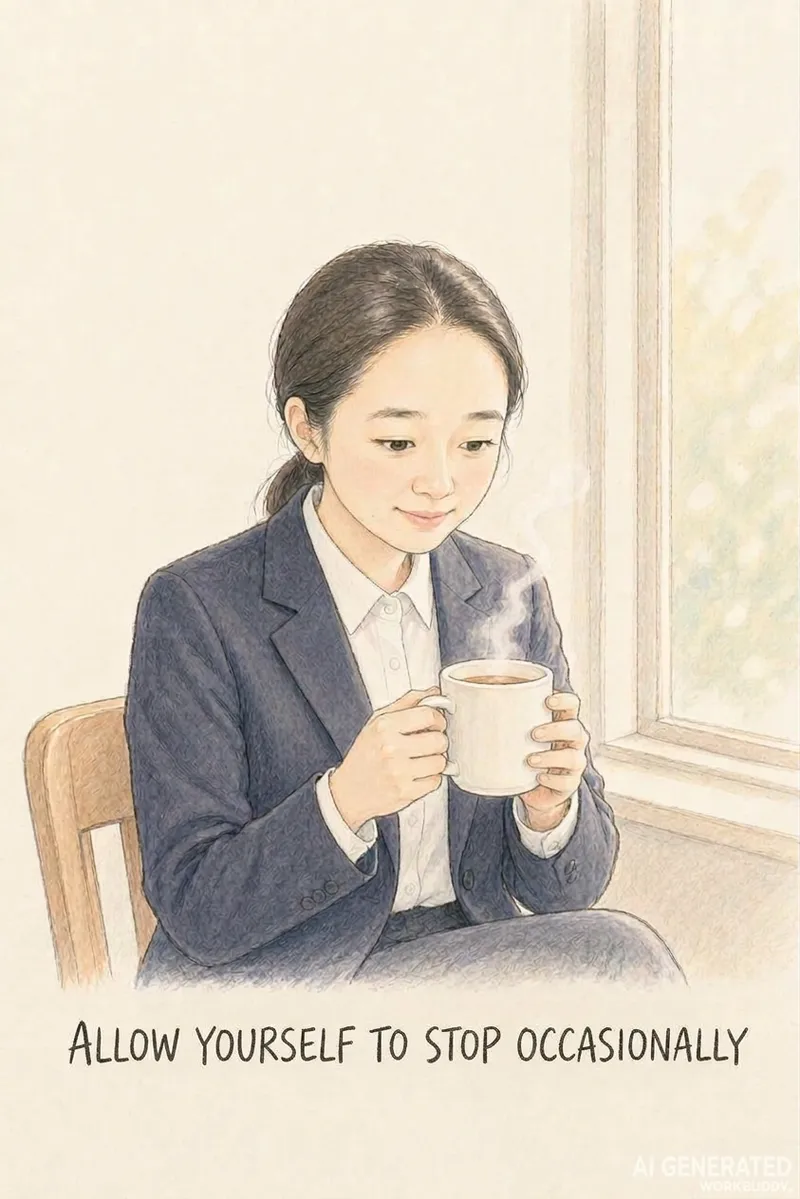
Turn a casual photo into a healing comic post centered around a theme like women's growth or rediscovering oneself. Upload a photo, theme, and content type or size, and the AI automatically generates a complete package with copy and visuals. Use this when users want to turn photos into healing comics, create casual snapshots into posts, make Xiaohongshu content with photos, create healing photo comics, make women's growth posts, turn photos into comic notes, or tell a theme through photos. 1.0.0 Do you ever have a casual photo you want to turn into a relatable post, but get stuck because you cannot draw, cannot write copy, or find that the character's face changes on every page, and memorable quotes just will not fit? This Skill turns 1 photo and 1 theme into ready-to-publish healing comic content, solving three major pain points: 1. **On-point messaging**: You provide a theme like women's growth, rediscovering oneself, or taking it slow, and the AI extracts emotional viewpoints and impactful quotes without making things up. 2. **Consistent faces**: The person in the photo maintains facial consistency across pages so they look like themselves, creating a continuous story unlike standard photo-to-anime tools that only output a single avatar. 3. **Ready to publish**: Generates images in Xiaohongshu 3:4, WeChat long image, or Douyin 9:16 formats without layout issues, featuring clear quotes that are easy to search and share. ✅ Tested example: A plain ID photo becomes Grown-up isn't becoming someone else, it's finding yourself, with a locked-in face across pages—including challenging angles like tilting the head or looking back—with natural poses and embedded quotes, ready for direct publishing. ✅ A guided workflow that utilizes free AI tools to run smoothly without consuming any platform credits. ✅ Includes a 9-page storyboard template, character locking terms, image generation instructions, and a platform size guide so you can replicate results instantly. Ideal for Xiaohongshu users, creators, individuals building a personal healing IP, and reading or personal growth bloggers looking for visual content.
 Image
ImageVisual Diary Object Poster
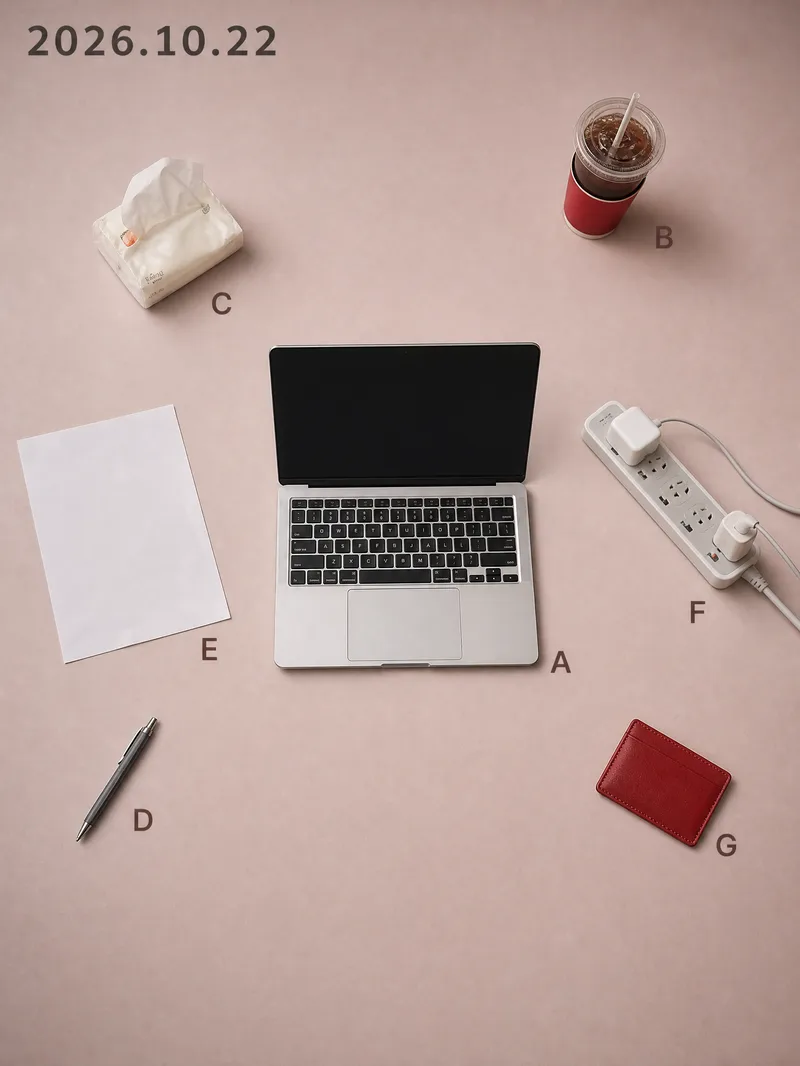
While others share the same batch of templates, you share that exact day. Every day has a desktop worth remembering: half a cup of cold coffee, an open book, a watch casually taken off. Yet when you take a photo and post it, it just looks like a slightly messy phone snapshot; turning it into a proper poster means opening design software, searching for templates, laying things out, and color grading, taking half an hour only to end up worse than the original. This Skill compresses that entire process into a single upload. You drop in a casual photo taken that day, and it recognizes the objects in the frame one by one, keeping only 5 to 11 items with traces of use. It rearranges them according to the grid position and orientation from the moment you took the photo, delivering two 3:4 vertical object posters at once. Using the same layout, you get one matte background in a low-saturation soft rose pink and one in dark ink, with the date at the top and a letter next to each item. The pink background is suited for daytime posting, while the dark background is great for night. The biggest difference between this and typical poster templates on the market is that it is never reused: the positions come from your own perspective. If two people photograph the exact same scene, they get two different posters. Your composition itself is your signature, ensuring no one else will have the same style. It asks no questions throughout, provides no analysis tables, and doesn't make you confirm styles. Upload and get two posters instantly without wasting extra credits. It also automatically avoids human faces, ID cards, screen contents, and brand logos, so the generated images are ready to post directly. Buy it once, and every day that desk can turn into a piece of art, ready to be shared straight to your social platforms.
Information
- Version
- v2
- Last updated
- Runtime credits
- Usage-based
- Models
- Auto
