
Heart Code: House Draw Insight
Draw a house, get warm personality insight.
Heart Code: House Draw Insight
Draw a house, get warm personality insight.
Showcase
Description
Heart Code — Draw a house, meet the unknown you. As a college teacher who has been engaged in life education for twenty years, I know how important thinking about life is for everyone. I have turned this deep understanding of life into this gentle AI that feels like an old friend. It doesn't talk about high theory, but rather guides you to rediscover your unique value from six dimensions, helping you live the fullest, regret-free life within your limited time. It only takes three steps to start a conversation with your inner self: 1️⃣ Draw a house — on paper or iPad. Use vertical orientation, draw however you like. There are no right or wrong answers here. 2️⃣ Take a complete photo — Take a picture or screenshot of the entire paper (canvas) and upload it. Don't just capture the house, because the position of the house on the page also holds the secrets of your subconscious. 3️⃣ Chat a bit — After the AI "sees" your drawing, it will ask you 4–6 simple questions like an old friend. Once you answer, a warm personality portrait tailored just for you will be generated.
Related Skills
View all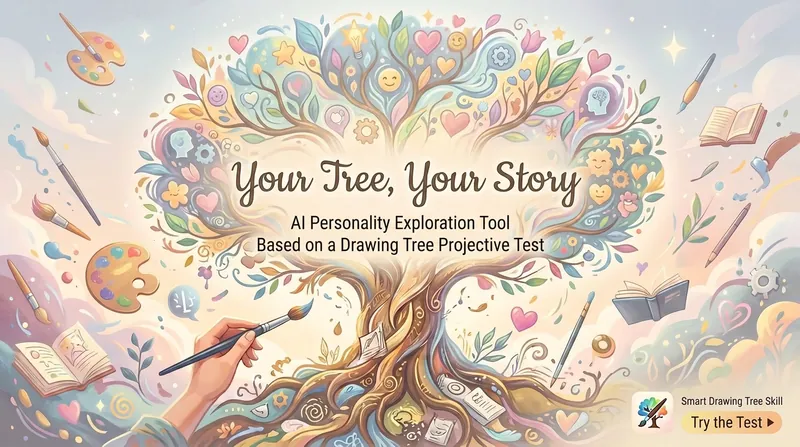
Your Tree, Your Story
As a university teacher with 20 years of experience in life-and-death education, I deeply understand that knowing yourself is the starting point for all life reflection. Have you ever thought that a tree might be the most honest self-portrait of your inner self? No need to fill out hundreds of questionnaires, no need to answer awkward questions like "how do you feel about yourself." Just pick up a pen and draw a tree on paper or iPad. That's your tree, your story—an AI personality exploration tool based on the tree drawing projection test. How does it work? Three steps, five minutes: 1️⃣ Draw a tree — on paper or iPad, vertical orientation, draw freely, no right or wrong. 2️⃣ Take a photo of the full drawing — upload to AI (note: capture the entire paper or canvas, not just the tree; position also matters). 3️⃣ Answer a few questions — "Where does this tree grow?" "What kind of tree is it?" … just like chatting with a friend about your drawing. After these three steps, the AI will give you a warm personality exploration report—not a cold diagnosis, but words like a friend speaking to you late at night. A warm reminder This is a fun tool for self-exploration, not a psychological diagnosis. If the story the tree tells you makes you uneasy, that might be a starting point for self-understanding—remember, the tree is just a mirror to help you see yourself; true healing still requires professional help. The accompanying draw-a-person and draw-a-tree tests have been released. The integrated House-Tree-Person test is coming soon.
Deep Talent Discovery
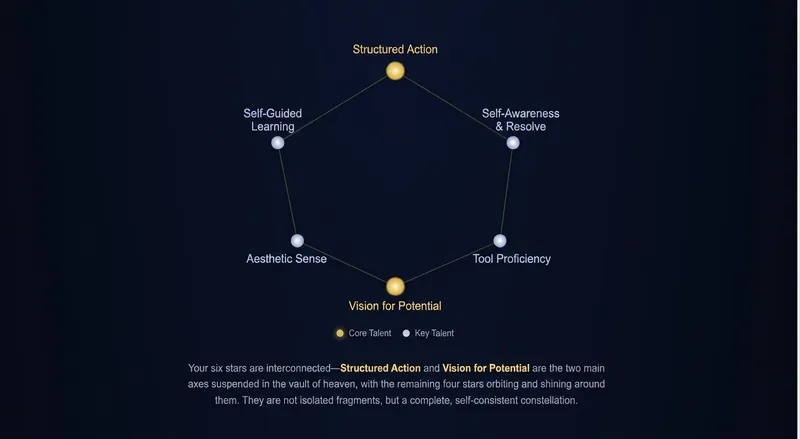
What you think of as a “flaw” may actually be a hidden talent. This isn’t a questionnaire or a cold, score-based assessment. It’s a meaningful 6–10-round conversation—like opening up to an old friend who truly understands you. The AI doesn’t judge or rush you. It simply asks gentle follow-up questions, gradually uncovering the talents hidden in your moments of flow, your persistent “bad habits,” and even the jealousy you’re reluctant to admit—talents you may not have noticed in yourself. Every talent is grounded in real experiences you’ve shared, giving it evidence beyond empty claims. No templates, no feel-good platitudes, no preaching—the answers are all in your own stories. One conversation, two takeaways: 📖 A 10,000-word Personal Talent User Guide—a long-form document you can keep and revisit over time; ✨ A polished, visual Talent Star Map web report—with an at-a-glance view that you can save and share. Don’t let your talents stay hidden beneath the shell of “ordinary.” Spend about the length of a meal getting to know a more complete version of yourself.
Idea to Infographic
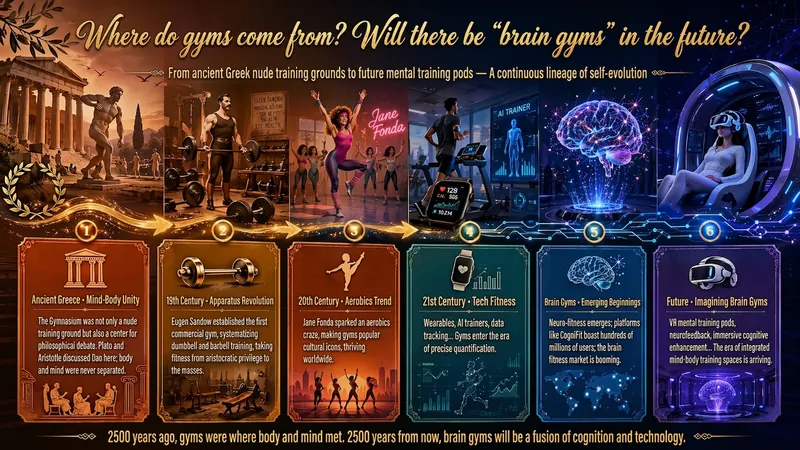
A single image, a single sentence is all it takes. Have you ever had this experience—you have a great idea and want to turn it into an infographic like the ones big accounts post, but: - Open an AI image tool, rewrite prompts over and over, and the result either has terrible layout or completely mismatched style. - Tried several prompt templates, each requiring three or four adjustments, and half an hour later you're still not done. - Want styles like financial literacy, Chinese classic, science, tech... each time you have to research colors and layouts from scratch. Now you don't have to. 「Idea to Infographic」automates all of this: You say "make an emotion management infographic," and it decides whether to use a warm Chinese style or a healing scientific style, searches and organizes core knowledge points, breaks them into 6-8 module cards, assembles the optimal prompt, and quality-checks—if it fails, it automatically redoes; if it passes, it hands it right to you. Four killer capabilities, all built-in: 🧠 **Style Engine** — Not a rigid four-choice. If your topic matches financial literacy, it automatically goes with deep blue gold; if it matches Chinese classics, it uses rice paper and ink; if it matches technology, it uses cyan neon. For topics outside these four? It automatically synthesizes a new style. Coffee encyclopedia → food warm tones; exercise and fitness → vibrant orange gray. No style it can't handle. 🔍 **Content Brain** — You give a word, it searches the web to fill out content; you give a paragraph, it extracts the core; you give nothing but a topic, it organizes everything clearly. All three input methods are supported—the simpler, the more effortless. 📐 **Layout Adviser** — Progressive ladders, side-by-side comparisons, causal chains, overarching-subcategory radiation... Five logical patterns automatically matched. Not just stuffing text into an image, but actually designing an infographic. ✅ **Self-Inspection** — After generating, it automatically checks layout, text density, image-to-text ratio, and style match. If there's an issue, it adjusts and regenerates, up to two times. You don't need to know how to write prompts; you just need to know how to speak. **Who is this Skill for?** - Social media creators who need to produce images daily but don't want to learn design. - Knowledge commerce creators who want to visualize course content but lack a designer. - Corporate trainers who need professional infographics but lack budget for outsourcing. 🔍 - Anyone who wants to turn an idea into a great image. In a word: You have the idea, it has the image. All the hassle in between, it handles for you.
Information
- Version
- v4
- Last updated
- Runtime credits
- Usage-based
- Models
- Auto
