Idea to Infographic
Voice to infographic - auto style, no skill
Idea to Infographic
Voice to infographic - auto style, no skill
Showcase
Description
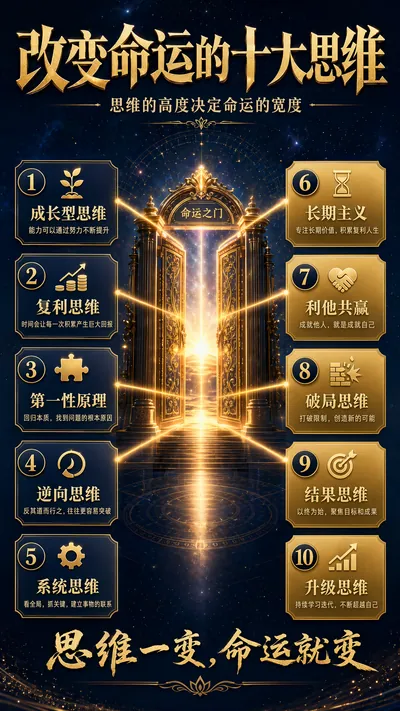
A single image, a single sentence is all it takes. Have you ever had this experience—you have a great idea and want to turn it into an infographic like the ones big accounts post, but: - Open an AI image tool, rewrite prompts over and over, and the result either has terrible layout or completely mismatched style. - Tried several prompt templates, each requiring three or four adjustments, and half an hour later you're still not done. - Want styles like financial literacy, Chinese classic, science, tech... each time you have to research colors and layouts from scratch. Now you don't have to. 「Idea to Infographic」automates all of this: You say "make an emotion management infographic," and it decides whether to use a warm Chinese style or a healing scientific style, searches and organizes core knowledge points, breaks them into 6-8 module cards, assembles the optimal prompt, and quality-checks—if it fails, it automatically redoes; if it passes, it hands it right to you. Four killer capabilities, all built-in: 🧠 **Style Engine** — Not a rigid four-choice. If your topic matches financial literacy, it automatically goes with deep blue gold; if it matches Chinese classics, it uses rice paper and ink; if it matches technology, it uses cyan neon. For topics outside these four? It automatically synthesizes a new style. Coffee encyclopedia → food warm tones; exercise and fitness → vibrant orange gray. No style it can't handle. 🔍 **Content Brain** — You give a word, it searches the web to fill out content; you give a paragraph, it extracts the core; you give nothing but a topic, it organizes everything clearly. All three input methods are supported—the simpler, the more effortless. 📐 **Layout Adviser** — Progressive ladders, side-by-side comparisons, causal chains, overarching-subcategory radiation... Five logical patterns automatically matched. Not just stuffing text into an image, but actually designing an infographic. ✅ **Self-Inspection** — After generating, it automatically checks layout, text density, image-to-text ratio, and style match. If there's an issue, it adjusts and regenerates, up to two times. You don't need to know how to write prompts; you just need to know how to speak. **Who is this Skill for?** - Social media creators who need to produce images daily but don't want to learn design. - Knowledge commerce creators who want to visualize course content but lack a designer. - Corporate trainers who need professional infographics but lack budget for outsourcing. 🔍 - Anyone who wants to turn an idea into a great image. In a word: You have the idea, it has the image. All the hassle in between, it handles for you.
Related Skills
View all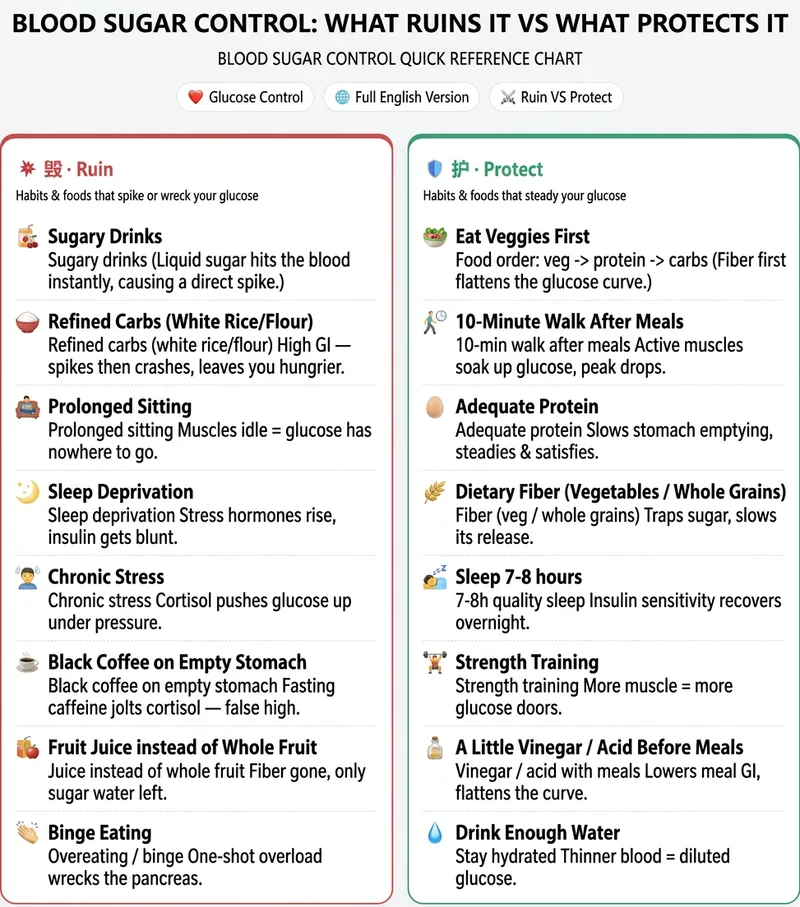 Image
Your Free Infographic Prompt Expert
Knowledge Infographic Studio: Enter a topic or source material to get a structured knowledge infographic plan with a “layout framework + ready-to-copy Chinese and English text + image-generation prompts.” Use it with external AI tools such as 即梦, 通义, or GPT Image to create the image. Supports high-performing “Damage VS Protect” side-by-side comparisons. Use when users mention infographics, knowledge cards, educational long-form images, knowledge infographics, infographic, comparison images, split-screen layouts, or Damage VS Protect. We don’t create the images, but we provide the plan and prompts to make your infographics more professional! Anyone creating content for social media probably knows the feeling: You see someone else’s hair-care “Damage VS Protect” comparison image get thousands of likes, and you want to make one too. Then you open your design software—how should the layout be divided? What should the text say? How do you write the prompt? After a lot of trial and error, either the image comes out wrong or every generation costs hundreds of credits. When the end of the month comes, it really hurts. What you’re missing isn’t design taste—it’s a structure you can copy directly. That’s exactly what this skill does: Give it one keyword, such as “hair care” or “blood sugar control,” and it locks in the layout, prepares every word to appear on the image, and hands you a precise bilingual Chinese-English prompt. Take it to any image-generation AI to create the image in one click: **reliable structure, a consistent series style, and not a single credit spent**. Another skill for this kind of “high-performing comparison image” costs 4,688 credits to redeem. Ours is free and provides an equally effective “Damage VS Protect” split-screen structure—the image-generation step is simply handled by the AI you already use, so you can save those credits for what really matters.
 Image
Healing List Graphic Generator
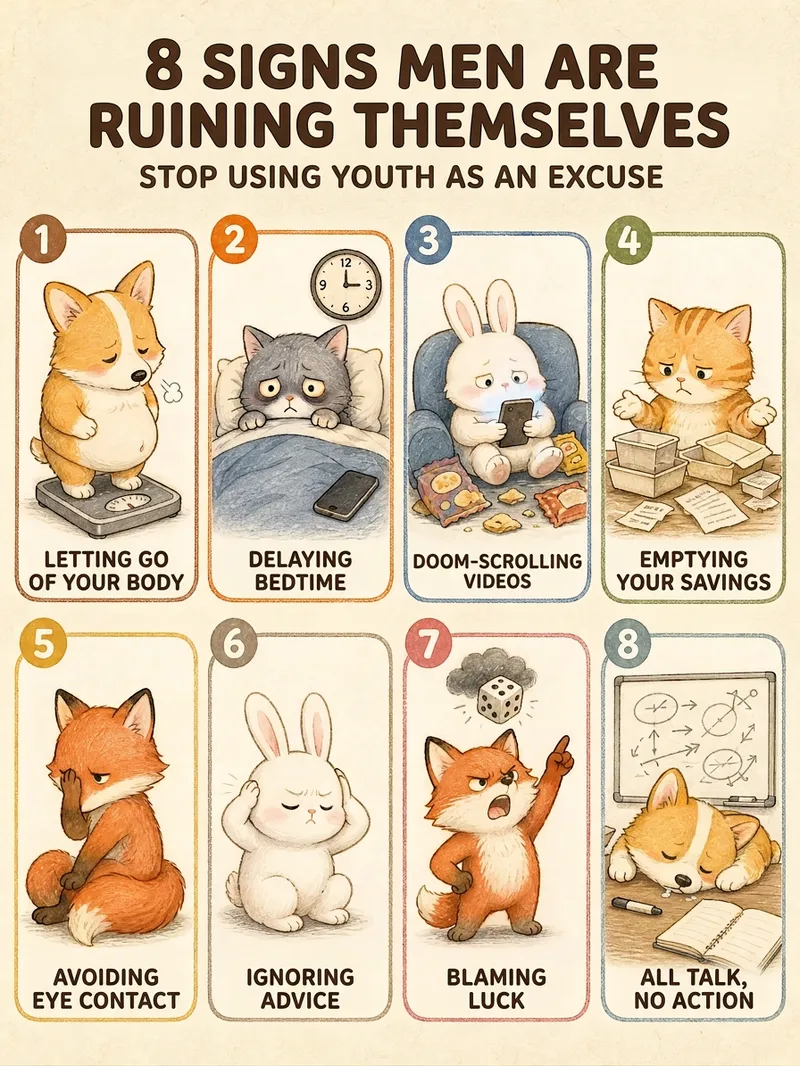
Give it a single sentence, and get a publishable graphic. Say "7 types of people to avoid" or "10 happiest moments in life"—it handles the rest: deciding how many items to include, writing the copy for each point, choosing the layout, and locking in the character and color scheme to deliver a finished product. ■ What the final image looks like Creamy textured paper background + rounded card grids + a chibi hand-drawn illustration per card + 4-6 character tags. Numbers in the title are enlarged and recolored so "8", "7", or "10" stand out at a glance; small green leaves and pink flowers accent the corners in a 3:4 vertical format, ready for RED without cropping. ■ Three pitfalls it helps you avoid · No garbled Chinese text — the title and card tags are crystal clear. · No broken grids — 3 to 12 items have matching layouts, keeping grid sizes uniform. · Consistent character style — create one today and another next week; the character and color palette remain consistent. ■ Adapts to your topic automatically For relationships (types of people to avoid, annoying behaviors) -> uses chibi animals to keep it lighthearted. For daily life (happy moments, healing small things) -> uses the same girl for better user resonance. Deep topics get steady colors, while warm topics get candy colors—no manual selection needed. ■ Who this is for Creators posting daily to maintain follower growth | Solopreneurs managing multiple accounts | Consultants, teachers, and parenting advisors with insights who struggle with design | Beginners starting a side hustle without design skills | Global creators making English and Traditional Chinese content. In short: others give you a graphic, this gives you a sustainable content series. Supports Simplified Chinese, Traditional Chinese, and English. Defaults to a 3:4 vertical format, perfect for RED, WeChat Channels, and Moments without cropping.
 Image
Science Illustration Series
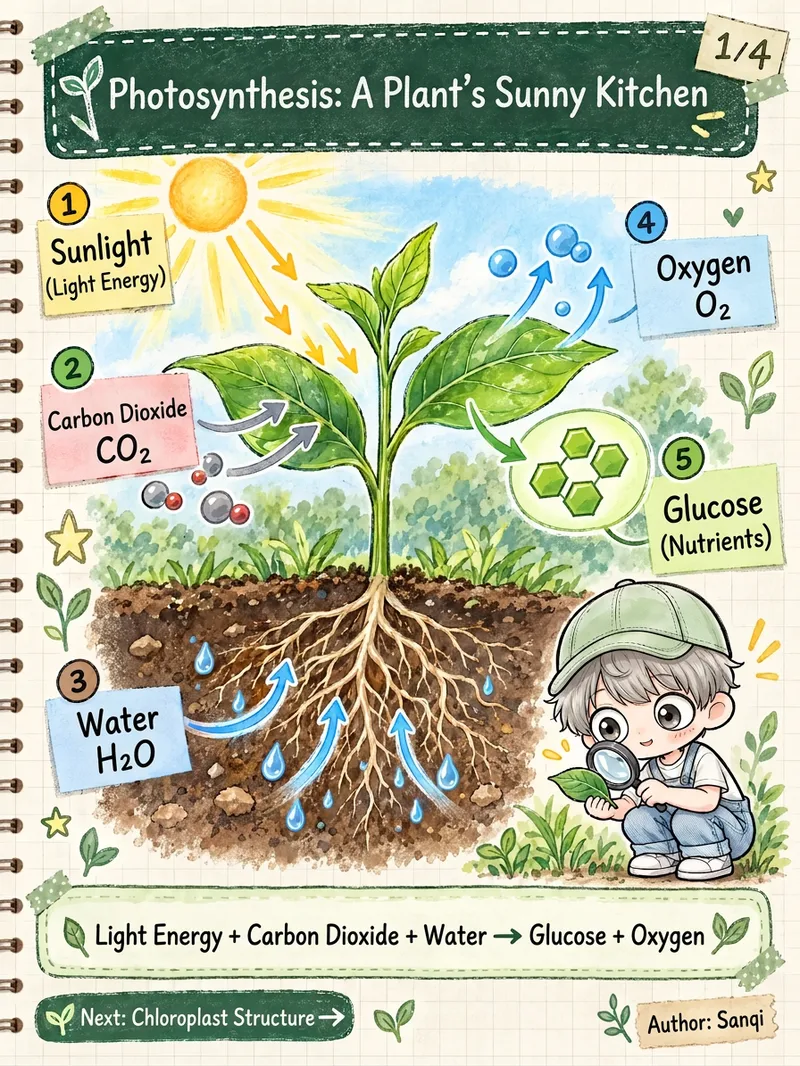
This skill takes a single topic and delivers a complete set of ready-to-publish science infographics rather than isolated single images. What it can do: - Automated series planning: Overview -> Structure -> Principle -> Connections and Summary. Each image covers one clear point, complete with page numbers, unified color palettes, and "Next" previews. - Fact-checking before drawing: Organizes a fact checklist first, verifying process order, arrow directions, and spatial orientation. Uncertain numbers are omitted or marked as "approximate" rather than guessed. - Multilingual localization: Supports Simplified Chinese, Traditional Chinese, Japanese, Korean, English, Spanish, French, German, Portuguese, and more. It rewrites content naturally for local audiences rather than direct translation, adapting terminology, punctuation, and grade-level labels. - Unified style: Cream-colored notebook paper, dark green chalkboard headers, washi tape, sticky notes, hand-drawn annotations, and realistic scientific illustrations. Pastel and dark chalkboard variants are also available. - IP-free by default: Keeps visuals clean. To add a mascot, simply upload a character image or text description to keep the character consistent across the entire set. - Aspect ratios: Default is 3:4, with support for 9:16, 4:5, 1:1, and 16:9. - Model matching: Defaults to top-tier image quality settings, switchable for strong consistency, pure Chinese output, or fast drafts. - Exportable prompts: Complete prompts for each image can be copied directly for use in other tools. Best for: - Science graphic creators on platforms like Instagram, TikTok, and Xiaohongshu - Teachers and educational institutions making slide decks, review cards, and knowledge posters - Global creators managing multilingual accounts - Content teams looking to batch-produce science series Suitable topics: - Human body and health (circulation, digestion, immunity, sleep), biology and nature, physics and chemistry, earth and universe, history and culture, tech and AI basics. Notes: - Health content is for educational purposes only and does not constitute medical advice, diagnosis, or dosage instructions; local-language disclaimers will appear on the graphics. - AI image generators may occasionally make errors with small text, so the skill checks images one by one with automatic retries. A final review before publishing is recommended. - Generates 3-4 images at a time; additional content can be created as a second series.
Information
- Version
- v5
- Last updated
- Runtime credits
- Usage-based
- Models
- Auto
