ID Photo Studio
Create red, blue, or white ID photos
ID Photo Studio
Create red, blue, or white ID photos
Showcase
Description
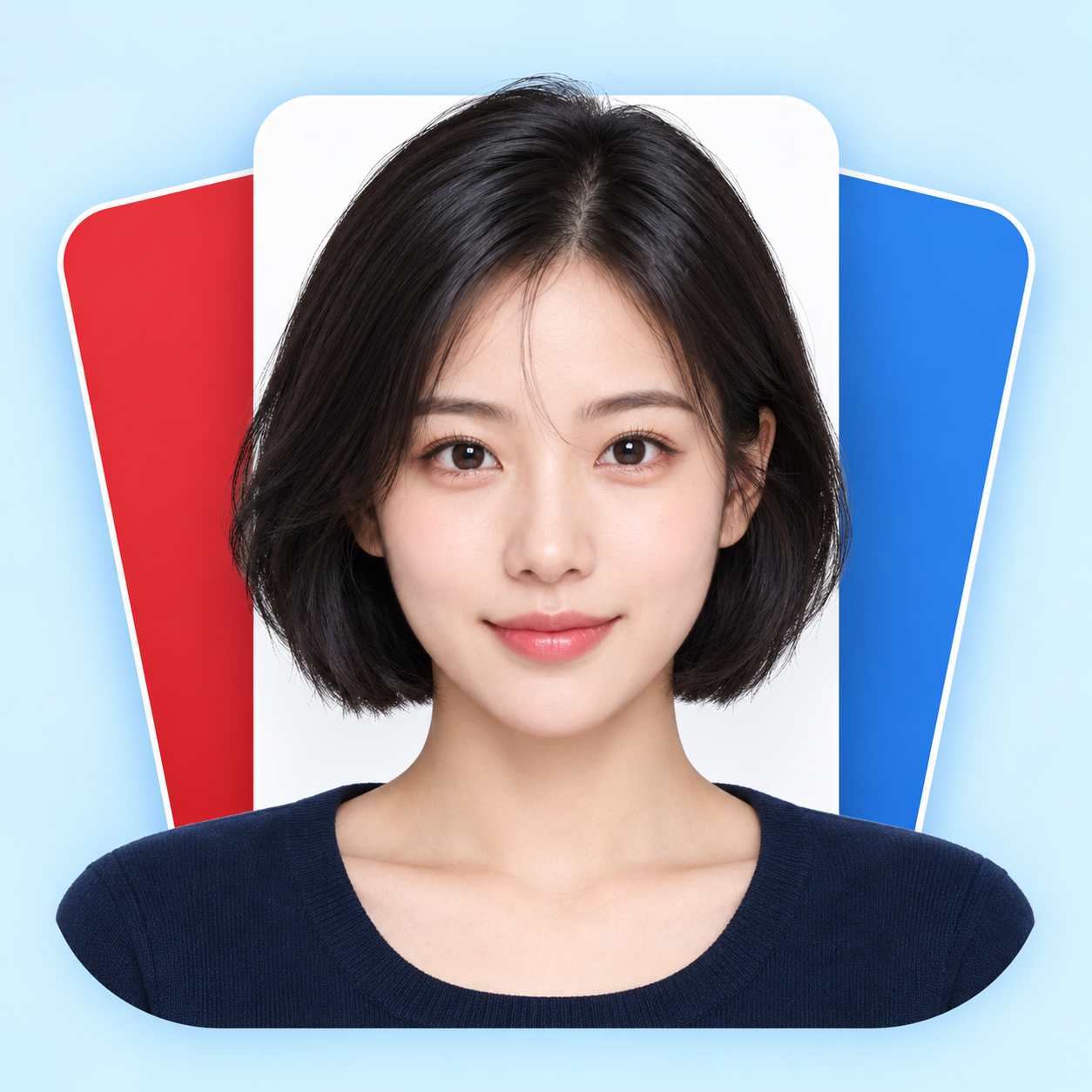
Upload a portrait to generate a clean, natural ID photo with your choice of a red, blue, or white background, or get all three colors at once. Turn casual snapshots into frontal, evenly lit head-and-shoulders portraits. Facial features, hair, glasses, and personal details are preserved, with your original clothing kept by default. You can also request a specific shirt or jacket. • Choose from red, blue, or white backgrounds. • Get matched three-color versions with consistent facial expressions, clothing, and composition. • Adjust dimensions as needed by specifying pixels or print width and height. • Supports both Chinese and English, with text-free final images. Try it now: Upload a photo and say, "Make a blue-background ID photo and keep my original clothes," or "Give me red, blue, and white background versions with no beauty filtering."
Recommended by
Dancang
Why we love this skill
Featured because it goes beyond simple background replacement by strictly preserving facial features, hairstyle, and clothing, generating consistent red, blue, and white ID photos with checked dimensions and details ready for direct use.
Best for
Anyone who needs to turn portrait photos into natural, clear ID pictures.
How to use this Skill
Provide your input
Upload a clear portrait photo and choose a red, blue, or white background. You can also specify the size, clothing, and whether to generate all three colors.
Run the Skill
Generates a frontal, evenly lit ID-style portrait with a solid background from your photo, preserving your original clothing and features by default.
Review your result
Receive one or more text-free ID photos. Three-color versions are output separately, with composition and dimensions adjusted as requested.
Related Skills
View all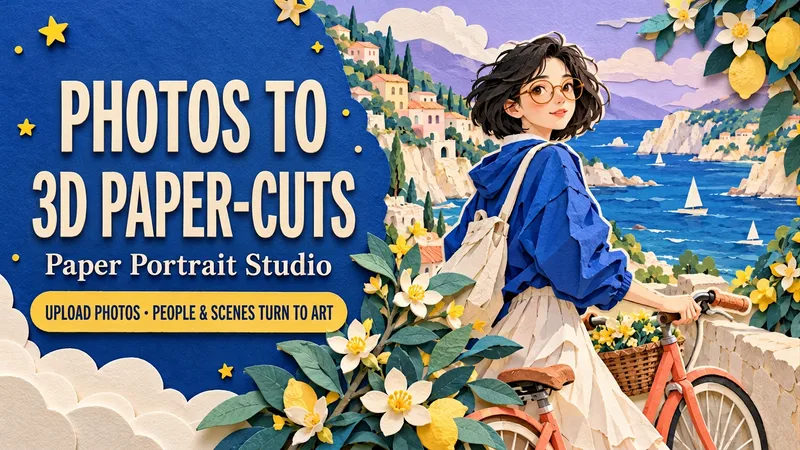 Image
ImagePaper Portrait Studio
Upload a portrait, a couple photo or a pet photo. Transform both the subject and the setting into a dimensional cut-paper scene, with layered hair and clothes, crisp ivory edges, tactile cardstock and soft cast shadows. Choose Coastal Ride, Rainy Bookshop or Greenhouse Companion—or create your own setting. Keep recognizable hair, glasses, outfit colors and pet markings while customizing the action, palette, background and framing. Create solo portraits, shared memories or a paper garden for your pet. One text-free 3:4 portrait by default. Use English or Chinese, add a short title, or request matching separate language editions. Made for profile art, keepsake images, wallpapers and social posts. Try: “Use my photo for a seaside paper scene. Keep my short hair and glasses. Cobalt blue and coral, walking a bicycle. No text. Generate it.”
 Image
ImageID Photo Studio
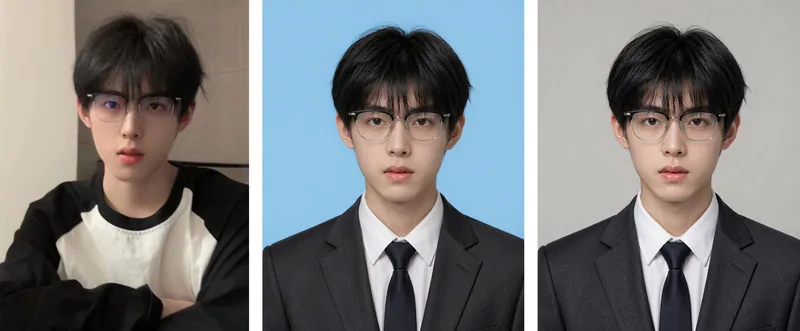
ID Photo Studio: Upload a casual photo to create a formal ID photo with any background color—white, blue, red, dark red, or gray. It automatically changes casual clothing to a dark suit and white shirt, uses standard ID photo positioning and composition, and keeps your face exactly as it appears in the original photo. Trigger it when users say things like “ID photo,” “make an ID photo,” “white-background ID photo,” “blue-background 2-inch photo,” “resume photo,” “passport photo,” “turn this into an ID photo,” “change the background color,” or “1-inch/2-inch photo.” Core rules: removing blemishes is allowed, but changing facial features is not (for official verification); choose the background color before the clothing (to avoid color clashes); place the eyes on the upper-third line, keep both shoulders level, leave space above the head, and use a clean background without shadows. Default format is vertical 3:4, with customization available. Use Nano Banana 2.1 by default for the strongest identity preservation; do not use Midjourney. Supports generating multiple colors, including white, blue, and red, in one run.
 Image
Image9-Grid Portrait Generator
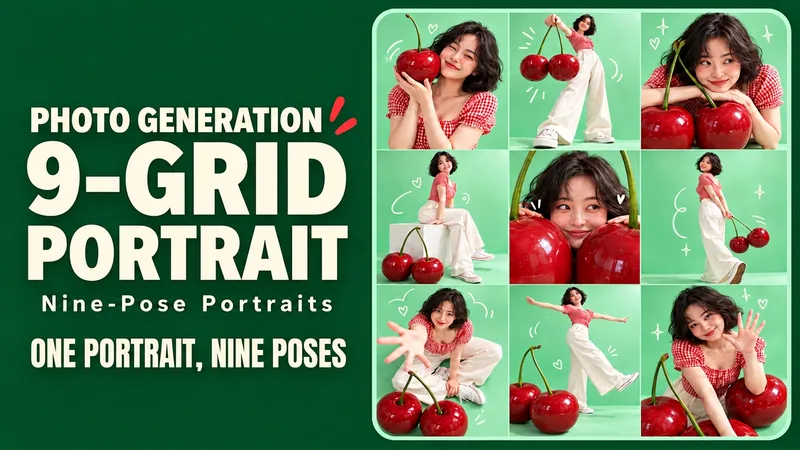
Upload a portrait and generate nine different poses of the same person, complete with colorful backgrounds, playful props, and doodles. Upload a character photo and place yourself into a vibrant creative photoshoot: exaggerated props, different camera angles, natural expressions, and a few witty doodles make up a complete 3x3 grid. Close-ups, full-body shots, high-angle views, and side profiles keep every frame interesting. Start with themes like Mint Cherry, Sunset Skate, or Purple Space, or define your own. By default, it keeps the original hairstyle and clothing to generate a text-free 3:4 vertical 3x3 grid. You can also change outfits, alter colors, or add short titles. Ideal for social sharing, birthday photos, profile pages, and creative outfit lookbooks. Supports both Chinese and English input; supports Chinese titles, English titles, or separate bilingual editions with the same composition. Individual tile export depends on the runtime environment. Try: "Keep my short hair and glasses, use mint green and cherry red, nine poses, no text, generate directly." Turn one favorite photo into nine playful portraits. Step into a colorful mini photo shoot with oversized props, expressive poses and a few hand-drawn accents. Close-ups, full-body frames, overhead views and side profiles give each panel its own moment while one face, outfit and visual theme hold the set together. Explore Mint Cherry, Sunset Skate and Lilac Orbit—or invent your own theme. Keep your original hair and clothes by default, or request a new outfit. Default: one text-free 3:4 portrait contact sheet in an exact 3×3 layout. Optional individual tile export depends on the host tools. Made for social posts, birthdays, profile pages and outfit inspiration. Use English or Chinese, add short titles, or request matching separate language editions. Try: “Keep my short curls and glasses. Create a Sunset Skate nine-shot sheet in coral and teal. Nine distinct poses. No text. Generate it.”
Information
- Version
- v3
- Last updated
- Runtime credits
- Usage-based
- Models
- Auto
- Use cases
- Images & design
- What you get
- Image
- Visual styles
- Photorealistic
