ID Photo Outfit Swap
Turn one selfie into a formal ID photo
ID Photo Outfit Swap
Turn one selfie into a formal ID photo
Showcase
Description
For applications, official documents, or resumes, you may suddenly need an ID photo with no time to visit a photo studio—and a selfie may not meet the requirements. 【ID Photo Outfit Swap】 turns a front-facing selfie into a standard ID photo: choose a solid-color background (white, blue, or red), change into formal attire (suit, shirt, or professional jacket), crop it to 1-inch, 2-inch, or small 2-inch size, and remove obvious glare and blemishes while preserving your real facial features. Strict rules: facial features and face shape are not changed, skin is not smoothed to the point of looking unnatural, and no “face swap” is performed. If the final image does not meet official requirements, this will be clearly noted.
Best for
Users who need resume, application, or official-document photos quickly while keeping their real appearance.
How to use this Skill
Provide your input
Upload a front-facing selfie and choose the background color, photo size, and whether to change into formal attire. You may also add the intended use.
Run the Skill
Process the ID photo based on the image quality, adjusting the background, clothing, and composition while preserving your real facial features and face shape.
Review your result
Receive a finished ID photo in your selected specifications, along with notes on the edits made and possible submission requirements.
Related Skills
View all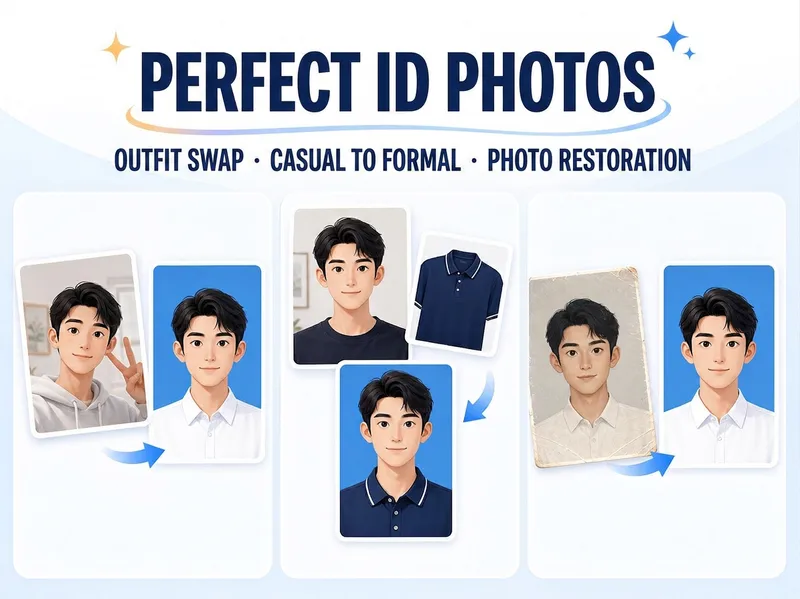 Image
ImagePolished ID Photos
Just upload one clear photo—no need to specify a purpose or parameters first. Selfies and casual snapshots can be turned into formal one-inch photos with a blue background. You can also upload a separate clothing photo as an outfit reference, or adjust the background color, lighting, crop, and dimensions of an existing ID photo. Once you’re satisfied with the first image, create white-background, red-background, two-inch, specified-pixel, or six-inch print layouts as needed, avoiding a pile of images you don’t need.
 Image
ImagePortrait Freedom-2-Step Prompt
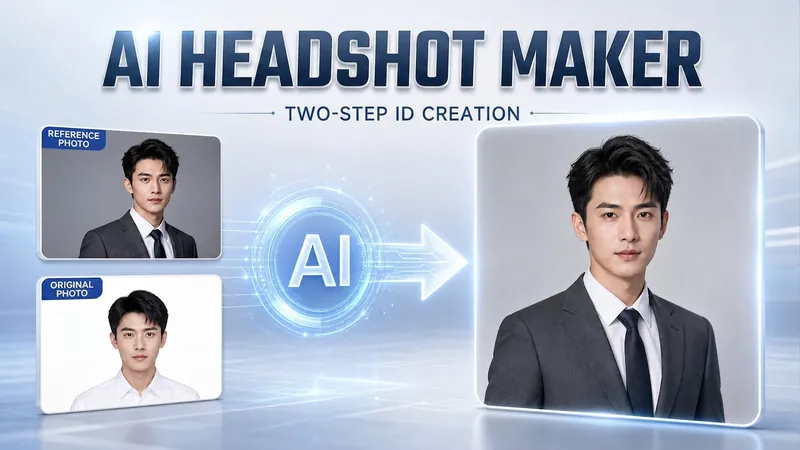
Generate a high-end portrait that is uniquely yours from a single reference image. Many people creating AI portraits upload a selfie and say 'Generate a high-end professional headshot for me,' but often end up with a face that doesn't look like them, a style that is template-like and generic, plastic-looking skin, and makeup and clothing that don't match their personality. The root problem is asking the AI to simultaneously guess 'what you look like' and 'what style to use'—it fails at both. This skill breaks it down into two stable steps: First, you provide a single reference image (professional headshot, magazine portrait, black-and-white film, modern Chinese style, etc.). Instead of immediately generating an image, the AI deconstructs its 'photographic language' like a photographer—analyzing lighting, composition, focal length, background, color palette, mood, and texture—and then writes two complete prompt sets for male and female versions separately. Clothing, makeup, hairstyle, and pose are all written differently by gender, fundamentally avoiding disasters like 'putting a man in a silk camisole.' Second, you choose your set of prompts and pair it with a clear photo of yourself: the reference image handles the style, while your photo handles the identity—preserving your face shape, features, age perception, and expression, then applying the professional photographic quality from the reference. The result is a portrait that is unmistakably you with a cinematic quality. The reference image controls the style, your photo controls the identity—it's that simple. Changing the reference image changes the direction. ID photos, professional headshots, magazine covers, black-and-white film—one workflow handles them all, completely eliminating the homogeneity and plastic feel of AI portraits. Target audience: professionals needing a headshot/ID photo/personal brand portrait, social media influencers, job seekers, and anyone who wants a high-end portrait that is truly their own.
Resume & Photo Polish
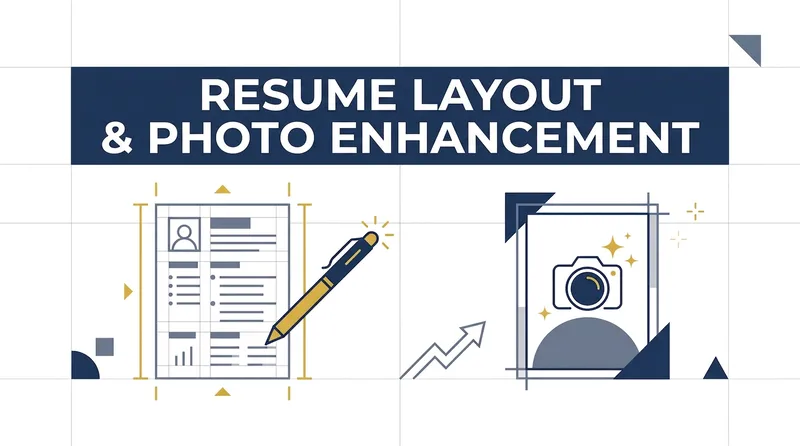
Turn scattered text, PDFs, Word files, image resumes, web content, PPTs, or mixed materials into an authentic, clear, professional resume for job applications. The skill first identifies the material types, then extracts and organizes personal information, education, work and internship experience, projects, skills, certifications, honors, and more. When key information is missing, it asks focused questions as needed; anything that cannot be confirmed is clearly marked “To be added.” No facts are altered or fabricated. For an included ID photo, it first evaluates the background, lighting, composition, pose, clarity, and imperfections, then offers options such as light retouching, a standard ID photo, or advanced retouching. It processes the photo after you confirm the background color and dimensions. Retouching preserves your identifying features and aims for a natural, credible result—no face swapping or exaggerated beautification. If you do not have a photo, you can skip the photo step. You will receive a Markdown content version and a web resume optimized for mobile, easy to print, or export as a PDF. The resume can also be tailored to the target role by adjusting information priorities, language, length, and phrasing, while considering both ATS parsing and visual presentation. Delivery also explains the completed wording improvements, all information still to be added, and the photo-processing status, helping you quickly review the content and continue making adjustments.
Information
- Version
- v2
- Last updated
- Runtime credits
- Usage-based
- Models
- Auto
- Use cases
- Images & designCareer development
- What you get
- Image
