Marriage ID Photo Studio
Turn your photos into red-background marriage ID photos
Marriage ID Photo Studio
Turn your photos into red-background marriage ID photos
Showcase
Description
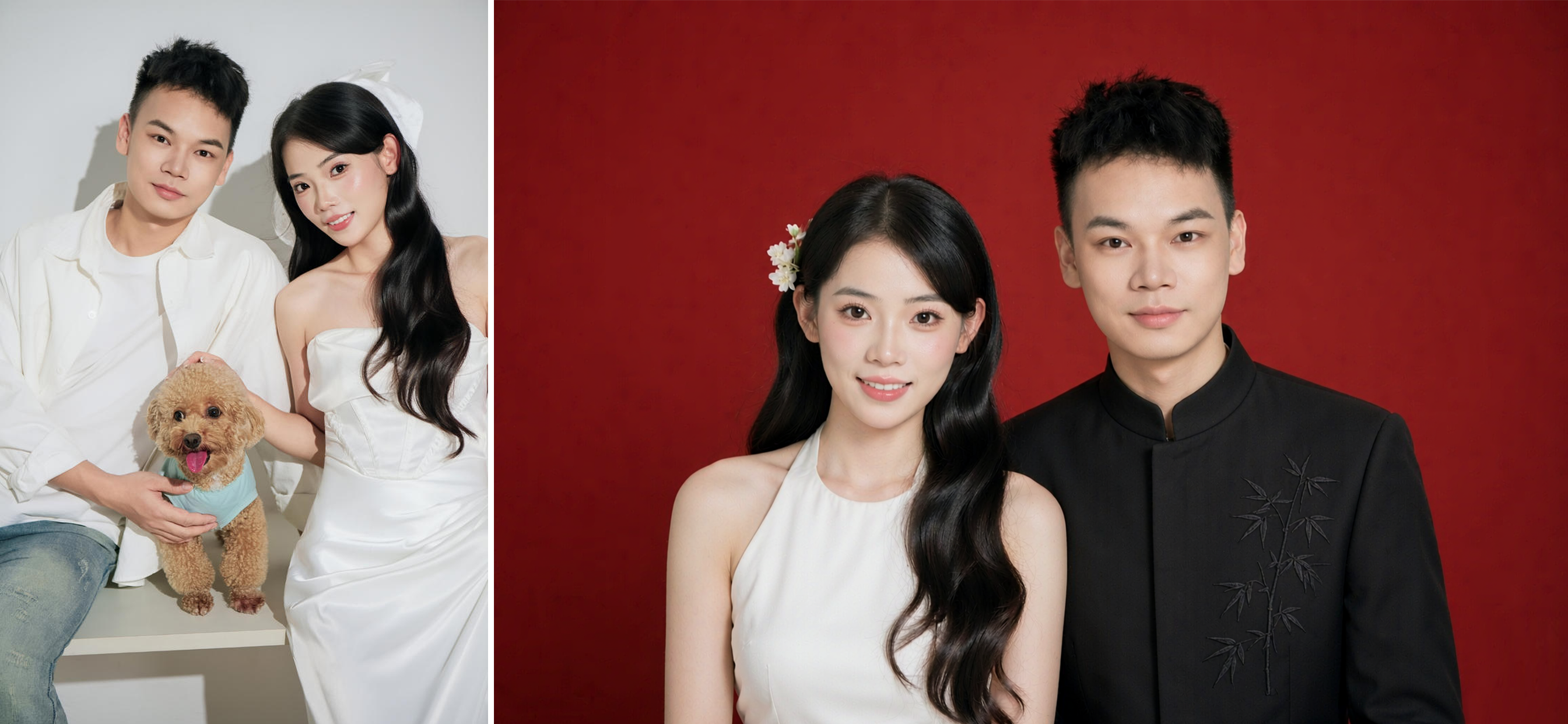
Marriage Registration Photo Designer: Users upload front-facing photos or selfies of both individuals to generate a marriage certificate-spec red-background couple's portrait. It includes six preset clothing and hairstyle options (such as halter white dress, plain white cheongsam, pink floral cheongsam, white puff-sleeve top, matching white shirts, and ivory cheongsam paired with men's mandarin collar, Zhongshan suit, or regular suit), and also supports uploading custom clothing or hairstyle reference images to generate multiple versions at once. The default size is 53×35mm horizontal (standard marriage certificate photo specification). Triggered when users mention "marriage certificate photo", "marriage registration photo", "license photo", "wedding photo", "red-background couple photo", "civil affairs office photo", or related terms. Core constraints: lock individual faces without excessive distortion or beautification, female on the left and male on the right with overlapping shoulders composition, Chinese red gradient background, and precise retouching provided for reference only subject to local civil affairs office requirements.
Recommended by
Dancang
Why we love this skill
Specially designed for marriage registration photos, accurately handling dual facial consistency, 53x35mm landscape specifications, and Chinese red background requirements. Supports six clothing and hairstyle presets with mix-and-match options, balancing official ID standards and personalized choices through face verification and compliance reminders.
Best for
Couples who need to create marriage registration photos or official wedding certificate portraits.
How to use this Skill
Provide your input
Upload two front-facing photos or a couple photo, and optionally provide clothing, hairstyle reference images, and layout preferences. Photos must be of yourselves or used with authorization.
Run the Skill
Generates a couple's red-background marriage registration photo based on the uploaded images, allowing you to choose or customize outfits and hairstyles while adjusting subject positioning and ID photo composition.
Review your result
Outputs a horizontal couple's ID photo with a red background, produced by default at the 53×35mm specification. Please check with your local civil affairs office for specific registration requirements.
Related Skills
View all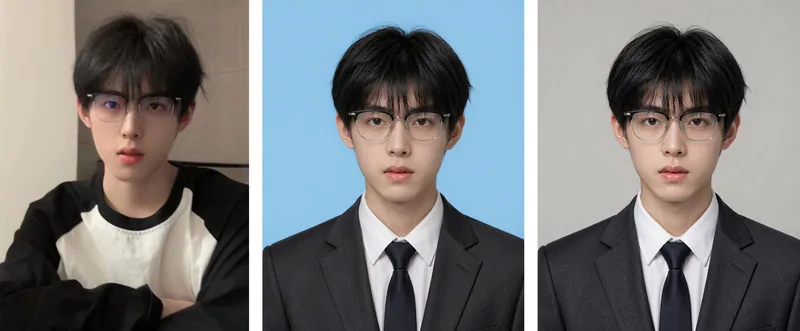 Image
ImageID Photo Studio
ID Photo Studio: Upload a casual photo to create a formal ID photo with any background color—white, blue, red, dark red, or gray. It automatically changes casual clothing to a dark suit and white shirt, uses standard ID photo positioning and composition, and keeps your face exactly as it appears in the original photo. Trigger it when users say things like “ID photo,” “make an ID photo,” “white-background ID photo,” “blue-background 2-inch photo,” “resume photo,” “passport photo,” “turn this into an ID photo,” “change the background color,” or “1-inch/2-inch photo.” Core rules: removing blemishes is allowed, but changing facial features is not (for official verification); choose the background color before the clothing (to avoid color clashes); place the eyes on the upper-third line, keep both shoulders level, leave space above the head, and use a clean background without shadows. Default format is vertical 3:4, with customization available. Use Nano Banana 2.1 by default for the strongest identity preservation; do not use Midjourney. Supports generating multiple colors, including white, blue, and red, in one run.
 Image
ImageCouples Wedding Photo Maker
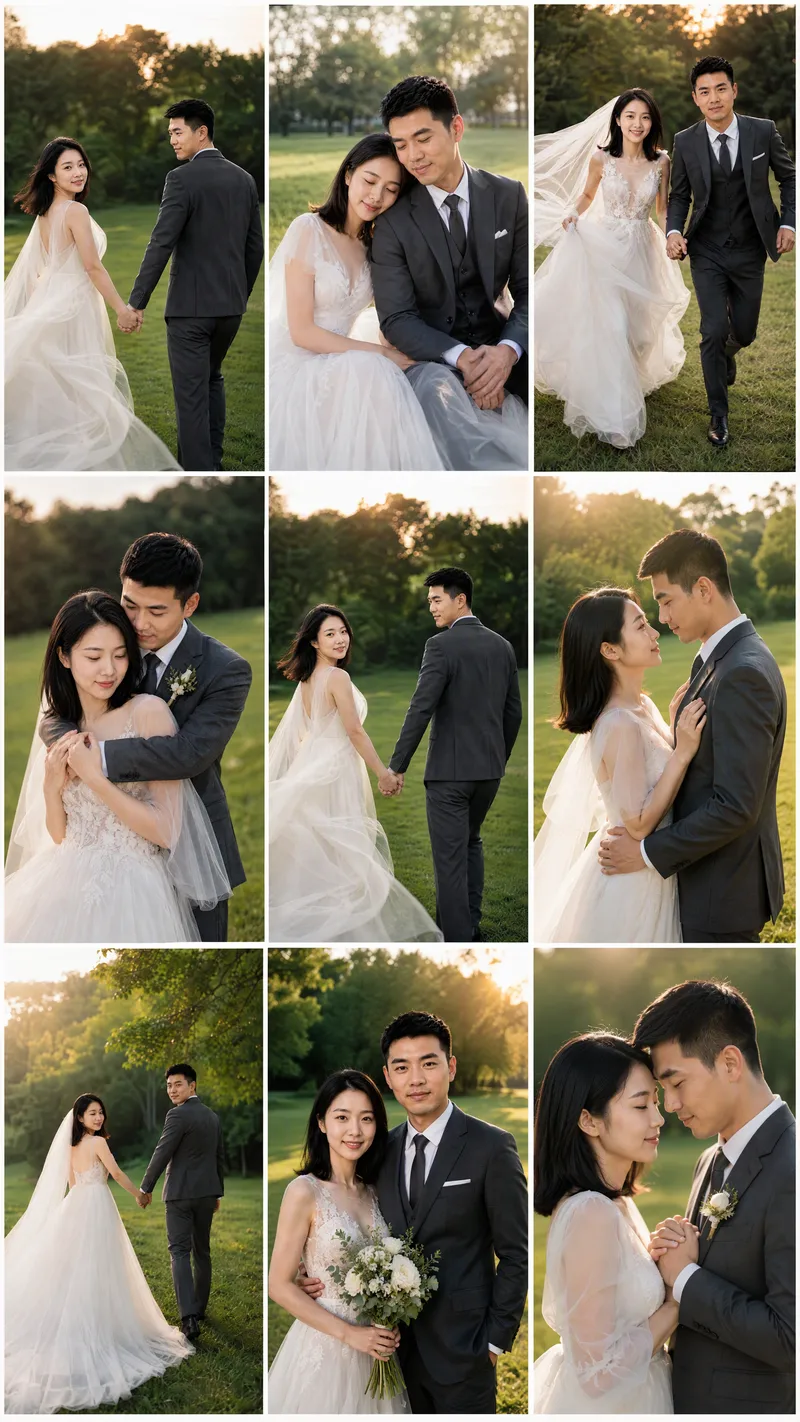
Turn photos of married couples or partners into cohesive wedding imagery with consistent identities, giving you more control from identity confirmation through final output. Upload 1–2 couple photos or individual photos of both partners, and the system will use their real facial features to create identity references, helping the same couple stay recognizable across sample images and final results. If you don't have photos, you can also randomly generate a realistic Chinese couple as a reference. Choose from a range of styles, including dark, elegant bridal portraits; forest-inspired lawn weddings; spring French flower houses; cinematic forest street photography; pure white French bridal portraits; modern Chinese wedding looks; coastal rock wedding photography; French vintage oil paintings; and urban documentary street photography. You can also upload a reference image you like or describe a custom style. After confirming the people and style, generate a 9:16 vertical sample first, then continue creating more once you're satisfied. The final result can be a cohesive 3×3 wedding photo grid or nine individual images with different poses and compositions. Images emphasize studio-quality lighting, cinematic color grading, realistic skin texture, and natural couple interactions, while aiming to avoid face swaps, unfamiliar faces, excessive skin smoothing, anatomical errors, and watermarks or text. It's suitable for wedding inspiration, commemorative images, and social media posts.
 Image
ImagePolished ID Photos
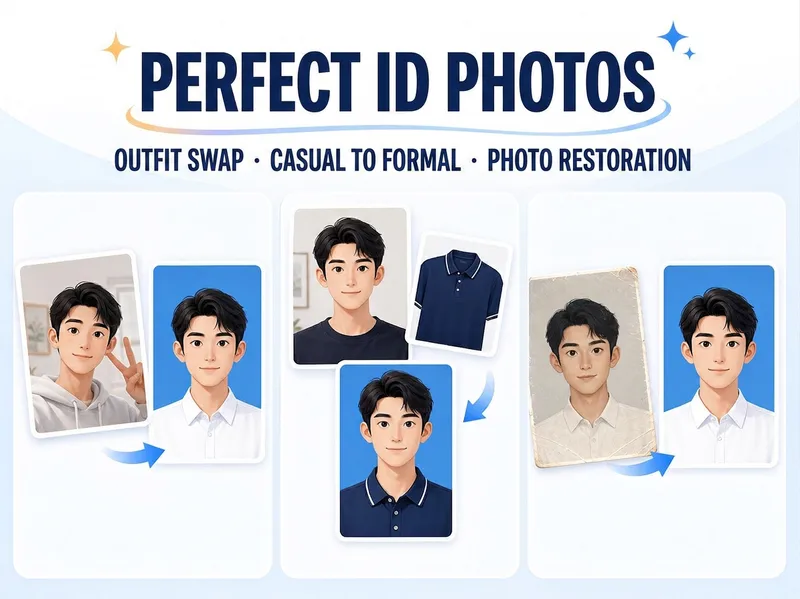
Just upload one clear photo—no need to specify a purpose or parameters first. Selfies and casual snapshots can be turned into formal one-inch photos with a blue background. You can also upload a separate clothing photo as an outfit reference, or adjust the background color, lighting, crop, and dimensions of an existing ID photo. Once you’re satisfied with the first image, create white-background, red-background, two-inch, specified-pixel, or six-inch print layouts as needed, avoiding a pile of images you don’t need.
Information
- Version
- v2
- Last updated
- Runtime credits
- Usage-based
- Models
- Auto
- Use cases
- Images & design
- What you get
- Image
- Visual styles
- Photorealistic
