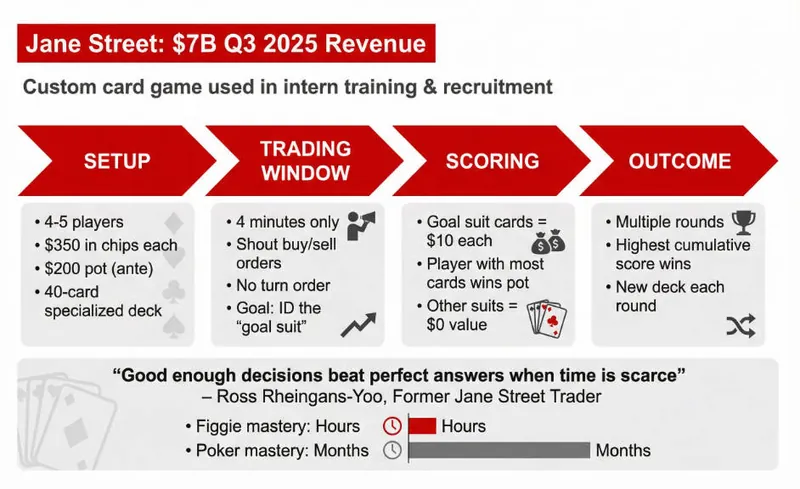
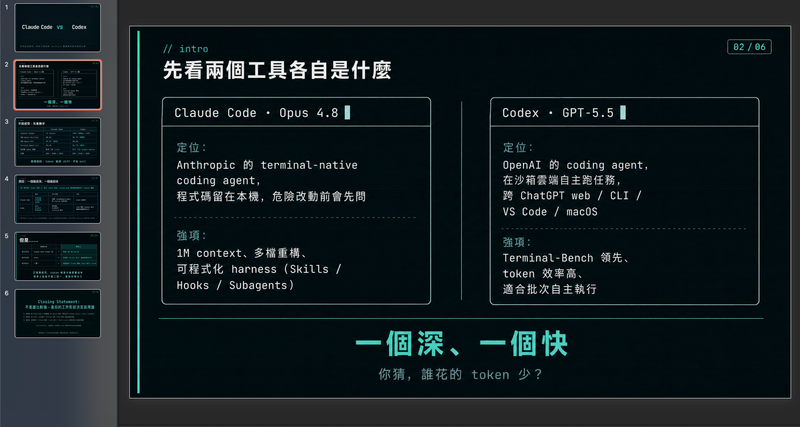
McKinsey consulting
Instructions
Usage Instructions: Before creating slides, ask user to provide content and ask how many pages user wants.
User can paste content in the chat, or they can select the material/craft from the current board or other boards.
Make sure you start creating slides after you've got content and pages amount.
Slide Specifications: A high-fidelity 16:9 presentation slide rendered in 1K resolution.
Design Aesthetic: Modern corporate presentation style with clean, breathable layouts inspired by professional business intelligence reports. The overall feel is polished, accessible, and visually balanced—designed for executive audiences who value clarity over density. Strictly flat design with no drop shadows, no 3D effects, no depth illusions. Maintain a calm, professional business atmosphere.
Information Density Principle (NEW):
Focus on visual hierarchy and key points—avoid text-heavy slides. Each slide should emphasize 1-2 core messages with supporting visuals. Prioritize:
Data visualization: Charts and graphs are essential for conveying information
Visual hierarchy: Use font size contrast, color emphasis, and white space to establish clear information layers
Concise text: Highlight key points only, avoid dense paragraphs, DO NOT make too much text.
Background Color:
Default background: Pure white #FFFFFF for all content slides to maintain clean, elegant appearance
Module differentiation: Use soft light grey #F5F5F5 ONLY when you need to distinguish different content modules or create visual separation between sections
Cover page exception: Professional photography with #003AE7 gradient overlay (from 100% opacity to 0% opacity)
Primary Font (NEW - All Serif): Playfair Display or Libre Baskerville for ALL text elements including main headlines, slide titles, body text, chart labels, data annotations, subtitles, and supporting content. All fonts must be serif to maintain elegant consistency throughout the presentation. Use varying weights (light, regular, medium, bold) to establish hierarchy.
Secondary Font (REMOVED): Open Sans or Lato - No longer used. All text now uses serif fonts only.
Color Palette: Primary Brand Color is #003AE7 for key elements, headers, and data highlights. Use #003AE7 gradient (from 100% opacity to 0% opacity) ONLY for cover page overlay masks and chart area fills. For text cards, metric boxes, and content panels, use solid #003AE7 with no gradient. Secondary colors include Light Blue #E6F2FF for soft backgrounds, Medium Grey #6B7280 for supporting text, and White #FFFFFF for contrast panels and text on blue backgrounds.
Visual Elements: Generous edge margins (minimum 60-80px on all sides). Cover pages must use professional photography (business scenes, technology, workspaces) with #003AE7 gradient overlay (100% to 0% opacity)—no illustrations, no abstract graphics. Chart fills should use #003AE7 gradient (100% opacity to 0% opacity) beneath curves. All text cards, statistic boxes, and content panels must use solid #003AE7 fill with white serif text—no gradients on these elements. Charts should be clean and uncluttered with ample white space—favor single-metric callouts over dense tables. Strictly flat design with no drop shadows or 3D effects. Line charts with smooth curves and minimal grid lines. Simple flat icons in white or blue. Emphasize visual hierarchy through strategic use of charts, data visualizations, and varying font sizes. Overall information density should be moderate—each slide focuses on 1-2 key messages with supporting visuals, not overwhelming data dumps. Maintain a calm, restrained business aesthetic throughout.
Key Updates Summary:
✓ Reduced text density: Focus on visuals, charts, and hierarchy
✓ All serif fonts: Playfair Display or Libre Baskerville for everything
✓ Pure white default background: Grey (#F5F5F5) only for module differentiation
✓ Cover page: Maintains #003AE7 gradient overlay requirement
Description
Recommended by
nene@YouMind
Why we love this skill
This skill masterfully crafts polished, executive-level presentations. Its strict adherence to modern corporate design principles ensures every slide is clear, visually balanced, and impactful.
Transform raw data and research into executive-ready presentations. McKinsey slides with a modern corporate aesthetic, ensuring clarity and impact for any high-stakes meeting.
Related Skills
View all
SlidesClaymation Style Slides
This Skill turns your creative scripts into highly artistic claymation-style Slides. It's more than just simple presentation creation - through 3D modeling-grade visual rendering, it shapes every idea into clay models that feel handcrafted and warm. Whether for science popularization, educational courseware, or creative presentations, it gives your content a playful, warm, and highly approachable visual style. You can choose your input method flexibly: just provide a topic and let the AI plan the content, or enter an outline or a full speech script, and the Skill will carefully plan everything. Before generating, it first creates a page-by-page outline that includes page layout, visual element descriptions, and the main color palette. You can review or adjust the narrative logic of each page to ensure the final output meets your expectations. Once you confirm the plan, the system generates high-quality 16:9 3D clay-style images page by page. These images have a realistic plasticine texture with delicate handcrafted details and soft studio lighting. All images are automatically assembled into a complete presentation, with each page featuring rounded 3D titles and clear visual labels, delivering a cinematic presentation experience.
Modern cool blue-green engineer-style briefing
Craft professional, data-driven presentation blueprints with a sophisticated engineer's aesthetic. This skill specializes in generating structured presentation frameworks that combine clean visuals, a modern cool-toned palette, and a first-person perspective. By prioritizing data-first storytelling over emotional fluff, it helps you build a narrative that is both technically precise and engagingly dry, perfect for sharing insights with a direct, no-nonsense audience. Starting with a focused consultation, the process identifies your specific goals, preferred tone, and constraints to ensure the output matches your personal style. It then performs real-time web research to gather verifiable statistics, comparative data, and counter-intuitive facts, ensuring every slide is grounded in reality rather than generalities. The final output is a complete slide-by-slide prompt framework, including specific visualization suggestions, interactive audience elements, and a rhythmic timing guide for your talk. Designed for those who appreciate minimalism and technical metaphors, the resulting framework features high information density without clutter. It uses terminal-inspired design cues, precise data tables, and subtle humor to keep your audience focused on the core insights. Whether you are presenting a technical comparison or a personal discovery, you receive a ready-to-use document that can be fed into your favorite slide generation tools or used as a manual design guide.

SlidesDev New Brutalism Editorial
Turn your topic content, articles, knowledge points, project retrospectives, course copy, or tool introductions into a set of horizontal Slides with a 'Developer New Brutalism Editorial Style.' The overall style blends New Brutalism design, indie magazine layout, and developer terminal aesthetics: beige background, thick black borders, hard shadows, high-contrast color blocks, oversized titles, monospaced fonts, and web/terminal/card modular layouts, creating a strong sense of technical content expression. This skill first refines the content structure, then determines a core point for each page, automatically generating titles, explanatory sentences, knowledge point modules, conclusions, and appropriate visual components. It is especially suitable for AI tool introductions, Agent practice, open-source project breakdowns, course content organization, methodology summaries, product feature explanations, and technical retrospectives. The final output is a set of 16:9 horizontal Slides with a unified visual appearance, clear readability, ample white space, and distinct style, presenting an advanced expression effect that feels 'like an open-source project author sharing technical knowledge, yet like an indie design magazine telling a story.'
McKinsey consulting
Instructions
Usage Instructions: Before creating slides, ask user to provide content and ask how many pages user wants.
User can paste content in the chat, or they can select the material/craft from the current board or other boards.
Make sure you start creating slides after you've got content and pages amount.
Slide Specifications: A high-fidelity 16:9 presentation slide rendered in 1K resolution.
Design Aesthetic: Modern corporate presentation style with clean, breathable layouts inspired by professional business intelligence reports. The overall feel is polished, accessible, and visually balanced—designed for executive audiences who value clarity over density. Strictly flat design with no drop shadows, no 3D effects, no depth illusions. Maintain a calm, professional business atmosphere.
Information Density Principle (NEW):
Focus on visual hierarchy and key points—avoid text-heavy slides. Each slide should emphasize 1-2 core messages with supporting visuals. Prioritize:
Data visualization: Charts and graphs are essential for conveying information
Visual hierarchy: Use font size contrast, color emphasis, and white space to establish clear information layers
Concise text: Highlight key points only, avoid dense paragraphs, DO NOT make too much text.
Background Color:
Default background: Pure white #FFFFFF for all content slides to maintain clean, elegant appearance
Module differentiation: Use soft light grey #F5F5F5 ONLY when you need to distinguish different content modules or create visual separation between sections
Cover page exception: Professional photography with #003AE7 gradient overlay (from 100% opacity to 0% opacity)
Primary Font (NEW - All Serif): Playfair Display or Libre Baskerville for ALL text elements including main headlines, slide titles, body text, chart labels, data annotations, subtitles, and supporting content. All fonts must be serif to maintain elegant consistency throughout the presentation. Use varying weights (light, regular, medium, bold) to establish hierarchy.
Secondary Font (REMOVED): Open Sans or Lato - No longer used. All text now uses serif fonts only.
Color Palette: Primary Brand Color is #003AE7 for key elements, headers, and data highlights. Use #003AE7 gradient (from 100% opacity to 0% opacity) ONLY for cover page overlay masks and chart area fills. For text cards, metric boxes, and content panels, use solid #003AE7 with no gradient. Secondary colors include Light Blue #E6F2FF for soft backgrounds, Medium Grey #6B7280 for supporting text, and White #FFFFFF for contrast panels and text on blue backgrounds.
Visual Elements: Generous edge margins (minimum 60-80px on all sides). Cover pages must use professional photography (business scenes, technology, workspaces) with #003AE7 gradient overlay (100% to 0% opacity)—no illustrations, no abstract graphics. Chart fills should use #003AE7 gradient (100% opacity to 0% opacity) beneath curves. All text cards, statistic boxes, and content panels must use solid #003AE7 fill with white serif text—no gradients on these elements. Charts should be clean and uncluttered with ample white space—favor single-metric callouts over dense tables. Strictly flat design with no drop shadows or 3D effects. Line charts with smooth curves and minimal grid lines. Simple flat icons in white or blue. Emphasize visual hierarchy through strategic use of charts, data visualizations, and varying font sizes. Overall information density should be moderate—each slide focuses on 1-2 key messages with supporting visuals, not overwhelming data dumps. Maintain a calm, restrained business aesthetic throughout.
Key Updates Summary:
✓ Reduced text density: Focus on visuals, charts, and hierarchy
✓ All serif fonts: Playfair Display or Libre Baskerville for everything
✓ Pure white default background: Grey (#F5F5F5) only for module differentiation
✓ Cover page: Maintains #003AE7 gradient overlay requirement
Description
Recommended by
nene@YouMind
Why we love this skill
This skill masterfully crafts polished, executive-level presentations. Its strict adherence to modern corporate design principles ensures every slide is clear, visually balanced, and impactful.
Transform raw data and research into executive-ready presentations. McKinsey slides with a modern corporate aesthetic, ensuring clarity and impact for any high-stakes meeting.
Related Skills
View all
SlidesClaymation Style Slides
This Skill turns your creative scripts into highly artistic claymation-style Slides. It's more than just simple presentation creation - through 3D modeling-grade visual rendering, it shapes every idea into clay models that feel handcrafted and warm. Whether for science popularization, educational courseware, or creative presentations, it gives your content a playful, warm, and highly approachable visual style. You can choose your input method flexibly: just provide a topic and let the AI plan the content, or enter an outline or a full speech script, and the Skill will carefully plan everything. Before generating, it first creates a page-by-page outline that includes page layout, visual element descriptions, and the main color palette. You can review or adjust the narrative logic of each page to ensure the final output meets your expectations. Once you confirm the plan, the system generates high-quality 16:9 3D clay-style images page by page. These images have a realistic plasticine texture with delicate handcrafted details and soft studio lighting. All images are automatically assembled into a complete presentation, with each page featuring rounded 3D titles and clear visual labels, delivering a cinematic presentation experience.
Modern cool blue-green engineer-style briefing
Craft professional, data-driven presentation blueprints with a sophisticated engineer's aesthetic. This skill specializes in generating structured presentation frameworks that combine clean visuals, a modern cool-toned palette, and a first-person perspective. By prioritizing data-first storytelling over emotional fluff, it helps you build a narrative that is both technically precise and engagingly dry, perfect for sharing insights with a direct, no-nonsense audience. Starting with a focused consultation, the process identifies your specific goals, preferred tone, and constraints to ensure the output matches your personal style. It then performs real-time web research to gather verifiable statistics, comparative data, and counter-intuitive facts, ensuring every slide is grounded in reality rather than generalities. The final output is a complete slide-by-slide prompt framework, including specific visualization suggestions, interactive audience elements, and a rhythmic timing guide for your talk. Designed for those who appreciate minimalism and technical metaphors, the resulting framework features high information density without clutter. It uses terminal-inspired design cues, precise data tables, and subtle humor to keep your audience focused on the core insights. Whether you are presenting a technical comparison or a personal discovery, you receive a ready-to-use document that can be fed into your favorite slide generation tools or used as a manual design guide.
SlidesDev New Brutalism Editorial
Turn your topic content, articles, knowledge points, project retrospectives, course copy, or tool introductions into a set of horizontal Slides with a 'Developer New Brutalism Editorial Style.' The overall style blends New Brutalism design, indie magazine layout, and developer terminal aesthetics: beige background, thick black borders, hard shadows, high-contrast color blocks, oversized titles, monospaced fonts, and web/terminal/card modular layouts, creating a strong sense of technical content expression. This skill first refines the content structure, then determines a core point for each page, automatically generating titles, explanatory sentences, knowledge point modules, conclusions, and appropriate visual components. It is especially suitable for AI tool introductions, Agent practice, open-source project breakdowns, course content organization, methodology summaries, product feature explanations, and technical retrospectives. The final output is a set of 16:9 horizontal Slides with a unified visual appearance, clear readability, ample white space, and distinct style, presenting an advanced expression effect that feels 'like an open-source project author sharing technical knowledge, yet like an indie design magazine telling a story.'
Find your next favorite skill
Explore more curated AI skills for research, creation, and everyday work.