
Monthly Planning & Tracking
From monthly focus to a synced tracking hub
Monthly Planning & Tracking
From monthly focus to a synced tracking hub
Showcase
Description
A platform-agnostic conversational workflow: first, use the “Wheel of Life” to choose your focus for the month, then organize and narrow scattered ideas into a monthly plan with trackable fields; next, build a paginated monthly tracking workspace that works like an app, with persistent data and multi-device syncing; finally, run a feature self-check, fix issues, and polish the interface. CSV is not the only data format: the workflow automatically chooses among three paths based on the current platform’s capabilities—native platform sync, external cloud storage, or file exchange—and works across Agent applications. Ideal for people who want to turn goals into action within 30 days and keep tracking them over time.
Related Skills
View all
One-Click H5 Workspace
A full-workflow generator for single-file HTML tracking workspaces. Use this Skill when users ask to create an “XX workspace,” logging app, check-in app, tracker, or diary app—such as a mindfulness log, sleep check-in, fitness tracker, or 21-day habit builder—and want it to work on mobile with data saved locally. It covers the complete workflow, from requirements confirmation and single-file HTML development to minimalist magazine-style design, localStorage persistence, PWA deployment, QR code generation, and H5 deployment through a WeChat Official Account. Trigger words: workspace, check-in, daily log, tracker, single-file app, H5 app.

Every Day a Good Day Calendar
Input the year and month along with your mood, and generate a hand-drawn self-care monthly calendar poster with precise dates, incorporating solar terms and festivals. 【What it does】Input the year, month, and optional mood keywords or themes to generate a 3:4 hand-drawn warm-style monthly calendar poster. Each day features a self-care activity you can do that day, accompanied by a warm hand-drawn icon in the same style. 【Why choose it】 📅 Accurate dates: Zeller's formula + online double verification ensures that the day of the week for the 1st exactly matches the real calendar. Solar terms and festival dates are verified month by month. 🏮 Chinese flavor: Automatically incorporates the month's solar terms and traditional festivals—White Dew tea brewing, Autumn Equinox egg balancing, Mid-Autumn mooncakes, Double Ninth climbing—timely and relevant. 🧠 Never repeats: Built-in cross-month action memory bank ensures used actions and icons are not repeated; 12 months form a continuous annual work. 📖 Themed month mode: Reading month, exercise month, early sleep month... the month's actions follow a "start-deepen-wrap-up" growth arc around the theme. 🎨 Consistent art style: Fixed style anchors; 12 posters on a wall feel like the same artist's hand. ✅ Preview before output: A list of 31 days of actions is generated for your review; modify until satisfied before final output. 🖨 Precise text mode: Optional flawless text scheme, suitable for printing and posting on walls. 【Suitable for】Those who want to add a bit of ritual to each month, journal and planner enthusiasts, content creators needing monthly poster materials, and anyone looking to give a friend a "living calendar." 【Usage】"Generate a calendar for November 2026" / "Generate a November calendar with theme: early sleep month" / "Use precise text mode"
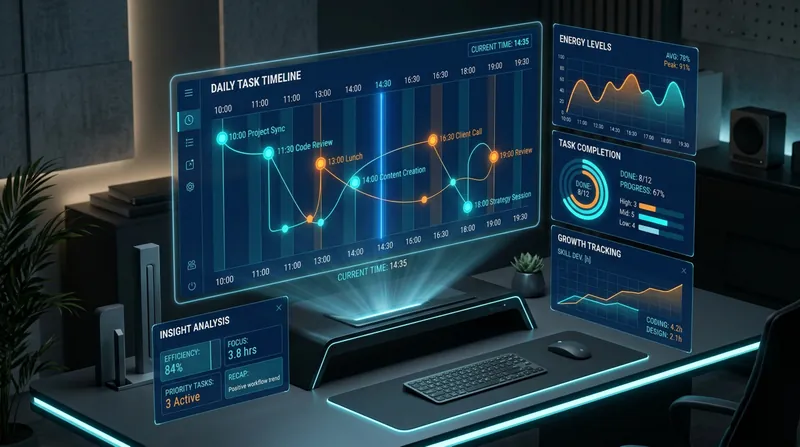
Daily Action Command Center
A complete personal efficiency and growth system that helps you coordinate the overall situation, conduct deep reflection, and continuously evolve. [Core Functions] Step 1: Morning task breakdown and energy management Based on your fixed time structure (10:00-10:30 clipping/10:30-12:00 morning/14:30-19:30 afternoon), intelligently break down tasks, estimate energy consumption, optimize sequencing, and provide off-screen rest suggestions. Step 2: Clip deep analysis system 5-layer analysis framework: multi-level information deconstruction → critical thinking assessment → knowledge network construction → practice transformation path → information lifecycle management. Automatically control daily clip count (suggested ≤5 articles) to ensure deep understanding. Step 3: Task completion deep review and growth tracking 6 dimensions: three-dimensional quality assessment → success pattern extraction → root cause-oriented improvement → intelligent historical comparison → energy calibration and motivation tracking → intelligent task recommendation. Every task completion is a growth opportunity. Step 4: Evening deep review 6-layer progressive exploration: curiosity root → thinking pattern decoding → value core return → problem of the problem → thinking trap diagnosis → psychological state and tomorrow's seeds. From surface to depth, fully decode a day's growth. Step 5: Periodic data insights Automatically generate reports on Friday/end of month: energy consumption patterns, curiosity evolution, psychological state trends, pitfall statistics, growth milestones, next week/month suggestions. [System Value] Not just a task management tool, but a cognitive upgrade engine + capability growth tracker + thinking pattern decoder. Helps you return from chaos to core, from execution to insight, from completion to evolution.
Information
- Version
- v5
- Last updated
- Runtime credits
- Usage-based
- Models
- Auto
