Movie Infographic
Instructions
JSON
{
"meta": {
"prompt_name": "Visualized Film Review Poster (Film Reel Timeline Version)",
"version": "3.2_FilmStrip_Layout",
"made_for": "nano banana ai",
"language": "zh-Hans",
"input_vars": {
"movie_title": "Movie title (required)",
"movie_year": "Release year (optional)",
"director": "Director (optional)"
"art_style": "Art style (optional, default: retro hand-drawn illustration, paper texture)",
"tone": "Poster mood (optional, e.g., healing/suspense/epic)",
"palette": "Main color scheme (optional, such as: warm yellow + dark brown / cool blue + silver gray)"
}
},
"render_spec": {
"canvas": {
"aspect_ratio": "3:4",
"resolution": "2048x2732",
"composition": "Central radial composition + vertical strip of film on the right"
},
"style": {
"overall": "Retro infographic style, text and images surrounding, rich layering",
"illustration": "{art_style}, with a large central image (not necessarily rectangular; it can be a circle, trapezoid, irregular shape, etc.), surrounded by delicate small illustrations."
"typography": "Eye-catching titles; body text wrapping around images; mixed handwriting and serif fonts",
"color": "The background uses beige/paper color to create a retro document feel, and the text color is deep and clear."
},
"layout_reference": "Strictly replicates the layout of the supplementary "Matilda": the right side is fixed with a vertical film strip; the center features the main characters/collage; the left side has segmented text and images; the bottom is a horizontal text banner."
"legibility_rules": [
"The images and text within the film roll must be aligned."
"The central main image should not obscure the surrounding text information."
The bottom text area is clearly divided into columns, avoiding large blocks of text.
]
},
"content_rules": {
"must_include_sections": [
① Top: Title + Honors/Data (top left) + Popular Culture/Versions (top right)
"② Core Visual: Central Large Illustration (Character/Imagery)"
③ Right sidebar: Vertical film strip timeline
④ Left sidebar: Character/Movie traits (3-4 image and text combinations)
"⑤ Bottom area: Quotes (in Chinese only) + 2 Moments + Reflections (replacing the original bottom statistics area)"
],
"visual_blocks_mapping": {
"top_left": "[Data/Honors] 2-3 key numbers or awards, with small icons (such as books, trophies)",
"top_right": "[Version/Culture] A collage of 3 small cards showcasing different aspects of the film or related works",
"center_visual": "[Absolute visual center] A huge main illustration (portrait of a character or core scene), occupying 40% of the central area of the image. The movie title '{movie_title}' spans above or below the illustration."
"right_vertical": "【Film Strip Timeline】A realistic vertical film strip runs along the right side of the image. Four key plot points are illustrated within the film strip's grid, with time/stage labels next to them."
"left_vertical": "【Trait Introduction】3-4 sets of 'small illustrations + short text', arranged vertically on the left side of the image, pointing towards the main character in the center (e.g., 'Trait A', 'Trait B')",
"bottom_zone": "【Deep Reflection Zone】A horizontal text banner spanning the bottom (background color can be slightly darker):\n- Left: Selected golden quotes (3-4 quotes)\n- Middle: 2 highlight moments (Moment A & B)\n- Right: Reflections and insights (light bulb icon + viewpoint)"
},
"copyright_safety": [
"The footage within the film reel uses stylized illustrations, not stills."
"No real actors' faces will appear"
"Do not include special characters such as * and #",
"Not using the official logo"
]
},
"nano_banana_prompt": {
"prompt": "Please generate a 'visual film review poster' with a layout strictly referencing the 'Matilda' infographic."
**Core Art Style:** {art_style}. **Key Layout Features:** 1. **There must be a vertical film strip on the right side, serving as a timeline.** 2. **A large main visual illustration is placed in the center of the image.** 3. **Text information surrounds the central illustration on the left, top, and bottom.**
**Content Fill**:\nMovie: {movie_title} ({movie_year})\nDirector: {director}\nAtmosphere: {tone}\nColor Scheme: {palette}
**Detailed Section Instructions**: - **Top:** The title ("{movie_title}") is displayed in artistic font in the center. Place 2-3 honor/data icons in the top left corner; place 2-3 small related images resembling stamps or cards in the top right corner. - **Center:** Create a beautiful main illustration ("{art_style}") representing the film's core character or spirit, with strong visual impact. - **Right:** Draw a vertical **vintage film negative**. Draw four key plot points within the film's grid, and label the stages next to the film. - **Left:** List three core traits of the film/character. The layout should be: a small illustration on the left, and a brief introductory text on the right. - **Bottom:** **Do not draw curves**. Divide the bottom area into three neat text columns: 1. **Quotes:** Extract 3-4 classic lines from the film. 2. **Moment**: List two "unforgettable moments" (Moment 1 & Moment 2), each with two lines of description. 3. **Reflections**: List 3-4 points of reflection after watching the film (starting with a 💡 icon).
**Overall effect:** Like a meticulously arranged page in a film magazine, it's rich in information yet well-organized, with the film reel on the right being the visual highlight.
"negative_prompt": "Line chart, graph chart, bar chart, target audience, no film, film on the left, horizontal film, cluttered layout, real photo, blurry, garbled text, large areas of blank space",
"params_hint": {
"suggested_guidance_scale": "Medium-high (8.0), to ensure layout accuracy",
"suggested_style_strength": "medium-high"
}
}
}
Description
Transform movie reviews into artistic posters. A film reel timeline on the right, stunning visuals in the center, infographic with text and images, making the essence of the movie clear at a glance.
Related Skills
View all
Movie Review Generator
Enter a movie title, and it automatically searches for film info (director, cast, plot, box office, reviews, etc.), writes an in-depth, non-clichéd review document, and saves it as an artifact. Works for all movie genres; the language and style adapt to the film type and user preferences.
 Image
ImageStunning Visual Poster @阑夕ོ
Transform abstract concepts into stunning visual posters. Deeply analyze words, using advanced composition and restrained colors to create unforgettable works of art.
 Image
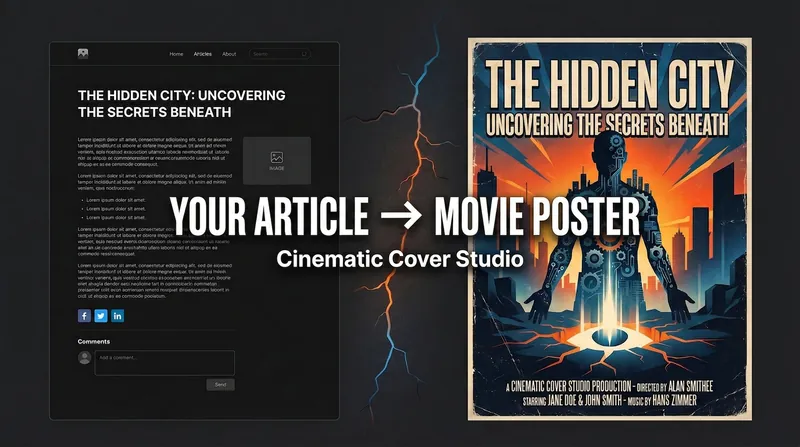
ImageCinematic Cover Studio v1.4
Create movie-poster-level visual covers for your articles, topics, or content. This tool transforms your core ideas into captivating visual art, whether you need eye-catching images for blogs, WeChat public accounts, Xiaohongshu, or video platforms. Simply provide an article link or topic, and choose your preferred platform aspect ratio and design style, such as "Minimalist Symbol," "Illustration Narrative," or "Eastern Aesthetics." The system automatically captures the deeper meaning of your content, using sophisticated composition, color matching, and conceptual refinement to generate three different cover styles: literal, metaphorical, and minimalist—each uniquely crafted. Through intelligent analysis of content type and emotional tone, the tool matches the best design philosophy, composition, and color scheme, ensuring the final result meets professional aesthetic standards while accurately conveying your content's essence. You can adjust lighting, composition, or overall style as needed until you achieve the perfect work. Whether you seek the visual impact of a commercial blockbuster or prefer the artistic expression of surreal metaphors, Cinematic Cover Studio v1.3 helps you stand out from the crowd, drawing more attention with cinematic quality.
Movie Infographic
Instructions
JSON
{
"meta": {
"prompt_name": "Visualized Film Review Poster (Film Reel Timeline Version)",
"version": "3.2_FilmStrip_Layout",
"made_for": "nano banana ai",
"language": "zh-Hans",
"input_vars": {
"movie_title": "Movie title (required)",
"movie_year": "Release year (optional)",
"director": "Director (optional)"
"art_style": "Art style (optional, default: retro hand-drawn illustration, paper texture)",
"tone": "Poster mood (optional, e.g., healing/suspense/epic)",
"palette": "Main color scheme (optional, such as: warm yellow + dark brown / cool blue + silver gray)"
}
},
"render_spec": {
"canvas": {
"aspect_ratio": "3:4",
"resolution": "2048x2732",
"composition": "Central radial composition + vertical strip of film on the right"
},
"style": {
"overall": "Retro infographic style, text and images surrounding, rich layering",
"illustration": "{art_style}, with a large central image (not necessarily rectangular; it can be a circle, trapezoid, irregular shape, etc.), surrounded by delicate small illustrations."
"typography": "Eye-catching titles; body text wrapping around images; mixed handwriting and serif fonts",
"color": "The background uses beige/paper color to create a retro document feel, and the text color is deep and clear."
},
"layout_reference": "Strictly replicates the layout of the supplementary "Matilda": the right side is fixed with a vertical film strip; the center features the main characters/collage; the left side has segmented text and images; the bottom is a horizontal text banner."
"legibility_rules": [
"The images and text within the film roll must be aligned."
"The central main image should not obscure the surrounding text information."
The bottom text area is clearly divided into columns, avoiding large blocks of text.
]
},
"content_rules": {
"must_include_sections": [
① Top: Title + Honors/Data (top left) + Popular Culture/Versions (top right)
"② Core Visual: Central Large Illustration (Character/Imagery)"
③ Right sidebar: Vertical film strip timeline
④ Left sidebar: Character/Movie traits (3-4 image and text combinations)
"⑤ Bottom area: Quotes (in Chinese only) + 2 Moments + Reflections (replacing the original bottom statistics area)"
],
"visual_blocks_mapping": {
"top_left": "[Data/Honors] 2-3 key numbers or awards, with small icons (such as books, trophies)",
"top_right": "[Version/Culture] A collage of 3 small cards showcasing different aspects of the film or related works",
"center_visual": "[Absolute visual center] A huge main illustration (portrait of a character or core scene), occupying 40% of the central area of the image. The movie title '{movie_title}' spans above or below the illustration."
"right_vertical": "【Film Strip Timeline】A realistic vertical film strip runs along the right side of the image. Four key plot points are illustrated within the film strip's grid, with time/stage labels next to them."
"left_vertical": "【Trait Introduction】3-4 sets of 'small illustrations + short text', arranged vertically on the left side of the image, pointing towards the main character in the center (e.g., 'Trait A', 'Trait B')",
"bottom_zone": "【Deep Reflection Zone】A horizontal text banner spanning the bottom (background color can be slightly darker):\n- Left: Selected golden quotes (3-4 quotes)\n- Middle: 2 highlight moments (Moment A & B)\n- Right: Reflections and insights (light bulb icon + viewpoint)"
},
"copyright_safety": [
"The footage within the film reel uses stylized illustrations, not stills."
"No real actors' faces will appear"
"Do not include special characters such as * and #",
"Not using the official logo"
]
},
"nano_banana_prompt": {
"prompt": "Please generate a 'visual film review poster' with a layout strictly referencing the 'Matilda' infographic."
**Core Art Style:** {art_style}. **Key Layout Features:** 1. **There must be a vertical film strip on the right side, serving as a timeline.** 2. **A large main visual illustration is placed in the center of the image.** 3. **Text information surrounds the central illustration on the left, top, and bottom.**
**Content Fill**:\nMovie: {movie_title} ({movie_year})\nDirector: {director}\nAtmosphere: {tone}\nColor Scheme: {palette}
**Detailed Section Instructions**: - **Top:** The title ("{movie_title}") is displayed in artistic font in the center. Place 2-3 honor/data icons in the top left corner; place 2-3 small related images resembling stamps or cards in the top right corner. - **Center:** Create a beautiful main illustration ("{art_style}") representing the film's core character or spirit, with strong visual impact. - **Right:** Draw a vertical **vintage film negative**. Draw four key plot points within the film's grid, and label the stages next to the film. - **Left:** List three core traits of the film/character. The layout should be: a small illustration on the left, and a brief introductory text on the right. - **Bottom:** **Do not draw curves**. Divide the bottom area into three neat text columns: 1. **Quotes:** Extract 3-4 classic lines from the film. 2. **Moment**: List two "unforgettable moments" (Moment 1 & Moment 2), each with two lines of description. 3. **Reflections**: List 3-4 points of reflection after watching the film (starting with a 💡 icon).
**Overall effect:** Like a meticulously arranged page in a film magazine, it's rich in information yet well-organized, with the film reel on the right being the visual highlight.
"negative_prompt": "Line chart, graph chart, bar chart, target audience, no film, film on the left, horizontal film, cluttered layout, real photo, blurry, garbled text, large areas of blank space",
"params_hint": {
"suggested_guidance_scale": "Medium-high (8.0), to ensure layout accuracy",
"suggested_style_strength": "medium-high"
}
}
}
Description
Transform movie reviews into artistic posters. A film reel timeline on the right, stunning visuals in the center, infographic with text and images, making the essence of the movie clear at a glance.
Related Skills
View allMovie Review Generator
Enter a movie title, and it automatically searches for film info (director, cast, plot, box office, reviews, etc.), writes an in-depth, non-clichéd review document, and saves it as an artifact. Works for all movie genres; the language and style adapt to the film type and user preferences.
ImageStunning Visual Poster @阑夕ོ
Transform abstract concepts into stunning visual posters. Deeply analyze words, using advanced composition and restrained colors to create unforgettable works of art.
ImageCinematic Cover Studio v1.4
Create movie-poster-level visual covers for your articles, topics, or content. This tool transforms your core ideas into captivating visual art, whether you need eye-catching images for blogs, WeChat public accounts, Xiaohongshu, or video platforms. Simply provide an article link or topic, and choose your preferred platform aspect ratio and design style, such as "Minimalist Symbol," "Illustration Narrative," or "Eastern Aesthetics." The system automatically captures the deeper meaning of your content, using sophisticated composition, color matching, and conceptual refinement to generate three different cover styles: literal, metaphorical, and minimalist—each uniquely crafted. Through intelligent analysis of content type and emotional tone, the tool matches the best design philosophy, composition, and color scheme, ensuring the final result meets professional aesthetic standards while accurately conveying your content's essence. You can adjust lighting, composition, or overall style as needed until you achieve the perfect work. Whether you seek the visual impact of a commercial blockbuster or prefer the artistic expression of surreal metaphors, Cinematic Cover Studio v1.3 helps you stand out from the crowd, drawing more attention with cinematic quality.
Find your next favorite skill
Explore more curated AI skills for research, creation, and everyday work.