Old Photo Restoration
Restore blurry, faded, or scratched old photos into clean and clear versions with natural colorization.
Old Photo Restoration
Restore blurry, faded, or scratched old photos into clean and clear versions with natural colorization.
Showcase
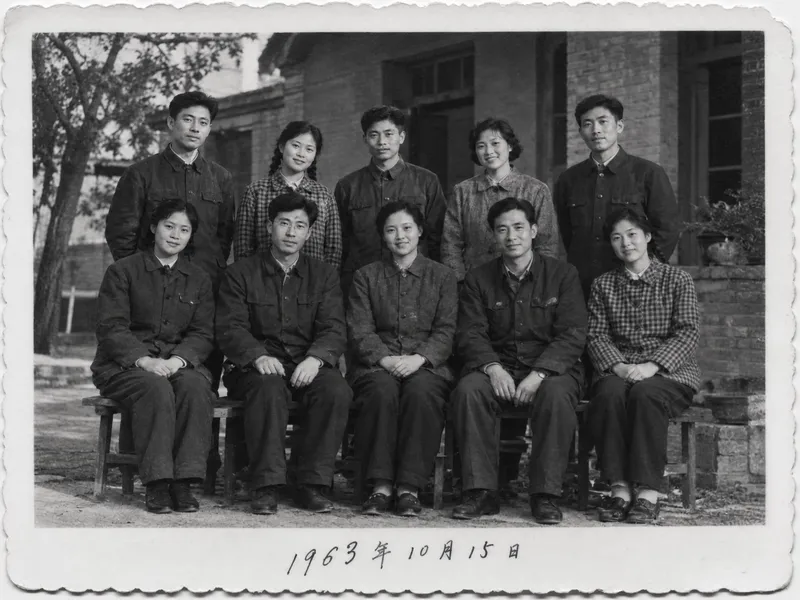
三口之家老照片修复上色
1963年庭院合影修复·黑白版
三口之家老照片修复上色
1963年庭院合影修复·黑白版
Description
# Old Photo Restoration | AI Photo Renewal Upload a yellowed, creased, scratched, or stained old photo to restore it into a clean and clear version. You can naturally colorize it according to the era, or keep it in black and white or vintage tones. Every person in the photo remains just as they originally were. ## What You Will Get - **Photo Diagnosis**: Estimates the era of the photo, identifies the number of people, and highlights where the damage is most severe - **Restored Photo**: Removes creases, scratches, cracks, stains, mold spots, and yellowing, and fills in missing corners - **Three Modes**: Restoration plus colorization (default), keep black and white, or keep the warm yellowish tone of old photos - **Faithful Preservation of Individuals**: No beautification or making people look younger; when a crease crosses a face, only the crease is removed without adding glasses, wrinkles, or other unoriginal items - **Individual Verification**: For group photos with more than 3 people, each person is checked to ensure consistency before and after restoration, with verification results listed - **Preservation of Historical Marks**: Handwritten dates, photo studio stamps, and decorative white borders are kept as they are - **Transparent Explanations**: Clear notes on which areas were inferred and filled in by AI, and which colors were AI-generated ## Who It Is For Children wanting to restore old photos of their parents or grandparents; people making commemorative albums or longevity banquet gifts for family; and those organizing family or institutional historical photos. ## Usage Tips - Scanned copies yield the best results; when taking a photo with a phone, try to shoot straight on and avoid reflections - Knowing the shooting era, location, or clothing colors and noting them down (e.g., "Mom is wearing a red sweater") will make colorization more accurate - AI restoration infuses inferred missing details, so please keep the original copy for important photos - Each run consumes about 100–200 credits (generating 1 restored image; an extra image is generated during auto-correction)
Recommended by
Dancang
Why we love this skill
Prioritizes keeping faces authentic while meticulously fixing scratches, fading, and blur without plastic-looking smoothing. It offers restrained period colorization and clearly marks AI-inferred areas, making it ideal for precious family memories.
Best for
Ideal for restoring family old photos, organizing family archives, or creating commemorative albums and family gifts.
How to use this Skill
Provide your input
Upload an old photo, optionally providing the shooting era, location, or known clothing colors, and specify whether you want it colored, kept black and white, or kept in its original warm tone.
Run the Skill
The system straightens photographed images, repairs scratches, creases, stains, and fading, while keeping people, text, composition, and the vintage texture intact.
Review your result
Receive a restored photo, along with a photo diagnosis, repair scope, AI-infilled areas, and coloring notes; please keep the original safe for important photos.
Related Skills
View all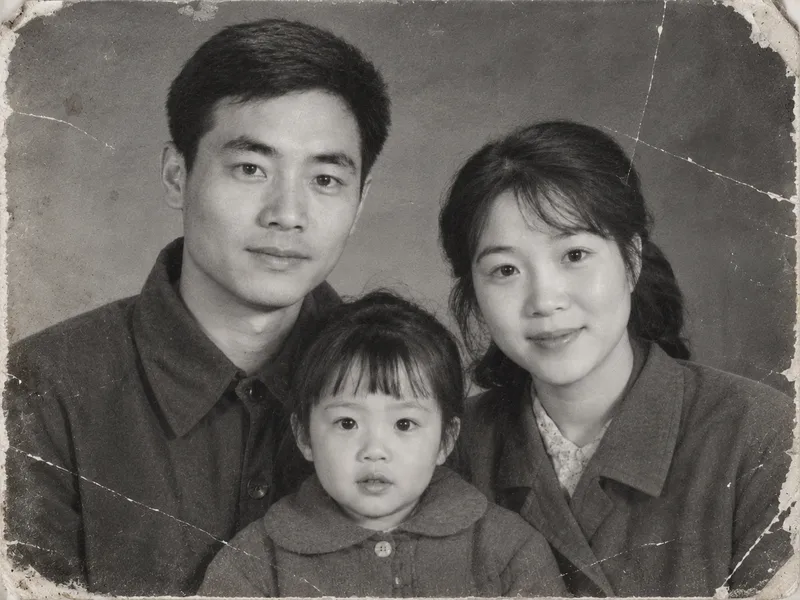 Image
ImageVintage Photo Restoration and Colorization
Transform black-and-white, yellowed, blurry, or damaged vintage photos into high-definition, natural color images. Remove scratches, creases, cracks, mold, stains, water damage, noise, and yellowing. Repair damaged corners and missing edges, rebuild clear facial details, hair strands, and clothing textures, and correct exposure and lighting contrast while applying reasonable, period-appropriate coloring based on ethnicity, clothing style, and era. Strictly lock facial structures, facial proportions, expressions, age traits, hairstyles, poses, and positioning of all subjects in the original photo, while keeping the composition, shooting angle, number of people, clothing styles, background objects, and scene layout unchanged. No face-swapping, no heavy beautification, no adding or removing people or objects, and no modern alterations. By default, it uses the image generation model with the highest fidelity to the reference image. The default output is one image per original photo with an aspect ratio matching the original. Clothing colors, background colors, and overall tones can be specified manually. Supports both single-image touch-ups and batch processing for multiple vintage photos.
 Image
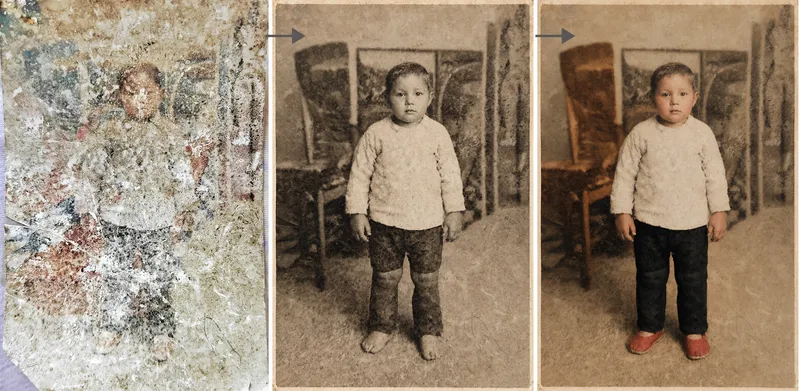
ImagePhoto Restoration Studio
Old photo restoration specialist: upload an old photo of people, buildings, plants, or animals to repair damage—scratches, creases, mold, stains, fading, and missing areas—and add historically appropriate color while strictly preserving the original composition, number of people, expressions, and image dimensions. Trigger it when users say “restore an old photo,” “colorize an old photo,” “can this badly damaged photo be repaired?”, “colorize a photo of my grandparents,” “can you remove the scratches?”, “make an old photo clearer,” or “restore a family photo.” Core rule: restoration is subtraction, not addition—remove damage without adding content, and make the edit as invisible as possible. Faces are the only acceptance standard; colorization is a reasonable estimate, not a fact; the image dimensions must exactly match the original. By default, the output dimensions match the uploaded photo. Nano Banana 2.1’s high-fidelity reference image mode is preferred; Midjourney is disabled. For severe damage, use a two-step process: restore first in black and white, then colorize.
One-Click Photo Restoration
Upload damaged, faded, or blurry old photos and restore them into polished, high-resolution results in one go: repair tears and creases, remove stains and mildew, correct color casts and yellowing, intelligently colorize black-and-white photos, and enhance and enlarge blurry, low-resolution images. Strictly preserves faces and identities—only damage and clarity are corrected, with no beautification, face swapping, or invented details absent from the original. By default, you’ll receive one high-resolution restored photo plus one before-and-after comparison. Multiple photos are processed individually, and you can request adjustments such as “colorize only” or “keep black and white.”
Information
- Version
- v4
- Last updated
- Runtime credits
- Usage-based
- Models
- Auto
- Use cases
- Images & designLifestyle & entertainment
- What you get
- ReportImage
- Visual styles
- RetroBlack and white
