
تحويل جدول إلكتروني إلى H5
تحويل مستند Tencent إلى صفحة H5
الوصف
تحويل مستندات Tencent عبر الإنترنت إلى صفحات H5 قابلة للنشر على الأجهزة المحمولة. موجهة للمستخدمين غير التقنيين، وتدعم العملية الكاملة من توضيح المتطلبات، واستخراج البيانات، وتطوير الصفحات، والتحقق الذاتي، إلى إرشادات النشر، ومناسبة لسيناريوهات مثل الترويج للقبول، والتعريف بالمنتجات، وصفحات الأحداث. عرض توضيحي: https://exam.reactmobile.cn/jzhx/index.html
مهارات ذات صلة
عرض الكل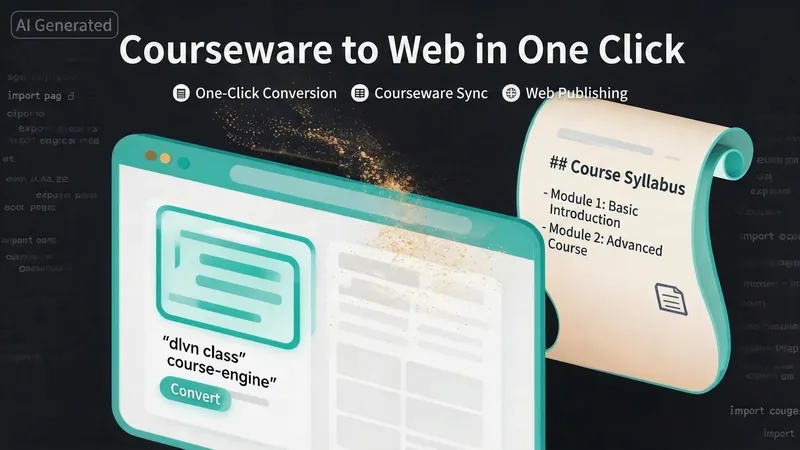 صفحة ويب
عرض المحتوى: موقع من محاضراتك
حوّل مادتك التعليمية إلى موقع إلكتروني يمكن مشاهدته. سواء كان لديك ملاحظات Markdown، أو بحث PDF، أو عرض تقديمي PPT، أو نص مكتوب، أو حتى رابط من حساب عام، فإن "عرض المحتوى" يحولها تلقائياً إلى صفحة ويب لعرض الدروس، منظمة وجذابة بصرياً. لا تحتاج لكتابة أي كود، فقط قدم المحتوى. نمطان للعرض: - المحتوى التعليمي والتدريبي → صفحة طويلة قابلة للتمرير، مثل تقليب كتاب. - الأبحاث والتقارير → موقع بتقليب الصفحات مثل عرض تقديمي، يمكن تصفحه صفحة بصفحة. الموقع متجاوب مع الهواتف وأجهزة الكمبيوتر. ما عليك فعله: خطوة واحدة فقط: قدم محتوى مادتك. يدعم التنسيقات التالية: ملفات .md Markdown، مستندات .pdf PDF، عروض .pptx PPT، نصوص .txt. يمكنك أيضاً لصق نص المحتوى التعليمي مباشرة في المحادثة. أمثلة على الأوامر: - "ساعدني في تحويل هذه المذكرة الدراسية إلى صفحة ويب" - "حوّل هذا البحث PDF إلى موقع بأسلوب PPT" - "هذا هو محتوى مادتي، أنشئ صفحة عرض عبر الإنترنت" ما ستحصل عليه: - موقع عرض دروس عبر الإنترنت يمكن الوصول إليه مباشرة، ويتم تحديد نمط العرض تلقائياً. - المحتوى الخاص بك يختار التأثير المناسب تلقائياً: - المناهج الدراسية، مذكرات التدريب، المواد التعليمية → صفحة طويلة قابلة للتمرير، وحدات متصلة بشكل طبيعي. - الأبحاث الأكاديمية، التقارير البحثية → شرائح على نمط PPT، كل شريحة تركز على فكرة واحدة. - الخطب، تقارير المؤتمرات → عرض شريحة بشريحة مع دعم التنقل بلوحة المفاتيح/النقر. إذا طلبت صراحة "تمرير" أو "PPT"، يتم احترام رغبتك. قدرة تلخيص المحتوى: بالنسبة للأبحاث والنصوص الطويلة المليئة بالمعلومات، تقوم الأداة تلقائياً بـ: - تفكيك البنية: تقسيم النص المستمر إلى فصول/شرائح مستقلة. - تكثيف المعلومات: تلخيص 3 فقرات إلى 3 نقاط رئيسية، كل نقطة أقل من 20 كلمة. - تقديم الأطروحة أولاً: كل شريحة تعرض الاستنتاج أولاً، ثم الأدلة الداعمة. - تصور الإطار: عرض النماذج وأنظمة التصنيف باستخدام الرسوم البيانية بدلاً من النص فقط. - إظهار البيانات: إبراز الأرقام والمؤشرات الرئيسية على صفحات منفصلة. تعديلات لاحقة: بعد إنشاء الموقع، يمكنك طلب تعديلات في أي وقت: - "حدث محتوى الوحدة الثالثة" - "غير الألوان إلى ألوان دافئة" - "أضف خريطة طريق للدورة" - "حول هذه الوحدة إلى تخطيط زمني" التعديلات تؤثر فقط على الجزء المعني، ولا حاجة لإعادة إنشاء الموقع بالكامل. ما لا يفعله: تركز هذه الأداة حالياً على عرض المحتوى التعليمي، ولا تتضمن وظائف نظام إدارة التعلم (LMS) التالية: تسجيل الدخول/التسجيل، تتبع تقدم التعلم، تنزيل الملفات، الاختبارات/التمارين عبر الإنترنت. إذا كنت بحاجة لهذه الوظائف، فهي توسعة مستقلة.

منصة عمل متكاملة بنقرة واحدة
مولّد شامل لإنشاء منصة عمل لتسجيل البيانات باستخدام ملف HTML واحد. استخدم هذه المهارة عندما يطلب المستخدم «إنشاء منصة عمل أو تطبيق تسجيل أو تطبيق متابعة أو لوحة تتبّع أو تطبيق يوميات» (مثل تسجيل اليقظة الذهنية، متابعة النوم، تتبّع اللياقة أو بناء عادة خلال 21 يومًا)، ويريد أن يكون التطبيق قابلًا للاستخدام على الهاتف مع حفظ البيانات محليًا. تغطي المهارة المسار الكامل بدءًا من تأكيد المتطلبات، وتطوير ملف HTML واحد، وتصميم بأسلوب مجلة بسيط، وحفظ البيانات باستخدام localStorage، ونشر PWA، وإنشاء رمز QR، وصولًا إلى نشر H5 داخل الحساب الرسمي على WeChat. كلمات التشغيل: منصة عمل، تسجيل يومي، متابعة، تطبيق بملف واحد، تطبيق H5.
توليد عروض Slides من HTML
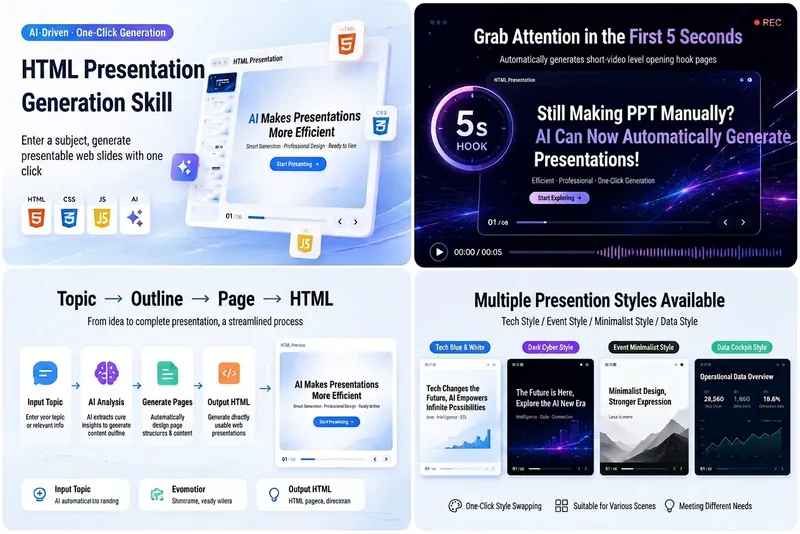
حوّل أفكارك وموادك ونصوصك بسهولة إلى عروض Slides من HTML احترافية، مصممة خصيصًا للشروحات المسجلة والعروض التقديمية. سواء كنت بحاجة إلى إنشاء مشاركات تقنية AI لمنصات مثل Douyin وVideo Account وXiaohongshu وBilibili، أو إجراء عروض تقديمية للمنتجات أو الدروس أو التقارير التجارية، فإن هذه الأداة تساعدك على إنشاء مجموعة من شرائح الويب عالية التصميم وواضحة الهيكل بسرعة. تقوم الأداة تلقائيًا ببناء هيكل كامل للعرض، بما في ذلك خطاف افتتاحي جذاب في أول 5 ثوانٍ، وعنوان ونص لكل شريحة، وتقديم اقتراحات التصميم البصري. ستحصل على ملف `index.html` مستقل يحتوي على HTML وCSS وJavaScript، يدعم التنقل بلوحة المفاتيح، والتنقل بالأزرار، وشريط التقدم، وأرقام الشرائح، وتأثيرات الحركة، وهو متوافق تمامًا مع عرض الشاشة العريضة 16:9 للتسجيلات. من النمط الأزرق والأبيض التقني للذكاء الاصطناعي إلى النمط السايبربانكي الداكن، وحتى أسلوب عروض Apple أو أسلوب Notion البسيط، يمكنك اختيار أو تخصيص النمط البصري للعرض حسب الموضوع. كل شريحة مصممة بعناية لضمان تركيز المعلومات وسهولة الفهم، مع تخصيص منطقة آمنة في الزاوية السفلية اليمنى للشروحات القصيرة، مما يجعل عرضك أكثر تعبيرًا واحترافية.
تحويل جدول إلكتروني إلى H5
تحويل مستند Tencent إلى صفحة H5
الوصف
تحويل مستندات Tencent عبر الإنترنت إلى صفحات H5 قابلة للنشر على الأجهزة المحمولة. موجهة للمستخدمين غير التقنيين، وتدعم العملية الكاملة من توضيح المتطلبات، واستخراج البيانات، وتطوير الصفحات، والتحقق الذاتي، إلى إرشادات النشر، ومناسبة لسيناريوهات مثل الترويج للقبول، والتعريف بالمنتجات، وصفحات الأحداث. عرض توضيحي: https://exam.reactmobile.cn/jzhx/index.html
مهارات ذات صلة
عرض الكلصفحة ويبعرض المحتوى: موقع من محاضراتك
حوّل مادتك التعليمية إلى موقع إلكتروني يمكن مشاهدته. سواء كان لديك ملاحظات Markdown، أو بحث PDF، أو عرض تقديمي PPT، أو نص مكتوب، أو حتى رابط من حساب عام، فإن "عرض المحتوى" يحولها تلقائياً إلى صفحة ويب لعرض الدروس، منظمة وجذابة بصرياً. لا تحتاج لكتابة أي كود، فقط قدم المحتوى. نمطان للعرض: - المحتوى التعليمي والتدريبي → صفحة طويلة قابلة للتمرير، مثل تقليب كتاب. - الأبحاث والتقارير → موقع بتقليب الصفحات مثل عرض تقديمي، يمكن تصفحه صفحة بصفحة. الموقع متجاوب مع الهواتف وأجهزة الكمبيوتر. ما عليك فعله: خطوة واحدة فقط: قدم محتوى مادتك. يدعم التنسيقات التالية: ملفات .md Markdown، مستندات .pdf PDF، عروض .pptx PPT، نصوص .txt. يمكنك أيضاً لصق نص المحتوى التعليمي مباشرة في المحادثة. أمثلة على الأوامر: - "ساعدني في تحويل هذه المذكرة الدراسية إلى صفحة ويب" - "حوّل هذا البحث PDF إلى موقع بأسلوب PPT" - "هذا هو محتوى مادتي، أنشئ صفحة عرض عبر الإنترنت" ما ستحصل عليه: - موقع عرض دروس عبر الإنترنت يمكن الوصول إليه مباشرة، ويتم تحديد نمط العرض تلقائياً. - المحتوى الخاص بك يختار التأثير المناسب تلقائياً: - المناهج الدراسية، مذكرات التدريب، المواد التعليمية → صفحة طويلة قابلة للتمرير، وحدات متصلة بشكل طبيعي. - الأبحاث الأكاديمية، التقارير البحثية → شرائح على نمط PPT، كل شريحة تركز على فكرة واحدة. - الخطب، تقارير المؤتمرات → عرض شريحة بشريحة مع دعم التنقل بلوحة المفاتيح/النقر. إذا طلبت صراحة "تمرير" أو "PPT"، يتم احترام رغبتك. قدرة تلخيص المحتوى: بالنسبة للأبحاث والنصوص الطويلة المليئة بالمعلومات، تقوم الأداة تلقائياً بـ: - تفكيك البنية: تقسيم النص المستمر إلى فصول/شرائح مستقلة. - تكثيف المعلومات: تلخيص 3 فقرات إلى 3 نقاط رئيسية، كل نقطة أقل من 20 كلمة. - تقديم الأطروحة أولاً: كل شريحة تعرض الاستنتاج أولاً، ثم الأدلة الداعمة. - تصور الإطار: عرض النماذج وأنظمة التصنيف باستخدام الرسوم البيانية بدلاً من النص فقط. - إظهار البيانات: إبراز الأرقام والمؤشرات الرئيسية على صفحات منفصلة. تعديلات لاحقة: بعد إنشاء الموقع، يمكنك طلب تعديلات في أي وقت: - "حدث محتوى الوحدة الثالثة" - "غير الألوان إلى ألوان دافئة" - "أضف خريطة طريق للدورة" - "حول هذه الوحدة إلى تخطيط زمني" التعديلات تؤثر فقط على الجزء المعني، ولا حاجة لإعادة إنشاء الموقع بالكامل. ما لا يفعله: تركز هذه الأداة حالياً على عرض المحتوى التعليمي، ولا تتضمن وظائف نظام إدارة التعلم (LMS) التالية: تسجيل الدخول/التسجيل، تتبع تقدم التعلم، تنزيل الملفات، الاختبارات/التمارين عبر الإنترنت. إذا كنت بحاجة لهذه الوظائف، فهي توسعة مستقلة.
منصة عمل متكاملة بنقرة واحدة
مولّد شامل لإنشاء منصة عمل لتسجيل البيانات باستخدام ملف HTML واحد. استخدم هذه المهارة عندما يطلب المستخدم «إنشاء منصة عمل أو تطبيق تسجيل أو تطبيق متابعة أو لوحة تتبّع أو تطبيق يوميات» (مثل تسجيل اليقظة الذهنية، متابعة النوم، تتبّع اللياقة أو بناء عادة خلال 21 يومًا)، ويريد أن يكون التطبيق قابلًا للاستخدام على الهاتف مع حفظ البيانات محليًا. تغطي المهارة المسار الكامل بدءًا من تأكيد المتطلبات، وتطوير ملف HTML واحد، وتصميم بأسلوب مجلة بسيط، وحفظ البيانات باستخدام localStorage، ونشر PWA، وإنشاء رمز QR، وصولًا إلى نشر H5 داخل الحساب الرسمي على WeChat. كلمات التشغيل: منصة عمل، تسجيل يومي، متابعة، تطبيق بملف واحد، تطبيق H5.
توليد عروض Slides من HTML
حوّل أفكارك وموادك ونصوصك بسهولة إلى عروض Slides من HTML احترافية، مصممة خصيصًا للشروحات المسجلة والعروض التقديمية. سواء كنت بحاجة إلى إنشاء مشاركات تقنية AI لمنصات مثل Douyin وVideo Account وXiaohongshu وBilibili، أو إجراء عروض تقديمية للمنتجات أو الدروس أو التقارير التجارية، فإن هذه الأداة تساعدك على إنشاء مجموعة من شرائح الويب عالية التصميم وواضحة الهيكل بسرعة. تقوم الأداة تلقائيًا ببناء هيكل كامل للعرض، بما في ذلك خطاف افتتاحي جذاب في أول 5 ثوانٍ، وعنوان ونص لكل شريحة، وتقديم اقتراحات التصميم البصري. ستحصل على ملف `index.html` مستقل يحتوي على HTML وCSS وJavaScript، يدعم التنقل بلوحة المفاتيح، والتنقل بالأزرار، وشريط التقدم، وأرقام الشرائح، وتأثيرات الحركة، وهو متوافق تمامًا مع عرض الشاشة العريضة 16:9 للتسجيلات. من النمط الأزرق والأبيض التقني للذكاء الاصطناعي إلى النمط السايبربانكي الداكن، وحتى أسلوب عروض Apple أو أسلوب Notion البسيط، يمكنك اختيار أو تخصيص النمط البصري للعرض حسب الموضوع. كل شريحة مصممة بعناية لضمان تركيز المعلومات وسهولة الفهم، مع تخصيص منطقة آمنة في الزاوية السفلية اليمنى للشروحات القصيرة، مما يجعل عرضك أكثر تعبيرًا واحترافية.
اعثر على مهارتك المفضلة التالية
استكشف مزيدًا من مهارات الذكاء الاصطناعي المنتقاة للبحث والإبداع والعمل اليومي.