Parent Supplement Safety Check
Check supplement and medication risks
Parent Supplement Safety Check
Check supplement and medication risks
Showcase
Description
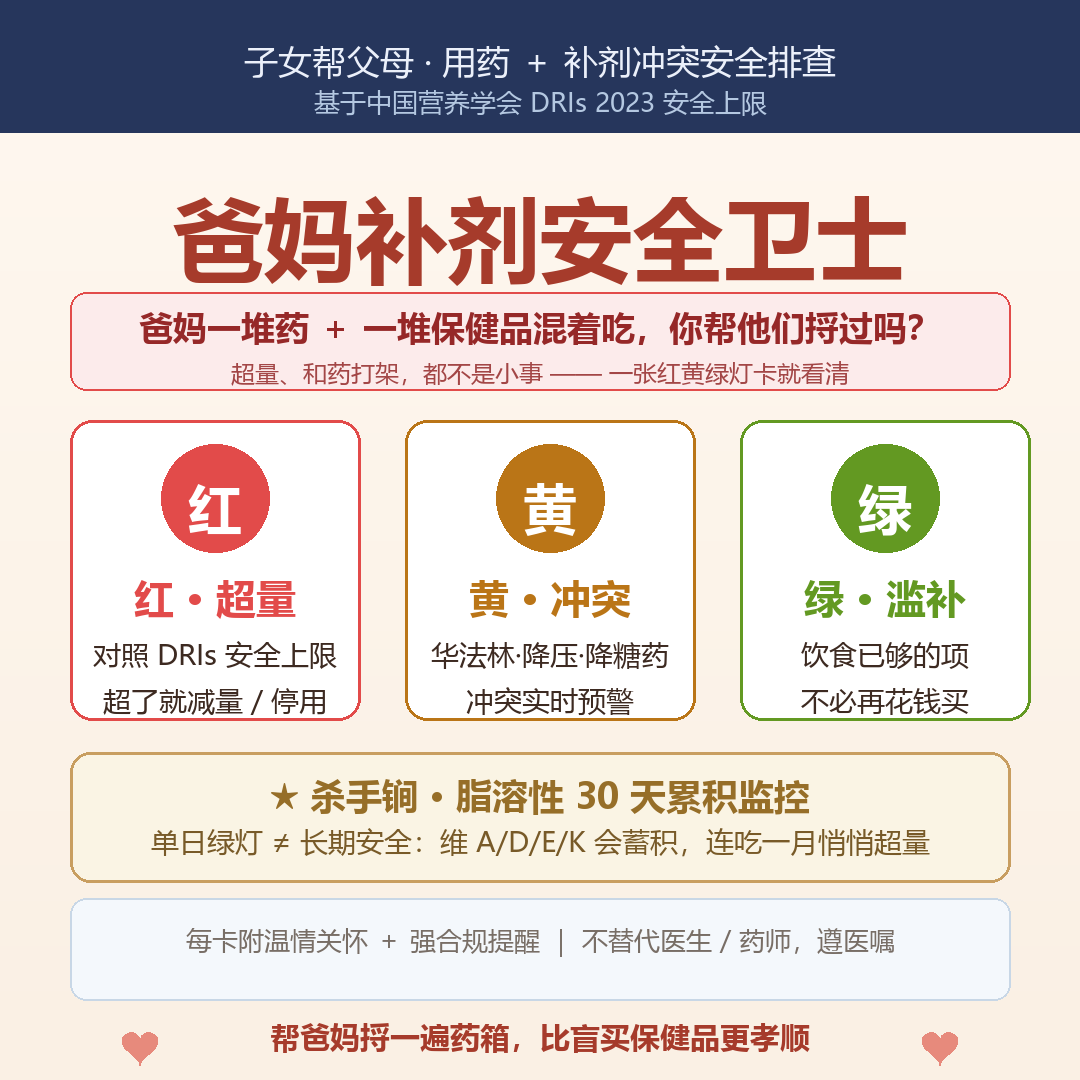
Children can help their parents (or themselves) log daily supplements (brand, dosage, frequency), long-term medications, and diet. The Skill uses Chinese Nutrition Society DRIs to generate a red, yellow, or green light rating: exceeding the tolerable upper intake level (UL) triggers a red light (reduce or stop), conflicts with long-term medications trigger a yellow light (space out or consult a pharmacist), and safe daily intake triggers a green light (noting when dietary intake is already sufficient without extra supplements). It also monitors 30-day cumulative fat-soluble vitamin levels (a green light on a single day doesn't mean long-term safety, as A, D, E, and K accumulate) and generates weekly reports with consistent logging. Each card includes a warm closing remark and a compliance reminder. Trigger phrases include: 'help check supplement conflicts for parents', 'are parents' supplements safe today', 'can this medicine and supplement be taken together', 'parents supplement traffic lights', 'log for a week for a cumulative weekly report', 'should parents take XX', and 'how should parents take all these pills and supplements'. Version 1.0.0.
Best for
Ideal for children or family members helping parents organize medication and supplement information to catch potential risks early.
How to use this Skill
Provide your input
Provide your parents' or your own age, supplement names and dosages, long-term medications, and diet. For a weekly report, provide consecutive records.
Run the Skill
Organizes the supplement and medication information, flags potential excessive intake, interactions, and items that may not need extra supplementation based on public nutrition and medication references, and summarizes long-term records.
Review your result
Receive a traffic-light screening card or cumulative weekly report containing risk alerts, items to consult about, and dietary advice. Results do not replace individualized medical advice.
Related Skills
View all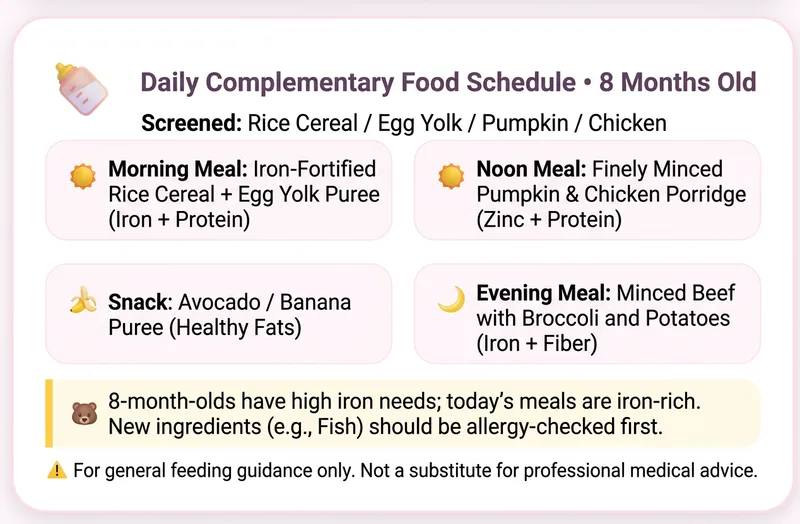
Baby Food Nutrition Log
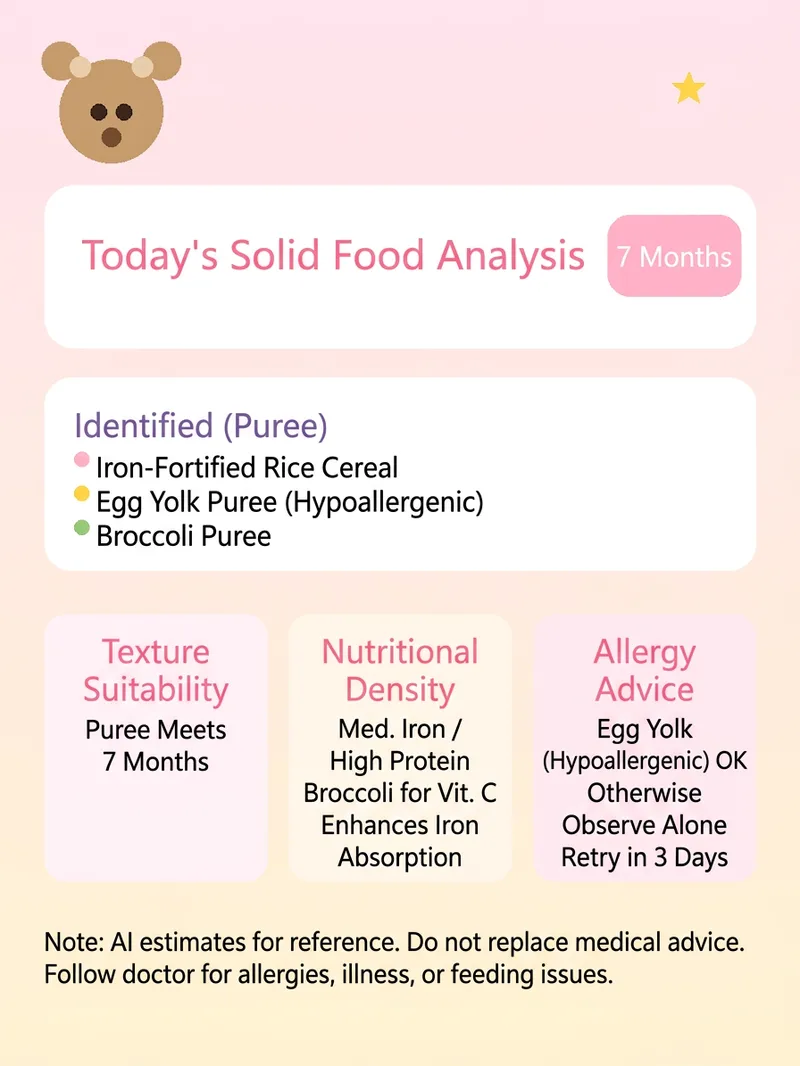
Parents upload a photo of their baby's complementary food or meal each day. The skill identifies foods, estimates key nutrients based on the baby's age in months (iron, zinc, calcium, protein, and vitamins), and comments on texture suitability, allergy introduction, and nutrient density for the meal. With continuous uploads, it can generate a nutrition weekly report covering a nutrition radar, gap alerts, and adjustments for the following week. Trigger phrases: “Can you check whether my baby's nutrition was sufficient in this meal?”, “Is this complementary-food combination okay?”, “Can my 7-month-old eat this?”, “I've logged a week—make a nutrition weekly report,” “Log this complementary-food meal,” “How should I plan complementary foods for my 7-month-old today?”, “Give me a one-day complementary-food recipe plan for a baby of X months,” and “What should my baby eat for complementary food tomorrow?” Version 1.0.0.
Pregnancy Diabetes Meal Coach
For expectant mothers diagnosed with or suspected of having gestational diabetes (GDM): upload one meal photo each day. The Skill identifies the foods, estimates the meal’s carbohydrates in grams, glycemic index (GI) friendliness, calories, protein, and fiber, then provides blood sugar management feedback and suggestions for distributing smaller, more frequent meals. Upload photos continuously to generate a weekly blood sugar management report (carbohydrate trends + blood sugar friendliness + adjustments for the following week). Each card is labeled with “Pregnancy (gestational week · stage)” and includes a warm word of encouragement. Trigger phrases: “Can I eat this meal with gestational diabetes?” “Is this meal suitable for blood sugar management?” “GDM diet” “How should I eat for blood sugar management at 28 weeks?” “Track a week to generate a blood sugar management report” “Upload meal photos to track blood sugar management” “One-day blood sugar management meal plan for week X of pregnancy.” Version 1.0.0.

Time to Thrive
Time to Thrive is a Chinese-speaking health companion that supports long-term management of your diet, weight, and exercise. During first-time setup, it learns your preferred name, health goals, basic body information, and lifestyle through a simple profile. It helps calculate your BMI, BMR, TDEE, daily calorie target, and macronutrient goals, then continually adjusts its recommendations based on whether you want to lose fat, build muscle, or maintain your weight. It also supports English conversations and imperial unit conversions, making it suitable for everyday use as you build consistent, healthy habits. You can log meals and snacks at any time, look up the calories in common foods, check your daily calorie and protein progress, and receive personalized suggestions based on your taste preferences, schedule, and eating habits. It refers to the Chinese Dietary Guidelines or relevant international dietary standards, helps handle unclear portion sizes, distinguishes regular days from planned indulgence days, and offers nonjudgmental ways to adjust when your intake is over target or you still have a substantial amount remaining. Beyond dietary tracking, Time to Thrive also supports weight updates, goal progress and phase-change analysis, and workout intensity assessments based on exercise type and heart rate. If you experience chest pain, significant shortness of breath, fainting, or unusual palpitations, it will first remind you to stop exercising and seek professional help. You can also choose from different companionship styles, giving your health records, milestone goals, and daily check-ins a greater sense of continuity and warmth.
Information
- Version
- v3
- Last updated
- Runtime credits
- Usage-based
- Models
- Auto
- Use cases
- Research & analysis
- What you get
- ReportImageData
