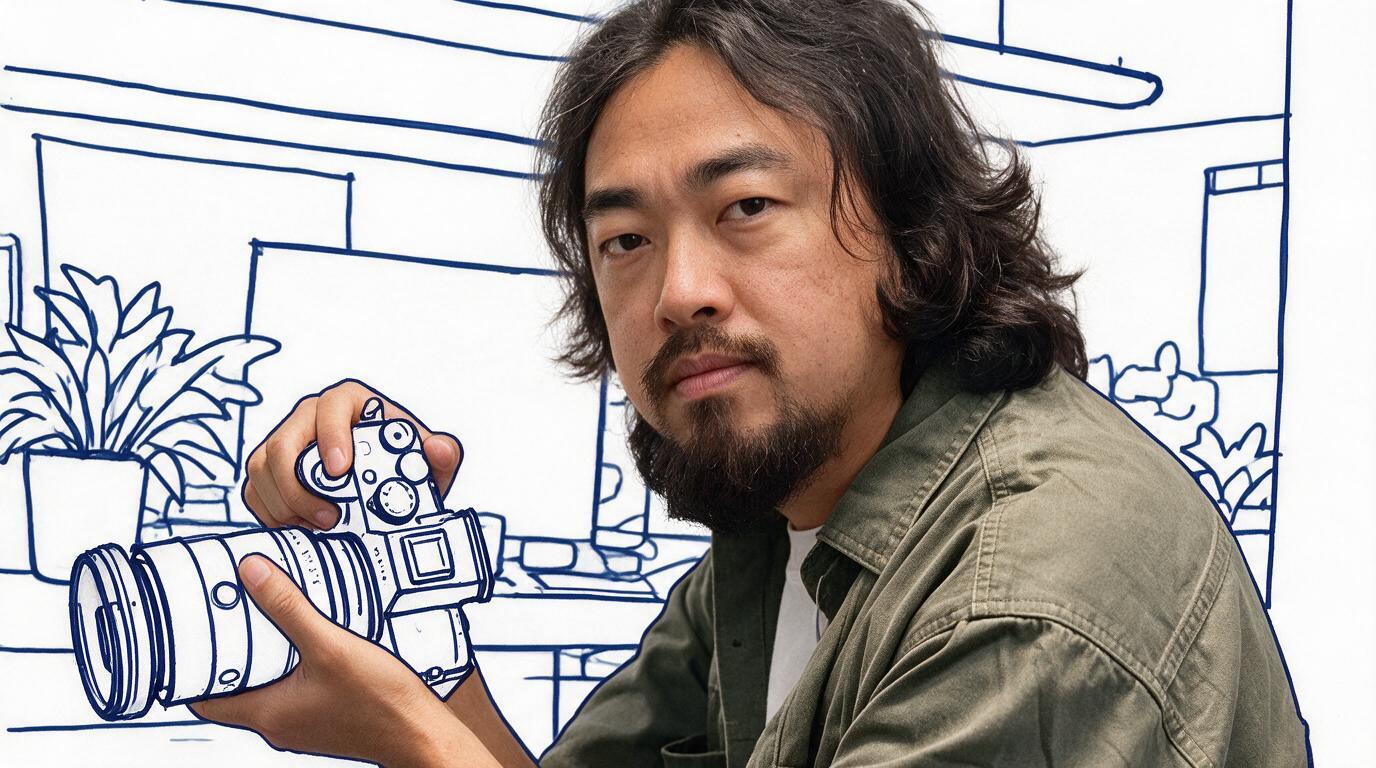
Real-Person Doodle Portrait
Blend real photos into doodle line-art scenes
Real-Person Doodle Portrait
Blend real photos into doodle line-art scenes
Showcase
Description
Blend your real-person photo into a room or scene drawn with bold hand-drawn lines, creating a creative portrait that places a real person alongside a doodle environment. The person retains realistic photographic texture, facial features, clothing, and lighting, while the environment uses monochrome marker sketches to outline furniture, walls, and spatial contours. The result creates a striking visual effect of a “real person floating in a line-art world,” making it suitable for profile pictures, social cards, and stylized portrait artwork. You can upload a headshot, half-body photo, or full-body photo, then describe the living room, bedroom, study, café, studio, balcony, or other scene you want, along with the person’s clothing, pose, and expression. If you only have a headshot, the image can complete the body and place it in the specified space. If the original photo already includes a real environment, you can also keep the person unchanged while converting the background furniture, floor, walls, or street scene into a simple doodle line drawing, while maintaining the original composition. Deep ocean blue, burgundy, charcoal black, and other line-art colors are supported, with suitable aspect ratios matched to indoor portraits, open outdoor scenes, sports, or spacious environments. The setting will not be filled with excessive detail. Instead, it selects a few key objects and preserves negative space, making the contrast between the real person and the hand-drawn room clearer and more thoughtfully designed.
Recommended by
Dancang
Why we love this skill
Juxtaposes photographic realism with bold monochrome doodle spaces, using minimal line art, negative space, and hand-drawn strokes to create a distinctive visual contrast.
Related Skills
View all Image
ImagePortrait Light & Shadow Studio
Upload portraits, adjust lighting, poses, and backgrounds to generate window soft-light, night scene, or studio-style portraits. Upload a portrait photo or describe a fictional character to create photographic avatars, personal portraits, and magazine-style portraits. The Skill combines the subject's visible features to arrange poses, lighting, framing, clothing, and environment, ensuring natural hand gestures, grounded body posture, and directional lighting. Three original scenes are ready to use: • Warm Pottery Window: Terracotta and warm wood tones, with a natural medium shot near a studio window. • Rainy Night Set: Warm light in a movie theater porch, cold wet street tones, and expressive gazes. • Coastal Golden Breeze: Sunset rim lighting, sea breeze, and relaxed full-body travel portraits. Professional headshots, solid-color studios, black-and-white portraits, and custom themes are also supported. Uploading a photo preserves primary clothing and accessories by default; to change outfits, backgrounds, or poses, simply specify your request. By default, it generates one 3:4 vertical text-free image per run; you can change the aspect ratio, create a series, or request Chinese, English, or bilingual prompts. Multiple images are generated separately, and after generation, subject recognition, hands, feet, support points, and lighting are verified. You can say: "Use this photo for the rainy night set, keep the hairstyle, and change to a dark jacket." or "Create a mature woman with short curly hair walking naturally in the coastal sunset."
 Image
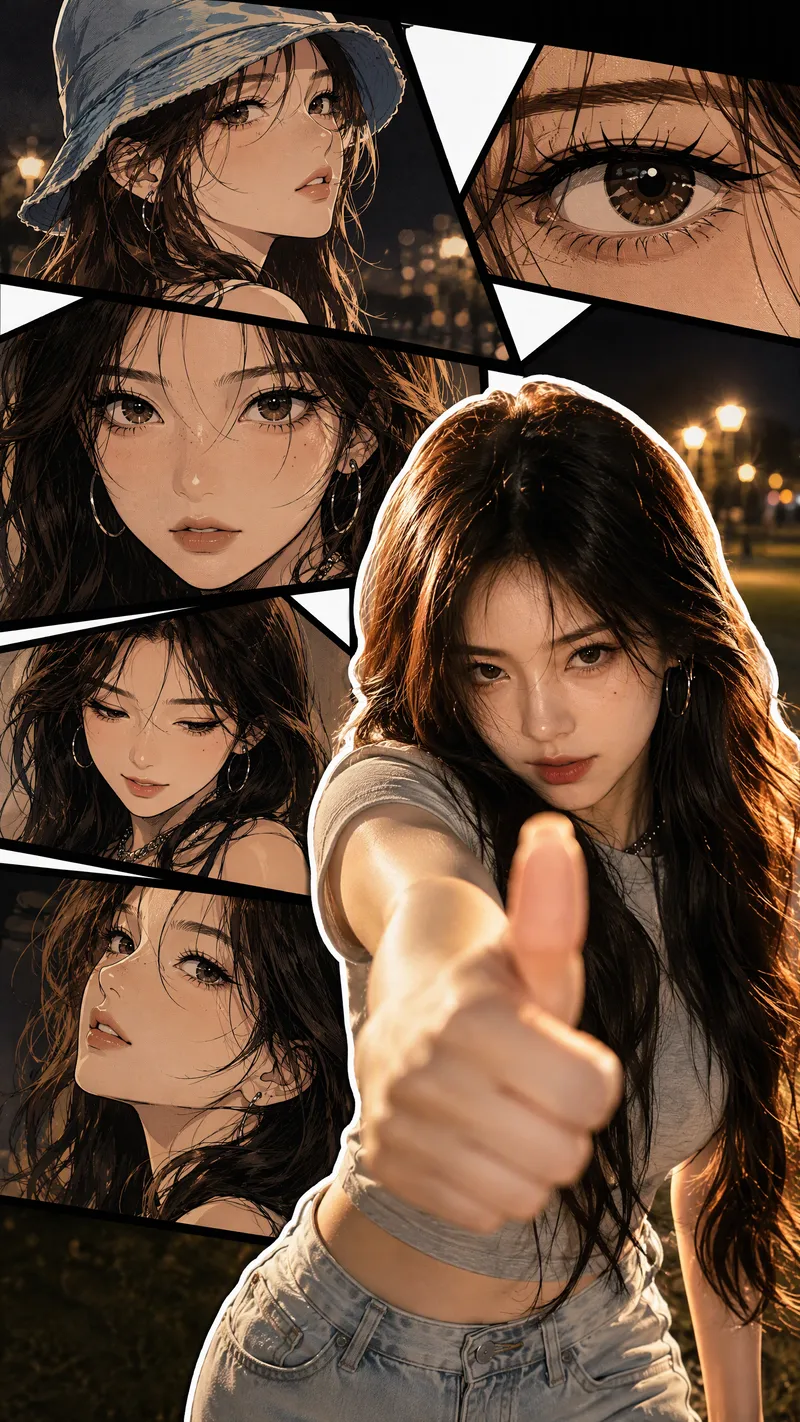
ImageLive-Action Manga Collage
Turn a portrait photo into a 9:16 vertical collage poster that combines photographic realism with comic-style storytelling. The lower right preserves the person’s real appearance and original pose, while multi-panel manga scenes featuring the same face surround it on the left and upper right. Facial features, hairstyle, clothing, accessories, and overall character remain consistent between the real-person image and the illustrations. The poster blends retro Korean manhwa and American comic styles, with color cel shading, sharp black linework, halftone shadows, and finely rendered hair. Bold white outlines, black panel divisions, white geometric paper strips, and layered shadows create a magazine-inspired live-action manga collage. The comic panels can explore emotional angles such as a side profile, a particular gaze, looking down, or a low-angle view. The background extends the mood of the photo into scenes such as nighttime bokeh, a seaside sunset, streetlights on a lawn, or warm indoor lighting. By default, the image is clean and contains no text, speech bubbles, watermarks, or interface elements. It prioritizes preserving the body orientation, gestures, and expression from the photo without replacing the person or changing the pose. You can also specify the background, clothing, accessories, number of panels, or text. If you do not have a photo, it can create a person based on your description of their gender, age, and overall character, using the same vertical collage composition.
 Image
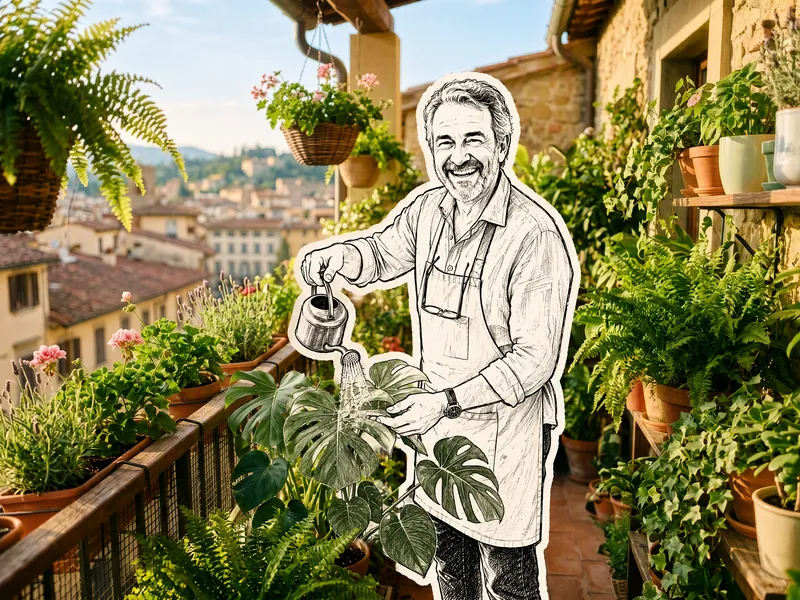
ImageHand-Drawn Doodle Sticker
Upload a photo to transform its subject—a person or pet—into a black-and-white hand-drawn doodle sticker illustration: thick black ink outlines, an off-white fill, sparse crosshatching, subtle line variation, and imperfect hand-drawn strokes. A thick, irregular off-white sticker border is added around the subject's outline. The real environment is preserved in full—furniture, objects, background, lighting, shadows, reflections, materials, camera angle, depth of field, and composition remain exactly as in the original photo. The result is a clean, editorial black-and-white doodle sticker character that blends seamlessly into a completely unedited real-photo background. The style is fixed by default, with optional adjustments to line width, fill color, hatching density, and more.
Information
- Version
- v4
- Last updated
- Runtime credits
- Usage-based
- Models
- Auto
