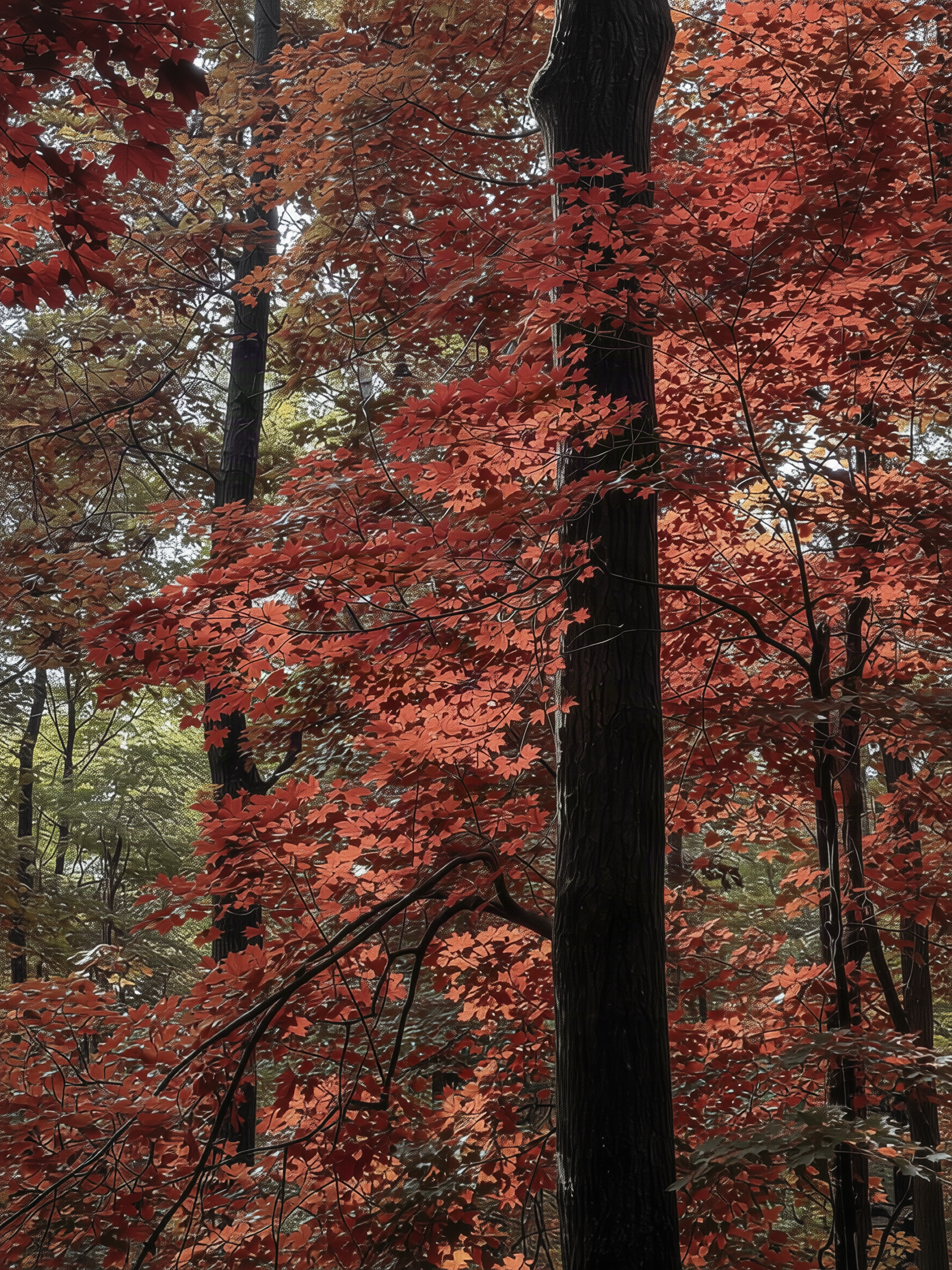
Selective Photo Color Changer
Change specific object colors, keep the rest
Selective Photo Color Changer
Change specific object colors, keep the rest
Showcase
Description
Easily swap the color of any object in your travel or everyday photos—turn green leaves into autumn red, the sky purple, a car matte dark green, or change clothing colors while keeping everything else untouched. Perfect for creating seasonal variations of the same location or previewing different colors for an item. Simply provide a photo, the object to change, and the target color to get a recolored image, a brief description of the edit, and tips for further adjustments. Uses top-tier image models and a fixed four-step prompt template by default, keeping the original aspect ratio without altering the entire image tone. Great for everyday and travel photos to create your own unique look.
Recommended by
Dancang
Why we love this skill
Turns "one-line color changes" into controllable local editing by locating targets first, constraining models with specific color values and protection lists, and checking edges, lighting, and text. It balances precision and deliverability.
Best for
Ideal for photo editors looking to selectively recolor travel or everyday photos while keeping the rest of the image intact.
How to use this Skill
Provide your input
Upload a travel or everyday photo and specify the object to modify along with the target color. You can also provide exact color codes or color references.
Run the Skill
The system locates the target object in the photo and applies localized color changes while keeping other areas, lighting, and composition unchanged.
Review your result
Receive a color-adjusted photo along with a brief description of the changes and suggestions for further iterations.
Related Skills
View all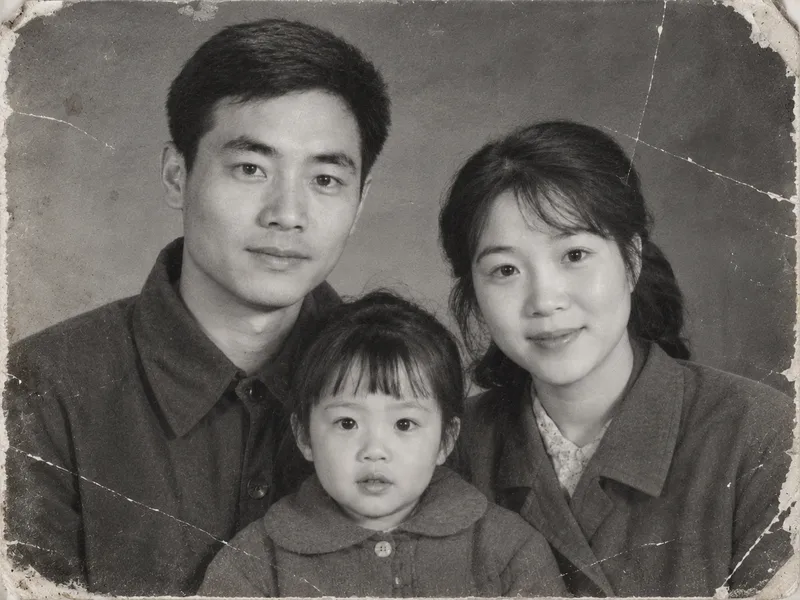 Image
ImageVintage Photo Restoration and Colorization
Transform black-and-white, yellowed, blurry, or damaged vintage photos into high-definition, natural color images. Remove scratches, creases, cracks, mold, stains, water damage, noise, and yellowing. Repair damaged corners and missing edges, rebuild clear facial details, hair strands, and clothing textures, and correct exposure and lighting contrast while applying reasonable, period-appropriate coloring based on ethnicity, clothing style, and era. Strictly lock facial structures, facial proportions, expressions, age traits, hairstyles, poses, and positioning of all subjects in the original photo, while keeping the composition, shooting angle, number of people, clothing styles, background objects, and scene layout unchanged. No face-swapping, no heavy beautification, no adding or removing people or objects, and no modern alterations. By default, it uses the image generation model with the highest fidelity to the reference image. The default output is one image per original photo with an aspect ratio matching the original. Clothing colors, background colors, and overall tones can be specified manually. Supports both single-image touch-ups and batch processing for multiple vintage photos.
 Image
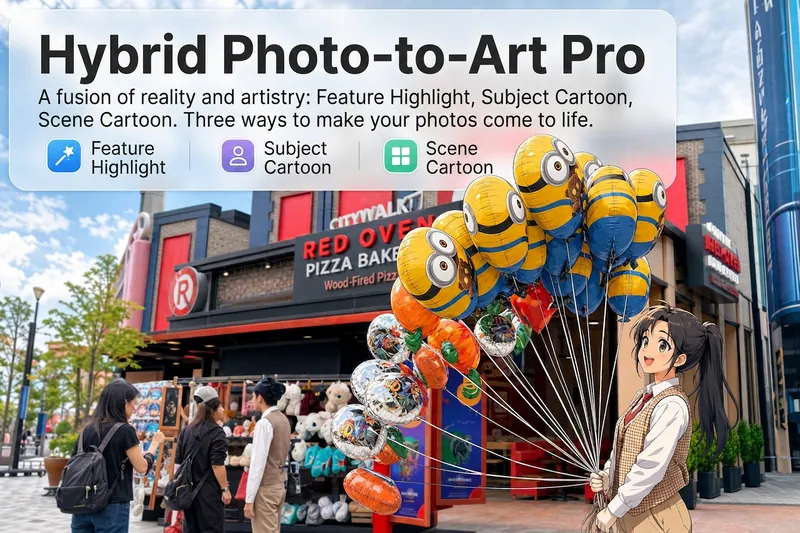
ImageReality Blend Artist Pro
Upload a photo, and AI first reads it like a visual analyst across five dimensions: what the subject is, how it is composed, its color palette, where the visual focus lies, and what emotion it conveys. It then tells you where a hand-drawn treatment would have the most impact and how to make it look best. Four real-and-drawn blend modes, four ways to play: 🔹 Local Accents — Keep the overall image realistic while AI selects 2–3 local areas to replace with a hand-drawn style. Patterns on a sign, the coffee cup in someone’s hand, or a few flowers peeking out from a flower bed—just enough to give the photo a sense of life. Choose from 4 hand-drawn styles: pencil sketch / watercolor wash / sticker doodle / clay relief. 🔹 Subject Anime — Turn a person, animal, or object into an anime-style subject while keeping the background’s realistic photographic texture. Choose from 5 anime styles: action manga / American superhero comics / Ghibli-style / Korean webtoon / Chinese ink wash. It feels like an anime character has stepped into the real world. 🔹 Environment Anime — Reverse the approach: keep the subject realistic while transforming the surrounding environment into an anime style. The contrast of being in a real world surrounded by a 2D universe is instantly amplified. 🔹 Selective Color Light Trails — Convert the image to black-and-white grayscale while keeping selected objects in their original, highly saturated colors. Clean white detail outlines surround the colored objects, extending into flowing, curling, psychedelic agate-like color trails that naturally follow the scene’s direction. Retro collage × surreal art turns a single photo into a movie poster in an instant. Each mode × 2 blending methods: Gradient Feathering (a natural transition between real and illustrated, like ink spreading through paper) / Hand-Drawn Border (a white outline, like a sticker placed on the image). No blind image generation—you're in control at every step. AI analyzes first → recommends an approach → you confirm → then it generates, helping avoid wasted results. For portrait photos, faces and facial features are automatically avoided and are not replaced with hand-drawn elements. The number of local areas is limited to 2–3, with professional constraints on their position and size—the result is a finishing touch, not a collage. 4 modes · 16 styles · 2 blending methods = 32 real-and-drawn combinations. The same photo can take on completely different moods.
 Image
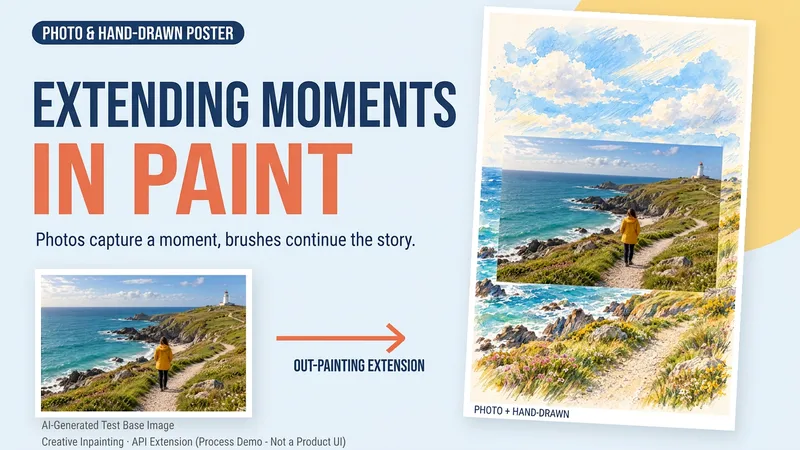
ImageDraw That Day | Photo Poster
Some photos deserve another page. Upload a travel, walking, or everyday photo to create a keepsake poster where the photo meets hand-drawn scenery. The photo preserves that moment, while watercolor and colored pencil continue the scene beyond its edges. You can get: ① A keepsake poster: 2:3 portrait format by default, with a warm paper texture and no text. ② A grounded extension: starting from the sky, coast, road, or room in your photo, hand-drawn elements echo the original setting. ③ A note about photo preservation: when compositing is supported, the photo layer can be retained; with generative editing only, details may change, and this will be explained. ④ An optional short caption: use a sentence, location, or date you provide to preserve a little of how you felt at the time. Suitable for travel memories, everyday keepsakes, and social sharing. One image by default; it does not automatically create a full storybook. The scene beyond the photo is an artistic creation, not a recreation of the actual surroundings. Generation and compositing depend on the platform's current image tools and usage limits. We do not promise that the original photo will remain completely unchanged using a generative model alone. If the tools are unavailable, this will be stated clearly and a complete prompt will be provided.
Information
- Version
- v7
- Last updated
- Runtime credits
- Usage-based
- Models
- Auto
- Use cases
- Images & designLifestyle & entertainment
- What you get
- ImageBrief
- Visual styles
- Photorealistic
