Photo Retouch Designer
Photo Retouch Designer
Showcase
Description
Based on your photos and modification requirements, I confirm a plan before completing photo restoration, portrait retouching, background editing, or creative styling, while preserving unspecified details and subject identity features as much as possible.
Best for
Ideal for individuals, content creators, and businesses needing photo restoration, portrait retouching, background editing, or creative styling.
How to use this Skill
Provide your input
Provide one or more photos and describe what you would like to restore, retouch, remove, replace backgrounds, adjust subjects, or stylize.
Run the Skill
I will review your photos and requests, propose a retouching plan for your approval, and then edit the image while preserving unspecified details and subject features.
Review your result
Receive your restored, edited, or stylized photo along with a brief summary of the actual changes made and any visible limitations.
Related Skills
View all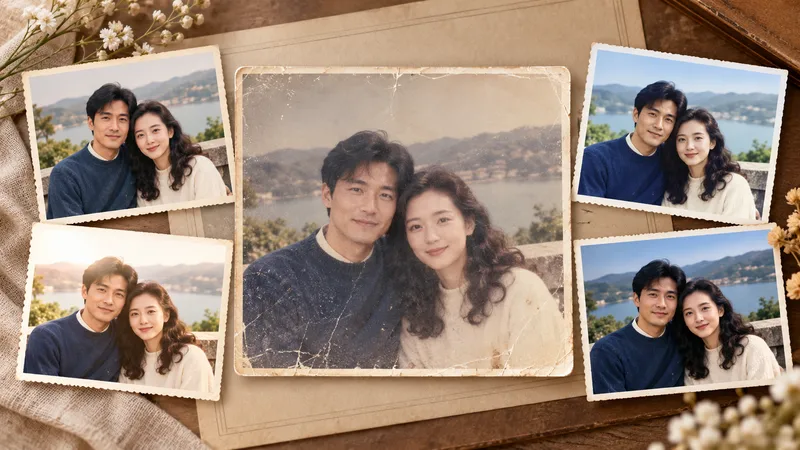
Photo Restoration and Cinematic Enhancement
Transform ordinary, out-of-focus, poorly exposed, faded, or damaged photos into clearer, more textured results ready for sharing and printing. Whether working with portraits, travel landscapes, architecture, interiors, food, products, museum exhibits, old photos, black-and-white images, or scans, it handles light, shadow, color, detail, noise, scratches, and visual depth based on the subject's characteristics while preserving personal identity, object details, architectural structures, text, logos, and historical marks. In addition to faithful and natural restoration, it re-evaluates cropping, aspect ratio, subject size, negative space, perspective, and visual flow to make the image look professionally shot and edited rather than simply brightened or filtered. Landscapes can be enhanced for sky, atmosphere, depth, and cinematic feel; portraits focus on natural skin tones, eyes, hair, and subject separation; architecture maintains realistic lines and textures; exhibits and documents prioritize accurate colors, textures, inscriptions, and details. Old photos undergo dust removal, repair, tonal recovery, and careful colorization, with prudent handling of any inferred reconstruction. Four clearly labeled results are provided by default: natural programmatic restoration, stylized programmatic enhancement, natural AI restoration, and a more impactful AI enhancement, making it easy to compare fidelity and visual presentation. The AI versions also include the optimization prompts used, making it easy to adjust the style or continue creating later.
 Image
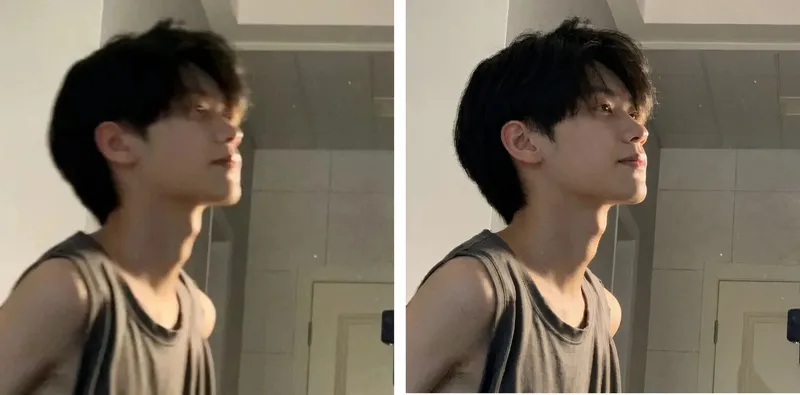
Blurry Photo Deblurer
Upload a blurry portrait, party snapshot, low-resolution mobile photo, or video screenshot to enhance image clarity using a professional restoration process, improving noise, compression artifacts, and local details. Using the original image as a visual reference, it prioritizes preserving the subject's true facial features, face shape, skin tone, perceived age, hairstyle, expression, clothing, and background. It maintains the original aspect ratio by default and supports custom output frames as needed. Suitable Subjects & Scenarios General Users: Party group photos, travel snapshots, and blurry mobile photos. Family Users: Family commemorative photos, friend group photos, and old photo quality enhancement. Photographers & Retouchers: Initial client photo enhancement and low-resolution material optimization. Self-Media Creators: Short video screenshots, social media avatars, and cover portrait materials. E-commerce & Design Professionals: Portrait material optimization and promotional image clarity enhancement. Content Studios: Batch material pre-screening, standardized restoration workflows, and post-production assistance.
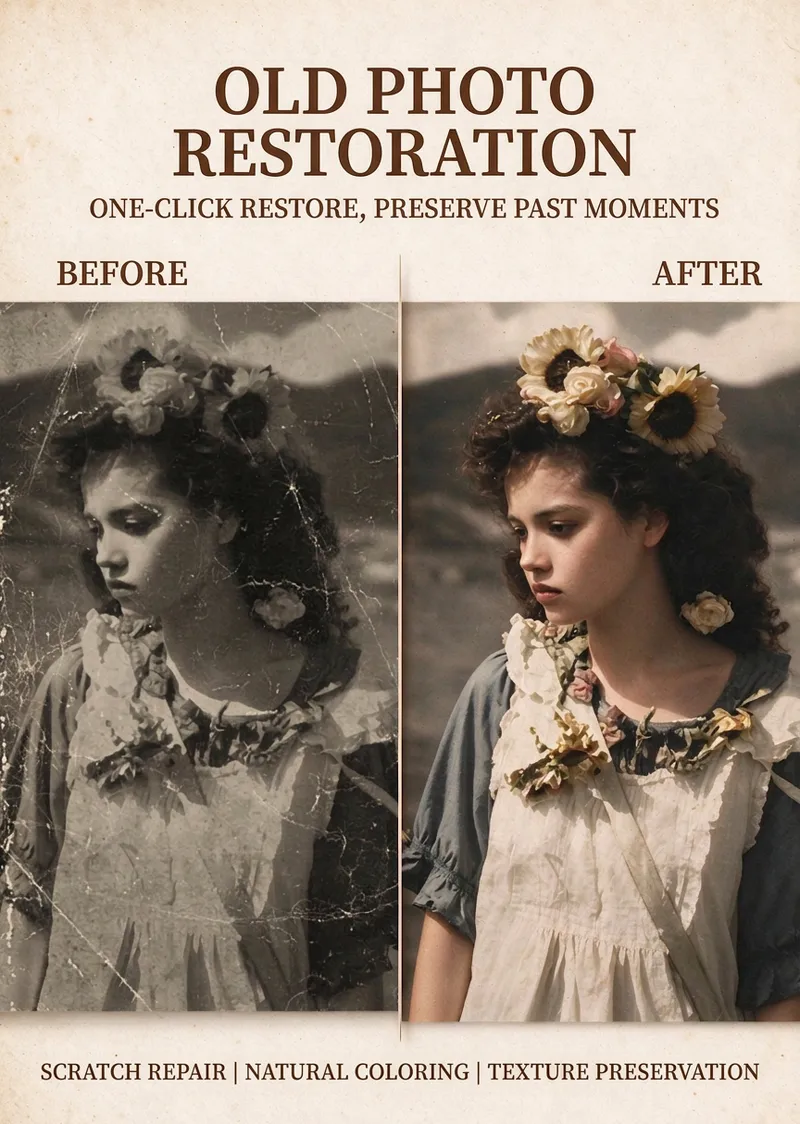
Vintage Photo Restoration
Restore clarity and life to yellowed, black-and-white, or damaged old photos while preserving their original vintage feel, facial features, and authentic memories. It is ideal for family photos, historical images, and old color photos from the 1970s, 1980s, and 1990s. The focus is on repairing scratches, cracks, mold spots, white dots, noise, and mild blur without altering face shapes, facial proportions, expressions, poses, or composition, nor adding extra people or background elements. For photos needing color, the result features a low-saturation, warm, and natural retro tone, presenting credible skin tones, clothing, and environmental colors matching the photo's era. Areas without clear evidence are kept restrained to avoid overly vibrant, heavily beautified, or distorted plastic looks. Clarity enhancement moderately preserves film grain while improving facial features, hair, and fabric textures. Missing or severely blurred details are not arbitrarily invented. After use, you will receive a concise restoration summary and the restored or colored image. You can request further adjustments, such as repairing without coloring, reducing saturation, or fixing damage without enhancing clarity. If faces are severely damaged and unrecognizable, limitations in completing them will be clearly noted.
Information
- Version
- v2
- Last updated
- Runtime credits
- Usage-based
- Models
- Auto
- Use cases
- Images & design
- What you get
- Image
