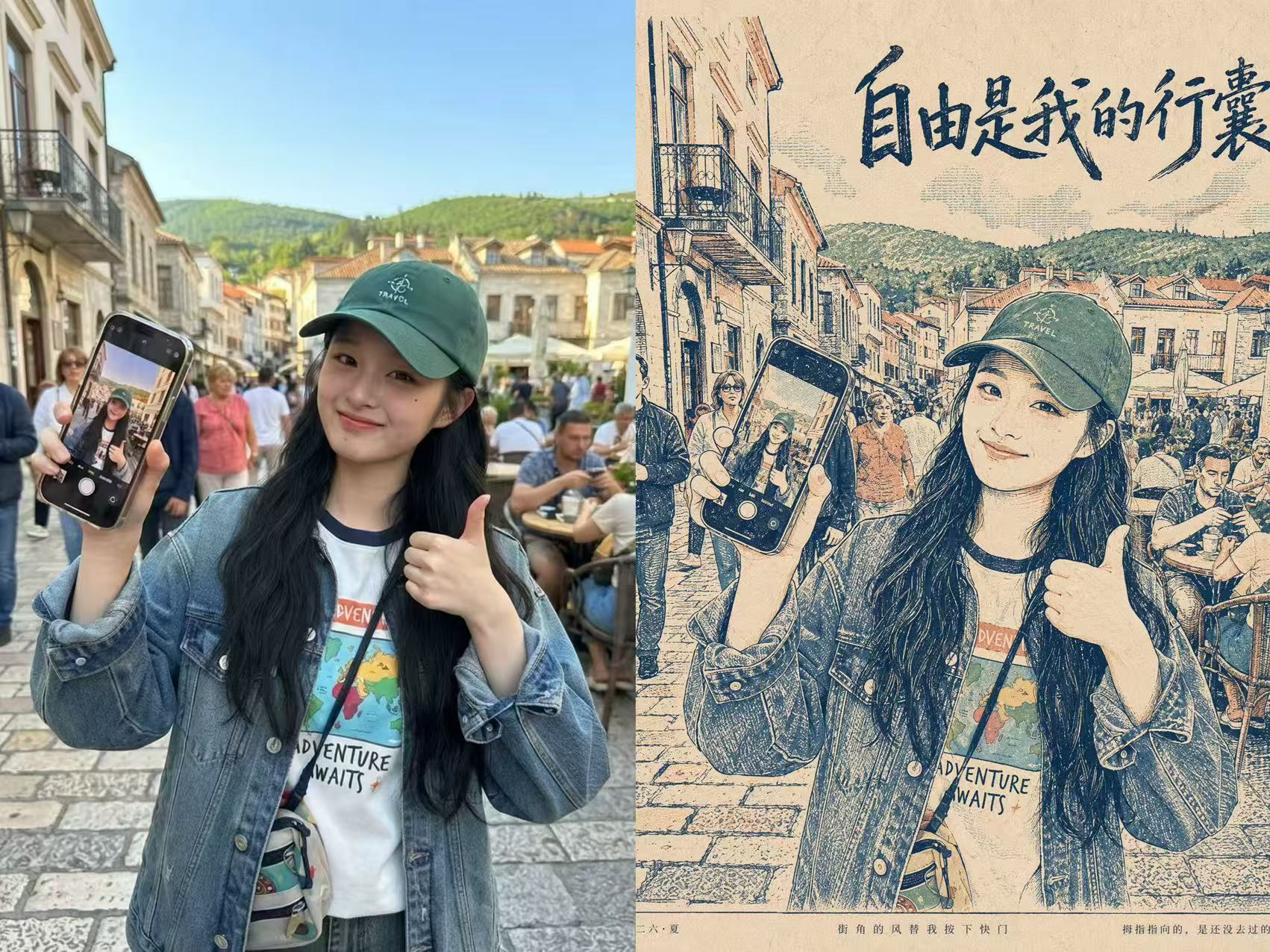
Photo to Vintage Travel Poster
For Xiaohongshu posts and social sharing
Photo to Vintage Travel Poster
For Xiaohongshu posts and social sharing
Showcase
Description
Turn an uploaded photo and a short Chinese theme into a vintage stencil-printed travel diary poster. The generator automatically creates and lays out a Simplified Chinese title, subtitle, date, and caption. The style consistently uses a stencil or screen-print texture, while the visual content and copy adapt to each input.
Recommended by
Dancang
Why we love this skill
Turns real photos and themes into collectible retro travel-diary posters with faithful visuals, poetic Chinese copy, clear typography, safe margins, and print texture.
Best for
For anyone who wants to turn travel photos into vintage-style posters for social media or personal records.
How to use this Skill
Provide your input
Upload one photo and provide a short Chinese theme or topic direction.
Run the Skill
The generator combines the photo and theme to create a vintage stencil-printed travel diary poster with Chinese copy and layout design.
Review your result
Receive a vintage travel-themed poster image featuring a title, subtitle, date, or caption layout.
Related Skills
View all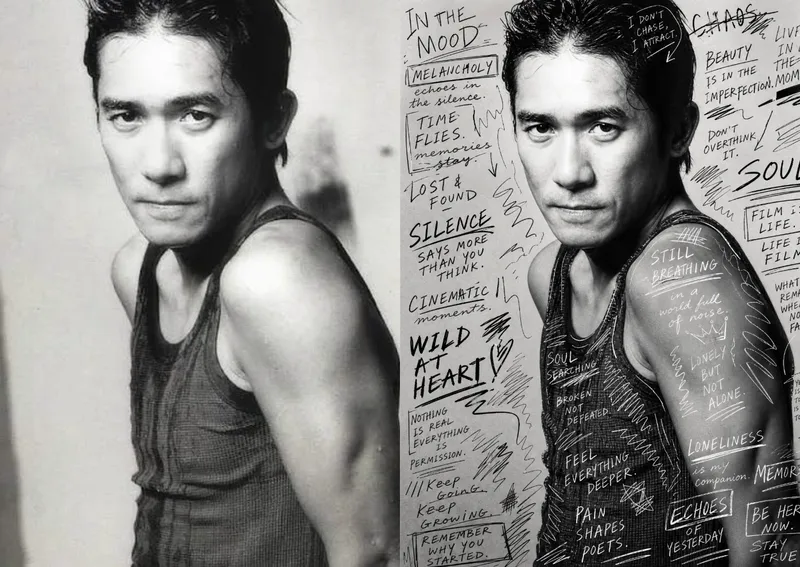 Image
ImageHand-Drawn Photo Posters
Turn an ordinary photo into a vertical art poster with an authentic hand-drawn feel. Upload a photo and describe the lettering, doodles, or theme you want to add. You’ll get handwritten copy, free-flowing lines, and stylized icons drawn directly onto the original image, preserving the photo’s subject and atmosphere while adding a natural, spontaneous creative touch. Based on the photo’s composition, subject, and overall mood, it plans a suitable 3:4 portrait layout, balances the original image with areas of negative space, and designs hand-drawn elements and lettering styles to match each placement. The results emphasize authentic physical pen strokes: lines have natural curves and texture, avoiding printed fonts, computer-generated text effects, and a digital painting look. Handwritten content defaults to English but can be changed to Chinese as needed. Along with the finished image, you’ll receive a complete, reproducible image-generation prompt and a brief creative explanation—ideal for social media visuals, personal photo posters, travel keepsakes, and artistic photos with a handcrafted feel.
 Image
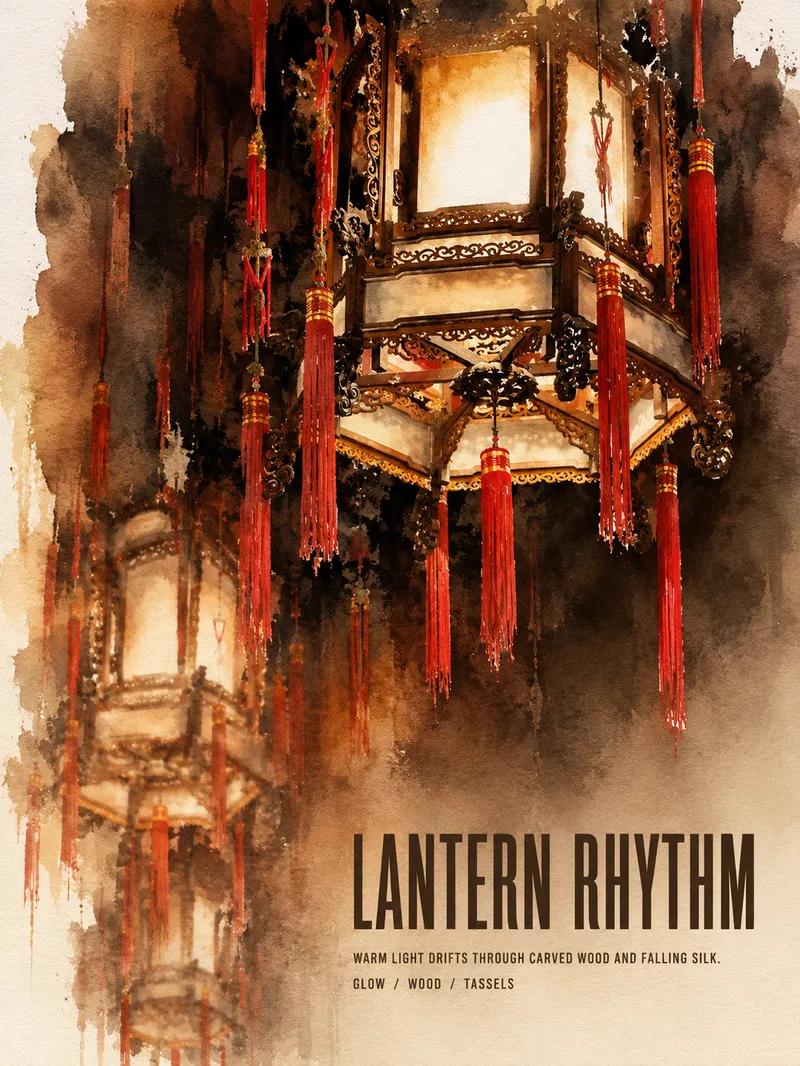
ImageTurn Photos into Art Posters
Upload a photo of a person, pet, building, travel scene, street view, vehicle, product, still life, or everyday moment. The Skill first identifies the details that matter most to preserve, then automatically selects an artistic approach—such as translucent watercolor, coarse screen printing, knife-mark rubbing, impasto, or conceptual collage—based on the composition, colors, lighting, and mood. It rearranges the subject’s scale, negative space, material field, and English headline so text and imagery weave together naturally, generating a 3:4 vertical art poster with a clear visual focal point and collectible appeal. You can also specify the artistic material, an English or Chinese title, aspect ratio, color direction, mood, intended use, or a text-free mode. If you don’t specify, the Skill will decide automatically and generate the poster directly.
 Image
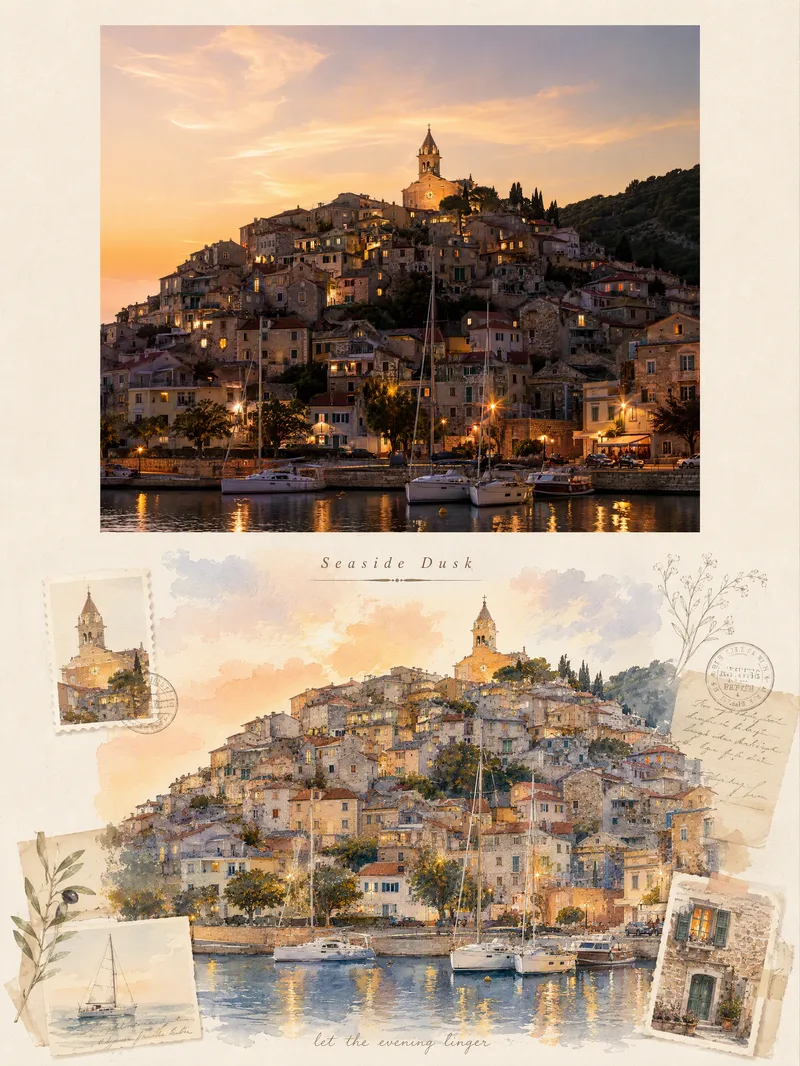
ImageViral Travel Journal Poster
Turn a single travel photo into a 3:4 vertical romantic travel journal poster that combines a sense of memory with an illustrated aesthetic. The upper half preserves the original photo’s subject, composition, colors, lighting, and shadows, framed with a natural warm-white paper border. The lower half reimagines the scenery and spatial relationships from the original photo as a full-bleed horizontal gouache-and-watercolor collage, giving the same journey a more artistic second expression. The design extracts distinctive architectural, botanical, transportation, or scenic elements from the photo and combines them with hand-drawn stickers, landscape stamps, stationery, postmarks, and delicate botanical lines, layered with soft warm light, paper texture, and restrained decoration. Based on the scene, it automatically creates an elegant English serif title and short handwritten English text, making the poster feel like a carefully crafted travel journal page rather than a standard photo layout. It suits photos of seaside towns, city walks, natural landscapes, cafés, travel sunsets, and more. You can also guide the creation with a specific scene mood, color preference, or title copy. When no photo is provided, it can first generate a realistic travel photography base image from your scene description, then create the complete poster.
Information
- Version
- v4
- Last updated
- Runtime credits
- Usage-based
- Models
- Auto
- Use cases
- Images & designMarketing & growth
- What you get
- Image
- Visual styles
- EditorialPrintmakingPaper art
