
Portrait Style Board
High-end portrait analysis from one photo
Portrait Style Board
High-end portrait analysis from one photo
Showcase
Description
Upload a portrait photo to generate a 3:4 vertical high-end editorial style portrait analysis board. While strictly preserving your true identity, it provides a personal color and texture sample palette for the individual, 3 hairstyle tests, 2 to 3 neckline and shoulder line silhouette sketches, face-shape-adapted glasses and accessories, 3 sets of photography lighting tests, and bilingual temperament keywords in both Chinese and English. It is ideal for image positioning, styling proposals, casting boards, or personal style archives.
Recommended by
Dancang
Why we love this skill
Transforms a portrait into a high-end visual research dossier, analyzing skin tone, bone structure, hair, apparel silhouettes, accessories, and lighting while maintaining identity consistency throughout.
Related Skills
View all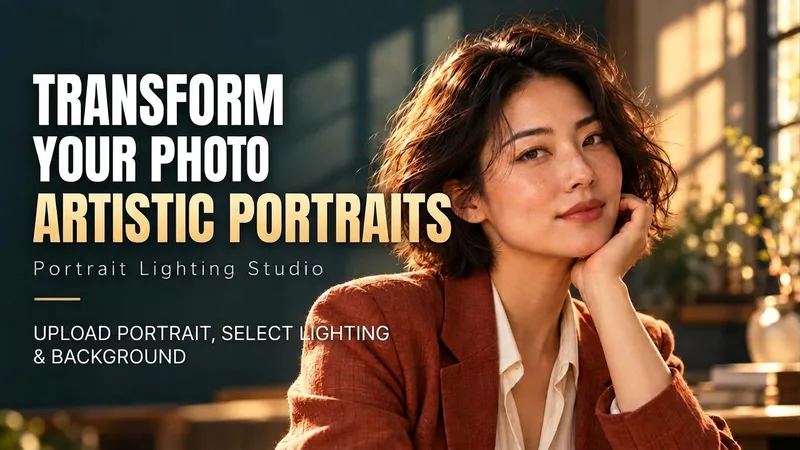 Image
ImagePortrait Light & Shadow Studio
Upload portraits, adjust lighting, poses, and backgrounds to generate window soft-light, night scene, or studio-style portraits. Upload a portrait photo or describe a fictional character to create photographic avatars, personal portraits, and magazine-style portraits. The Skill combines the subject's visible features to arrange poses, lighting, framing, clothing, and environment, ensuring natural hand gestures, grounded body posture, and directional lighting. Three original scenes are ready to use: • Warm Pottery Window: Terracotta and warm wood tones, with a natural medium shot near a studio window. • Rainy Night Set: Warm light in a movie theater porch, cold wet street tones, and expressive gazes. • Coastal Golden Breeze: Sunset rim lighting, sea breeze, and relaxed full-body travel portraits. Professional headshots, solid-color studios, black-and-white portraits, and custom themes are also supported. Uploading a photo preserves primary clothing and accessories by default; to change outfits, backgrounds, or poses, simply specify your request. By default, it generates one 3:4 vertical text-free image per run; you can change the aspect ratio, create a series, or request Chinese, English, or bilingual prompts. Multiple images are generated separately, and after generation, subject recognition, hands, feet, support points, and lighting are verified. You can say: "Use this photo for the rainy night set, keep the hairstyle, and change to a dark jacket." or "Create a mature woman with short curly hair walking naturally in the coastal sunset."
 Image
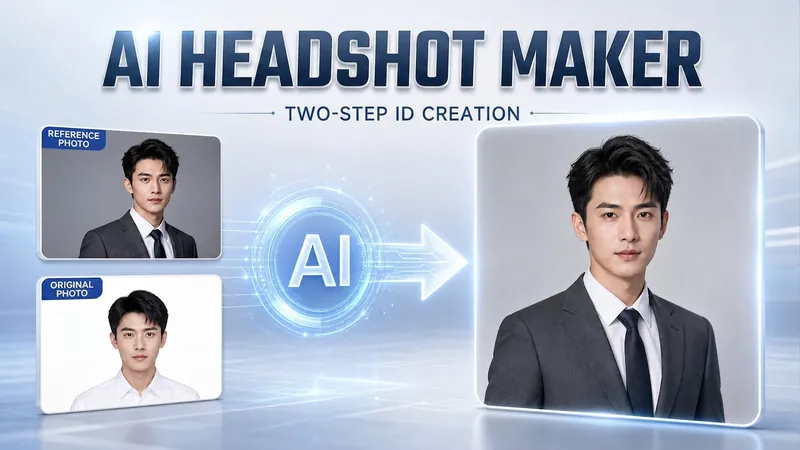
ImagePortrait Freedom-2-Step Prompt
Generate a high-end portrait that is uniquely yours from a single reference image. Many people creating AI portraits upload a selfie and say 'Generate a high-end professional headshot for me,' but often end up with a face that doesn't look like them, a style that is template-like and generic, plastic-looking skin, and makeup and clothing that don't match their personality. The root problem is asking the AI to simultaneously guess 'what you look like' and 'what style to use'—it fails at both. This skill breaks it down into two stable steps: First, you provide a single reference image (professional headshot, magazine portrait, black-and-white film, modern Chinese style, etc.). Instead of immediately generating an image, the AI deconstructs its 'photographic language' like a photographer—analyzing lighting, composition, focal length, background, color palette, mood, and texture—and then writes two complete prompt sets for male and female versions separately. Clothing, makeup, hairstyle, and pose are all written differently by gender, fundamentally avoiding disasters like 'putting a man in a silk camisole.' Second, you choose your set of prompts and pair it with a clear photo of yourself: the reference image handles the style, while your photo handles the identity—preserving your face shape, features, age perception, and expression, then applying the professional photographic quality from the reference. The result is a portrait that is unmistakably you with a cinematic quality. The reference image controls the style, your photo controls the identity—it's that simple. Changing the reference image changes the direction. ID photos, professional headshots, magazine covers, black-and-white film—one workflow handles them all, completely eliminating the homogeneity and plastic feel of AI portraits. Target audience: professionals needing a headshot/ID photo/personal brand portrait, social media influencers, job seekers, and anyone who wants a high-end portrait that is truly their own.
 Image
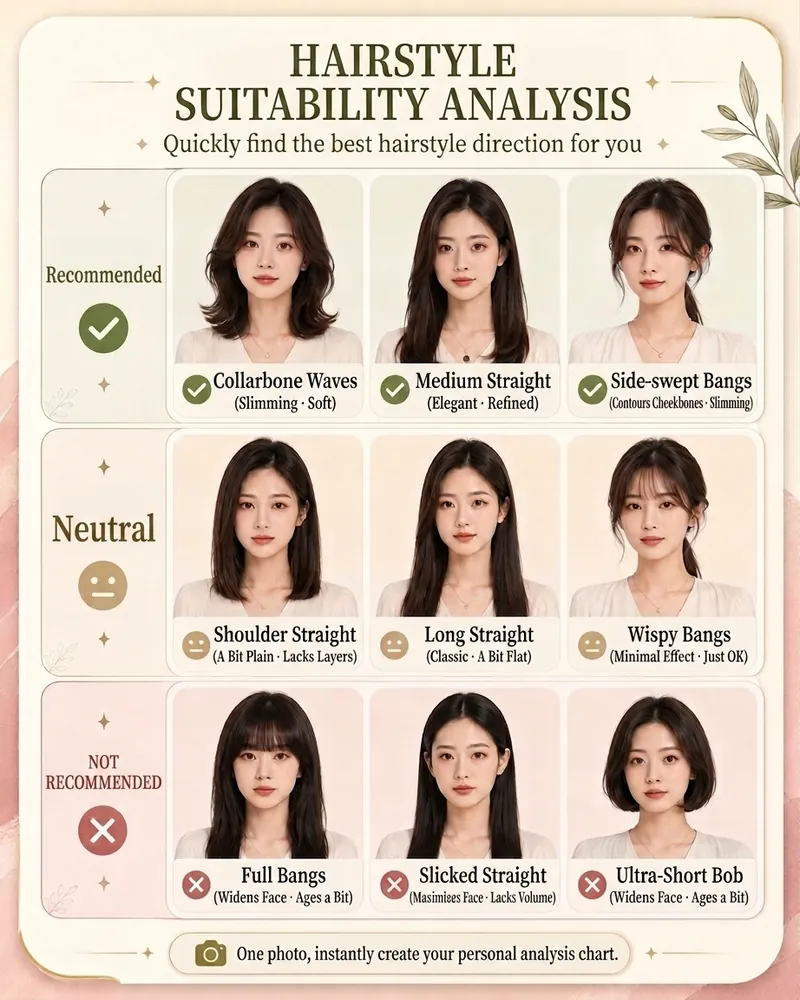
ImageAI Style Quick Diagnosis V3.0
Save hundreds to thousands of dollars in trial and error costs by buying three fewer unsuitable outfits. Upload a photo to quickly identify the top 3 image issues to address first. Can't choose a hairstyle, don't know how to match colors, or worried about buying the wrong jewelry? Upload a photo to quickly generate your AI Style Quick Diagnosis Card Pro. The system will provide clear, intuitive analysis results across four modules: hairstyle, makeup, color, and jewelry, helping you quickly find a personal style that suits you better. No complex tests needed—just one photo for a visual reference, perfect for everyday beauty improvement, self-enhancement, and image management.
Information
- Version
- v4
- Last updated
- Runtime credits
- Usage-based
- Models
- Auto
