Scientific Illustration PPT
Scientific Illustration PPT
Showcase
Description
When a user uploads one or more images of PPT slides, courseware screenshots, textbook pages, or teaching outlines, it first accurately identifies the section titles, numbers, core knowledge points, logical relationships, and teaching focus of that page. Then, based on this content, it designs PPT illustrations suitable for classroom instruction.
Related Skills
View all
Research, Course & Media
Research, Teaching Reform, Course Development & Media Visual Generator is a visual design Skill for research and teaching reform charts, social media visuals, and course development diagrams. It first identifies the visual type, offers options from suitable structure or style libraries, and then presents a complete design plan. It generates the visual only after receiving the user's explicit approval, and checks the content, relationships, Chinese text, composition, people, and visual quality before delivery. Research, Teaching Reform, Course Development & Media Visual Generator can turn research materials, course content, and social media topics into clear, polished visual concepts that match your personal aesthetic. It supports technical roadmaps, theoretical mechanism diagrams, research framework diagrams, course system diagrams, role–competency–course mapping diagrams, WeChat Official Account header images, knowledge infographics, scene illustrations, and multipage graphic cards. The Skill first translates the content into “topic—nodes—relationships—hierarchy—capacity—medium,” then recommends 3–5 suitable structures or styles and presents the composition, color palette, materials, lighting, text treatment, rendering method, and risks. It does not generate images without user approval. After the user changes the content, structure, style, color palette, or dimensions, it updates the plan and waits for approval again. Research and course diagrams prioritize editable, deterministic rendering with accurate relationships. Social media and scene visuals use text-free image generation with reliable text overlays.

Complete Lesson Pack & Slides
Enter the topic and basic information (textbook scope, learners, class hours, and lesson type) to generate a complete five-part lesson preparation package in one go, following a fixed framework and a consistent academic handout style: a word-for-word lesson plan, classroom activities and interactive question design, a board plan, and in-class exercises, plus an approximately 40-slide competition-ready PPT. Document structures are fixed while content adapts to the topic. The PPT follows the same visual system across lessons and is produced in two steps: generate images first, then assemble them with slidesCompose. Course memory is updated automatically. Suitable for all subjects and grade levels.
 Slides
Classroom Comic PPT
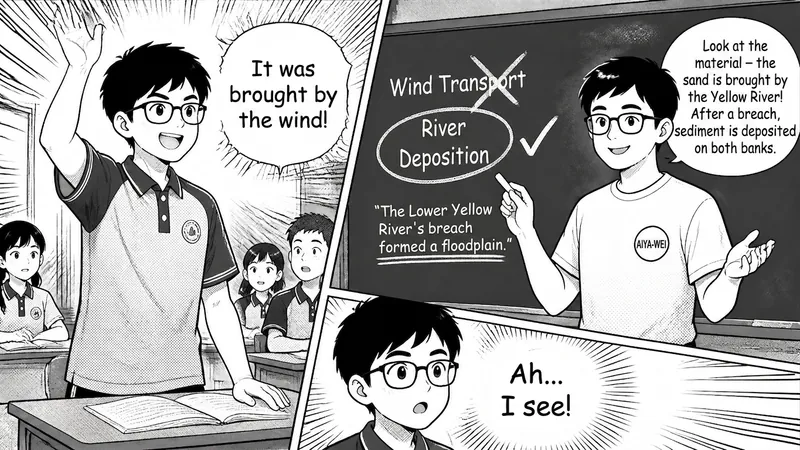
Input high school classroom recording text, automatically extract core knowledge points, generate Japanese-style black-and-white educational manga, and deliver as PPT. Supports original question restoration, teacher-student interaction presentation, and knowledge transfer analogy. Can further output A4 multi-panel layout and H5 flip-page web pages.
Information
- Version
- v2
- Last updated
- Runtime credits
- Usage-based
- Models
- Auto
