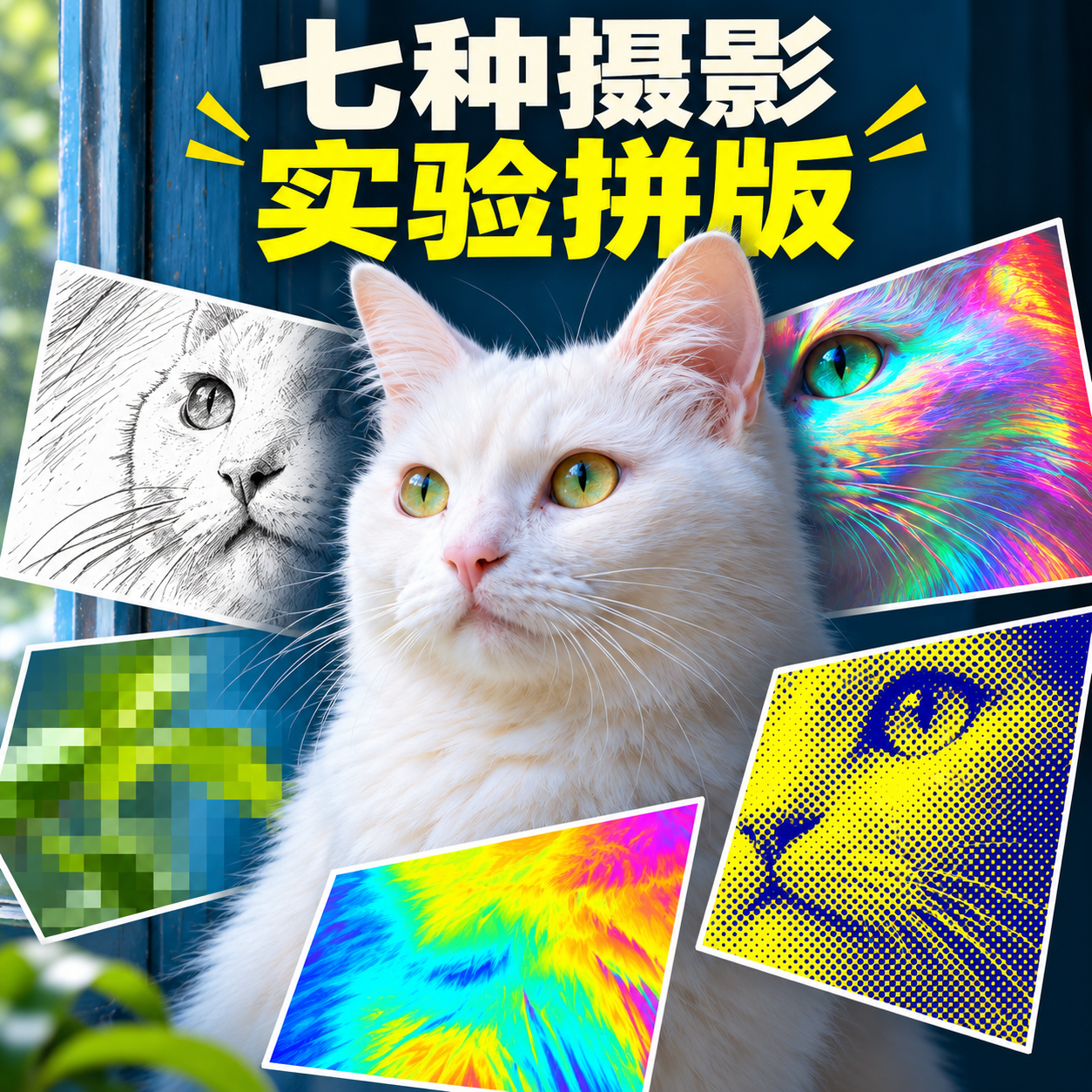
Essential Photography Layouts
One theme and seven detail cards for quick comparison
Essential Photography Layouts
One theme and seven detail cards for quick comparison
Showcase
Description
Ideal for creators exploring photo style directions, creating visual exercises, and making content illustrations. Provide a text theme or readable photos with usage rights, along with the subject to keep, color scheme, and aspect ratio; the default is a 3:4 vertical diptych. The upper frame features natural photography, while the lower frame keeps the same subject as a base, organizing seven numbered detail experiment cards: 01 fine stripes, 02 grayscale paper texture, 03 ink line sketch, 04 cyan-red offset, 05 pixel blocks, 06 iridescence, and 07 two-tone halftone. The cards zoom in on visible details of the subject for easy comparison of different visual directions; these are not same-coordinate filters on a base image, nor seven independent standalone images. The Skill lists the close-up and effect for each card, actually calls image tools to generate the output, verifies the seven numbers, visual differences, subject, and layout, and then revises based on specific issues. It delivers an actual layout image, an effect checklist, and inspection notes, with prompts included when needed. Without image tools, image generation remains incomplete. Four final display pieces are fictional AI cases regenerated locally on November 12, 2026, using the revised Skill: headphone woman, white cat, vase, and arcade; these are not real photos, client work, or algorithmic processing results. Initial requirements for same-coordinate alignment were not met, so failure records were kept and changed to explicit detail cards before running four cases. Each final image shows seven cards from 01 to 07 with distinct effects, but card details, flower shapes, compositions, and upper-lower subject sizes vary without guaranteeing exact identity or structural consistency. The avatar reference was independently generated from the initial white cat case as a conceptual demonstration, not a fifth standalone case or strict seven-window validation image. Effects are visually simulated by image models without claiming to execute seven real filter algorithms, quantifiable parameters, lossless processing, or layered editable files. Text planning recommends GPT, and image creation relies on available image generation or editing tools. Local usage uses the built-in image_gen, and tools do not return specific model IDs, so no binding to Image2 is claimed. Photo editing and YouMind operations have not been practically tested, so identity, product structure, text, or cross-image consistency cannot be guaranteed. Image generation is explicitly marked incomplete if no image tools are available. The 299 credits cover the Skill installation price and do not include platform model or third-party service fees; PSD or vector source files are not delivered, and automatic publishing or purchasing is not included.
Recommended by
Dancang
Why we love this skill
Places a single subject between natural photography and seven local experimental effects, using a vertical diptych to show visual differences at a glance. The fixed seven-card system balances comparison and creative freedom.
Best for
Best for creators comparing photographic visual directions, making visual exercises, or preparing content illustrations.
How to use this Skill
Provide your input
Provide an authorized photo or text theme, and specify the subject to keep, title, color scheme, aspect ratio, and purpose.
Run the Skill
The system arranges the same subject into an upper-lower diptych and creates seven numbered detail visual experiment cards for comparison.
Review your result
Receive an actual layout image, a list of seven effects, and a verification note; image generation requires available image tools.
Related Skills
View all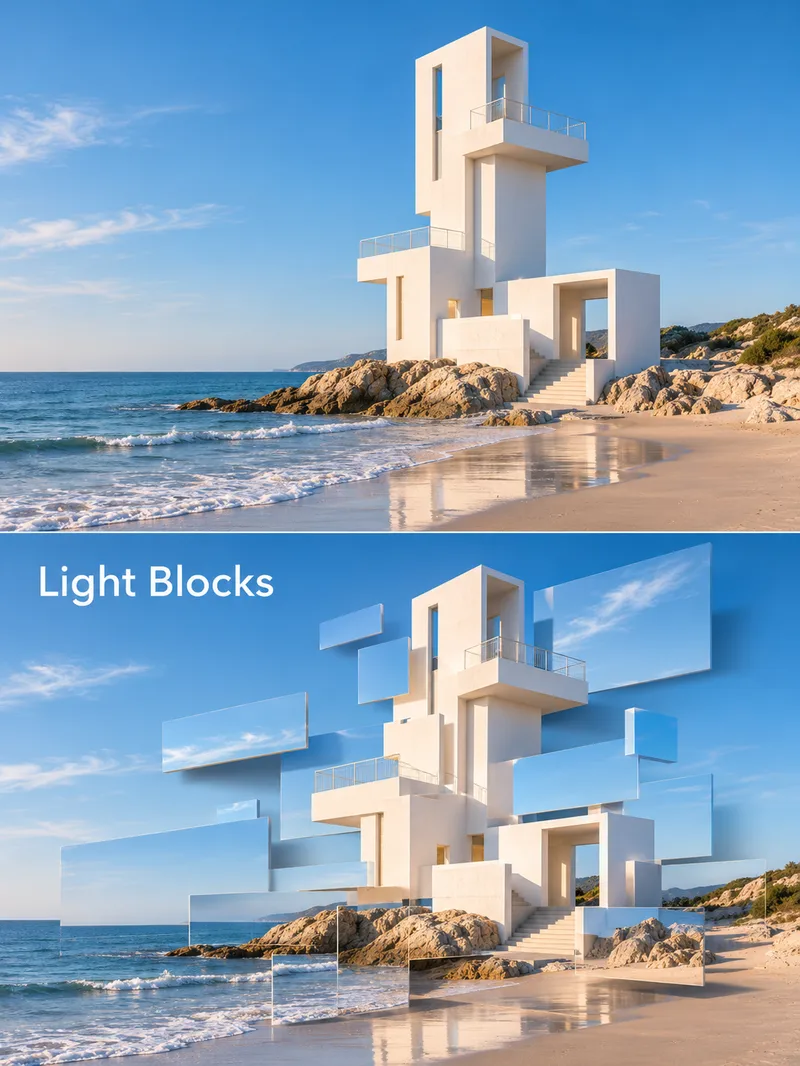 Image
Rectangular Fragment Poster
Ideal for creators making architectural, still-life, or character visual posters. Provide a text theme or readable photos with usage rights, and specify short titles, color schemes, purposes, and aspect ratios. The skill first outlines the subject contours and elements to retain, planning a vertical diptych: the top frame features natural photography, while the bottom frame converts parts of the photo into staggered, floating rectangular fragments, showing depth through edges, soft shadows, and perspective, with fewer fragments near facial features for characters. After calling available image tools, it verifies the subject, fragments, text, and cropping, revising as needed. Delivers an actual poster, title, and inspection notes, with full prompts attached when necessary. Usage: Describe the theme and title, check the two frames, props, and text after generation, and request specific edits. Four display examples are fictional AI cases generated locally on November 12, 2026, using the skill's visual methods: a seaside white tower, a yellow pavilion, a red terracotta vase, and an adult woman. These are not real photos, architectural records, or client projects. All four feature photographic rectangular pieces and spatial layering, though the white tower and character have more background fragments without fully decomposing the subject; details vary across frames. The avatar reference was generated separately from the red vase case, clearly showing the effect and Chinese title, and is not a fifth independent case. Text planning can use GPT, while image generation requires usable image generation or editing tools; local use utilizes the built-in image_gen, and without a specific model ID returned, integration with Image2 cannot be claimed. Photo editing and YouMind execution have not been fully tested, so character identity, product structure, text, background, or cross-frame consistency cannot be guaranteed. Image delivery is incomplete if image tools are unavailable. The 299 credits cover the skill installation price and do not include platform models or third-party service fees; editable PSDs, vector files, or real optical parameters are not delivered.
 Image
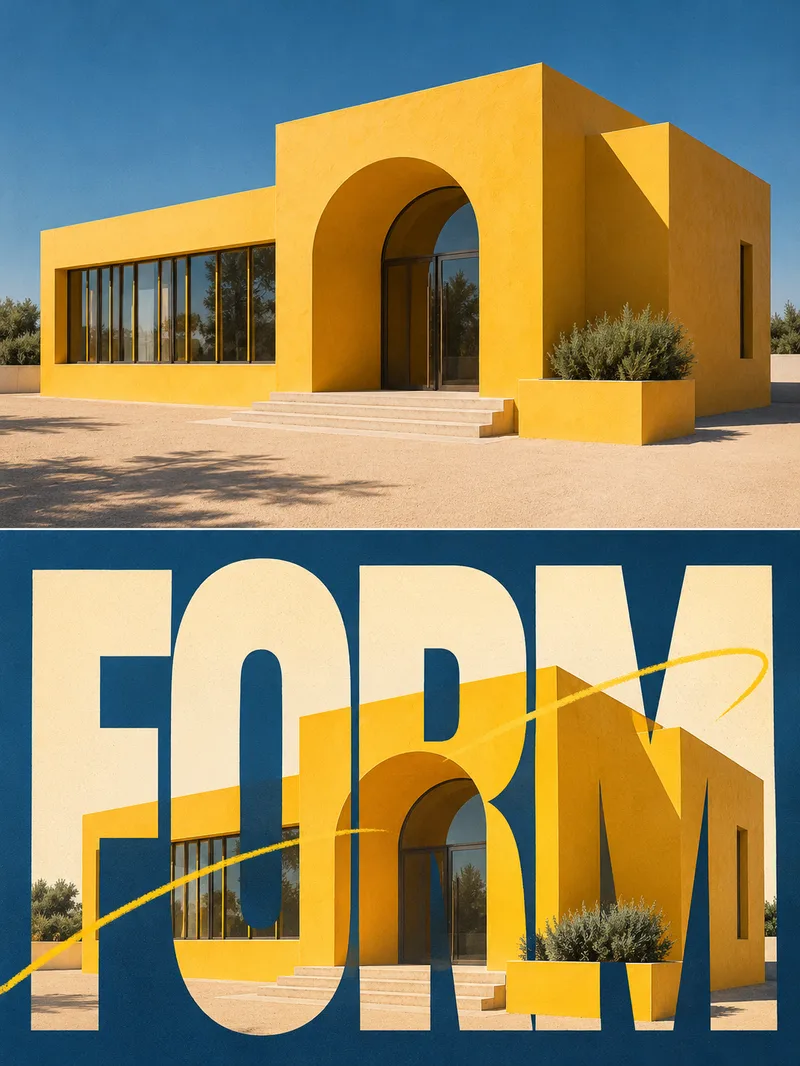
Retro Typography Poster
Ideal for creators making social media graphics, sports themes, and editorial posters. Provide a text theme or an accessible photo with a short English word, color scheme, and purpose. Subjects can include people, pets, or architecture. The skill first verifies the subject and props, then plans a 3:4 dual-panel layout: natural photography in the upper frame, and huge, condensed bold typography organizing the lower frame. Photographic textures are woven into the letters, with parts of the subject extending in front of the text. It pairs warm white paper textures, a primary background color, and subtle motion lines, then uses actual image tools to generate and review each item. Delivers an actual poster image, reproducible title, and verification notes, with full prompts included when needed. Usage: Specify the theme, short word, and aspect ratio; review the subject, props, spelling, and occlusion, then request specific edits by part. Without image tools, the generation remains incomplete, and prompts are not passed off as finished images. Four example displays show fictional AI cases generated locally following the final skill workflow on November 12, 2026: tennis PLAY, golden retriever GO, architecture FORM, and dancer MOVE. These are not real photos, actual architectural records, or client deliverables. All four examples feature photo-text weaving and subject layering, where letter masks partially obscure bodies or structures, with variations in local poses and textures, and differing crops for the two tennis panels. They are not lossless photo edits. The avatar reference was separately generated from the golden retriever case, and the square render includes a Chinese title rather than serving as a fifth independent case. GPT is recommended for text planning, while image generation or editing tools available in the current environment are required for final image output. Locally uses the built-in image_gen without a returned model ID, and does not claim integration with Image2. Uploaded photo editing and YouMind execution have not been formally tested, so exact identity, product structure, text, or cross-panel consistency are not guaranteed. PSD or vector source files are not delivered. The 299 credits cover the skill installation fee only and exclude platform model and third-party service fees.
 Image
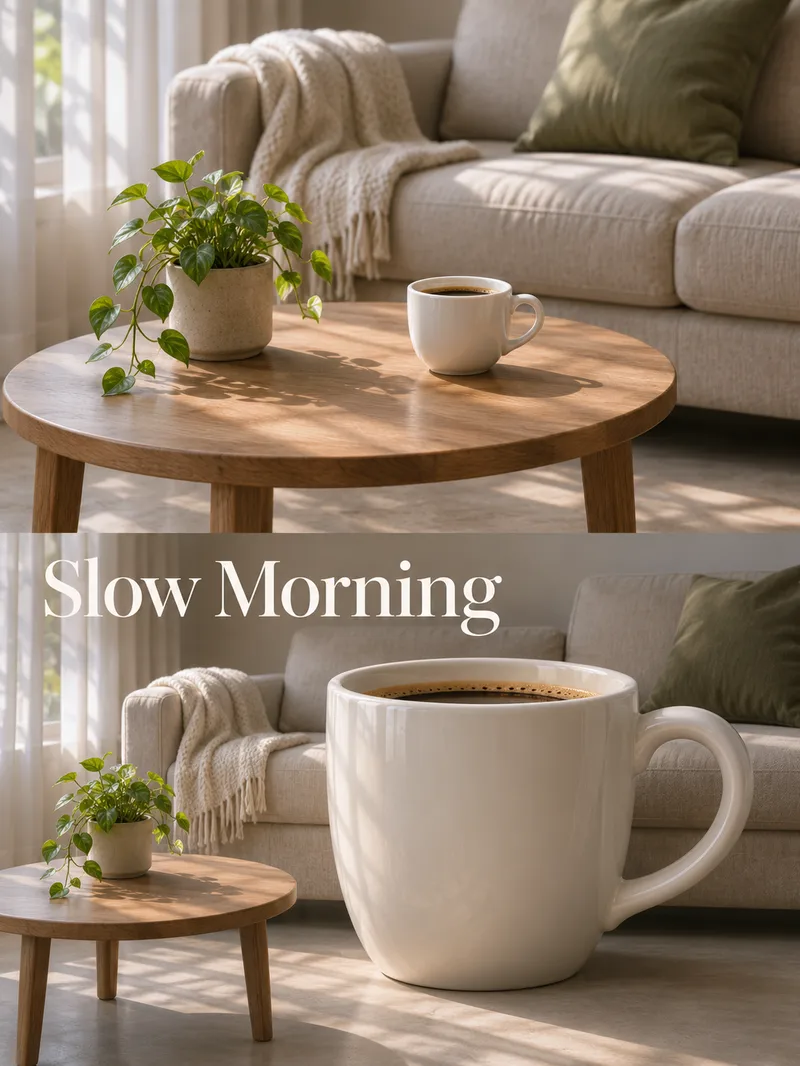
Colossal Scale Photography
Ideal for creators looking to produce surreal social media visuals, creative posters, or design practice. Provide a text theme or a readable photo with usage rights, specifying one object to enlarge, a short title, scene, and aspect ratio. If unspecified, confirm the main prop first to avoid modifying the wrong subject. The skill first organizes the original subject, scale reference, and light direction, then plans an upper and lower diptych: the top frame is natural photography, and the bottom frame exaggerates the specified prop, adjusting grips, ground support, and contact shadows, before calling the current image tool to generate and reviewing image by image. It delivers the actual poster, title, and verification notes, with complete prompts attached when needed. Usage: Enter the theme and the single object to enlarge. After generation, focus on checking structures like hands, cup handles, or umbrella shafts, ground support, and titles, then modify based on specific issues. This is surreal image creation, not for size or real photographic records. The four display examples are fictional AI cases genuinely generated locally on November 12, 2026, using the final skill method: giant orange, camera, coffee cup, and blue umbrella; these are not clients, actual photography, real product functions, or architectural records. All four targets have distinct scale contrasts, but character poses, camera details, furniture and scene proportions, and upper/lower areas will vary. It does not guarantee that every pixel except the target changes. The avatar reference was generated separately from the giant orange case, and the visual layout and Chinese title are arranged independently, not as a fifth independent case. Text planning recommends GPT, and image generation relies on actually available image generation or editing tools. Local use utilizes built-in image_gen, the tool does not return specific model IDs, and it does not claim binding to Image2. Photo editing and YouMind runs are not practically tested, and identity, product structure, text, or cross-image exact consistency cannot be guaranteed. If image tools are absent, clearly state image generation is incomplete. The 299 credits is the skill installation price and does not include platform models or third-party service fees; it does not deliver PSD or vector source files, nor does it automatically publish or purchase.
Information
- Version
- v2
- Last updated
- Runtime credits
- Usage-based
- Models
- Auto
- Use cases
- Images & designLearning & education
- What you get
- ReportImagePrompt
- Visual styles
- Collage
