
Account Visual Color System
Set color, graphics, then layout
Account Visual Color System
Set color, graphics, then layout
Showcase
Description
Each individual post looks fine, but scrolling through the profile doesn’t feel like one account—colors are inconsistent, font sizes jump around, and every cover looks like it was made by a different person. 【Account Visual Color System】 provides more than aesthetic advice: it gives you a set of rules that others can follow. You’ll get a color palette with a 60/30/10 usage ratio—one primary color, two supporting colors, and two neutrals—along with an explanation of why pure black and white are not used; a reusable graphic language with one basic shape, one usage rule, and exactly one texture; templates that connect the cover, inner pages, and profile image; a three-level type hierarchy and three hard rules; plus a six-item do-not-use list for keeping the account from looking cheap and a seven-point pre-publishing checklist. Finally, you’ll get a practical rollout order: change only the cover’s primary color today, unify the graphic elements this week, and standardize the inner pages next month—one change at a time. Ground rules: no font files, no recommendations for paid asset sites, no imitation of any specific brand’s visual identity, no advice for bypassing platform moderation, no trademark-availability judgments, and no promises of follower growth.
Recommended by
Dancang
Why we love this skill
Turns an inconsistent profile into an actionable visual system with color, graphics, composition, and typography, plus checklists and a phased rollout. It stays original and avoids copying brand or creator styles. Ideal for creators who publish consistently over time.
Best for
For social media operators who want a unified profile aesthetic, stronger content series cohesion, and rules that teams or collaborators can easily follow.
How to use this Skill
Provide your input
Share the account’s topic, monetization model, biggest visual challenge, and any colors, profile image, or typography style that cannot change.
Run the Skill
Based on the account’s positioning and constraints, develop original, practical visual rules and gradually unify the colors, graphics, and layout.
Review your result
Get a primary and supporting color palette, graphic language, cover and inner-page templates, type hierarchy, do-not-use list, checklist, and phased rollout plan.
Related Skills
View all Write
WriteProfile Makeover Plan
Your content may be solid, but strangers leave within three seconds of opening your profile. The problem is almost always the storefront: your name doesn’t show what you do, your bio says “Documenting life and sharing reflections,” your cover image has nothing to do with your content, and even you’ve forgotten which three posts are pinned. **Profile Makeover Plan** treats your profile as one cohesive whole and provides specific, replaceable copy for each of the five essentials: name (three versions—real-name, niche-based, and memorable), profile picture (three paths—person, object, or wordmark—with the tradeoffs of each), bio (the “who I am + who it’s for + what I offer + why trust me” formula, with the first three covered in the first 20 characters), cover image (a visual description that marks the area hidden by the profile picture), and three pinned posts (one signature piece, one methodology post, and one latest post). It also includes a five-second test: show the profile to someone who has never seen the account for five seconds and ask three questions. Hard rules: no image generation, only visual descriptions; no text should appear in the visuals (Chinese text may render incorrectly, and you can overlay the wording yourself); no imitation of any specific account; no help disguising anyone’s identity; no guidance on buying followers, reciprocal follows, or inflating metrics; and no promises of follower growth.
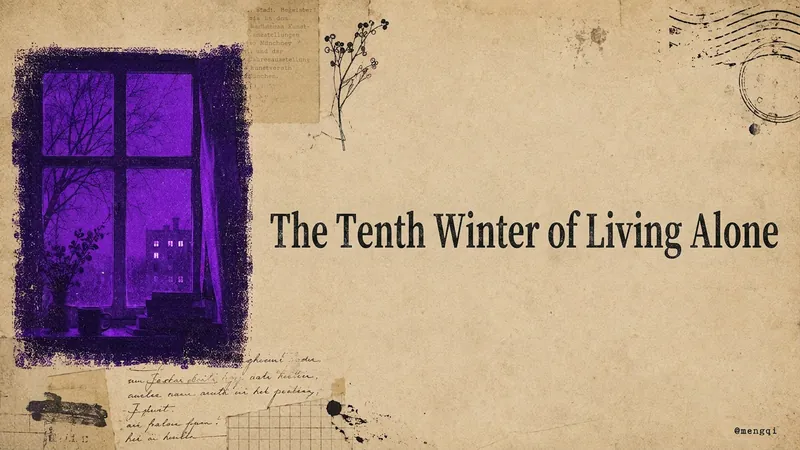
Atmospheric Covers
This is an everyday productivity tool for content creators who publish to Xiaohongshu, WeChat Official Accounts, WeChat Channels, Twitter, and YouTube. How many covers do you have to make by hand for every post you publish? Xiaohongshu needs a vertical cover with extra-bold serif type that stays readable in feed thumbnails. WeChat Official Account needs a horizontal header image. WeChat Channels needs a vertical 6:7 cover with text placed toward the top to avoid the UI overlay. Twitter needs a quote card. YouTube needs a restrained essay cover. Five platforms, five aspect ratios, five sets of text-density rules—if you adjust them manually every time, covers alone can eat up half an afternoon. Worse, the result is either too plain and template-like, or too cluttered like a sticker collage, and the styles never match each other, so your account's visual identity always feels scattered. This Skill takes that high-frequency task off your plate. Drop in a sentence, a mood, a title, or a whole article. It first extracts the keywords, translates them into a central visual concept, and expands that into 3–5 atmospheric elements. Then it produces covers for all five platforms at once—vertical or horizontal, whitespace ratio, and text rules are all adjusted automatically to each platform's style. All five images share the same imagery, the same mood color, and the same paper-textured cover family, so your account's visual identity naturally becomes a cohesive system. What makes it most valuable is that the visuals are rich without being messy, with the weight of printed matter rather than a pile of digital stickers. It has a built-in mood-to-color engine: quiet moods go cobalt blue, afternoons go ochre orange, a solitary winter goes violet. You don't need to understand color theory to get the right feel. One sentence in, five platform covers out, with a unified brand feel—no more tweaking each one individually. All you need to do: Input: a sentence, a mood, a topic, or a piece of content. ↓ Get all five platform-tailored atmospheric covers for Xiaohongshu, WeChat Official Account, WeChat Channels, Twitter, and YouTube in one go. ↓ Sit back and watch the followers roll in!

IP Visual Studio Max
One image isn’t the problem. The question is: a year from now, will all 100 of your images still look like the same IP? IP Visual Studio Max helps you build a visual system you can reuse over the long term: a complete IP visual profile, an individual visual master template for each of 3–5 content series, character assets when you have an established character or personal image, and series content planning. Three stages: build the foundation first, then create sample designs Max is not a tool that generates images immediately. It first establishes the fundamentals: **Stage 1: Build your visual profile** Collect your complete IP visual DNA across 10 fields, including tone words, color palette, typeface feel, visual identity or alternatives, and more. Define character assets when you have an established personal image or character. Once the profile is complete, you’ll receive a portable DNA summary that you can save yourself. This is your asset, not a platform memory. **Stage 2: Build your series system** Organize 3–5 content series and create an independent visual master template for each one, covering the primary colors, composition, text style, and information-density rules. Establish adaptation rules for different platforms. **Stage 3: Create sample designs** Create the first representative sample for each series through the complete process: copy lock-in → visual blueprint approval → text-free base image → layout instructions. Once a sample is approved, it becomes the standard for all future content in that series. **Text-layer delivery** The standard delivery is a text-free base image plus layout instructions. You add the text using the tools you’re familiar with. If the host platform is verified to support deterministic text overlays, a precisely typeset final design may also be provided—but this is not a default feature. **About DNA archiving** Each time you confirm your DNA or series system, you’ll receive a portable summary. Bring it with you next time to restore the visual rules you’ve already confirmed. This is not the platform’s automatic, permanent memory—it is a long-term visual asset that you own. **Who it’s for** - Creators who are already publishing but lack a consistent visual style and want to organize it systematically - Knowledge-based creators who want to establish fixed content series and update them over the long term - Creators who need to hand visual guidelines to collaborators, with their personal IP as the starting point - Creators who have used Pro and want to build a more complete asset system on top of it **Not included** - Automatically typeset Chinese designs with perfectly integrated text (standard delivery is a text-free base image + layout instructions) - The platform’s automatic, permanent cross-task DNA archiving (a portable summary is provided for you to keep) - Replacing content operations strategy and decision-making - Rapid batch image generation (each image must go through the confirmation process) - Unlimited usage - Bundled plans, discounts, or package deals
Information
- Version
- v3
- Last updated
- Runtime credits
- Usage-based
- Models
- Auto
- Use cases
- Images & designMarketing & growth
- What you get
- DocumentPlan
