Organize Structured Recipes
Organize Structured Recipes
Showcase
Description
Turn cooking inspiration into actionable structured recipes. Detailed preparation and step-by-step guides ensure every dish you make turns out perfectly.
Instructions
Please generate a detailed structured recipe for [Dish Name], including the following three parts:
## I. Preparatory Work
Please list all preparations that need to be completed at least one day in advance, including but not limited to:
1. **Ingredients and Tools Purchase List**
- List all the necessary fresh vegetables, meats, seasonings, etc.
- List any special cookware or tools required
- Specify the exact quantity and specifications of the ingredients.
2. **Preparation for Thawing**
- If frozen meat or seafood is involved, please specify the thawing method (refrigerated thawing/room temperature thawing).
- Specify the required thawing time.
3. **Marinating Process**
- Detailed instructions on the required seasoning ratios for marinating.
- Specify the marinating time (minimum and optimal time).
- Notes on precautions during the marinating process
4. **Soaking Treatment**
- If you need to soak dried beans, wood ear mushrooms, shiitake mushrooms, or grains, please specify the soaking time.
- Specify the soaking water temperature requirement (cold water/warm water)
5. **Other Preparations in Advance**
- Any special processing steps that need to be completed in advance
## II. Cooking Steps
Please list each cooking step clearly in chronological order, using numerical designations (1, 2, 3, 4, 5...):
1. [Detailed instructions for the first step, including specific actions, timing, and heat control]
2. [Detailed instructions for step two]
3. [Detailed instructions for step three]
...
Please feel free to remind me if needed:
- Specific cooking actions (cutting, stir-frying, boiling, steaming, etc.)
- Time control (e.g., "stir-fry over medium heat for 3-5 minutes")
- Cooking temperature requirements (high heat/medium heat/low heat)
- Key observation points (such as "stir-fry until golden brown", "cook until the broth is reduced and thickened")
- Key tips (e.g., "Be careful not to burn it")
## III. Lessons Learned
[This section is left blank for users to record their experiences and suggestions for improvement after actual operation.]
---
Please ensure the recipe contents are accurate:
- The steps are clear, easy to understand and follow.
- The timeline is reasonable and takes into account the feasibility of actual operation.
- Includes essential cooking tips
- Use precise wording and avoid vague expressions.
Related Skills
View all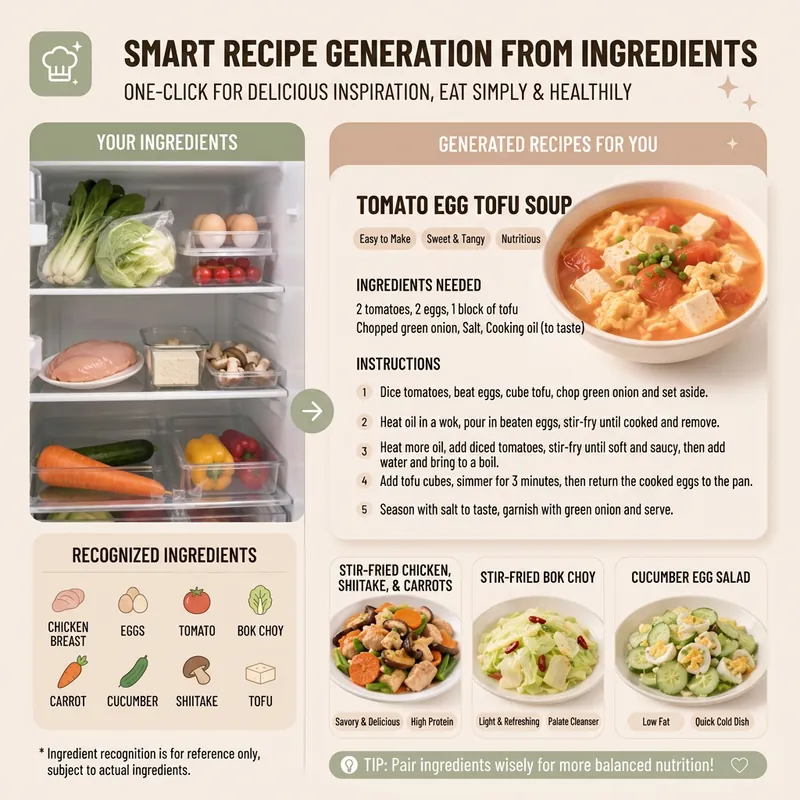 Image
ImageSmart Recipe Generator
Still worrying about what to cook every day? The "Smart Recipe Generator" assistant is your dedicated home cooking advisor! Whether you want to clean out your fridge, make the most of the ingredients you have, or need fresh cooking inspiration, it can provide thoughtful service. Just tell it what's in your fridge, or directly upload a photo of your ingredients. It will intelligently identify them and recommend 2–3 delicious and practical home-style dishes based on your ingredient list. You'll see the difficulty, estimated cooking time, and recommended reason for each dish, plus a clear indicator of which dishes can be made with the ingredients you already have and which require a few extra items. Even if you have no idea what ingredients to use, it can still recommend seasonal dishes and provide a shopping list. Once you pick a dish, it immediately provides detailed cooking steps, including ingredient quantities, prepping requirements, step-by-step instructions, and practical tips, so you can get started easily. Even better, you can ask it to generate a beautiful 9:16 vertical recipe card at any time. With a light, fresh design, the card condenses the whole recipe onto a single image, so you can see everything at a glance while cooking and easily view it on your phone. Say goodbye to complicated cookbooks and enjoy the convenience and fun of smart cooking!
 Image
ImageOne Meal, One Image | Illustrated Recipe
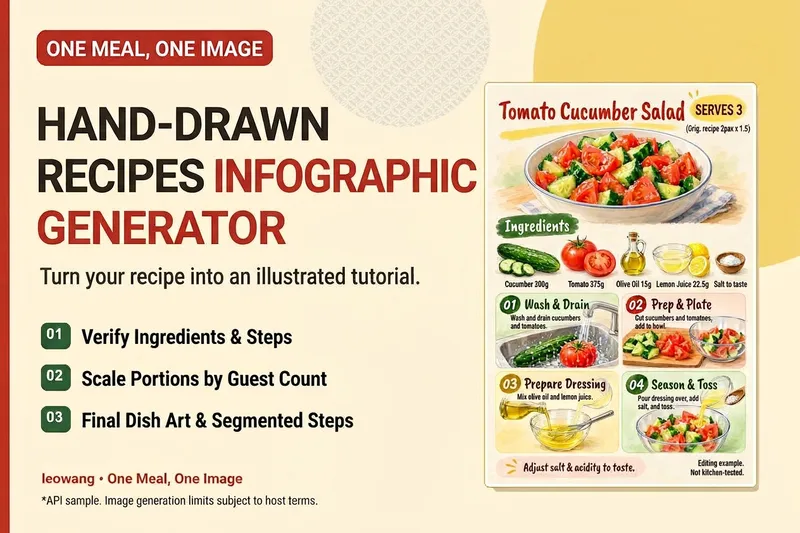
Turn your signature dish into a hand-drawn recipe that’s easy to follow and worth saving. One Meal, One Image organizes the ingredients and cooking steps, scales the quantities for the specified number of servings, and designs an illustration of the finished dish, a prep checklist, and step-by-step cards. It also checks whether any step suddenly introduces an ingredient that wasn’t listed, helping prevent recipe details from being lost in the visuals. Ideal for food content creators, organizing family recipes, and turning your own or authorized recipes into tutorial graphics. Warm paper watercolor is the default art style, but you can also specify your preferred colors and layout. When an image-generation tool is available, it generates and reviews the image. Without one, it delivers complete copy, layout, and prompts. Recipe scaling is not a substitute for kitchen testing; unclear parts of the original recipe are flagged for confirmation, and calories or success rates are never made up. Adaptation and product design: leowang. Based on a long-form image method licensed under the MIT License, with the necessary copyright notice retained.
 Research
Lazy Pocket Chef Pro
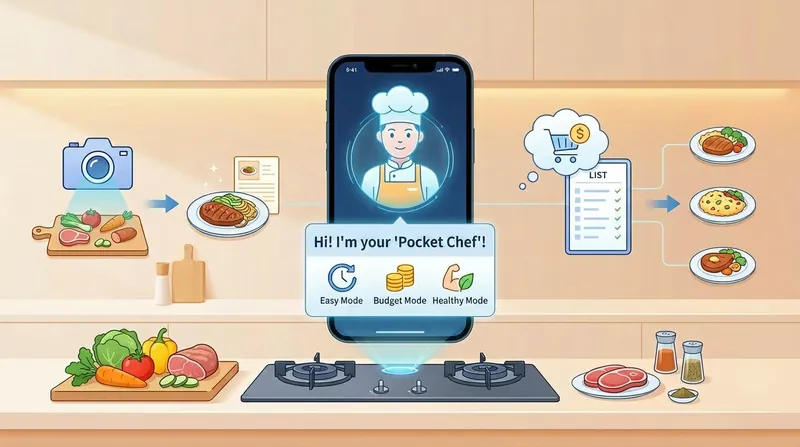
Lazy people and kitchen beginners can handle any cooking challenge! Three main modes: Lazy Mode – 30-minute quick dishes, Budget Mode – 30 yuan challenge for 3 dishes and 1 soup, Weight Loss Mode – low-calorie, high protein. * Personalized menu customization combining shopping, budget, prep, and cooking in one go. * Supports photo recognition to recommend recipes based on ingredients you have. * Automatically adapts to your cookware and offers substitutes for missing seasonings. * Time, difficulty, nutrition, and tips are all included! * Generates beautiful long-image recipes you can view on your phone while cooking.
Information
- Version
- v1
- Last updated
- Runtime credits
- Usage-based
- Models
- Auto
