SVG Flowchart
SVG Flowchart
Showcase
Description
Generate high-quality SVG flowcharts, supporting vertical flowcharts, horizontal flowcharts, flowcharts with decision branches, and multi-column grouped flowcharts. Outputs standard SVG files (requires YouMind support), which can be directly embedded in HTML reports, Word documents, etc.
Related Skills
View all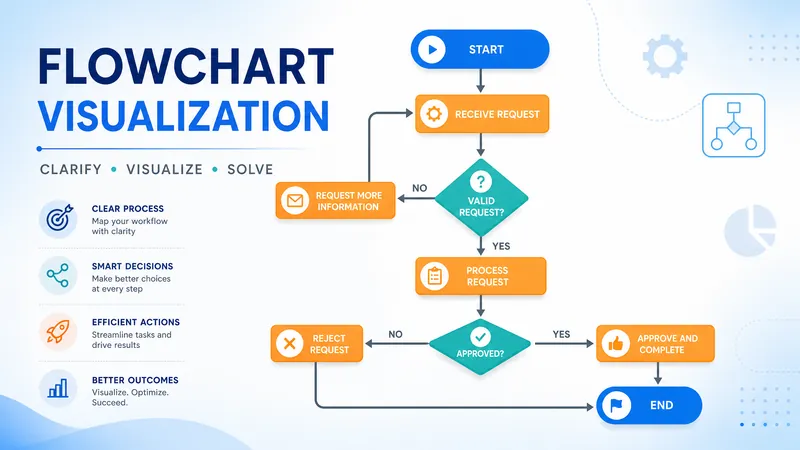
Flowchart Generator
【One-click professional flowchart generation】Describe the process logic and generate clear, beautiful flowcharts/technical roadmaps in 30 seconds. 🎯 Applicable scenarios: → Research technical roadmaps → Experimental operation procedures → Project execution steps → Algorithm logic flows → Decision branch diagrams ✨ Core features: • Based on Mermaid academic-grade rendering, supports complex branching logic • Supports top-to-bottom and left-to-right layouts • Auto-aligns nodes and smartly connects lines • Supports conditional judgments, parallel branches, and loop structures • Outputs clear vector graphics, ready to embed in papers or reports 📩 Feedback/Suggestions: 1329806797@qq.com One diagram clarifies complex processes, making technical roadmaps clear at a glance.
 Research
Multi-Source Mind Map 2.0
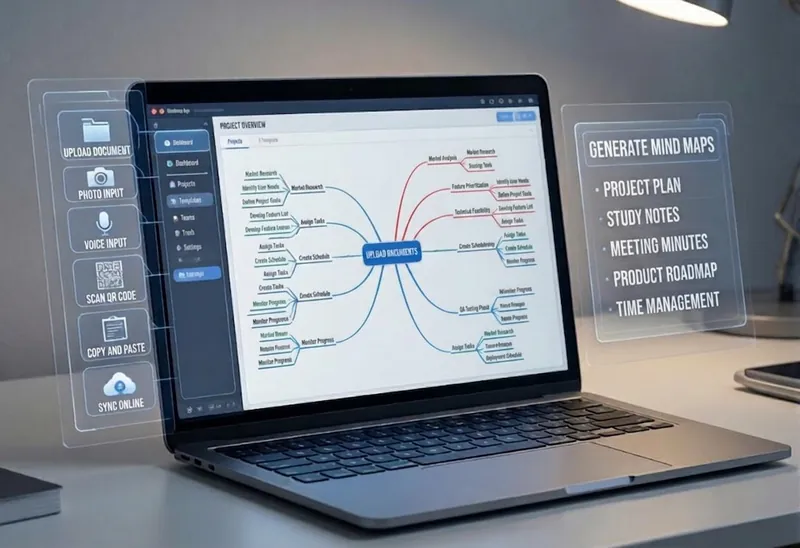
Turn complex documents, web pages, or long text into clearly structured visual mind maps with one click. Whether it's academic papers, course materials, or technical documents, this tool intelligently extracts core topics and multi-level knowledge points, helping you quickly clarify the logical structure. Through in-depth content analysis of the input source, it automatically identifies section structure and key details, generating a well-organized knowledge system. This tool supports generating mind maps in multiple styles, including professional educational tree diagrams (PlantUML format) and intuitive center-radial diagrams (Mermaid format). You can directly get SVG images viewable in a browser, along with the corresponding source code files. This means you can quickly preview the results and also import the source code into XMind, FreeMind, or a Markdown editor for further editing and in-depth processing. Simply upload a PDF, Word, or text file, or provide a web link, to transform a large amount of information into a visual knowledge map. It's ideal for study notes, structured paper reading, and brainstorming presentations, making knowledge organization and sharing more efficient and professional.
HR Flowchart Specialist
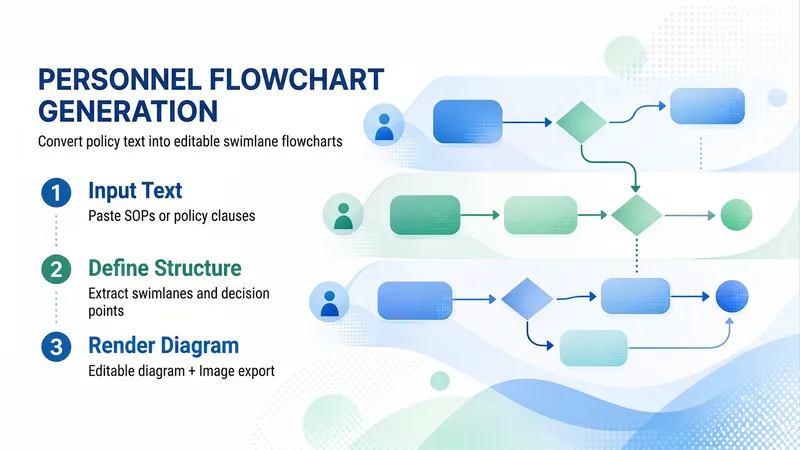
A dedicated flowchart skill for HR teams (v1.1). Paste SOP text or organization/role information—or upload a policy document—and the skill automatically determines the diagram type: HR process content produces a swimlane flowchart, while organization, headcount, and talent information produces an org chart. The process has four steps: ① Conversational needs assessment that identifies missing details and guides you to complete the process; ② Generation of a “structural specification (IR)” as the single blueprint for swimlanes, nodes, connectors, and visual mapping; ③ Compilation into an editable Excalidraw file that preserves element IDs, text containers, and arrow bindings, followed by PNG/SVG export. Before delivery, a “validation gate + render self-check” helps prevent text overflow, dangling arrows, and isolated nodes; ④ Incremental editing for changing text, moving, resizing, restyling, deleting, or adding elements—only the specified nodes are changed, leaving the rest of the diagram untouched. It includes a library of common HR process families and consistent visual guidelines, using Peking University red (#B31B1B) as the primary color. It solves the HR pain points of time-consuming manual diagramming and having to rework an entire diagram to change one node: diagrams are made for editing, images are made for sharing.
Information
- Version
- v1
- Last updated
- Runtime credits
- Usage-based
- Models
- Claude Sonnet 4.6
