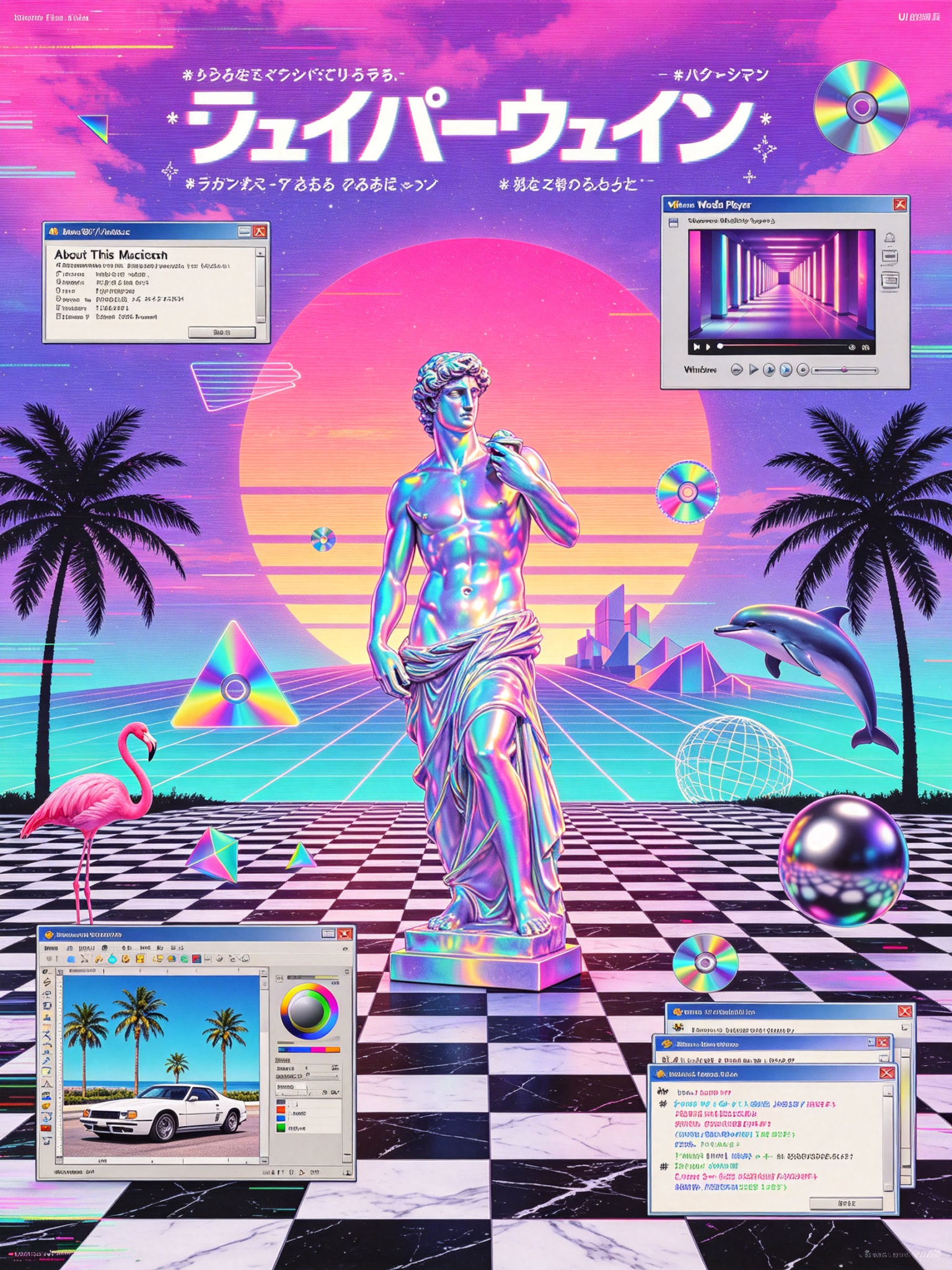
Vaporwave Poster Generator
Create vaporwave posters in any aspect ratio
Vaporwave Poster Generator
Create vaporwave posters in any aspect ratio
Showcase
Description
Turn a theme, copy, or specified elements into a vaporwave-style poster with a distinct mood and visual narrative. Whether the subject is capitalism, loneliness, nostalgia, technology, music, or a brand concept, the poster matches the theme with suitable textures, colors, composition, and vaporwave symbols to create a ready-to-use visual piece. You can specify the aspect ratio, dominant colors, material feel, composition, and required elements; anything left unspecified is filled in automatically based on the theme. The image can incorporate classical statues, palm trees, synthwave sunsets, checkerboard patterns, perspective grids, retro computer interfaces, CDs, glitch effects, holographic metal, and more. It can also feature VHS grain, RGB shifts, lo-fi blur, low-poly styling, or a clean digital look as needed. The result is a vaporwave-themed image in your chosen aspect ratio, along with a summary of the textures, colors, composition, and key elements used in the creation. It is suitable for album covers, themed posters, social media graphics, brand visual concepts, and art with a retro-futuristic feel.
Recommended by
Dancang
Why we love this skill
Turns abstract themes into cohesive vaporwave visuals with matched textures, colors, composition, and symbols. Supports custom aspect ratios, text, and special elements, with layered spatial descriptions and visual quality checks.
Related Skills
View all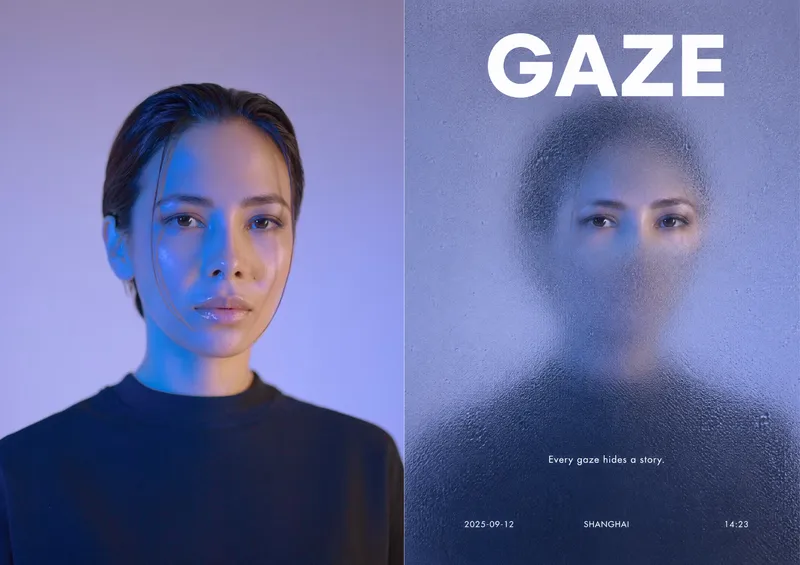 Image
ImageFrosted Glass Reveal
Turn portraits, objects, animals, plants, landscapes, or your written ideas into mysterious, editorial-style frosted glass reveal posters. The subject is covered by thick, low-transparency granular frosted glass, with only a small area of clear detail preserved around the most recognizable features—such as eyes, textures, logos, or flower centers—creating a striking “blurred–sharp” contrast while maintaining the subject’s natural proportions and contours. By default, the design uses organic soft windows without straight lines or hard frames, allowing the clear areas to fade naturally into the matte glass and avoiding harsh edges that would disrupt the overall texture. You can specify raindrop glass, acid-etched glass, or fogged glass, along with cool, warm, or dark color palettes. If you do not specify a palette, a restrained, cohesive low-saturation scheme will be selected based on the subject and mood. If you provide copy, it will be incorporated into the poster layout as requested. If you provide only an image or scene description, the design will combine the visual theme with a concise English title, a poetic short line, and a small amount of informational text to create an elevated magazine, portfolio, or social media cover design. Supports common poster ratios such as 3:4, 9:16, 1:1, and 16:9, making it suitable for portrait covers, brand visuals, art posters, phone wallpapers, and social media graphics.
 Image
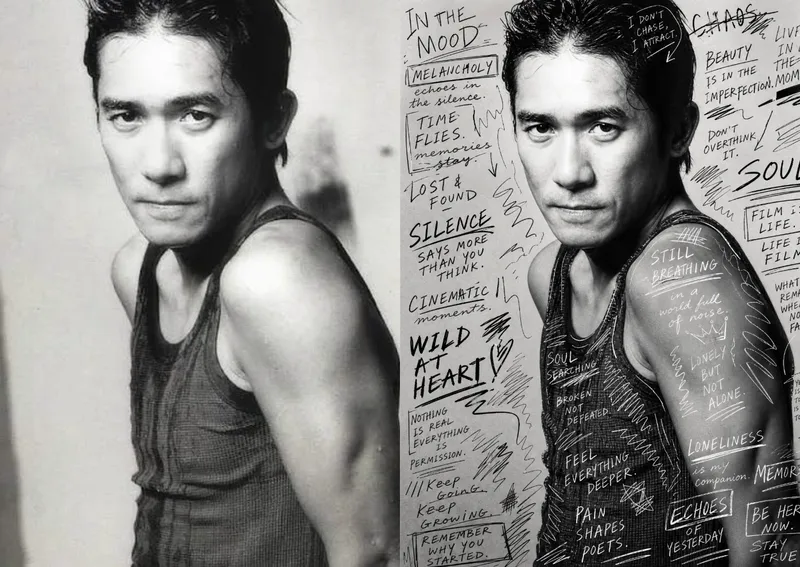
ImageHand-Drawn Photo Posters
Turn an ordinary photo into a vertical art poster with an authentic hand-drawn feel. Upload a photo and describe the lettering, doodles, or theme you want to add. You’ll get handwritten copy, free-flowing lines, and stylized icons drawn directly onto the original image, preserving the photo’s subject and atmosphere while adding a natural, spontaneous creative touch. Based on the photo’s composition, subject, and overall mood, it plans a suitable 3:4 portrait layout, balances the original image with areas of negative space, and designs hand-drawn elements and lettering styles to match each placement. The results emphasize authentic physical pen strokes: lines have natural curves and texture, avoiding printed fonts, computer-generated text effects, and a digital painting look. Handwritten content defaults to English but can be changed to Chinese as needed. Along with the finished image, you’ll receive a complete, reproducible image-generation prompt and a brief creative explanation—ideal for social media visuals, personal photo posters, travel keepsakes, and artistic photos with a handcrafted feel.
 Image
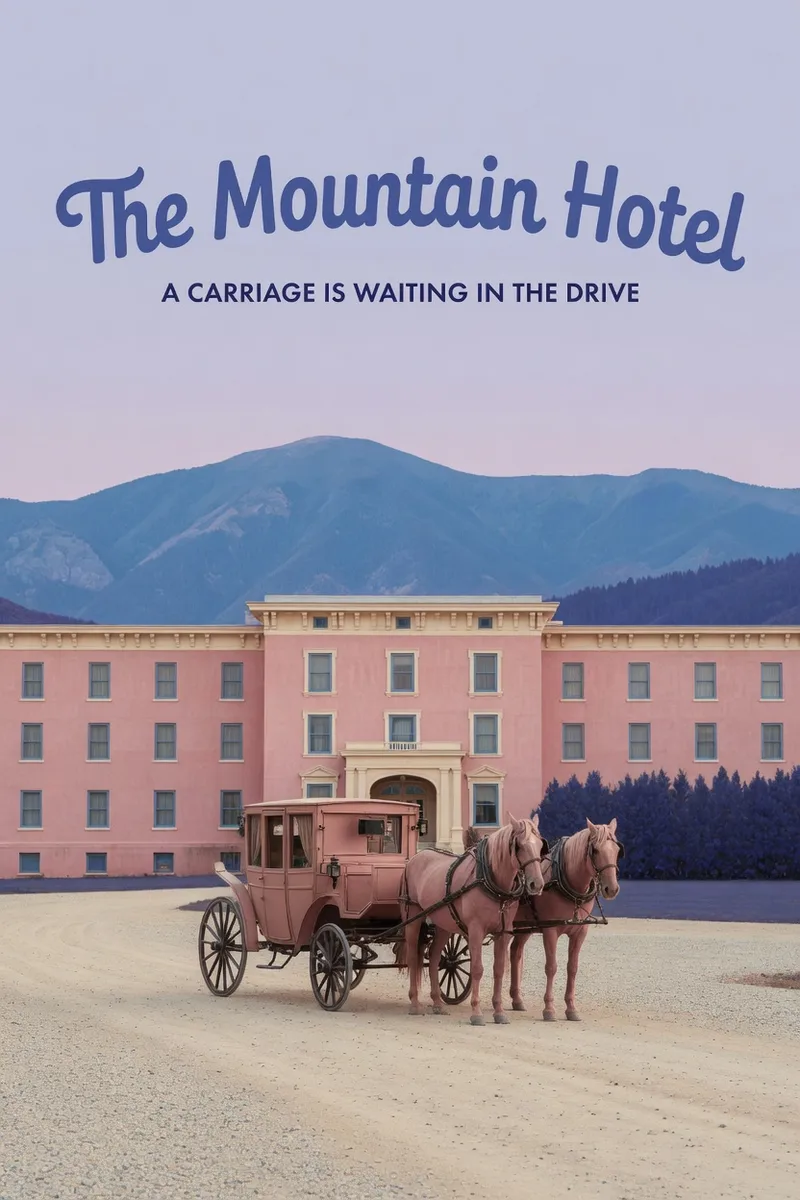
ImageWes Anderson–Style Poster
Turn a one-sentence theme or reference photo into a movie poster or scene with Wes Anderson–style order and theatrical atmosphere. People, animals, buildings, and props are arranged into clear little worlds through frontal or symmetrical framing, retro production design, carefully designed spatial relationships, and a restrained sense of anticipation, humor, or detachment. The style is expressed through the structure of the image—not just layered filters and retro adjectives. Posters default to a 2:3 portrait format with an English main title and subtitle. When you need a text-free film still or movie scene, the canvas can be adjusted to a suitable aspect ratio. Titles are treated as part of the overall composition, with attention to typography, reading flow, scale, rhythm, and negative space. The palette, film tones, lighting, and material textures work together in service of the theme while preserving important content from the photo, including people’s identities, key structures, the number of people, poses, and recognizable markings. You will receive the finished image and the actual image prompt used. If you only need a prompt, photo-editing suggestions, or a visual review, you can specify that directly. Suitable for creating retro movie posters, character scene portraits, architectural and prop displays, nature-themed images, and stylized work based on source images.
Information
- Version
- v4
- Last updated
- Runtime credits
- Usage-based
- Models
- Auto
