
AI Video Ad Scenario Architect
Turn 3 Creative Ad Concepts into a Production-Ready Script
AI Video Ad Scenario Architect
Turn 3 Creative Ad Concepts into a Production-Ready Script
Showcase
Description
From one product to three bold advertising directions. Great ads begin with a powerful idea—not a generic script. AI Video Ad Scenario Architect turns your product into a research-informed creative brief, three distinct ad concepts, and a production-ready video script. DISCOVER YOUR PRODUCT'S CREATIVE DNA Upload a product photo or provide a product/model name. The Skill identifies its visual identity, audience, strengths, and storytelling potential. For existing products, it checks reliable sources and separates verified features from creative assumptions. EXPLORE 3 DISTINCT AD CONCEPTS Discover three genuinely different approaches—not minor variations of the same idea. Compare their hooks, storytelling styles, emotional appeal, visual direction, and audience fit. Pick one, combine ideas, or introduce your own. CREATE TOGETHER, YOUR WAY Use Collaborative Mode to shape the concept with AI, refine the hook, adjust tone, and build a distinctive creative direction before approving the final scenario. FROM CONCEPT TO SCENE-BY-SCENE SCRIPT Receive a structured advertising script with scene timing, camera and visual direction, dialogue or voiceover, product visibility, sound design, a memorable payoff, and an optional call to action. PROTECT PRODUCT ACCURACY Product Identity Lock records recognizable details such as shape, color, logo placement, and distinctive features. Research notes help prevent unsupported product claims. ONE PDF. A COMPLETE CREATIVE HANDOFF. Your final PDF includes the approved scenario, verified sources where available, Product Identity Lock, production context, and a Universal AI Continuation Prompt—ready to guide image, video, voice, sound, and editing workflows with compatible AI tools. Optionally continue with AI Video Ad Production Workflow for a more advanced production pipeline. This Skill delivers a planning and scripting PDF, not a finished video. Research depth depends on available information and tools.
Recommended by
淡苍
Why we love this skill
Featured for turning product research into three genuinely distinct, claim-safe ad directions before developing a production-ready script. Its evidence lock, visual identity continuity, collaborative refinement, approval gate, and AI production handoff make it unusually rigorous from concept through execution.
Best for
Marketers, brand teams, and content creators who need distinct ad concepts and production-ready video scripts.
How to use this Skill
Provide your input
Provide a product photo or product/model name, plus any available campaign details such as audience, platform, duration, objective, tone, or brand constraints.
Run the Skill
The Skill researches or organizes product information, develops three distinct advertising directions, and refines your selected concept with accuracy checks.
Review your result
Receive a structured advertising brief and production-ready, scene-by-scene video script in a planning document or PDF. It does not create a finished video.
Related Skills
View all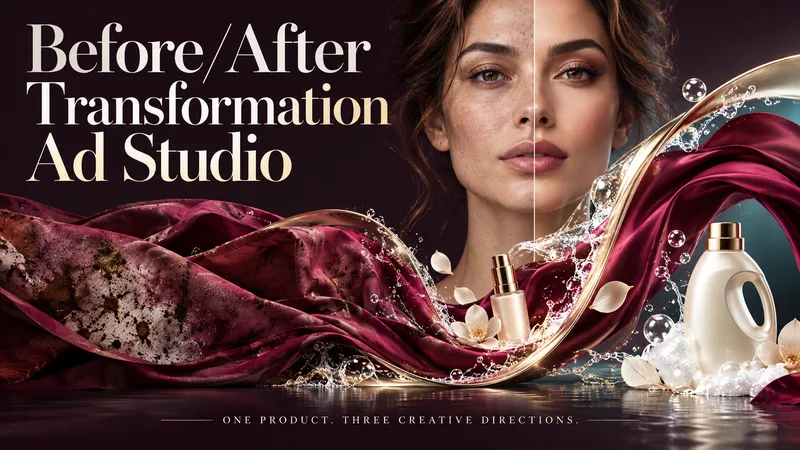 Image
ImageBefore/After Transformation Ad Studio
Make the transformation the hero. Turn a single product photo into bold before-and-after advertising visuals with expressive art direction, striking compositions, and a transformation that takes center stage. From cosmetics and personal care to cleaning and fitness, this skill explores your product’s uses and develops creative ways to visualize its relevant benefits. YOUR PRODUCT. YOUR CREATIVE DIRECTION. Start with a photo. The skill researches the product, then helps you choose the scene, materials, visual elements, format, and text style. Prefer a surprise? Let AI take the creative lead. THREE CONCEPTS. THREE DISTINCT VISUAL IDEAS. Explore three tailored concepts with complete image-generation prompts. Think flowing fabric reveals, sculptural environments, dramatic close-ups, glass transitions, or an unexpected world built around your product. Each concept offers a different visual story. BEFORE & AFTER, FRONT AND CENTER. Large, clearly readable transformation scenes lead the composition. Product placement, atmosphere, and typography work together to make the change stand out—even on a phone screen. YOU APPROVE. THEN IT CREATES. Review the prompts, request adjustments, and select one concept or all three. Image generation begins only after your approval, using the capabilities available in your workspace. BUILT AROUND YOUR PREFERENCES. Choose square, portrait, landscape, or custom dimensions. Add a bold headline, keep the copy minimal, or let the visuals speak. The workflow adapts to your language, while production prompts are written in English by default. Upload your product. Shape the scene. Bring the transformation into focus.
 Image
ImageAI Product Photo Studio
Turn your product photos into premium, advertising-ready visual concepts with professional creative direction. Upload a product image alone or combine it with people, environments, mood references, composition examples, or your own creative idea. The skill analyzes each reference by role, protects the product’s identity, branding, labels, visible text, colors, proportions, and packaging details, then guides you through a short adaptive creative brief. Choose from photorealistic, premium studio, lifestyle, editorial, still life, minimal, luxury, surreal, UGC-style, cinematic, and other visual directions — with or without people. You receive 5 genuinely different creative concepts and 5 detailed English production prompts designed for high-end image generation. Every concept prioritizes natural product integration, realistic lighting, coherent shadows and reflections, accurate materials, believable scale and perspective, and strong commercial composition. Human scenes are directed toward natural anatomy, realistic hands, authentic interaction, and detailed skin texture without artificial plastic or waxy results. Optional image generation, variations, revisions, and quality-control workflows help you refine selected concepts into polished product visuals for social media, e-commerce, marketplaces, websites, campaigns, and brand content.
 Image
ImageA/B Product Creative Variant Studio
One product. Multiple creative possibilities. Turn your product photo into 3–5 distinctive advertising visuals with A/B Creative Variant Studio. Explore imaginative settings, elegant compositions, and expressive slogan typography—all built around your product. CREATIVE WORLDS, BUILT FOR YOUR PRODUCT Explore 13 style families, from luxury editorial and cinematic lighting to botanical scenes, surreal environments, bold graphics, and futuristic design. Each concept brings together materials, light, depth, and space for a cohesive visual story. SLOGANS THAT BECOME PART OF THE DESIGN Shape your message with striking scale, intentional line breaks, refined lettering, and scene-integrated typography. Choose a slogan-only layout, a complete ad composition, or a text-free visual. TWO WAYS TO EXPLORE • Concept Exploration: discover different combinations of style, composition, and messaging. • Controlled Variants: focus on one selected creative variable while keeping the other agreed elements consistent, where the available tools support it. A GUIDED PROCESS Upload your product → define your goal → choose visual directions → refine slogans → approve the variant plan → generate your images. You review the concepts before production begins. The workflow checks product appearance, text accuracy, readability, and composition, with targeted corrections where needed. WHAT YOU RECEIVE 3–5 separate ad images, clear concept labels, and a concise comparison of what changes across the set. Refine a favorite or use it to explore a new direction. Conversations follow your language. Advertising copy can use a different language of your choice. Image production requires available generation tools. This skill prepares creative candidates; it does not run live A/B tests or guarantee advertising performance.
Information
- Version
- v4
- Last updated
- Runtime credits
- Usage-based
- Models
- Auto
- Use cases
- Writing & contentVideo & audioMarketing & growth
- What you get
- DocumentScriptBrief
