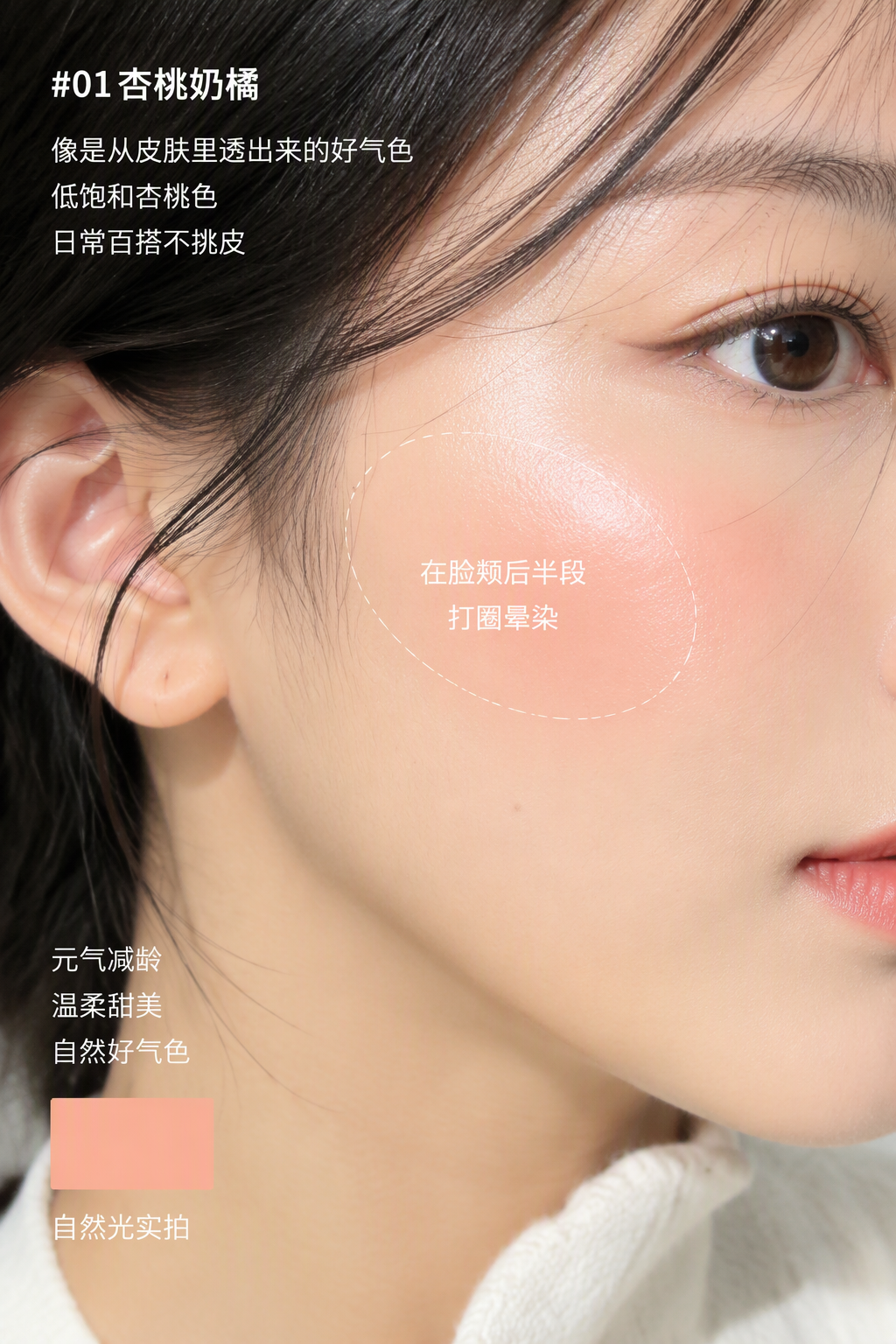
RED Makeup Try-On Generator
Generate realistic makeup try-on visuals and viral posts
RED Makeup Try-On Generator
Generate realistic makeup try-on visuals and viral posts
Showcase
Description
An all-in-one assistant designed for Xiaohongshu beauty bloggers and cosmetic e-commerce brands. Simply upload a single makeup product image, and the Skill automatically analyzes its category, tone, and texture to generate ultra-HD, realistic Xiaohongshu-style human makeup swatch photos (supporting lip, eye, or full-face close-ups), while simultaneously outputting viral recommendation copy and trending hashtags tailored to Xiaohongshu's hit content logic.
Best for
Ideal for beauty bloggers, new product swatch creators, and brands needing makeup marketing materials.
How to use this Skill
Provide your input
Upload a makeup product image, such as lipstick, eyeshadow, blush, or foundation.
Run the Skill
The assistant identifies the product type, shade, and texture, then creates realistic makeup try-on visuals and Xiaohongshu content.
Review your result
Receive a high-quality realistic makeup swatch image along with a promotional post including a title, body, and popular tags.
Related Skills
View all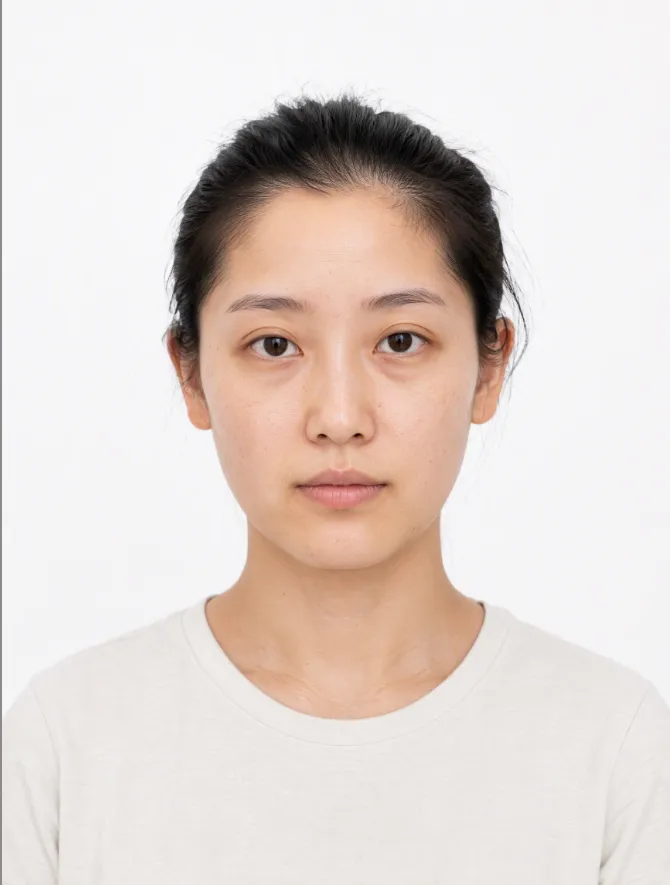
AI Makeup Try-On
# AI Makeup Try-On | AI Makeup Designer Upload a front-facing photo, and AI will analyze your skin undertone, eye shape, and lip shape. It will select the three most suitable looks from current makeup trends, generate try-on previews, and give you an application card you can follow step by step. ## What you’ll get - **Facial analysis**: Explains what suits you without judging your attractiveness or commenting on your skin - **3 makeup recommendations**: One light, one medium, and one bold look, with an explanation of why each suits you - **Makeup try-on preview**: Changes only the makeup while keeping your facial features, hairstyle, and background unchanged; after generation, it automatically compares the result with the original and redraws it once if there are discrepancies - **Application card**: Clearly explains the base, brows, eyes, blush, contour, and lips, including color, texture, placement, difficulty, time, and a product list ## When to use it Before a date, interview, wedding, or photo shoot, when you want to see which makeup look suits you before deciding how to apply it. ## Usage tips - Clear, front-facing photos with even lighting and no obstructions work best - You can include an occasion or style, such as a date, interview, wedding guest makeup, Korean-inspired, or Western-inspired looks - For adults only. Upload your own photo or one you have permission to use - The preview is an AI-generated visualization; actual results may vary with lighting, skin texture, and application technique - Each try-on uses about 100–200 credits (one generated preview; automatic correction generates one additional preview)
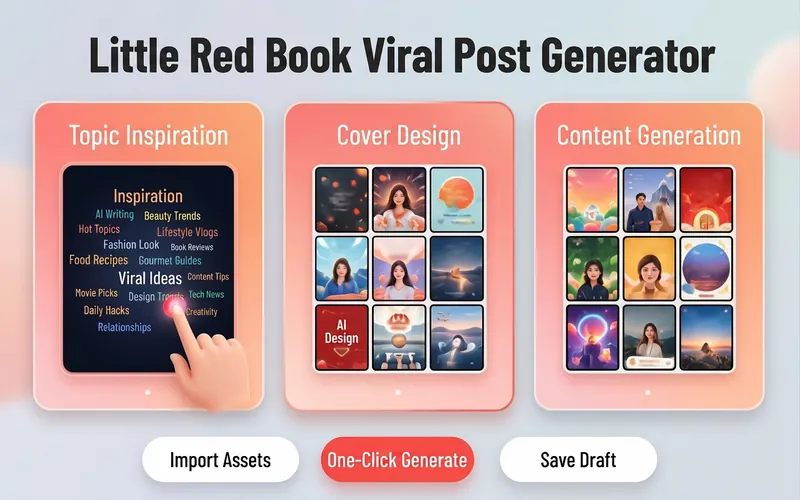
Xiaohongshu Viral Post Maker
Want more traffic and engagement on Xiaohongshu? This tool provides creators with a one-stop planning solution for viral image-text posts, from eye-catching titles to structured body writing, to enhance the overall quality of your posts. Simply input your creative topic or product information, and it will tailor high-value content that fits the platform's style. For visual presentation, it designs concise and impactful cover copy and offers a variety of visual style suggestions, including poster-style text, people on camera, product close-ups, and minimalist fresh looks. Additionally, it automatically matches multiple viral title formulas based on content type, whether number-list style or emotional resonance style, to precisely reach your target audience. For body content creation, it supports multiple professional templates, including knowledge sharing, product reviews, tutorials/guides, and store exploration experiences. Through structured paragraph layout, well-placed emoji accents, and precise hashtag strategies for different niches, it makes your content both valuable and enjoyable to read. Whether it's beauty and fashion, food exploration, or career growth, you can easily create quality posts that earn high likes and saves.
 Image
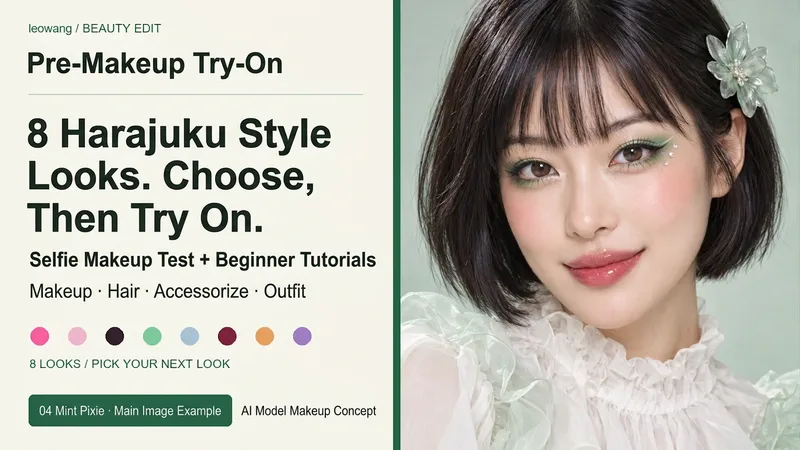
ImageHarajuku Style & Selfie Makeup
Want to try bold and exquisite Harajuku styles? Pick your favorite look first. Includes 8 pre-designed complete sets: Rainbow Candy, Cherry Pink Bow, Black & Pink Sweet Cool, Mint Sprite, Silver Blue Future, Red & Black Lace, Tangerine Retro, and Purple Butterfly Fantasy. Each set features unique eye makeup shapes, blush, and lip colors, along with hair, accessory, and outfit suggestions. Supports adjusting between 6 to 10 sets, choosing by number, mixing and matching freely, or uploading your own reference image. After selecting, use your selfie for a single makeup preview, or explicitly choose to design the makeup, hair, and outfit together. Keeps your facial features intact with default natural light retouching, and breaks down the chosen look into zoned application methods, tool amounts, steps, and troubleshooting tips for beginners. Text plans are not equal to rendering outputs. Selection catalogs and personal try-ons are separate, and image generation relies on actual YouMind tools and quotas. AI previews may differ from actual colors and techniques. Installation does not include image generation quotas. Workflow and product design: leowang.
Information
- Version
- v2
- Last updated
- Runtime credits
- Usage-based
- Models
- Auto
- Use cases
- Images & designMarketing & growthE-commerce & sales
- What you get
- ImageSocial post
- Visual styles
- Photorealistic
