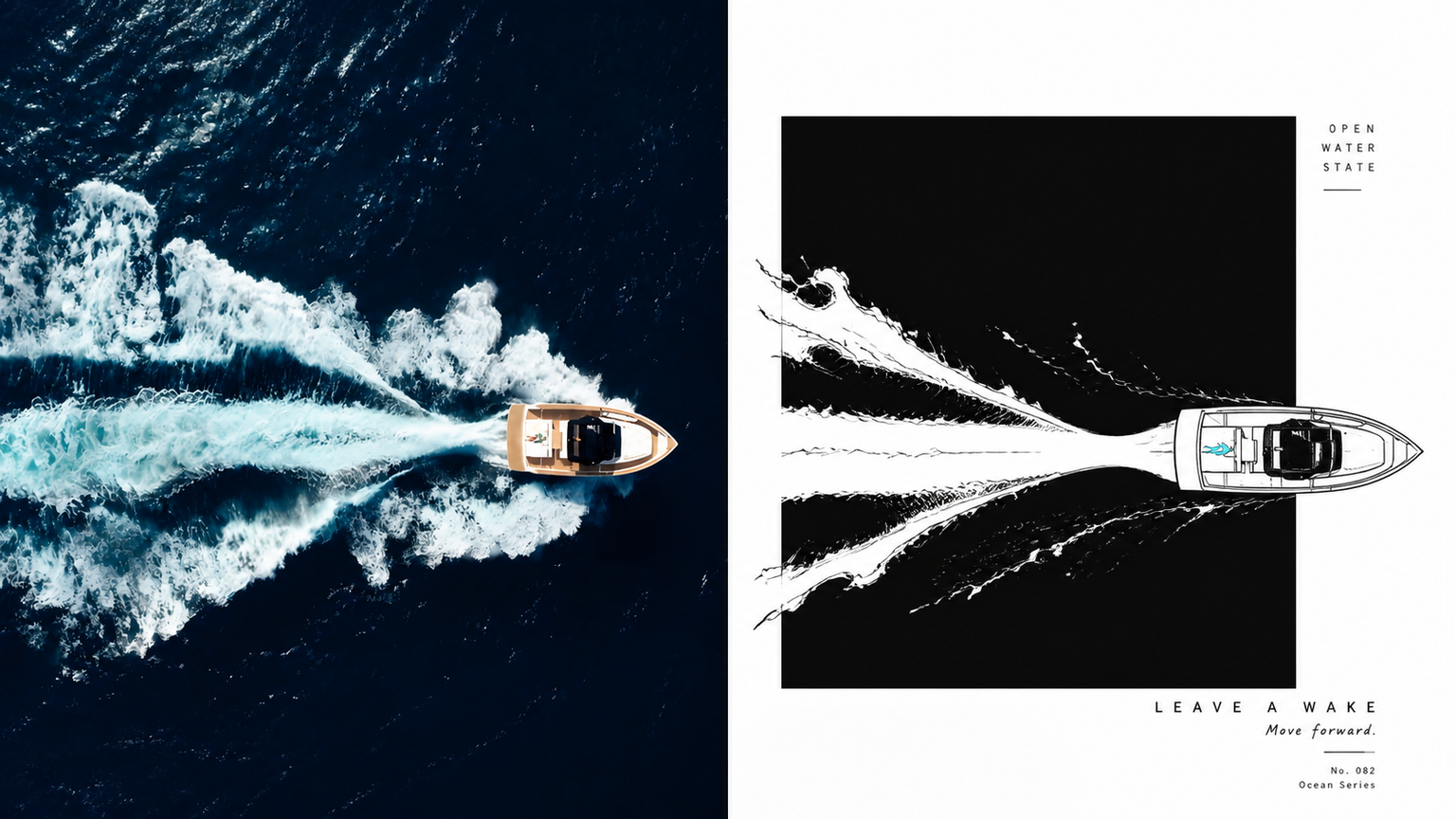
xiaoxiaodong × P022 Grid
Created by xiaoxiaodong
xiaoxiaodong × P022 Grid
Created by xiaoxiaodong
Showcase
Description
Create XXD Panel 022 grid artwork from a single image or a batch in an image folder, using the bundled original style brief as the sole aesthetic reference. Supports one or more top/bottom, left/right, design-only, and four-device wallpaper outputs; multiple aspect ratios or exact dimensions; prompt-generated, user-specified, or text-free typography; and inline parameters. Use when the user invokes xxd-panel-022 or requests the exact Panel 022 style.
Recommended by
Shuting@YouMind
Why we love this skill
Uses the original creative brief as the sole aesthetic authority, with multiple output formats and independent generation and review for consistent, usable PNGs.
Best for
For creators who want to turn photos into posters, designs, or multi-device wallpapers with a consistent visual style.
How to use this Skill
Provide your input
Provide one image or an image folder, and specify the output layout, dimensions, text language, or whether text is needed.
Run the Skill
Transform the source image into the selected composition or device wallpaper using the specified XXD Panel 022 style.
Review your result
Return one or more finished PNGs, generated separately according to the selected dimensions and layout.
Related Skills
View all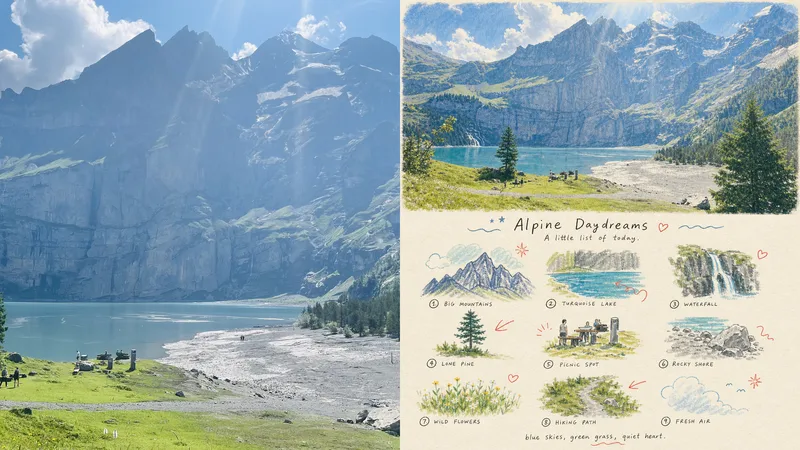 Image
Imagexiaoxiaodong P101 | Memory Grid
Panel 101 is for people who want to preserve the mood, objects, and small details in a photo without creating an ordinary realistic reproduction. It distills the same scene into nine memory units arranged in a loose nine-grid layout, using childlike hand-drawn doodles, crayon, and colored-pencil textures to create a personal visual memory book page. Suitable for these situations A photo contains too many details worth remembering: Organize the subject, actions, personal objects, and emotional symbols into nine related memory units. A standard photo reproduction feels impersonal: Use slightly wobbly hand-drawn lines, crayon, and colored-pencil textures to make the image feel like a page from a real personal journal. The grid tends to look too orderly or too cluttered: Use an underlying 3×3 structure to control the layout while allowing icons to shift slightly, preserving a relaxed sense of space and rhythm. Flexible delivery is needed: Supports vertical, horizontal, design-only, multiple aspect ratios, and four-sided wallpapers, as well as batch processing for image directories. Quick start Send an image to the Agent and say: Use XXD Panel 101 to process this image. First recommend the most suitable composition and dimensions.
 Image
ImageXiaodong x Screenprint x P086
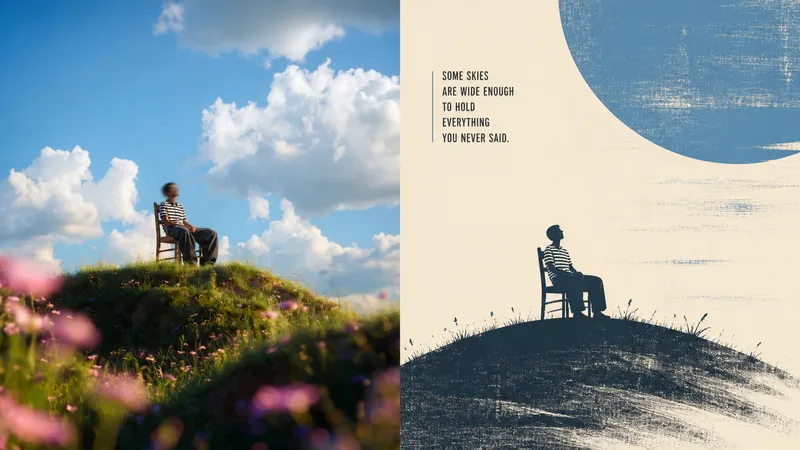
Panel 086 keeps only the 3–5 visual details that make an image work. It reshapes the subject with silhouettes, geometric forms, and simple color blocks, then uses 2–4 spot colors drawn from the photo, dry-brush, brayer texture, dragged ink, broken ink, and uneven coverage to create a medieval modernist screen print. The composition always seeks one clear focal point, one dominant direction, and one meaningful area of negative space. Best for Wanting more visual order from a photo: Keep only 3–5 key visual details, using silhouettes, geometric forms, and color blocks to establish a clear focal point. Wanting an authentic printmaking feel: Let dry-brush, rolled ink, dragged ink, broken ink, and uneven coverage become part of the visual language. Wanting vivid but restrained color: Compress the most energetic relationships in the original image into 2–4 spot colors, allowing the paper and negative space to actively shape the composition. Needing flexible deliverables: Supports portrait, landscape, design-only, multiple aspect ratios, and four-edge wallpapers, and can also process image directories in batches.
 Image
Imagexiaoxiaodong P106: Soft Pixel
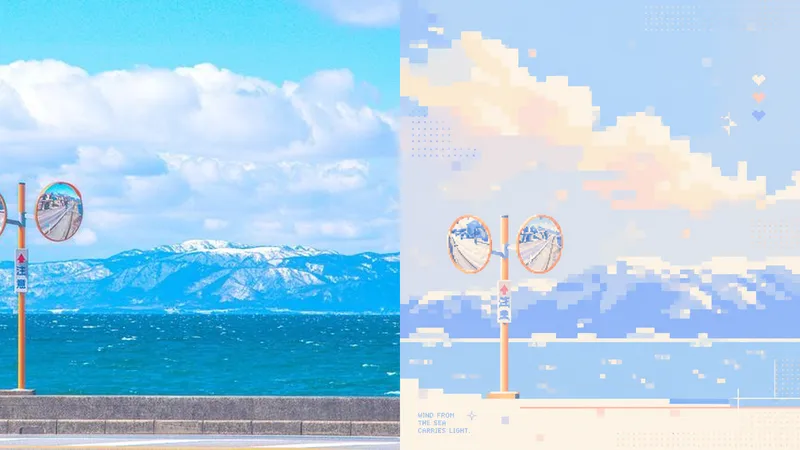
Photos often contain too many details, yet what stays memorable may be just a silhouette, a gesture, a sense of distance, or a patch of color. Panel 106 selects 2–4 visual anchors that define the subject’s identity from the original image, then reconstructs them as a soft, clear pixel memory with geometric order: from a distance, it looks like a refined abstract composition; up close, you can still tell that it is your photo. Works well when Your photo is complex, but you don’t want to lose its identity: Remove secondary objects and trivial structures, keeping only the silhouettes, poses, directions, and color relationships that truly define the image. You want an abstract poster without turning it into unrecognizable decoration: Use a regular grid, hard-edged color blocks, localized dithering, and positive and negative space to let the subject gradually emerge from the abstract order. You like a fresh, soothing look but dislike a cheap candy-like feel: Recompose a soft, bright limited palette from the original image, using colors such as creamy white, peach pink, milky blue, and mint green for a sweet but balanced result. You need flexible delivery in a consistent style: Supports top-and-bottom comparisons, side-by-side comparisons, pure designs, multiple aspect ratios, four-device wallpapers, and batch processing of image folders. What it solves for you It does not simply shrink the photo, apply a filter, or pixelate each object individually. Instead, it reorganizes the visual memory directly from the original image in a single pass. The 2–4 anchors work together to form one single-focus image, rather than being split into cards, grids, or a collage wall. Comparison mode always has exactly two 50:50 areas: top-and-bottom places the original image on top and the design below; side-by-side places the original on the left and the design on the right, with no extra third strip. Get started quickly Use XXD Panel 106 to process this image for me, starting by recommending the most suitable composition and size.
Information
- Version
- v4
- Last updated
- Runtime credits
- Usage-based
- Models
- Auto
- Use cases
- Images & design
- What you get
- Image
