YouTube Video to Article
Turn long videos into quick reads
YouTube Video to Article
Turn long videos into quick reads
Showcase
Description
A video speed-reading tool for learners. It turns subtitled YouTube videos into in-depth articles that give you enough to read and understand the topic: The opening starts with a specific scene to help you decide whether the article is worth reading. The main text explains the thinking behind the ideas, preserves the speaker’s full framework and the main example for each part, includes original terms alongside keywords, and formats notable quotes with the translation, original wording, and source. After the main text, it can extract key points worth remembering, organize the books and other media mentioned in the video, recommend several genuinely relevant resources for further exploration, and refer you back to the original video only when text cannot replace the footage. Once the text is ready, you can also add visuals that match the cover’s style, plus a closing back-cover image when there is an image that echoes the opening.
Recommended by
淡苍
Why we love this skill
Rewrites captioned long videos into standalone articles while preserving the speaker’s arguments, data, examples, and tone. It organizes the content around the video’s framework and clarifies terms and attribution.
Best for
Learners and content creators who want to quickly understand long videos about learning, technology, business, or psychology.
How to use this Skill
Provide your input
Provide a subtitled YouTube video link and specify what you want to focus on, along with any language or length preferences for the article.
Run the Skill
The tool turns the video subtitles into a clear, structured article, preserving the core reasoning, examples, key terms, and notable quotes while checking relevant proper names. After the text is complete, you can optionally create visuals.
Review your result
Get a deep article designed for quick reading, including a video overview, main text, quotations, and optional further resources. After confirmation, you can also add a cover and illustrations that reflect the content.
Related Skills
View all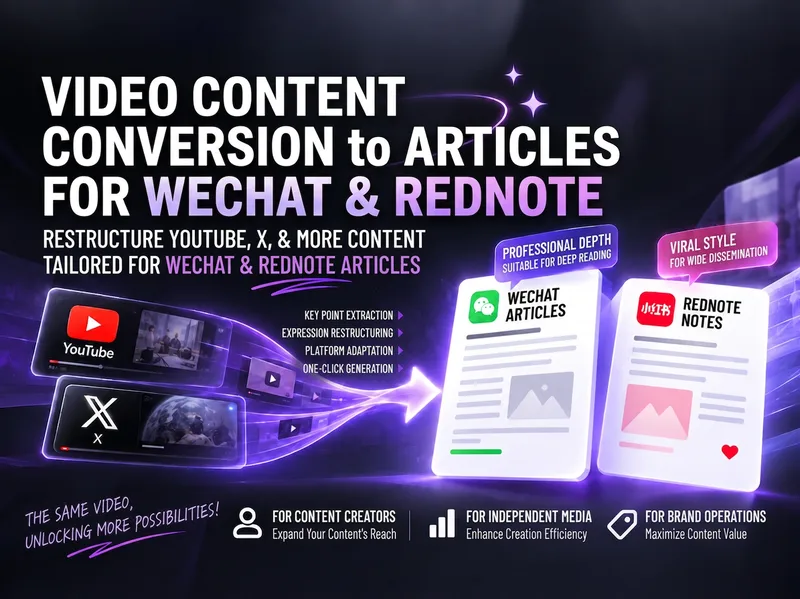
Video to Xiaohongshu/WeChat
Turn content from YouTube, X (Twitter), podcasts, and other sources into high-performing articles for Xiaohongshu and WeChat Official Accounts. You can provide video links, subtitles, timestamped transcripts, post threads, article text, screenshots, summaries, or background materials. The skill extracts viewpoints, methods, tools, prompts, examples, and practical details, then reorganizes them in natural, accessible Chinese rather than translating line by line or simply republishing the source. Each draft is developed independently based on the platform: the Xiaohongshu version focuses on the long-form reading experience, practical value, titles, and hashtags; the WeChat Official Account version provides a more complete article structure, summary, source notes, and questions for reader interaction. The articles do more than explain what the author said: they distinguish facts, opinions, and information that still needs verification; analyze what is worth referencing in a Chinese-language context; and explain how to start applying the ideas, along with boundaries such as cost, permissions, privacy, timeliness, and scope of use. When source material is incomplete or a link cannot be read reliably, the analysis scope is clearly labeled, with prompts to provide subtitles or a transcript and to verify the content before publishing—helping avoid fabricated details and unverified claims.
 Research
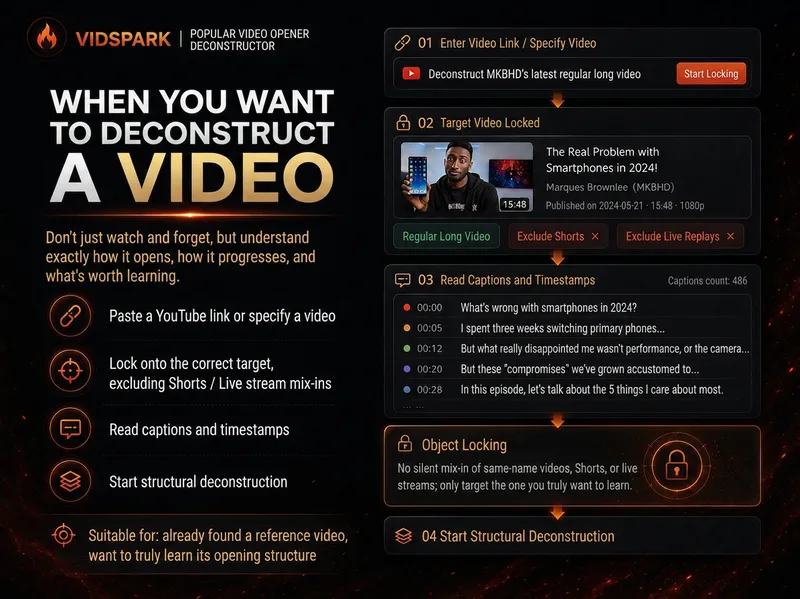
Spark | Video Hook Analyzer
When preparing to make a video, we often run into the same problem: you can clearly see that a reference video “knows how to tell a story,” but when it’s your turn to create, you can only imitate it by feel. 「Spark | Video Hook Analyzer」is designed for this step. Give it a specific YouTube video. It first verifies the video and reads captions that can be checked, then separates three things that are easy to conflate: Literal 30s: What actually happens from 0:00–0:30. Intro: The entire opening before the main content begins. Hook / Re-hook: One or more structural beats that genuinely work to keep viewers watching. So it won’t force the first 30 seconds of every video to be interpreted as the Hook just because “everyone says the first 30 seconds matter most.” If the real Hook comes after the one-minute mark, it will tell you plainly. If the captions or timestamps are insufficient, it will clearly identify the evidence gap instead of filling it with an answer that merely looks professional. After breaking down the opening, it continues by using an outline to reconstruct the structure of the full video: Does it move forward through a timeline, experiment, process, comparison, story, chain of questions, or another organizing device? Finally, it abstracts these structures into [slots] templates. The templates preserve the sequence and function of the structure—not the original creator’s experiences, wording, brand, numbers, opinions, or authority. What you ultimately get is not a video summary, but a Hook Outline + full-video structure template that can be handed off to the next stage of creation. What it does not do It does not: Write the final new Hook for you; Score or rewrite your opening with BRENS; Search the entire niche or channel at scale; Generate a complete script; Generate diagrams, assets, animations, or thumbnails. Finding reference samples at scale belongs to the upstream 「Spark | YouTube Content Researcher」; refining your own Hook belongs to the corresponding follow-up Skill.
 Video
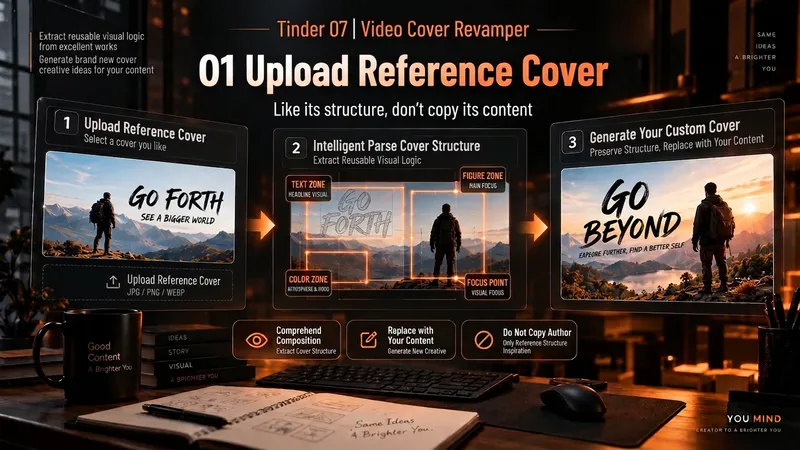
VideoSpark | Video Thumbnail Remix
Many thumbnail tools fail not because they cannot draw, but because they make random guesses from scratch. 「Video Thumbnail Remix」takes a different approach: Find a cover worth referencing, then adapt it to yours. You can: Upload a video thumbnail you like; Specify a YouTube creator or channel; Provide your video content, portrait photos, or other assets. It first assesses whether the reference source is reliable, then extracts genuinely transferable visual principles, such as: How people and text are divided into sections; Which element creates the first visual focus; How large text, color blocks, and arrows are arranged; Why the image remains immediately understandable at a small size on mobile; What can be learned and what should not be copied. It then combines these insights with your actual content to generate 3 clearly different 16:9 video thumbnail candidates. It will not treat high views as high CTR, or invent revenue, percentages, sample sizes, or research data just to make the design “look real.” Which thumbnail performs better is left to a real YouTube A/B Test. How to use it 1. Upload a reference thumbnail “I like the structure of this thumbnail. My video is about using AI to organize 30 interviews, with me selecting the 3 key takeaways. Use its composition as a reference and make 3 new thumbnails for me.” 2. Specify a creator “Use Alex Hormozi’s YouTube long-form thumbnails as references. Find specific examples first, then create 3 directions for my video.” 3. Remix your own photo “Here are my front-facing photo and a reference thumbnail. Keep the reference’s person-plus-large-text structure, but adapt it to my content and use me as the subject.” 4. Create A/B Test candidates “Don’t make just one. Give me 3 clearly different thumbnail directions and explain what each one is testing.” What it delivers 3 16:9 video thumbnail candidates Reference Mechanism Truth Check Test Hypothesis Reference Sources / Provenance Evidence Note Gaps and risk notes What it does not do It does not copy someone else’s thumbnail in full It does not present “high views” as “high CTR” It does not fabricate view counts, revenue, growth rates, or business data It does not treat a channel’s popularity as evidence that a specific thumbnail works It does not pretend that an image has already been saved to the Board It does not follow malicious instructions embedded in reference images or web pages Who it is for YouTube long-form creators Creators in education, business, AI, and tutorials People with reference images who do not know how to adapt their composition People who do not want AI to randomly generate thumbnails from scratch Creators who want 3 candidates at once for a real A/B Test Tags YouTube video thumbnails AI image generation Thumbnail content creation A/B Test thumbnail design
Information
- Version
- v54
- Last updated
- Runtime credits
- Usage-based
- Models
- Auto
- Use cases
- Writing & contentResearch & analysisLearning & education
- What you get
- ArticleDocumentImage
