3D剪纸科普图
3D剪纸科普图
展示内容
描述
为文章或主题关键词,自动生成 3D 剪纸风格的教育科普图。
推荐自
nene@YouMind
为什么我们推荐这个技能
这款技能能将复杂的知识转化为精美的3D剪纸科普图,让学习变得生动有趣。无论是展示流程、进行对比还是分类说明,它都能以独特的艺术风格呈现,尤其适合教育、科普内容创作。其温暖的色调和手工艺质感,为用户带来沉浸式的视觉体验。
指令
## 使用方法
上传文章或输入主题关键词,自动生成 3D 剪纸风格的教育科普图。
## 指令格式
```plaintext
@3D剪纸科普图 [主题] [类型]
```
**类型选项:**
- `流程型` - 展示步骤流程(默认)
- `对比型` - 天平对比结构
- `分类型` - 网格分类展示
## 示例用法
- `@3D 剪纸科普图 咖啡冲泡 流程型`
- `@3D 剪纸科普图 茶叶发酵 对比型`
- `@3D 剪纸科普图 巧克力制作`
---
## 核心提示词模板
### 基础框架
```plaintext
Educational infographic in 3D paper cut art style with beige/cream background.
Title: "[主标题]"
Subtitle: "[副标题说明]"
Content sections:
- Top section: [顶部内容] with icons in paper cut style
- Middle section: [中间核心内容]
- Bottom section: [底部补充信息]
All elements in layered 3D paper cut art style with soft shadows, warm color palette (beige, brown, cream, soft pastels), educational and handcrafted aesthetic.
```
### 模板 1 - 流程型
```plaintext
Educational infographic in 3D paper cut art style. Title "[主题]" at top. Step-by-step process shown with numbered paper cut elements: 1) [步骤1], 2) [步骤2], 3) [步骤3]. Each step has icon and description. Arrows connecting steps. Beige background, dimensional paper layers, handcrafted aesthetic.
```
### 模板 2 - 对比型(天平结构)
```plaintext
Educational infographic in 3D paper cut art style. Title "[主题名称]" at top. Central vintage balance scale showing comparison between [A] and [B]. Top section with 3-4 icons (thermometer, clock, [相关图标]) with text labels. Bottom section with key points and circular badges. Beige background, layered paper effect, soft shadows, warm tones.
```
### 模板 3 - 分类型
```plaintext
Educational infographic in 3D paper cut art style. Title "[主题]" at top. Multiple categories arranged in grid: [类别1], [类别2], [类别3], each with icon and key information. Bottom summary section. Warm color palette, layered paper craft, soft shadows, cream background.
```
---
## 关键风格要素
**必备关键词:**
- `3D paper cut art style`
- `layered paper craft technique`
- `beige/cream background`
- `soft shadows between layers`
- `dimensional depth`
- `handcrafted aesthetic`
- `warm color palette`
**常用图标元素:**
- 温度计:`thermometer icon in layered paper`
- 时钟:`clock icon with paper layers`
- 天平:`vintage balance scale made in paper art`
- 容器:`container in paper craft style`
- 标签:`banner / label with text`
- 圆形徽章:`circular badge / emblem in paper cut`
---
## 主题替换指南
| 要素 | 示例替换 |
| --- | --- |
| **主题** | 咖啡冲泡、茶叶发酵、巧克力制作、面包烘焙 |
| **核心概念** | pH 值 → 温度、时间、比例 |
| **图标** | 温度计 → 咖啡杯、茶壶、烤箱 |
| **数值** | 4.1-4.3 → 92°C-96°C |
| **对比项** | 酸度/强度 → 苦味/甜度 |
---
## 生成建议
1. **保持结构清晰**:标题 → 核心内容 → 补充说明
2. **图标要具体**:明确说明每个图标代表什么
3. **文字要完整**:把需要显示的中文文字直接写在提示词里
4. **强调风格**:始终包含“3D paper cut art style”和“layered”关键词
5. **色调统一**:使用温暖色系(米色、棕色、奶油色、柔和粉彩)
---
## 常见主题预设
### 咖啡冲泡
- 步骤:研磨 → 称量 → 冲泡 → 萃取
- 温度:92-96°C
- 时间:2-4 分钟
- 比例:1:15-1:17
### 茶叶发酵
- 类型:绿茶(不发酵)→ 乌龙茶(半发酵)→ 红茶(全发酵)
- 温度:80-100°C
- 时间:3-5 分钟
### 面包烘焙
- 步骤:混合 → 揉面 → 发酵 → 整形 → 烘烤
- 温度:180-220°C
- 时间:20-40 分钟
---
## 技术参数
- **画幅比例**:16:9(横版科普图)
- **生成模型**:Nano Banana Pro
- **质量设置**:medium(标准质量)
- **风格一致性**:高(通过固定模板保证)
相关技能
查看全部
纸艺定格科普视频生成器
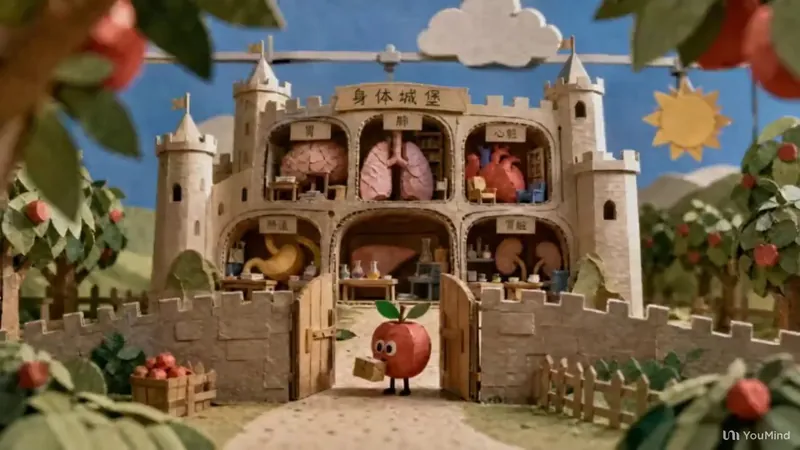
把任意科普主题做成纸艺定格动画风格的短视频创作方案:从需求理解、创意方向、角色场景布景设计,到视觉预览、单图/系列图/图生视频提示词、分镜节奏运镜转场、声音与旁白,最后审核,全程用微缩纸雕场景+手工定格质感,阶段间用选择卡片逐步确认。-非原创技能迭代升级。
 图片
图片文章内容批量配图神器2.0
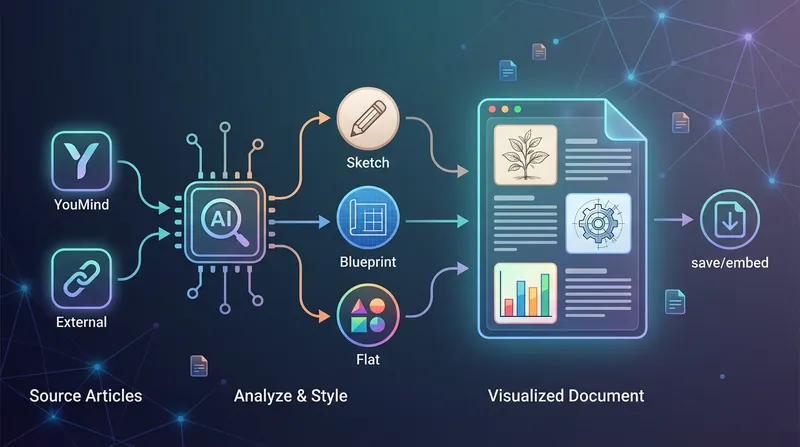
这是一款专为内容创作者打造的智能视觉增强工具,能够深度理解您的文字脉络,并为文章的关键段落自动创作高质量的配套插图。无论您的内容存储在个人知识库中,还是需要处理外部导入的长篇文章,它都能精准识别核心概念,将抽象的文字转化为具象的视觉语言,显著提升内容的阅读体验与传播力。 该工具提供三种独具特色的视觉风格以适配不同的创作场景:清新活泼的简约手绘风适合散文与科普;严谨专业的建筑蓝图风是技术文档与研究报告的理想选择;而现代感十足的扁平插画风则能完美契合自媒体公众号与知识笔记的审美需求。针对长篇幅内容,它还会智能建议配图方案,确保视觉分布合理且重点突出。 在生成过程中,您可以灵活选择图片的产出方式。您可以要求将生成的精美插图直接无缝嵌入到原有的文档段落中,实现排版自动化;也可以选择获取独立的图片资源包进行手动分发。这种从内容解析到视觉生成的全流程协作,让您的文字表达更具冲击力,让复杂的观点变得一目了然。
信息
- 版本
- v1
- 更新时间
- 运行积分
- 按实际用量
- 模型
- 自动选择
