FrozenCrab
 圖片
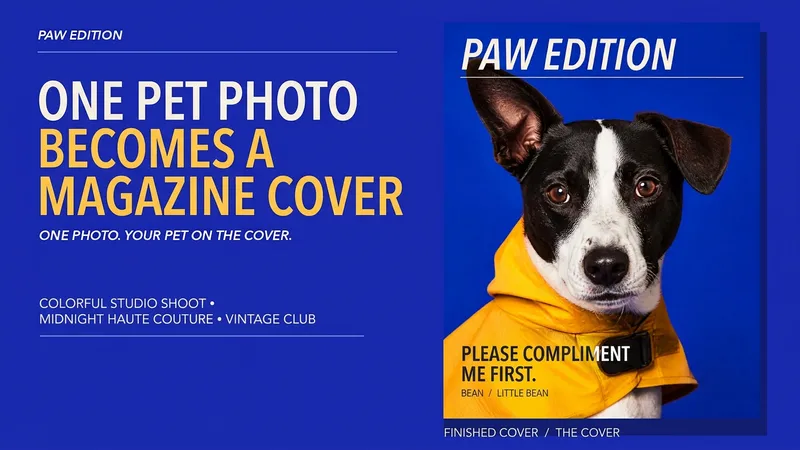
寵物照片變雜誌封面
你家那位,差一張雜誌封面。 上傳一張清楚的寵物照,讓它穿上撞色披肩、走進酒紅影棚,或當一回復古俱樂部的主角。折耳、鼻尖斑點、左右不一樣的花紋,都能成為上鏡的理由。可以加寵物名字,寫一句封面標題,或做成生日特刊。預設一張 4:5 豎版封面,支援中文或英文。 Give your pet the cover treatment. Upload one clear photo and choose bold studio color, after-dark velvet, or a vintage club portrait. Keep the floppy ear, the freckles, and the markings that make them unmistakable. Add a name and a cover line, or make it a birthday issue. Get one 4:5 cover by default, with English or Chinese cover copy. 樣片為原創 AI 虛構寵物。安裝價 3000 積分,生圖用量按 YouMind 顯示另計。 Examples feature fictional pets. 3,000 credits to install. YouMind bills image generation separately.
 圖片
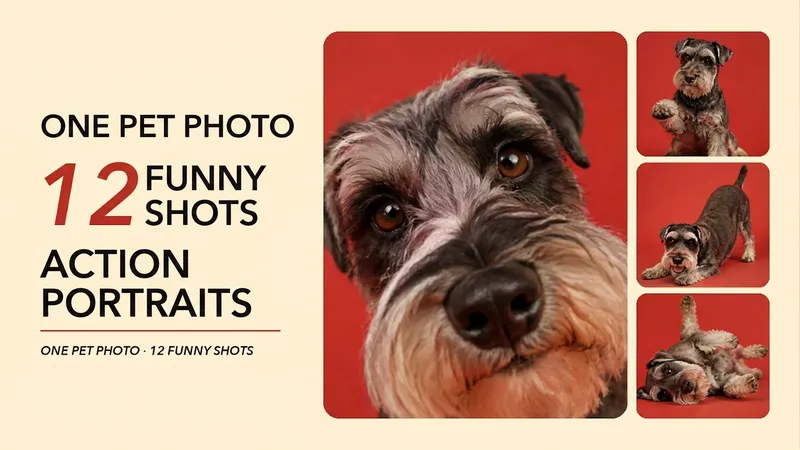
寵物照片變 12 格搞怪寫真
你家毛孩子最會搶鏡的是哪一張? 上傳一張寵物照,看它湊近鏡頭聞一聞、歪頭打量,或者當場打個大哈欠。一次生成一張 12 格棚拍寫真,每格一個不同動作或表情。用原照保留它的臉和獨特花紋,背景顏色和動作都可以指定。支援貓、狗、兔子等寵物,也支援中文和英文。 Which shot would your pet steal? Upload one photo and see them sniff the lens, tilt their head, or let out a huge yawn. Get a 12-frame studio photo sheet with a different pose or expression in each frame and your pet’s recognizable markings. Customize the backdrop and poses. Works in English and Chinese. 展示圖為原創 AI 寵物樣片。安裝價 3000 積分,運行生圖按平台顯示另計。 Showcase images depict fictional pets. Installation costs 3,000 credits. Image generation is billed separately by YouMind.
 圖片
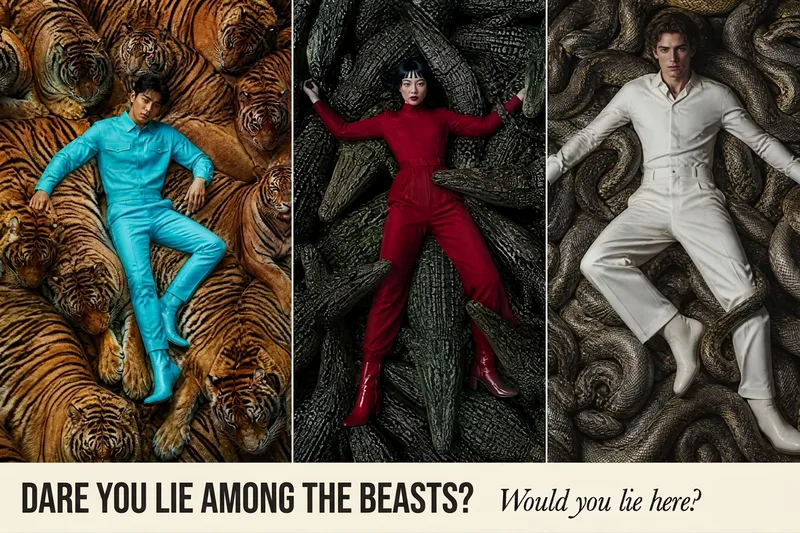
一張照片,躺進萬物
如果躺在一整群老虎中間,你敢睜眼嗎?上傳一張看得清臉的照片,告訴我你想躺進什麼裡。虎背和條紋擠滿四角,鱷魚的背甲順着手臂交錯,蟒蛇在腰腿兩側盤成一圈圈。也可以選白天鵝、巨型橙子或藍色紙傘。鏡頭從上方拍到全身,自拍或站姿照都能換成仰躺的時尚寫真。 預設一張 4:5 無字豎幅,支援簡體中文、繁體中文和 English。天鵝對照圖展示同一張原創人像的 Lovart 參考圖編輯;猛獸及彩色主題為原創 AI 概念樣片。 Would you open your eyes in the middle of a tiger pack? Upload a clear photo and pick what you want to lie in. Striped tiger backs press in from every side, crocodile scales brush your sleeves, or pythons coil beside your legs. For a different mood, try white swans, giant oranges or blue paper parasols. Even a headshot becomes a full-length fashion portrait photographed from above. One text-free 4:5 portrait by default. Works in Chinese and English. The swan comparison shows an actual Lovart edit of the original portrait. The predator and colorful sets are original AI concept studies.
 圖片
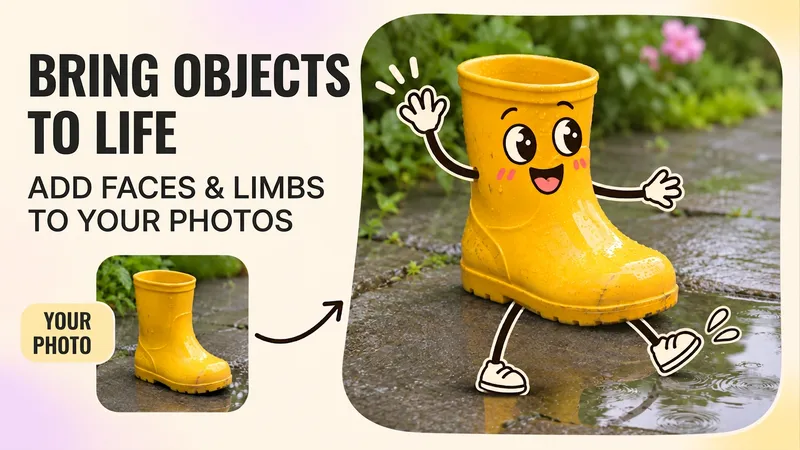
小物成精:加表情和手腳
你的水壺,怎麼開始等下班了? 上傳一張物件照片,給它畫上大眼睛、小表情和細線手腳,讓原來的物件變成有性格的小角色。真實材質和原場景繼續留在畫面裡,幾筆塗鴉就能讓日常變可愛。 可以這樣玩: • 雨靴踩水坑:笑着揮手,一條腿開心抬起。 • 水壺等開水:一手叉腰,一手看表,急得鼓起小嘴。 • 訂書機犯困:托着臉打哈欠,像週一下午的你。 杯子、水果、包包、文具、家具、電子產品……選一個你身邊的小物,告訴它今天是什麼心情。也可以只上傳照片,讓技能安排表情和動作。 預設一張無新增文字的靜態圖片,畫幅跟隨原照;可調整表情、動作、手腳造型、數量和背景。沒有照片時,也能用文字創作新角色;只想構思可說“只要提示詞”。 試試:“給這個物件加可愛的表情和手腳,讓它開心揮手,保留原背景,不加文字。” 支援中文和英文交流,同一個技能即可使用。 展示圖為原創 AI 生成素材,包含雨靴的編輯前後示例。
 圖片
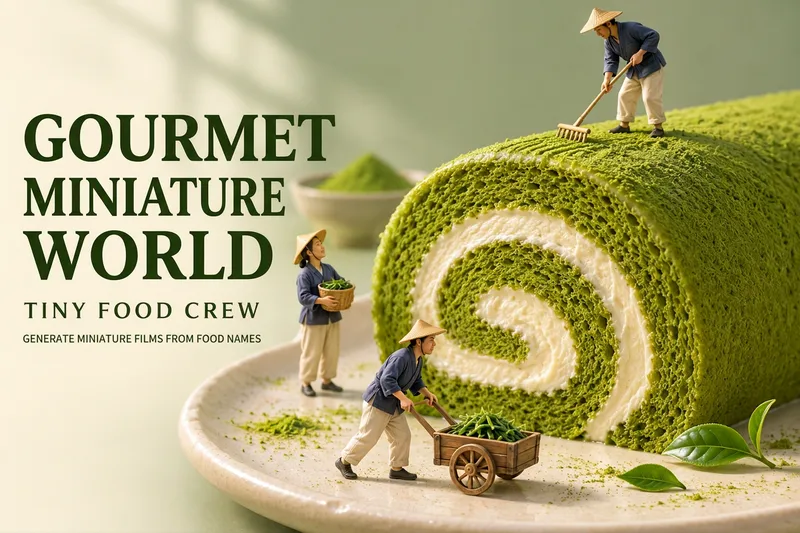
美食變小人國|Tiny Food Crew
一塊蛋糕,也能忙成一個小世界。 輸入美食名稱,或上傳食物照片,讓迷你小隊走進巨型食物,生成一張有動作、有尺度、讓人想放大看的微縮食景。 你可以做: • 抹茶卷茶園:耙抹茶粉、推茶葉車、搬竹籃。 • 草莓千層施工隊:搭莓果、抹奶油、運送食材。 • 湯包蒸汽小隊:檢查褶紋、搬薑絲、照看蒸汽。 • 自由換成煎餅、壽司、漢堡、水果或你喜歡的料理。 不用先寫長提示詞。告訴它“什麼美食+小人在做什麼”就能開始;也可以只報菜名,讓技能安排動作。 預設一張無字 3:4 靜態圖片,可調整食物、人數、工作服、動作、背景與畫幅。支援中文和英文。 試試:“把草莓千層變成微縮施工現場,三個小人正在擺草莓和推車,3:4,無字。” 免費安裝,安裝價 0 積分;運行生圖用量按平台顯示計算。展示圖為本次新生成的 AI 創意食景,YouMind 內完整生圖運行尚未實測。 Tiny Food Crew A little world, hard at work on your favorite food. Name a food or upload a food photo to create a macro-style food scene with tiny adult crews, giant edible textures and a clear little task. Create a matcha-roll tea crew, strawberry mille-feuille builders, a dumpling steam crew, or a fresh world around pancakes, sushi, burgers, fruit and more. Customize the crew, workwear, action, backdrop and framing. Start with a food name, or add what the tiny workers should do. Get one text-free 3:4 still image by default. Chinese and English supported. Try: “Turn a strawberry mille-feuille into a tiny construction site. Three adult workers placing berries and moving a small cart, 3:4, no text.” Free to install: 0 credits. Image generation usage follows the platform pricing shown. Showcase images are newly generated AI creative scenes; the complete image workflow has not been tested inside YouMind.
 影片
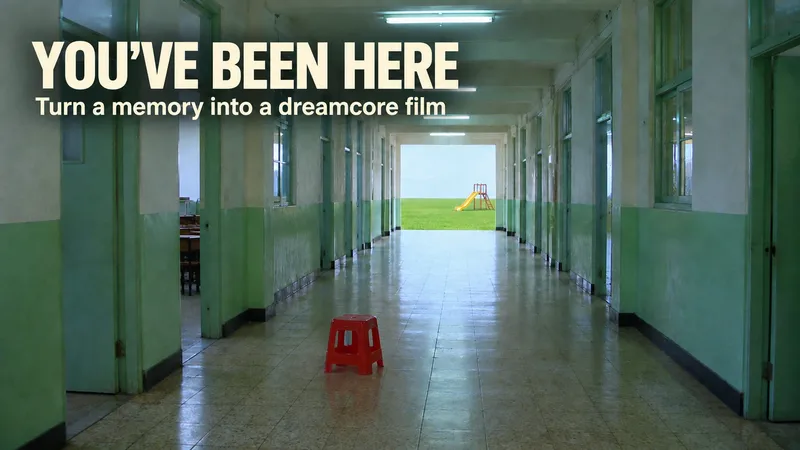
夢核記憶底片
你記得放學後的走廊。你不記得它盡頭是一片草坪。 帶上一段記憶、一張地點的照片,或某個年代與地區。打造一個起初感覺熟悉、直到其幾何結構變得荒誕的夢核空間。尋常物品、空蕩房間與持續的室內音調,營造出時間彷彿停止的感覺。 適用於夢核影片、閾限空間意象、大氣感過場鏡頭與個人記憶專案。從空間概念與參考圖片開始,接著在單一地點發展連續鏡頭、完整的影片提示詞與環境音效設計。根據你的要求,進一步進行圖片或影片製作。 可自訂年代、地區、地點、物品、長寬比、時長與詭異程度。預設外觀採用冷色調螢光與微妙的早期數位影片質感,沒有人物、旁白或配樂。安靜的鏡頭運動讓這個不可能的空間持續映入眼簾。 三個出發點:與草坪相連的學校走廊;緊壓著午睡室窗戶的雲朵;外面沒有路的候車大廳。或者說出你記得的一個地方,並賦予它獨特的荒誕感。
 圖片
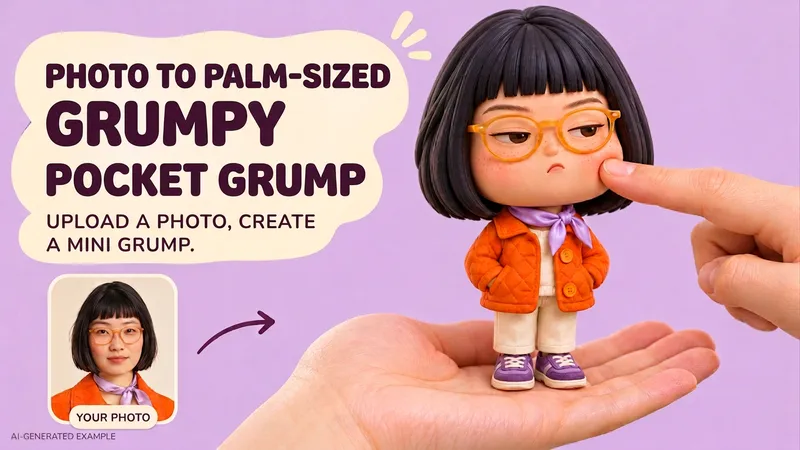
照片變掌心戳臉小人
上傳一張人像照片,生成站在真實手掌上、被手指輕輕戳臉的軟萌 Q 版玩偶,預設沿用原照片的背景場景。 保留人物有辨識度的臉型、眉眼、髮型、眼鏡、笑容和服裝,用圓潤的軟膠/軟陶造型、大頭小身體和小手小腳表現可愛感。預設表情貼近原照;也可以指定氣鼓鼓、嘟嘴或其他表情。 背景優先保留原圖中的環境元素、配色和光線,只在需要時適度虛化、補全被人物遮擋的區域。想換成與衣服協調的簡潔背景,也可以直接說明。 預設交付一張 3:4 直式靜態圖片,支援中文和英文輸入;可改為 1:1、9:16 等畫幅。成圖預設無字,適合頭像、社群配圖和趣味紀念圖。 範例: • 把我變成軟萌的掌心戳臉小人,保留照片中的背景和笑容。 • 再軟萌一點,保留我的眼型和髮型,身體更短圓一些。 • 換成與深綠色上衣協調的淺色背景,做成方圖。 展示圖為原創 AI 虛構人物,展示可選的棚拍背景與表情效果。3000 積分為安裝價,執行用量按平台顯示計算。 Pocket Grump | Photo to Cute Palm-Sized Cheek-Poke Toy Upload a portrait to create a soft, cute chibi collectible standing on a realistic palm while a fingertip gently dimples one cheek. The original photo's setting is retained by default. Keep recognizable face shape, eyes, brows, hair, glasses, smile and outfit through a rounded, sculpted vinyl/clay toy design with a large head and tiny body. The default expression follows the photo; a grumpy pout or another expression can be requested. Preserve the source scene, recognizable background elements, colors and lighting. Use gentle background blur or limited completion of hidden areas only when the composition needs it. You can also request a fresh background coordinated with the outfit. Get one 3:4 still image by default. Chinese and English requests are supported, with optional square or 9:16 framing. Artwork has no added text by default. Example: “Turn me into an extra-cute palm-sized cheek-poke toy. Keep my smile, glasses and original woodland background.” Showcase artwork uses original AI-generated fictional people and illustrates optional studio backgrounds and expressions. Installation costs 3,000 credits; runtime usage follows the platform pricing shown.
 圖片
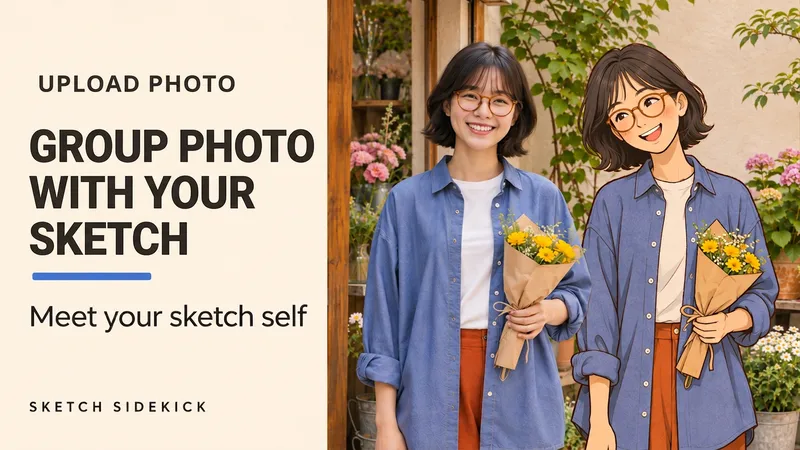
手繪自己合影|Sketch Sidekick
上傳一張照片,生成真人與同款2D手繪分身的合影;可選純手繪。 像在花店、書店或工作室,遇見另一個畫出來自己。真人保留照片質感,手繪分身沿用髮型、眼鏡、穿搭和配飾,和你站進同一幅畫面。 你可以做: • 同框合影:真人+等身手繪分身,適合旅行、穿搭和日常紀念。 • 自定動作:並肩微笑、一起看書,或按照片中可見的姿態安排互動。 • 純手繪:只保留單人2D插畫,簡潔線條搭配柔和色塊。 預設生成一張無字4:5圖片,取景沿用原照;可調整動作、背景和畫幅。支援中文、英文。 上傳照片,直接說:「讓我和手繪版的自己合個影,保留我的眼鏡和藍襯衫,不加字。」 Meet your sketch self. Upload one photo to create a portrait of you beside your matching, life-size 2D hand-drawn double. Keep the person and setting photographic while the illustrated self echoes your hair, glasses, outfit and accessories with fine ink outlines, matte colors and a little pencil texture. Create a friendly side-by-side portrait, choose a pose or scene, or switch to a standalone illustration with one drawn person. Made for outfit diaries, travel memories and everyday moments. One text-free 4:5 image by default, framed to match your source photo. Customize the action, setting and aspect ratio. Start in Chinese or English. Try: “Use my photo. Let me pose beside my hand-drawn double. Keep my hair and clothes. No text.” 更多玩法 / More ways to start 「讓手繪版的我坐在旁邊,一起看書,保留原照取景。」 「只要單人純手繪版,保留我的髮型和穿搭,不加字。」 “Seat my sketch double beside me with a book. Keep the source crop.” “Make a standalone illustration of me. Keep my hair and outfit. No text.”
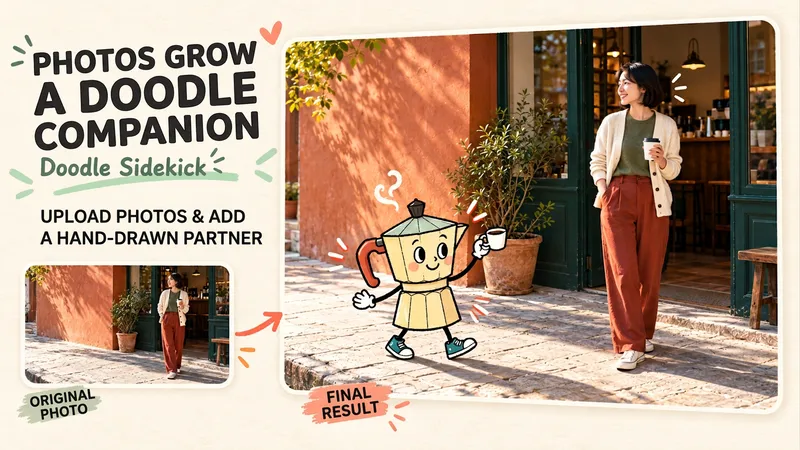
照片長出手繪搭子
上傳一張人物、寵物或生活照片,生成真實照片與原創手繪搭子同框的創意海報;可选整張手绘。 让日常照片多一个刚刚好的小伙伴:它可以站在身边、坐在角落,或和画面里的物件自然互动。真实场景继续留在画面里,再添上粗粗的手绘线条、柔和色块和几笔俏皮涂鸦。 上传照片后,告诉我想要什么搭子、希望它出现在哪里;也可以直接说“给这张照片加一个适合场景的原创手绘搭子”。默认不添加新文字,想加标题时可指定中文或英文的一行短标题。若要整张图改成手绘风格,请说“整张照片都改成手绘插画”或“把整张图重新画成手绘风格”。 示例:给咖啡店外的照片加一只在路面散步的摩卡壶搭子;给露营柯基照片加一只叶子帐篷搭子;给海边栈道照片加一只望向海面的相机搭子。 Upload a portrait, pet, or everyday-life photo to create a poster pairing the real photograph with an original hand-drawn sidekick. You can also choose a full-scene hand-drawn illustration. Give an everyday photo a little companion: it can stand nearby, sit in a corner, or interact naturally with something already in the scene. Keep the real setting visible, then add bold doodle lines, soft colors, and a few playful marks. Upload your photo and describe the sidekick and where it should appear. Or say, “Add an original hand-drawn sidekick that fits this photo.” No new text is added by default; request one short Chinese or English title line if wanted. To redraw the whole image, say “Turn the whole photo into a hand-drawn illustration.” Examples: A walking moka-pot buddy outside a coffee shop; a leaf-tent buddy beside a camping corgi; a camera buddy on a seaside boardwalk.
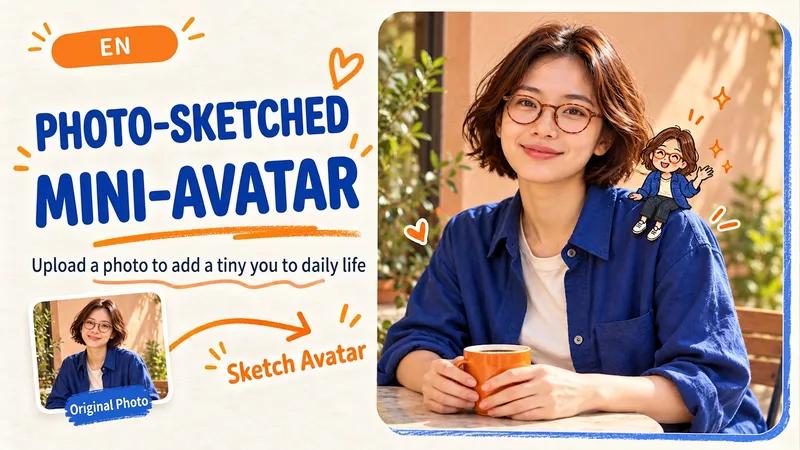
手繪小分身
上傳一張照片,讓手繪版的小小自己走進畫面。 坐在你的肩頭、攀上背包帶,或和窗台上的貓咪打個招呼——真人與場景保留照片質感,小分身用鬆弛墨線、少量蠟筆和清爽色塊,給日常照片添一個有趣的瞬間。 你可以得到: • 人物或寵物照片中的原創二維手繪小分身。 • 呼應髮型、眼鏡、穿搭或寵物花紋的角色細節。 • 按場景安排的簡單動作、接觸位置與前後遮擋。 • 也可指定「整張照片轉成手繪」,保留可見構圖。 預設一張照片生成一張成圖、一個小分身、無新增文字,畫幅跟隨原照。可調整數量、動作、位置、比例和畫內文字。支持中文、英文使用與雙語提示詞。 上傳照片直接說: 「讓手繪版的我坐在肩頭,保留圓眼鏡和藍襯衫,不加文字。」 「給貓咪加一個同花色的手繪小分身,坐在窗台旁邊。」 Upload a photo and let a tiny hand-drawn you join the scene. Sit on your own shoulder, climb a backpack strap, or greet your cat on the windowsill. Keep the person and setting photographic while a small 2D doodle adds a playful moment, with relaxed ink lines, light crayon texture and a few flat colors. Create an original drawn double of a person or pet, echoing visible hair, glasses, clothing or fur markings. Pick an action and position, or let the scene guide the choice. You can also ask for the entire photo to become a hand-drawn illustration. By default: one edited image per photo, one small drawn character, the original aspect ratio and no added text. Customize the count, pose, placement, format or lettering. Use Chinese or English, with bilingual prompts on request. Try: “Add a tiny hand-drawn me sitting on my shoulder. Keep my round glasses and blue shirt. No text.”
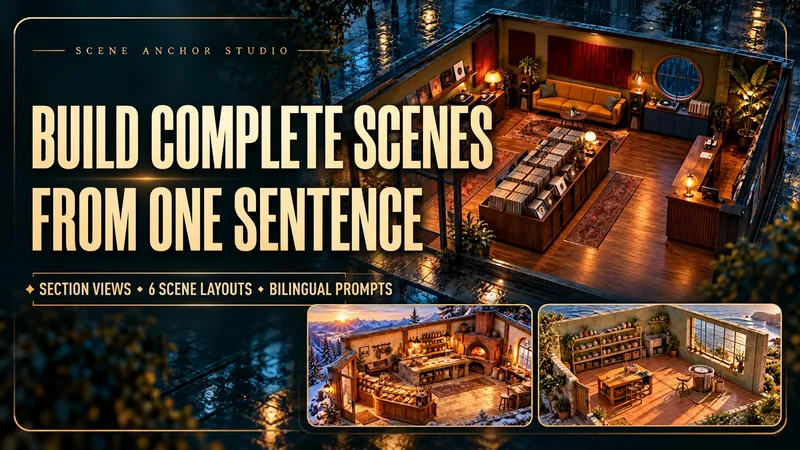 影片
場景錨點大師|Scene Anchor Studio
輸入一句場景描述、一張參考圖或一幅草圖,得到空間錨點、場景參考圖與六組機位提示詞,讓每個鏡頭都有同一張空間底稿。 雨夜唱片店的門在哪裡?山間麵包房的晨光從哪邊照進來?海邊陶藝工作室換一個機位後,拉坯台和海景窗該出現在什麼位置? Scene Anchor Studio 會先把場景搭清楚:用統一座標系整理門窗、牆面、家具和關鍵道具的位置、朝向與相互關係,再安排六個可以在這個空間裡拍到的鏡頭。你請求生成圖片時,它會製作一張預設不含文字的 45°剖切場景參考圖,方便你看清整體佈局、檢查通道與遮擋,再繼續製作。 你會得到: • 場景設定卡:用途、尺度、材質、氛圍、時間與主要光源。 • 固定空間錨點:門窗、家具和關鍵道具的座標、朝向及相對位置。 • 45°剖切場景參考圖:在你請求出圖時生成,預設無字。 • 六組機位提示詞:相機位置、朝向、景別、畫面內容、遮擋關係與連續性約束。 • 偏移修復指令:遇到門窗換邊、家具搬位或光線變向時,定位問題並給出局部修復提示詞。 六組鏡頭提示詞是一份拍攝與生成計畫。先檢查整個空間,再挑選繼續製作的鏡頭。 適合 AI 短片場景規劃、治癒小故事、產品敘事、室內氣氛提案,以及同一地點的多機位探索。也可以帶著現有畫面來,補充空間約束並修復後續畫面的佈局偏移。 一句話即可開始,也可補充參考圖、草圖、必留物件、門窗位置、畫幅與用途。預設使用你的輸入語言;需要時可輸出中英雙語。 試著輸入:「一間雨夜唱片店,入口在前牆左側,右側有大櫥窗,後方有試聽區。先給空間錨點和六組鏡頭提示詞。」 Scene Anchor Studio turns a scene description, reference image, or sketch into a spatial plan and six camera-shot prompts built around one shared layout. Place doors, windows, furniture, and key props in a common coordinate system. Define materials, atmosphere, light direction, and the relationships that later shots should preserve. When you request image generation, create a text-free 45° cutaway scene reference to inspect and refine the space. Your kit includes a scene brief, fixed spatial anchors, a cutaway reference when requested, six feasible shot prompts, and targeted drift-repair instructions. Each shot specifies camera position, viewing direction, framing, visible elements, occlusion, and continuity constraints. The shot prompts form a production plan for further image or video creation. Explore original locations such as a rain-night record shop, a mountain bakery, or a seaside pottery atelier. Use the kit for AI short-film planning, calming visual stories, product narratives, and multiple views of a recurring location. Bring an existing scene to identify shifted furniture, flipped windows, or changed lighting and receive correction prompts. Output follows your input language by default. Chinese and English output is available on request.
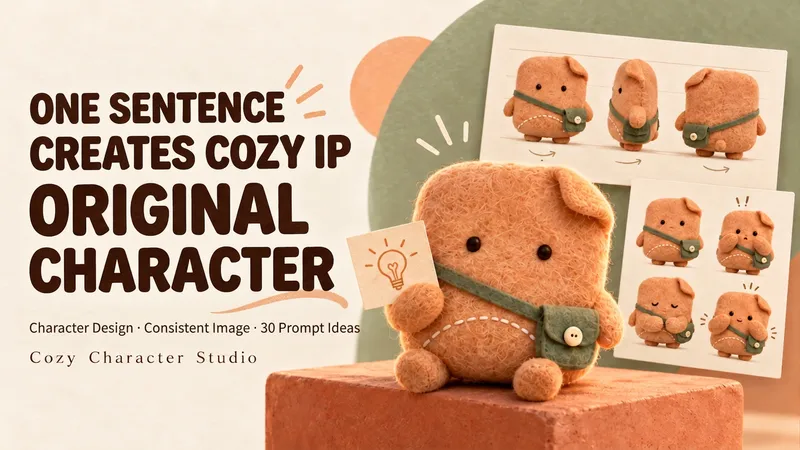 圖片
治癒系原創IP角色生成器
輸入一句想法,生成原創角色方案、角色設定卡與30條內容選題;可繼續製作角色主圖、三視圖和表情圖。 讓一個小角色,住進你的日常。 從小習慣、喜歡的材質或自己的草圖開始,把“可愛一點”變成有外形、有性格、也有故事可講的主角。 你會得到: • 3個創意方向:輪廓、材質、性格與生活世界。 • 完整角色卡:固定6個外觀特徵,分清保留項與可變項。 • 中英文提示詞:沿用同一設定,繼續換場景與動作。 • 30條系列選題:場景、行動、小阻礙與溫柔結尾。 • 3組開篇分鏡:每組3個畫面,附動作提示詞。 需要畫面時,先生成角色主圖,再以選定形象延展設定圖、表情與生活場景。可選毛氈、陶瓷、折紙、軟陶或手繪,也能完善已有原創角色。適合治愈內容帳號、繪本、個人吉祥物與短片前期設計。 中文、English都能用;回覆、提示詞和畫面文字分別設定,圖片預設無字。 試試:“設計一個陪上班族下班的毛氈小夥伴,你來選方向,給我完整角色包和一張無字主圖。” One idea. Your own cozy character. Turn a short idea or your own sketch into original character concepts, a reusable character card, and 30 story seeds. Continue with a hero image, turnaround, or expression sheet. Your package includes: • Three distinct concepts with visual hooks, emotional habits, and story worlds. • A character card with six fixed visual traits and adjustable details. • Reusable Chinese and English image prompts. • Thirty story seeds with a setting, action, small obstacle, and gentle ending. • Three starter storyboard plans, each with three frames and a motion prompt. Explore felt, ceramic, folded paper, clay, or illustration—or develop a character you already own. Use the chosen hero design as a reference for future views, expressions, and everyday scenes. Made for cozy content, storybooks, personal mascots, and short-film visual development. Reply, prompt, and lettering languages are independent. Images are text-free by default. Try: “Design a felt companion for tired office workers. Choose the strongest direction, give me the complete package, and generate one text-free hero image.”
 圖片
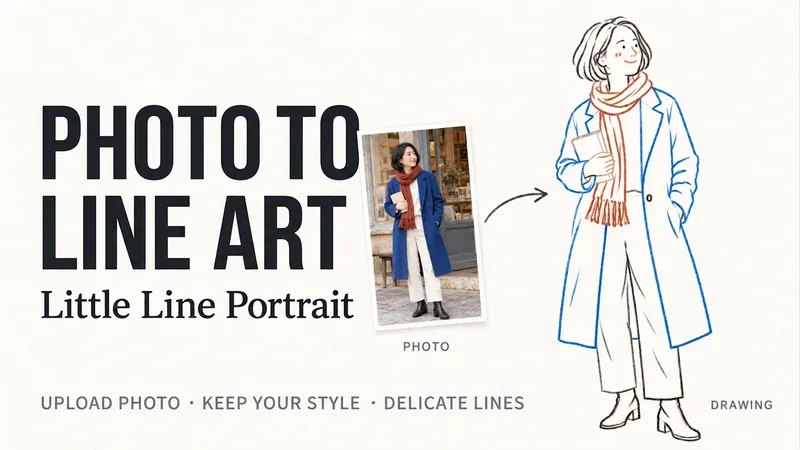
照片變簡筆手繪|Little Line Portrait
上傳一張人物照片,生成一張彩鉛簡筆肖像,可選黑白線稿或少量彩色輪廓。 幾根輕輕的線,留住今天的你。保留髮型、姿態、穿搭和隨身小物,用極簡表情、纖細輪廓和大片留白,畫成一張適合收藏、分享或記錄穿搭的手繪小像。預設3:4直幅、無文字,半身或全身跟隨原圖;也可要求照片與手繪對照。 試試這樣說:把這張照片畫成彩色細線簡筆肖像,衣服不要鋪色,保留我的姿勢,不要文字。
 圖片
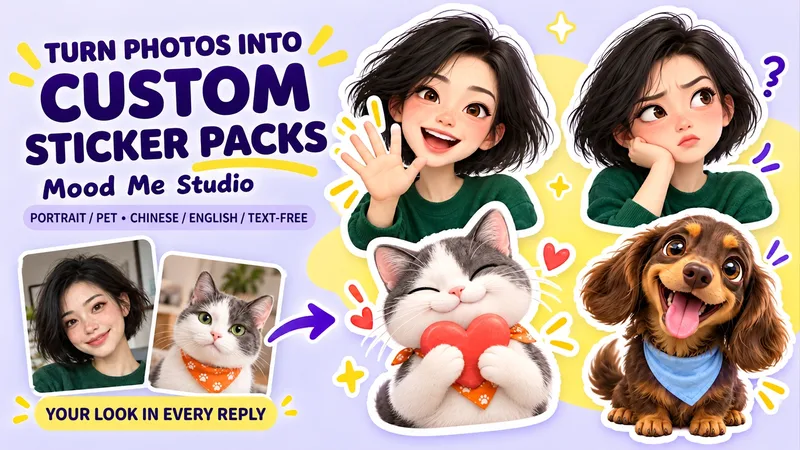
照片變專屬表情包|Mood Me Studio
上傳一張人像或寵物照片,生成一組專屬表情貼紙;可選 6、9、12 個表情,支援中文、English 或無字版。 讓每句回覆,都有你的樣子。開心、無語、撒嬌、驚訝、困了——把本人或毛孩子,變成聊天裡的主角。保留人物五官、髮型與顯眼特徵,或寵物的臉型、耳朵、毛色和花紋,讓一整套表情有統一的角色感。 預設柔軟立體風與白色貼紙邊框,也可選擇麥克筆漫畫或軟陶質感。上傳照片,說出想要的表情與台詞,生成一張排列整齊的表情包總圖。 試試這樣說:把這張照片做成 6 個立體表情貼紙,加上「來啦、好耶、啥、笑死、困了、穩了」。 Upload a portrait or pet photo and turn it into a custom reaction sticker sheet. Choose 6, 9, or 12 expressions, with natural Chinese or English captions—or no text. Keep the face, hairstyle, coat colors and signature markings that make the character yours. Choose soft 3D, marker-comic or soft-clay styling, then create a coordinated sheet of everyday reactions. Try: Turn my pet photo into six soft 3D reaction stickers: delighted, unimpressed, surprised, affectionate, sleepy and proud. No captions.
 圖片
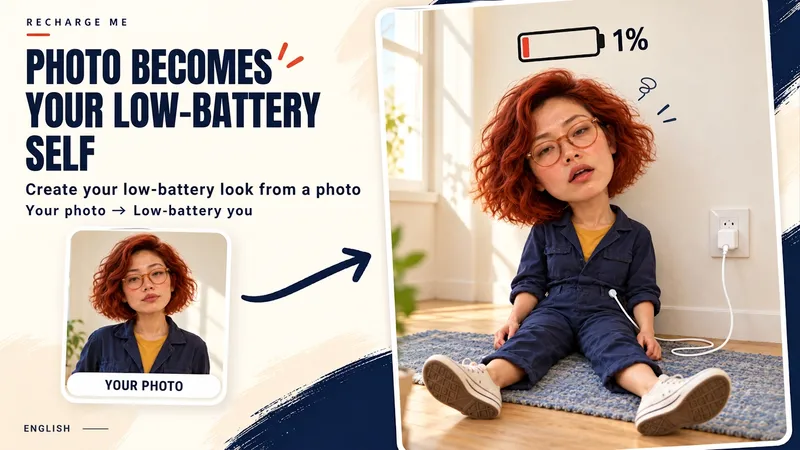
沒電待充自我照
上傳一張自己的照片,生成寫實的大頭小身沒電版:癱坐在牆邊,頭頂顯示只剩 1% 的紅色電量,白色充電線從牆插接到衣服側邊的小介面。保留你的臉、髮型、眼鏡與穿搭。可調整背景、衣服、電量和畫幅比例。 只要上傳照片,說「做成沒電待充的我」即可。預設 3:4 豎版,保留原穿搭;支援中文、英文輸入與回覆。 Upload your own photo to create a photorealistic, oversized-head mini you running on empty: slumped against a wall, with a red 1% battery overhead and a white cable running from a wall outlet to a tiny connector on the side of your clothes. Keep your recognizable face, hair, glasses, and outfit. Customize the background, clothing, battery percentage, and aspect ratio. Upload your portrait and say “Make the low-battery me.” One 3:4 portrait by default, keeping your original outfit. Chinese and English supported.
 圖片
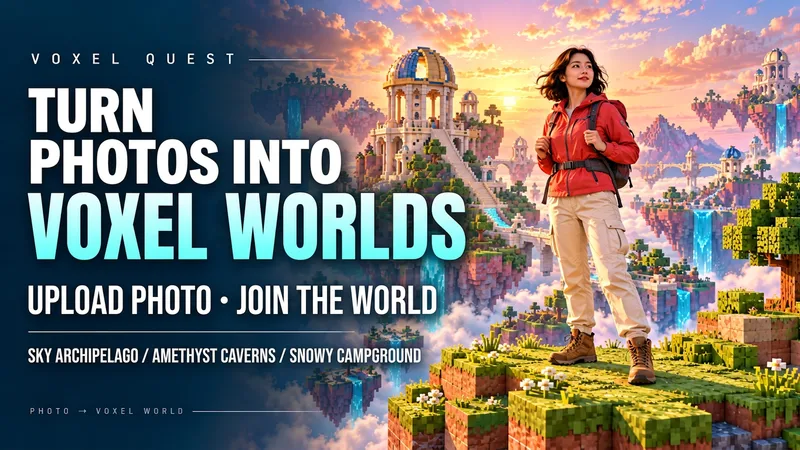
照片變方塊遊戲世界|Voxel Quest
上傳一張照片,即可把真實人物放進方塊遊戲截圖;選擇天空群島、紫晶洞穴或雪地營地,按需添加玩家名或 HUD。 把熟悉的照片變成一張方塊冒險遊戲截圖:人物保持真實、清晰可辨,天空群島、紫晶洞穴或雪地營地則由立體方塊搭建。預設輸出 16:9 橫版,也可選擇 4:5 或 3:4;可以指定玩家名或簡潔 HUD,預設畫面不加字。 上傳照片並說出想去的場景,就能開始製作個人遊戲世界肖像或冒險角色截圖;也可以描述原創角色。 English: Upload a photo to place the real person in a voxel game screenshot. Choose Sky Islands, Crystal Cavern, or Snow Base, then optionally add a player tag or HUD. The default image is 16:9 landscape; choose 4:5 or 3:4 for a portrait layout. Images are text-free by default. Upload a photo and name a scene, or describe an original character to create one from scratch.