We’ve been building a better foundation for AI Studio, and this week we introduced a totally new AI powered vibe coding experience in Google AI Studio. This redesigned experience is meant to take you from prompt to working AI app in minutes without you having to juggle with API keys, or figuring out how to tie models together.
Here’s how we’re bringing this to life in Google AI Studio.
Go from a single prompt to an AI-powered app

AI-powered apps let you build incredible things: generate videos from a script with Veo, build powerful image editing tools with a command using Nano Banana, or create the ultimate writing app that can check your sources using Google Search. Traditionally, building an app that combines these capabilities meant juggling different APIs, SDKs and services. That complexity is a major barrier between your idea and a working prototype.
The new vibe coding experience in AI Studio removes that friction entirely.
Now, you can describe the multi-modal app of your dreams, and AI Studio, alongside our latest Gemini models, does the heavy lifting. Want to make a magic mirror app that takes your photo and transforms it into something fantastical? Just say so. AI Studio understands the capabilities you need and automatically wires up the right models and APIs for you. We’ve made the process of creating a powerful, feature-rich, AI-powered app effortless. You bring the idea; we'll connect the magic. And for those moments when you need a creative spark, you can hit the "I'm Feeling Lucky" button and we’ll help you get started.
Find inspiration when you need it most

Sometimes, a spark of inspiration is all you need to get going. To fuel your imagination, we've revamped the App Gallery into a rich, visual library of what’s possible with Gemini. Explore project ideas, preview them instantly, learn from the starter code and remix apps into your own creations.
And because inspiration can strike at any time, our new Brainstorming Loading Screen cycles through context-aware ideas generated by Gemini while your app builds, turning wait time into a source of new possibilities.

Make changes to your app in a more natural way
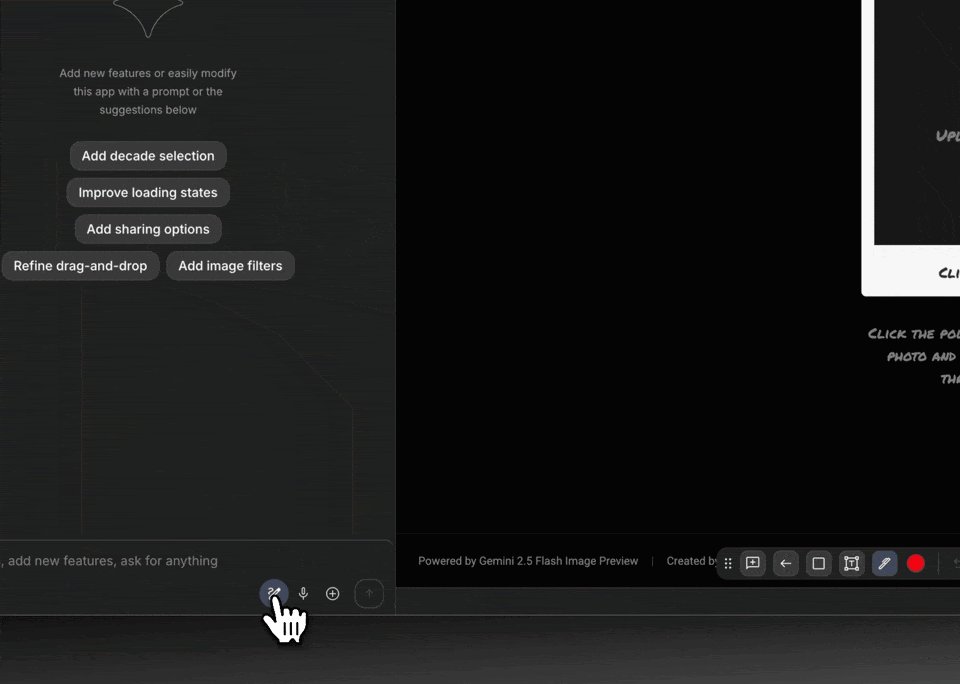
Refining your app should be as easy as pointing to what you want to change. Our new Annotation Mode makes this possible. Instead of painstakingly describing a change or digging through code, you can now simply highlight a part of your app and tell Gemini what to modify. "Make this button blue," or "change the style of these cards," or "animate the image in here from the left".
It’s an intuitive, visual dialogue that keeps you in your creative flow.
GIF
Keep your momentum going, uninterrupted
To ensure nothing gets in your way, we've made it possible to add your own API key if you exhaust the free quota. Continue vibe coding without interruption, and we'll automatically switch you back once your free tier renews.
Unlock creative superpowers in Google AI Studio
These updates are about more than just individual features. They’re about unlocking new creative superpowers. By integrating AI at every step — from ideation to iteration — we’re making it easier for developers to build amazing apps, and helping those who've never written a line of code bring their ideas to life. Our goal is to lower the barrier between a great idea and a working app with Gemini, so anyone can build with AI.
Tutorials to help get you started
Check out this YouTube playlist featuring a collection of AI Studio vibe coding tutorials!


