ผู้เชี่ยวชาญออกแบบไมโครคอร์ส
คำอธิบาย
เหตุผลที่เราแนะนำทักษะนี้
ทักษะนี้เป็นคู่มือที่เชื่อถือได้ในการออกแบบไมโครเลิร์นนิง โดยเปลี่ยนเนื้อหาที่ซับซ้อนให้เป็นไมโครเลิร์นนิงที่ดึงดูดใจ ด้วยการออกแบบการสอนและเทคนิคทางจิตวิทยาที่ชาญฉลาด เพื่อให้แน่ใจว่าผลการเรียนรู้สูงสุด เป็นเครื่องมือจำเป็นสำหรับนักพัฒนาหลักสูตร
แปลงเนื้อหาที่ซับซ้อนให้กลายเป็นไมโครคอร์สที่น่าดึงดูด เสมือนผู้เชี่ยวชาญด้านการศึกษาอาวุโส ออกแบบสคริปต์แบบโต้ตอบที่เพิ่มประสิทธิภาพการเรียนรู้สูงสุด ให้ความรู้ถูกซึมซับได้อย่างง่ายดาย
ทักษะที่เกี่ยวข้อง
ดูทั้งหมด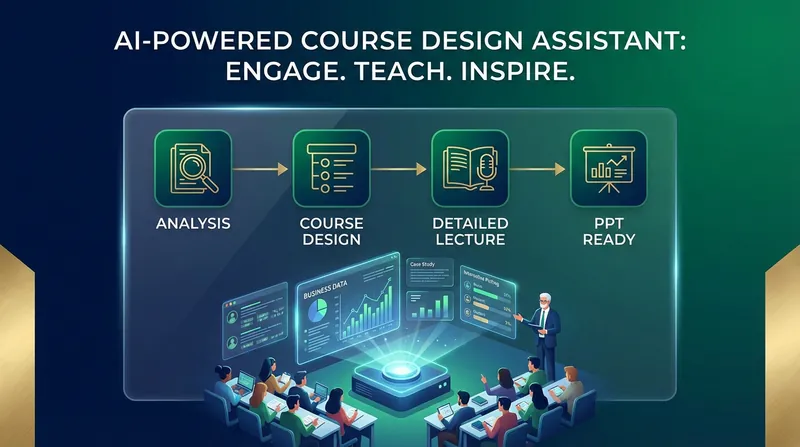
ออกแบบเนื้อหาการสอนและสร้าง Slides
เปลี่ยนทฤษฎีที่ซับซ้อนและน่าเบื่อให้เป็นการเดินทางแห่งการเรียนรู้ที่น่าติดตาม ไม่ใช่แค่การเตรียมการสอน แต่เป็นประสบการณ์การเรียนรู้ที่ออกแบบมาเฉพาะสำหรับนักศึกษายุคใหม่ ทำให้คอร์สของคุณมีชีวิตชีวาและน่าสนใจ ทุกขั้นตอนการสอนคุณสามารถปรับเปลี่ยนผ่านการโต้ตอบกับ AI เพื่อควบคุมการออกแบบการสอนได้ เครื่องมือนี้จะทำให้กระบวนการเตรียมการสอนเป็นระบบ ช่วยเพิ่มประสิทธิภาพการเตรียมการสอนและคุณภาพของ Slides ได้อย่างมาก คุณจะหลงรักการสอน
 วิจัย
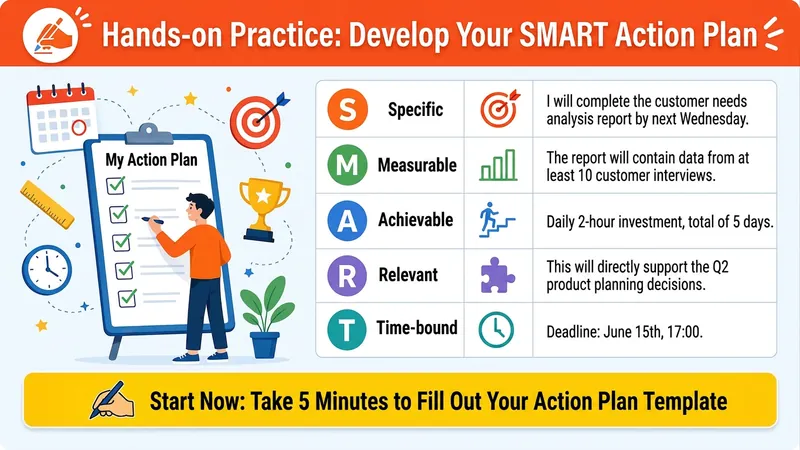
วิจัยPPT แบบนักออกแบบการสอนมืออาชีพ
คำอธิบาย ทำให้ทุกสไลด์เป็นช่วงเวลา 'ว้าว' ของผู้เรียน! คุณยังทนกับสถานการณ์การฝึกอบรมแบบนี้อยู่หรือเปล่า? ผู้เรียนก้มดูมือถือ คุณยืนเดี่ยวบนเวทีเหมือนตลกเดี่ยว? เนื้อหาดีๆ ที่เตรียมมาอย่างดี กลับได้แค่สีหน้าเหม่อลอยและหาวหวอด? จบคอร์ส ผู้เรียน 'ฟังแล้วตื่นเต้น คิดแล้วซาบซึ้ง กลับไปแล้วไม่ขยับ'? ปัญหาไม่ได้อยู่ที่ความรู้ของคุณ แต่อยู่ที่ 'วิธีการถ่ายทอด'! ✨ ติดตั้งสกิล 'ADDIE Interactive Courseware Designer' ได้แล้ว 👉 แปลงเนื้อหาการฝึกอบรมใดๆ ของคุณ (Word, PPT, แผนที่ความคิด) ด้วยคลิกเดียว ให้เป็น: ✅ ยึดผู้เรียนเป็นศูนย์กลาง – เลิกยัดเยียด ใช้ Icebreaker, การโต้ตอบ, และการปฏิบัติจริงเพื่อกระตุ้นการมีส่วนร่วม ✅ ปฏิบัติตามโมเดล ADDIE มืออาชีพ – วิเคราะห์→ออกแบบ→พัฒนา→นำไปใช้→ประเมินผล การสอนแบบวงจรปิด ✅ โครงสร้างโมดูล P-I-E – แต่ละหน้าเป็น 'นำเสนอ→โต้ตอบ→ฝึกปฏิบัติ' เรียนรู้แล้วนำไปใช้ได้ทันที ✅ สุนทรียภาพที่เอื้อต่อการสอน – สีสันสดใส ภาพประกอบแนวแฟลต ไมโพสต์ชัดเจน ผู้เรียนแถวหลังก็มองเห็น ✅ เส้นทางการเล่าเรื่องที่สมบูรณ์ – จากต้อนรับจนถึงแผนปฏิบัติการ ขับเคลื่อนความรู้ให้เปลี่ยนเป็นพฤติกรรมจริงๆ 💎 ติดตั้งแล้ว คุณจะได้รับ: 🔥 ผู้ช่วยระดับผู้เชี่ยวชาญที่ช่วยคุณ 'ออกแบบหลักสูตร' – ไม่ต้องกังวลทฤษฎีการออกแบบการสอนอีกต่อไป 🔥 บรรยากาศในห้องเรียนที่ผู้เรียนมีส่วนร่วมอย่างกระตือรือร้น แย่งกันฝึกปฏิบัติ – กิจกรรม互动ทำให้ทุกคนหยุดไม่ได้ 🔥 แผนปฏิบัติการ SMART ที่นำไปใช้ได้จริงหลังจบคอร์ส – เห็นผลการฝึกอบรมชัดเจน ทั้งเจ้านายและผู้เรียนพอใจ 🔥 'สื่อการสอนระดับพรีเมียม' ที่เพื่อนร่วมงานอิจฉา – ภาพและโครงสร้าง一流 ความเป็นมืออาชีพเต็มพิกัด 🎯 เหมาะกับใคร? ผู้ฝึกอบรมภายในองค์กร / ผู้จัดการฝึกอบรม นักออกแบบการสอน / ผู้พัฒนาหลักสูตร บล็อกเกอร์ด้านความรู้ / นักการศึกษา ใครก็ตามที่ต้องการ 'ทำให้การเรียนรู้เกิดขึ้นจริง' ⚡️ ติดตั้ง 'ADDIE Interactive Courseware Designer' ทันที เปลี่ยนการฝึกอบรมครั้งต่อไปของคุณ ให้เป็นประสบการณ์ที่ผู้เรียน 'ตามเรียน' 'ไม่ใช่การยัดเยียด แต่เป็นการจุดประกาย' สกิลนี้คือคบเพลิงในมือคุณ 👇 คลิกติดตั้ง เพื่อเป็น 'ครูที่สอนเก่งที่สุด' ในใจผู้เรียน!
 วิจัย
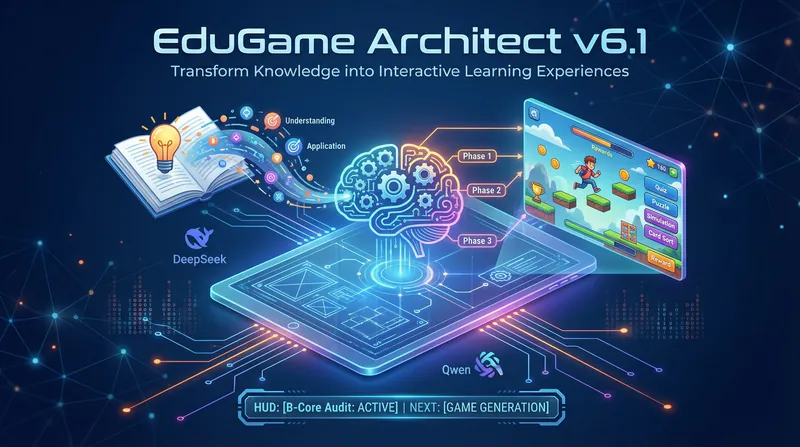
วิจัยผู้สร้างเกมแบบโต้ตอบเพื่อการศึกษา
ออกแบบเกมแบบโต้ตอบได้ดั่งผู้เชี่ยวชาญด้านการศึกษา เปลี่ยนความรู้ที่น่าเบื่อให้เป็นประสบการณ์ที่มีชีวิตชีวา ทำให้นักเรียนเรียนรู้อย่างมีประสิทธิภาพในเกม และเห็นผลลัพธ์ทันที
ผู้เชี่ยวชาญออกแบบไมโครคอร์ส
คำอธิบาย
เหตุผลที่เราแนะนำทักษะนี้
ทักษะนี้เป็นคู่มือที่เชื่อถือได้ในการออกแบบไมโครเลิร์นนิง โดยเปลี่ยนเนื้อหาที่ซับซ้อนให้เป็นไมโครเลิร์นนิงที่ดึงดูดใจ ด้วยการออกแบบการสอนและเทคนิคทางจิตวิทยาที่ชาญฉลาด เพื่อให้แน่ใจว่าผลการเรียนรู้สูงสุด เป็นเครื่องมือจำเป็นสำหรับนักพัฒนาหลักสูตร
แปลงเนื้อหาที่ซับซ้อนให้กลายเป็นไมโครคอร์สที่น่าดึงดูด เสมือนผู้เชี่ยวชาญด้านการศึกษาอาวุโส ออกแบบสคริปต์แบบโต้ตอบที่เพิ่มประสิทธิภาพการเรียนรู้สูงสุด ให้ความรู้ถูกซึมซับได้อย่างง่ายดาย
ทักษะที่เกี่ยวข้อง
ดูทั้งหมดออกแบบเนื้อหาการสอนและสร้าง Slides
เปลี่ยนทฤษฎีที่ซับซ้อนและน่าเบื่อให้เป็นการเดินทางแห่งการเรียนรู้ที่น่าติดตาม ไม่ใช่แค่การเตรียมการสอน แต่เป็นประสบการณ์การเรียนรู้ที่ออกแบบมาเฉพาะสำหรับนักศึกษายุคใหม่ ทำให้คอร์สของคุณมีชีวิตชีวาและน่าสนใจ ทุกขั้นตอนการสอนคุณสามารถปรับเปลี่ยนผ่านการโต้ตอบกับ AI เพื่อควบคุมการออกแบบการสอนได้ เครื่องมือนี้จะทำให้กระบวนการเตรียมการสอนเป็นระบบ ช่วยเพิ่มประสิทธิภาพการเตรียมการสอนและคุณภาพของ Slides ได้อย่างมาก คุณจะหลงรักการสอน
วิจัยPPT แบบนักออกแบบการสอนมืออาชีพ
คำอธิบาย ทำให้ทุกสไลด์เป็นช่วงเวลา 'ว้าว' ของผู้เรียน! คุณยังทนกับสถานการณ์การฝึกอบรมแบบนี้อยู่หรือเปล่า? ผู้เรียนก้มดูมือถือ คุณยืนเดี่ยวบนเวทีเหมือนตลกเดี่ยว? เนื้อหาดีๆ ที่เตรียมมาอย่างดี กลับได้แค่สีหน้าเหม่อลอยและหาวหวอด? จบคอร์ส ผู้เรียน 'ฟังแล้วตื่นเต้น คิดแล้วซาบซึ้ง กลับไปแล้วไม่ขยับ'? ปัญหาไม่ได้อยู่ที่ความรู้ของคุณ แต่อยู่ที่ 'วิธีการถ่ายทอด'! ✨ ติดตั้งสกิล 'ADDIE Interactive Courseware Designer' ได้แล้ว 👉 แปลงเนื้อหาการฝึกอบรมใดๆ ของคุณ (Word, PPT, แผนที่ความคิด) ด้วยคลิกเดียว ให้เป็น: ✅ ยึดผู้เรียนเป็นศูนย์กลาง – เลิกยัดเยียด ใช้ Icebreaker, การโต้ตอบ, และการปฏิบัติจริงเพื่อกระตุ้นการมีส่วนร่วม ✅ ปฏิบัติตามโมเดล ADDIE มืออาชีพ – วิเคราะห์→ออกแบบ→พัฒนา→นำไปใช้→ประเมินผล การสอนแบบวงจรปิด ✅ โครงสร้างโมดูล P-I-E – แต่ละหน้าเป็น 'นำเสนอ→โต้ตอบ→ฝึกปฏิบัติ' เรียนรู้แล้วนำไปใช้ได้ทันที ✅ สุนทรียภาพที่เอื้อต่อการสอน – สีสันสดใส ภาพประกอบแนวแฟลต ไมโพสต์ชัดเจน ผู้เรียนแถวหลังก็มองเห็น ✅ เส้นทางการเล่าเรื่องที่สมบูรณ์ – จากต้อนรับจนถึงแผนปฏิบัติการ ขับเคลื่อนความรู้ให้เปลี่ยนเป็นพฤติกรรมจริงๆ 💎 ติดตั้งแล้ว คุณจะได้รับ: 🔥 ผู้ช่วยระดับผู้เชี่ยวชาญที่ช่วยคุณ 'ออกแบบหลักสูตร' – ไม่ต้องกังวลทฤษฎีการออกแบบการสอนอีกต่อไป 🔥 บรรยากาศในห้องเรียนที่ผู้เรียนมีส่วนร่วมอย่างกระตือรือร้น แย่งกันฝึกปฏิบัติ – กิจกรรม互动ทำให้ทุกคนหยุดไม่ได้ 🔥 แผนปฏิบัติการ SMART ที่นำไปใช้ได้จริงหลังจบคอร์ส – เห็นผลการฝึกอบรมชัดเจน ทั้งเจ้านายและผู้เรียนพอใจ 🔥 'สื่อการสอนระดับพรีเมียม' ที่เพื่อนร่วมงานอิจฉา – ภาพและโครงสร้าง一流 ความเป็นมืออาชีพเต็มพิกัด 🎯 เหมาะกับใคร? ผู้ฝึกอบรมภายในองค์กร / ผู้จัดการฝึกอบรม นักออกแบบการสอน / ผู้พัฒนาหลักสูตร บล็อกเกอร์ด้านความรู้ / นักการศึกษา ใครก็ตามที่ต้องการ 'ทำให้การเรียนรู้เกิดขึ้นจริง' ⚡️ ติดตั้ง 'ADDIE Interactive Courseware Designer' ทันที เปลี่ยนการฝึกอบรมครั้งต่อไปของคุณ ให้เป็นประสบการณ์ที่ผู้เรียน 'ตามเรียน' 'ไม่ใช่การยัดเยียด แต่เป็นการจุดประกาย' สกิลนี้คือคบเพลิงในมือคุณ 👇 คลิกติดตั้ง เพื่อเป็น 'ครูที่สอนเก่งที่สุด' ในใจผู้เรียน!
วิจัยผู้สร้างเกมแบบโต้ตอบเพื่อการศึกษา
ออกแบบเกมแบบโต้ตอบได้ดั่งผู้เชี่ยวชาญด้านการศึกษา เปลี่ยนความรู้ที่น่าเบื่อให้เป็นประสบการณ์ที่มีชีวิตชีวา ทำให้นักเรียนเรียนรู้อย่างมีประสิทธิภาพในเกม และเห็นผลลัพธ์ทันที
ค้นหาทักษะโปรดถัดไปของคุณ
สำรวจทักษะ AI ที่คัดสรรเพิ่มเติมสำหรับการวิจัย การสร้างสรรค์ และงานประจำวัน