Background Removal & ID Photos
Smart background removal and ID photo generation
Background Removal & ID Photos
Smart background removal and ID photo generation
Showcase
Description
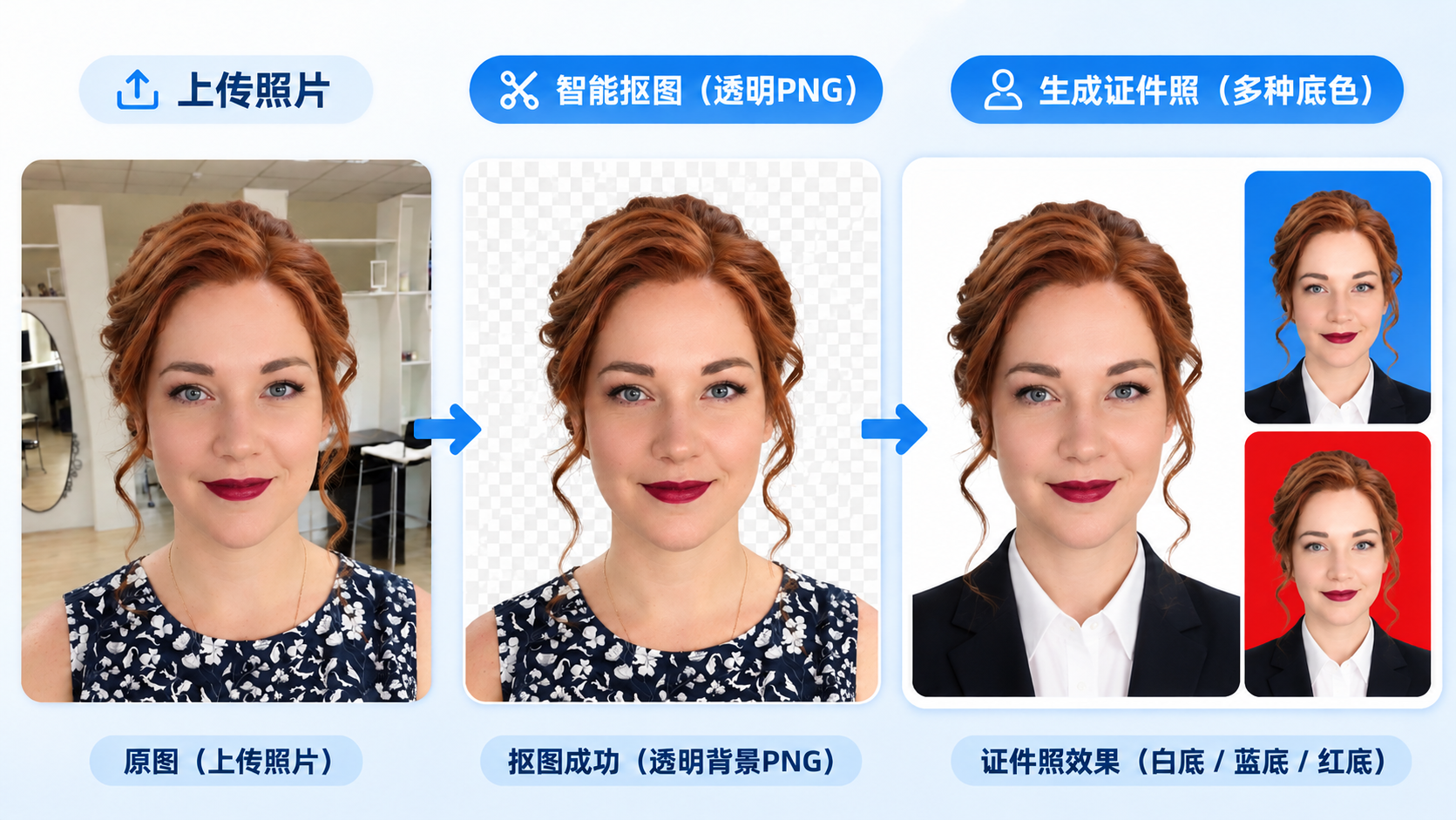
An all-in-one image processing tool combining AI smart background removal and professional ID photo creation. Simply upload a photo to automatically recognize the subject and precisely remove the background. Supports multiple scenarios including people, products, food, animals, architecture, plants, and logos. Features advanced edge-processing technology with optimized hair, fur, and complex outlines, preserving original colors, textures, lighting, and realistic details as much as possible. Outputs high-definition PNG images with a true transparent Alpha channel. Also supports creating professional ID photos. Users can freely choose white, blue, or red backgrounds and clothing styles. Automatically optimizes subject composition, head space, and shoulder positioning. Supports generating a complete set of white, blue, and red background ID photos at once. No complex prompts required. No professional photo-editing experience needed. Just upload a photo to get started.
Best for
Ideal for anyone who needs to quickly create transparent background images, product cutouts, or ID photos for resumes and everyday use.
How to use this Skill
Provide your input
Upload one or more photos and specify background removal, ID photo background color, clothing style, size, or intended use.
Run the Skill
The tool automatically detects the subject and processes the background; when making ID photos, it generates white, blue, or red background versions.
Review your result
Receive a high-definition PNG cutout with a transparent channel, or one or more independent ID photo images.
Related Skills
View all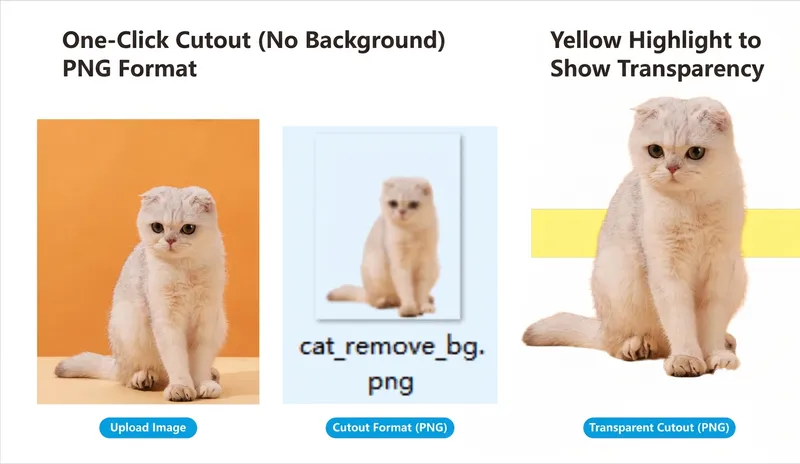 Image
AI Background Remover
Simply upload an image to automatically identify the subject, precisely remove the background, and output a truly transparent PNG image. It is suitable for various scenarios such as people, products, food, animals, buildings, plants, and logos. Committed to removing only the background without altering the subject, it preserves the original colors, textures, contours, and details as much as possible, with fine processing for hair, fur, and complex edges. No need to write complex prompts, making image cutout simple and efficient.
 Image
ID Photo Studio
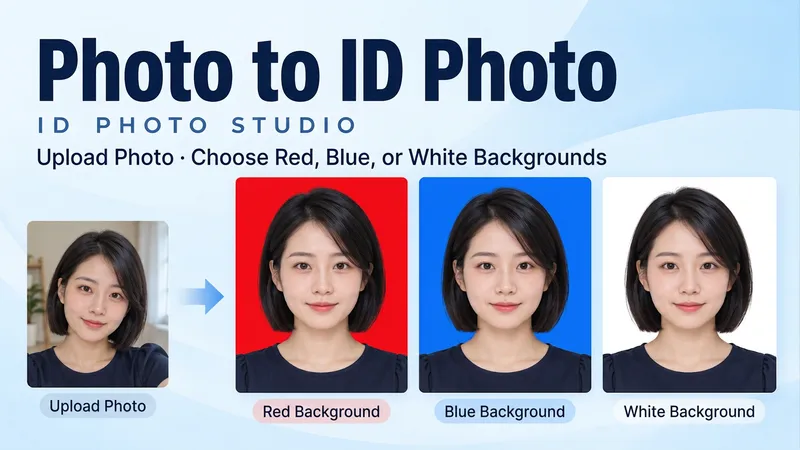
Upload a portrait and create a clean, natural ID-style photo with a red, blue or white background, or get all three colors at once. Turn a casual photo into a frontal, evenly lit head-and-shoulders portrait. Keep your facial features, hair, glasses and identifying details. Original clothing is retained by default; request a shirt or jacket when needed. • Pick a red, blue or white background. • Get three matched color versions as separate images. • Specify pixel dimensions or print width and height. • Use Chinese or English. Final portraits are text-free. Try: "Make a blue-background ID photo from my upload. Keep my face and clothes." Or: "Create matching red, blue and white versions. No beauty reshaping."
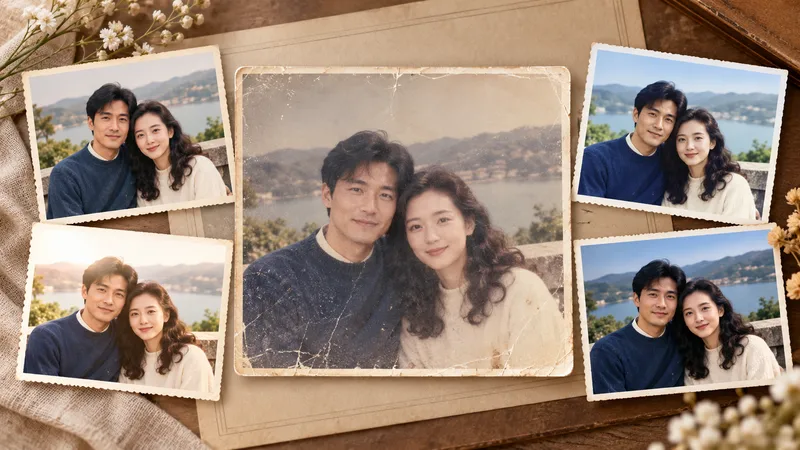
Photo Restoration and Cinematic Enhancement
Transform ordinary, out-of-focus, poorly exposed, faded, or damaged photos into clearer, more textured results ready for sharing and printing. Whether working with portraits, travel landscapes, architecture, interiors, food, products, museum exhibits, old photos, black-and-white images, or scans, it handles light, shadow, color, detail, noise, scratches, and visual depth based on the subject's characteristics while preserving personal identity, object details, architectural structures, text, logos, and historical marks. In addition to faithful and natural restoration, it re-evaluates cropping, aspect ratio, subject size, negative space, perspective, and visual flow to make the image look professionally shot and edited rather than simply brightened or filtered. Landscapes can be enhanced for sky, atmosphere, depth, and cinematic feel; portraits focus on natural skin tones, eyes, hair, and subject separation; architecture maintains realistic lines and textures; exhibits and documents prioritize accurate colors, textures, inscriptions, and details. Old photos undergo dust removal, repair, tonal recovery, and careful colorization, with prudent handling of any inferred reconstruction. Four clearly labeled results are provided by default: natural programmatic restoration, stylized programmatic enhancement, natural AI restoration, and a more impactful AI enhancement, making it easy to compare fidelity and visual presentation. The AI versions also include the optimization prompts used, making it easy to adjust the style or continue creating later.
Information
- Version
- v3
- Last updated
- Runtime credits
- Usage-based
- Models
- Auto
- Use cases
- Images & design
- What you get
- Image
