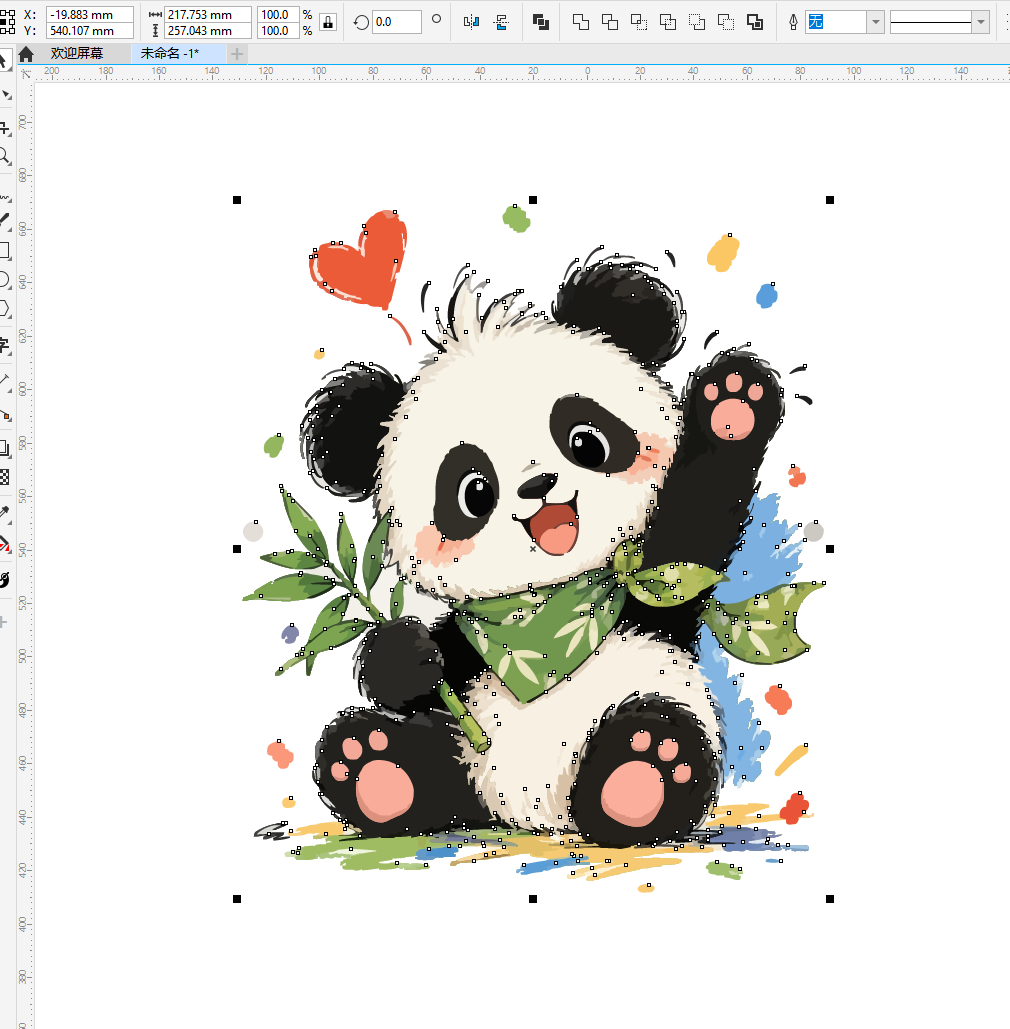
Vector Converter Pro
Turn Any Image into Editable Vector Artwork — SVG, PDF, EPS
Vector Converter Pro
Turn Any Image into Editable Vector Artwork — SVG, PDF, EPS
Showcase
Description
Turn ordinary images into professional, editable vector graphics with AI. AI Vector Converter Pro is a powerful image-to-vector reconstruction tool designed for graphic designers, logo creators, branding studios, print shops, and creative professionals. Simply upload an image. AI analyzes the artwork, identifies shapes and colors, reconstructs precise vector paths, optimizes curves, removes unwanted noise, and preserves the original design as accurately as possible. **Powerful Features:** - **AI Image-to-Vector Conversion:** Transform JPG, PNG, and other raster images into genuine vector artwork. - **Logo Reconstruction:** Rebuild logos, brand marks, icons, and symbols with clean, precise contours. - **Smart Path Optimization:** Reduce unnecessary anchor points, smooth curves, and improve vector geometry. - **Color Separation:** Convert complex artwork into organized, editable color layers. - **Typography Reconstruction:** Preserve lettering styles and convert text into vector outlines. - **Background Cleanup:** Remove unwanted backgrounds and preserve transparent areas. - **Professional Production Modes:** Prepare artwork for printing, engraving, vinyl cutting, signage, and textile production. **Export & Compatibility:** Generate professional vector files in SVG, PDF, and EPS formats whenever supported. Prepare compatible workflows for Adobe Illustrator and CorelDRAW, including CDR X4, when genuine export tools are available. **Perfect For:** - Graphic Designers - Logo & Brand Designers - Advertising Agencies - Printing & Signage Businesses - Packaging Designers - T-Shirt & Textile Designers - Laser Engraving Professionals - Independent Creative Studios No complicated vector editing skills required. Upload your image and let AI handle the reconstruction. **From Pixels to Professional Vectors.**
Recommended by
Dancang
Why we love this skill
An editor’s pick for turning logos, illustrations, and print artwork into genuinely editable vector paths rather than wrapped raster images. It combines intelligent reconstruction, path cleanup, color separation, and production-ready SVG, PDF, and EPS workflows.
Best for
Graphic designers, logo creators, branding studios, print shops, and other creative professionals.
How to use this Skill
Provide your input
Upload a raster image such as a logo, illustration, icon, or scanned design.
Run the Skill
Convert the image into editable vector artwork with reconstructed paths, colors, and cleaned geometry.
Review your result
Receive available vector files such as SVG, PDF, or EPS for editing and production.
Related Skills
View all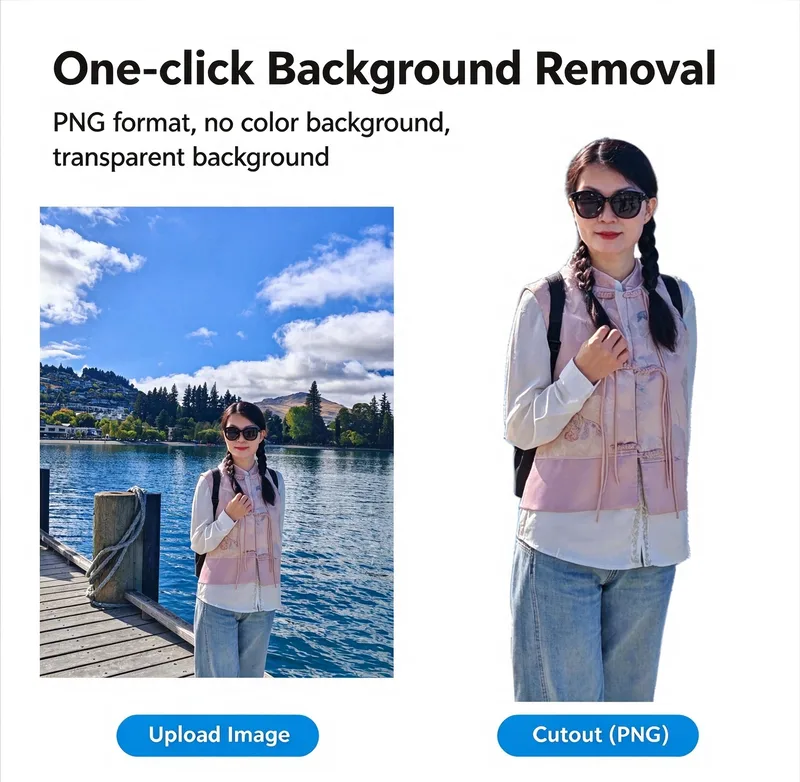 Image
One-Click AI Background Remover
Upload an image and let AI help remove the background while preserving the original subject as faithfully as possible. From portraits and product photos to pets, illustrations, and complex edges, SnapCut AI is designed to make background removal simple and efficient. ✨ Why You'll Love It One-Click Background Removal: Turn busy backgrounds into clean cutouts with minimal effort. Preserve Original Details: Aim to retain the subject's original shape, colors, textures, clothing, logos, and fine details. Transparent PNG Output: Create PNG images with genuine transparency when supported by the available image-processing tools. Fine-Edge Attention: Handle challenging details such as hair, fur, feathers, leaves, and delicate edges. Keep the Original Composition: Preserve the original image dimensions, aspect ratio, and subject placement whenever possible. Made for Creators: Useful for e-commerce product photos, social media graphics, presentations, marketing assets, profile pictures, and creative projects. How It Works Upload your image. Let the background-removal workflow isolate the subject. Export a transparent PNG when supported. Use your cutout in designs, online stores, videos, and more. No complicated editing workflow. Just a cleaner image, ready for your next creative project. SnapCut AI — Remove the background, not the details.
 Image
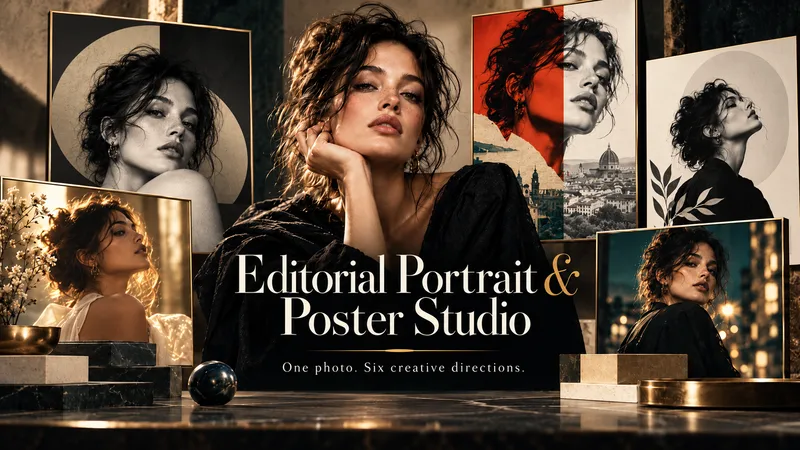
Editorial Portrait & Poster Studio
One photo. Six creative directions. Endless possibilities. Transform an ordinary selfie or portrait into a breathtaking fashion editorial, cinematic portrait, or designer-quality poster — without photography, design skills, or complicated prompts. Editorial Portrait & Poster Studio is your personal AI art director. It analyzes your portrait, preserves your identity, and explores six visually distinct creative concepts inspired by fashion photography, cinematic storytelling, fine art, and experimental editorial design. ✦ HOW IT WORKS 1. Upload Your Photo Start with a selfie or portrait. The studio analyzes your facial features, hairstyle, natural colors, and visual characteristics. 2. Explore 6 Creative Concepts Discover six distinct artistic directions in a single visual preview. Each explores different compositions, lighting, atmosphere, styling, and visual storytelling. 3. Choose Your Favorite Select the concept that captures your vision. No complex prompts required. 4. Create Your Final Masterpiece Generate a refined, high-quality portrait or poster based on your selected concept, with your preferred format, styling, and typography. ✦ WHAT YOU CAN CREATE Luxury fashion editorials and magazine covers Cinematic and fine-art portraits Minimalist typography and gallery posters Surreal and experimental editorial artwork Personal branding and social media visuals Artistic profile photos and creative campaigns ✦ DESIGNED AROUND YOU ✓ Identity-preserving portrait transformation ✓ Six original creative directions ✓ Visual concept selection ✓ Custom wardrobe, lighting, and environments ✓ Optional headlines and editorial typography ✓ Multiple formats, including 1:1, 3:4, 9:16, and 16:9 ✓ Natural skin texture and photorealistic detail Your face. Your identity. Six extraordinary ways to express it. Upload your portrait and discover what your personal editorial studio can create.
 Image
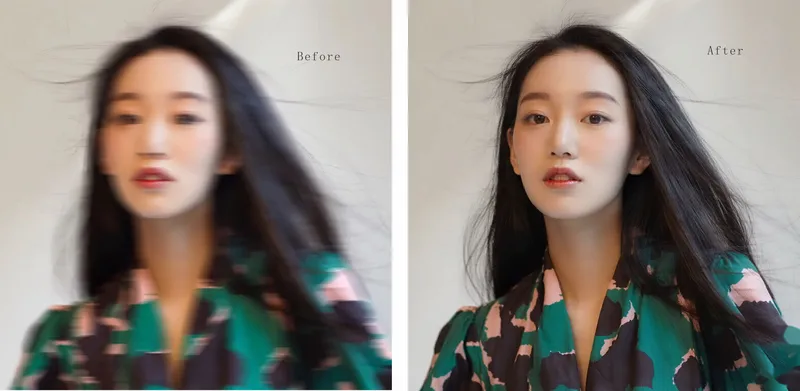
Fix Blurry Faces & Enhance Portraits
AI Photo Restoration Pro — Fix Blurry Faces & Restore Old Photos Restore blurry portraits, low-resolution snapshots, faded family photos, and compressed images with AI. Improve clarity while preserving identity, natural skin texture, facial features, and the original photographic style. What Can It Do? Fix Blurry Faces: Enhance recoverable facial details. Enhance Portraits & Selfies:Improve sharpness and tonal balance naturally. Restore Old Photos:Improve faded, noisy, scanned, and compressed images. Enhance Event Photos: Improve wedding, party, travel, and everyday snapshots. Improve Video Screenshots: Reduce compression artifacts and enhance visible details. Preserve Identity:Maintain facial features, expression, apparent age, clothing, and background. Flexible Output:Preserve the original aspect ratio or adapt images for social media and printing. Who Is It For? Families: Revive cherished memories and old portraits. Photographers:Add natural AI enhancement to editing workflows. Content Creators:Improve thumbnails, profile pictures, and social media visuals. Event Professionals:Enhance suitable wedding and event photographs. Restoration Freelancers: Support client photo restoration services. Designers & Marketers: Improve portrait assets for creative projects. Why Choose This Skill? Identity-first restoration without face replacement. Natural skin texture without excessive smoothing. Adaptive enhancement for different levels of blur. Original composition and background preserved by default. Conservative detail reconstruction for realistic results. Monetization Opportunities Offer photo restoration, portrait enhancement packages, family memory restoration, creator content services, digital tutorials, prompt collections, and freelance editing add-ons. Earnings depend on service quality, customer demand, and platform terms.
Information
- Version
- v4
- Last updated
- Runtime credits
- Usage-based
- Models
- Auto
- Use cases
- Images & design
- What you get
- DocumentImage
