
AI Short Video Editor
No editing skills needed, upload and get ready-to-publish videos
AI Short Video Editor
No editing skills needed, upload and get ready-to-publish videos
Showcase
Description
Turn raw phone footage into viral, ready-to-publish videos. It automatically picks highlights, removes repetition and empty shots, rearranges clips by rhythm, and adds zoom movements, close-ups, facial retouching, dynamic subtitles, and AI voiceover. Just upload your files and let it handle the rest, delivering a vertical video in 35 seconds. Best for: • Food, talking-head, and knowledge creators: quickly produce daily content to maintain a consistent update schedule • Store owners and small business owners: turn renovation logs, opening highlights, and product processes into videos without hiring a team • Vloggers and lifestyle recorders: turn travel, parenting, and craft outtakes into engaging stories • E-commerce, education, and event creators: quickly cut product details, course highlights, and live moments • Freelance video editors: produce multiple versions from a single set of footage to multiply delivery efficiency
Recommended by
Dancang
Why we love this skill
Reconstructs scattered footage into publishable short videos with automatic filler removal, highlight detection, camera movements, subtitles, and voiceover while adapting aspect ratios and lengths.
Best for
Ideal for bloggers, merchants, and content creators who need to quickly organize phone video footage into short video editing plans.
How to use this Skill
Provide your input
Upload one or more video source files and specify the aspect ratio, duration, style, character retouching, voiceover, and key requirements.
Run the Skill
The system analyzes the source footage, filters highlights, rearranges shots, and plans camera movements, subtitles, voiceover, and audio effects.
Review your result
Receive an edited storyboard timeline, AI editing instruction set, and audiovisual preview description ready for editing tools or workflows.
Related Skills
View all Video
AI Motion Comic Storyboard Master
1. Continuity First: Keep scenes, lighting, and core character features highly consistent across shots. Shot transitions must follow audiovisual logic. 2. 50-Second Golden Pacing: Strictly control the total duration to 50 seconds, divided into 5 to 7 core storyboards. 3. Vivid Expressions & Actions: Avoid empty psychological descriptions. Express all emotions through micro-expressions, body movements, and physical reactions. 4. Multi-dimensional Audio Visual: Accurately match each storyboard with visual descriptions, prompts, voiceover, dialogue, environmental sound effects, and background music emotions. The ultimate director in AI short dramas. Input a script or a single idea to generate a complete 50-second production plan with core storyboards, camera work, bilingual prompts for Kling, Seedance, or Midjourney, voiceover copy, and timed sound effects. Features a character cross-stage consistency locking mechanism to prevent visual drift.
 Video
Daily Mini-Doc AI Studio
Turn real everyday footage into mini-documentaries featuring continuous dynamic shots, a unified visual style, voiceovers, subtitles, and a complete editing workflow. Aimed at playable MP4 files, it strictly separates plans, dynamic clips, previews, and approved final cuts. Use Cases Daily life logs, gardening, cooking, travel, crafting, studying, work routines, and YouTube Shorts, Instagram Reels, and Xiaohongshu videos. Defaults to 30–60 seconds, vertical 9:16, and a natural documentary style.
 Video
All-in-One Showcase Video
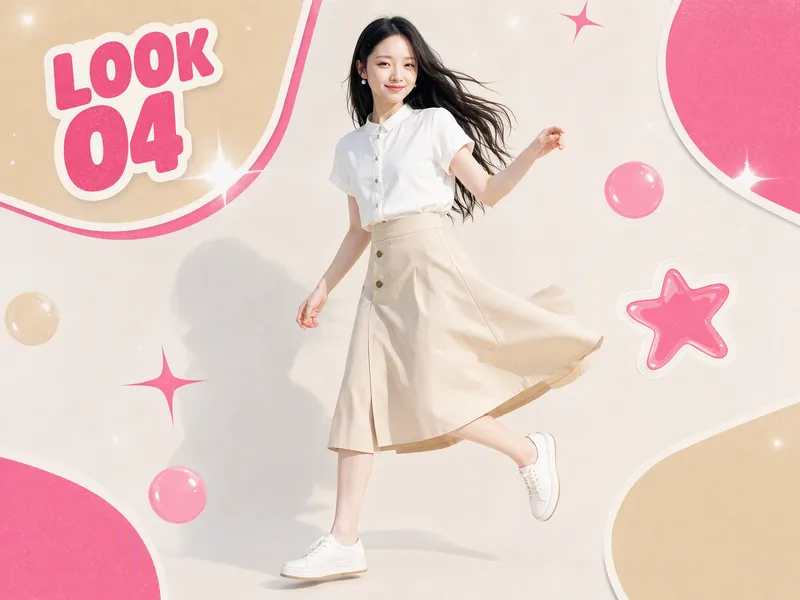
Ways to monetize: 1. Build an account and earn through product sales and brand deals (fashion creators and product recommendation accounts can use it to produce daily outfit changes and review clips. One person can maintain a steady output, then earn commissions and brand partnerships as the content grows.) 2. Take on client work for merchants (clothing stores, small brands, small-appliance sellers, and consumer electronics merchants all need product showcase videos and short ads. Upload their products, deliver finished videos, and charge per video, package, or month.) 3. Create videos for your own products (store owners can use it to make showcase videos for every new product, saving on model, photography, and editing costs and putting more budget toward advertising.) 4. Produce at scale to help teams work more efficiently (agencies and MCNs can integrate it into their production workflow so the same team can create more content across more products and accounts.) Put anything on a person for a one-shot showcase. Upload a person’s photo, then upload anything you want to feature: clothing, shoes and bags, accessories, perfume, hats, phones, earbuds, small appliances, sports equipment, food, and drinks. It automatically generates premium person-centered showcase images and turns them into a coherent, beat-synced short video with music. If no person photo is provided, it automatically designs a model. The default is 15 seconds in 9:16, while duration, aspect ratio, and style can all be customized. Who it’s for: fashion creators, e-commerce sellers and store owners, product-promotion short-video creators, brand content teams, and anyone who wants to turn their favorite products into polished showcase videos.
Information
- Version
- v2
- Last updated
- Runtime credits
- Usage-based
- Models
- Auto
- Use cases
- Images & designVideo & audioMarketing & growth
- What you get
- ScriptPromptPlan
