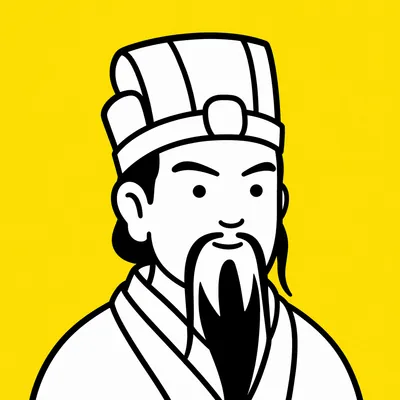
Eastern Pop Poster
Ancient Eastern wisdom meets modern city life
Eastern Pop Poster
Ancient Eastern wisdom meets modern city life
Showcase
Description
Catching bugs? Zhong Kui is your expert. Revising plans? Zhuge Liang did it his entire life. For your urban woes, 45 ancestors line up to empathize—dot-eyed pop-art posters with witty one-liners, ready to go viral the moment you share them.
Recommended by
Shuting@YouMind
Why we love this skill
Combines Eastern allusions with modern workplace life, using minimalist Pop style and witty one-liners to deliver a strikingly contrasting visual take on everyday worries.
Related Skills
View all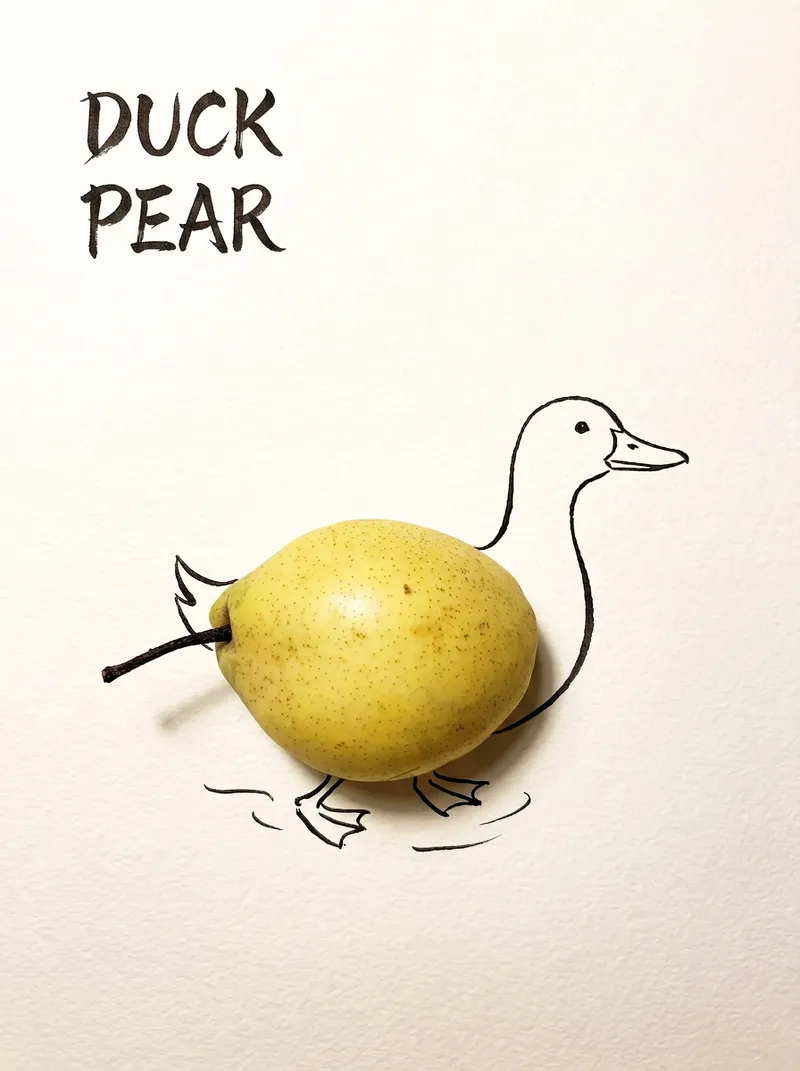 Image
ImageBring Objects to Life
Best for: Xiaohongshu / Douyin creators Turn everyday objects into posters and create a consistent "bring-to-life series" with highly engaging content Food and lifestyle creators Turn ingredients into cover images that make your work more memorable Illustrators / designers Find inspiration quickly and test the "real object + line art" creative direction Teachers / parents Create materials for arts and crafts lessons, helping children make up stories with objects around them Businesses / brand operators Create creative hero images, holiday posters, and packaging inspiration for produce, fruit, and snacks Cultural creative brands, stationery shops, and coffee shops Design merchandise, postcards, stickers, and menu illustrations Everyday enthusiasts Photograph something nearby and share an "artwork" on social media Everything you photograph is hiding another character. "Bring Objects to Life" is a creative poster generator that combines real-object photography with minimalist line art. Just upload a photo of an object, and AI will automatically do three things: 🔍 Read the shape: Analyze the object's outline, curves, and texture to find what it most resembles ✏️ Add line art: Use dark ink pen lines to draw in a head, limbs, a human figure, ropes, and more, fitting the lines precisely to the object's edges 🖋 Turn the idea into a phrase: Create a 2–4-character Chinese pun title and arrange it in the empty space in an artistic typeface The finished image preserves the object's real colors and texture. The background is clean, warm-white watercolor paper, with at least 40% negative space. The result feels calm and refined: recognizable at a glance, then delightfully witty once you see the idea. The default format is a 3:4 vertical layout, suited to Xiaohongshu, Moments, and Douyin image posts. The aspect ratio, font, and title can all be customized.
 Image
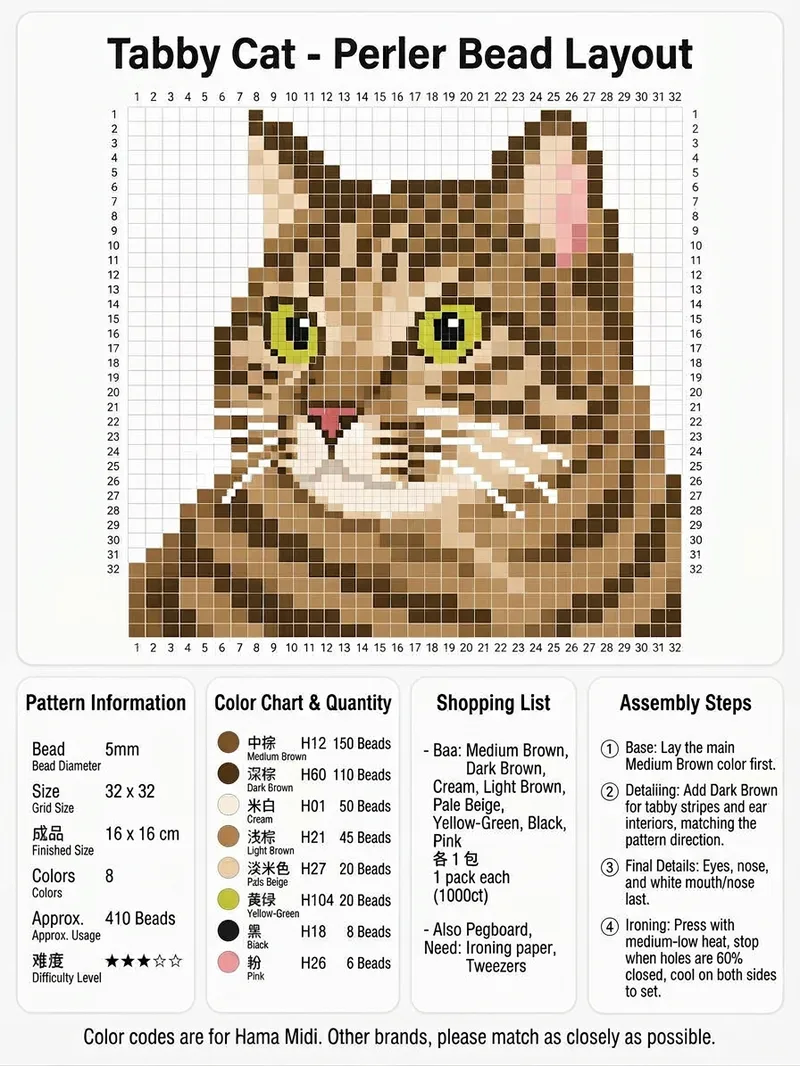
ImageViral Fuse-Bead Pattern Poster
Upload an image of a person, animal, or object to get a complete fuse-bead pattern information poster. It converts the clear subject into a pixel grid and labels sequential row and column coordinates around the pattern, making it easy to place 5 mm fuse beads by square. It is suitable for creating Perler or Hama fuse-bead projects. The poster brings together the pattern dimensions, finished size, difficulty, number of colors, and total bead count. For each color, it includes a color swatch, color name, Hama Midi color code, and estimated bead count, along with purchasing suggestions and a tool checklist covering the baseplate, ironing paper, tweezers, and more. It also includes guidance on assembly order, facial features, reinforcing fragile areas, and ironing and shaping the finished piece, making it easy to save, share, and follow directly. Everything is combined into one clean vertical information poster. For other brands, choose colors with similar codes.
 Image
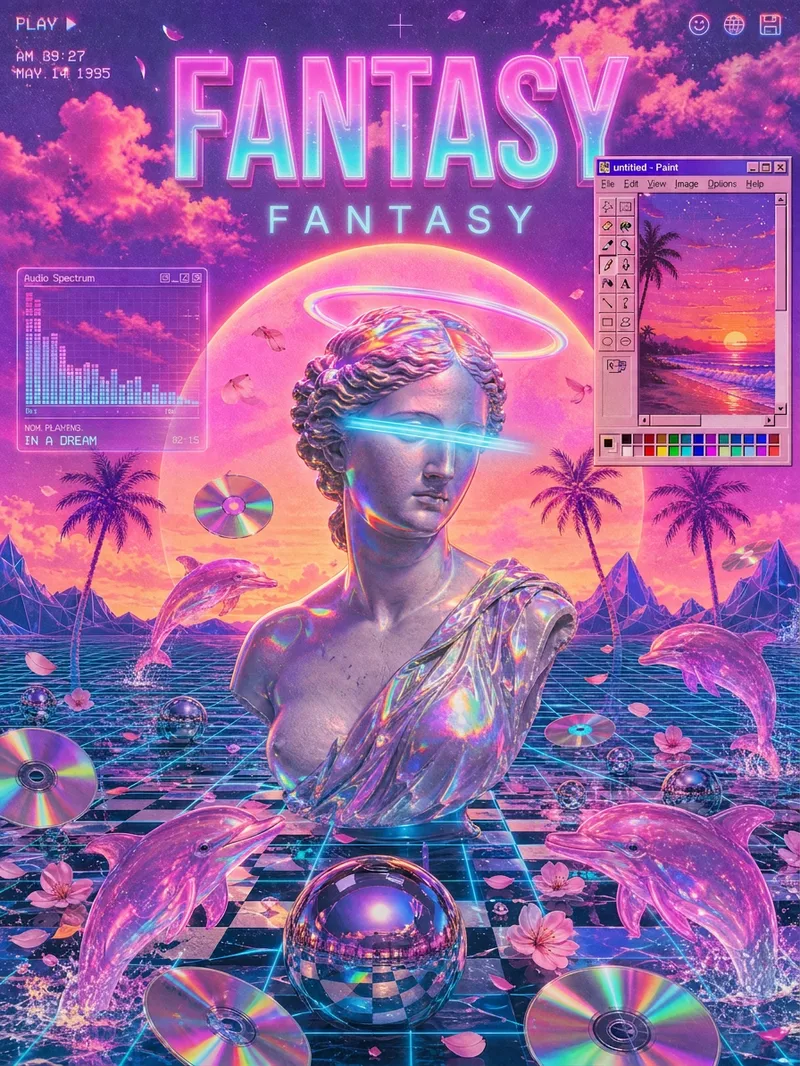
ImageVaporwave Poster Generator
Turn a theme, copy, or specified elements into a vaporwave-style poster with a distinct mood and visual narrative. Whether the subject is capitalism, loneliness, nostalgia, technology, music, or a brand concept, the poster matches the theme with suitable textures, colors, composition, and vaporwave symbols to create a ready-to-use visual piece. You can specify the aspect ratio, dominant colors, material feel, composition, and required elements; anything left unspecified is filled in automatically based on the theme. The image can incorporate classical statues, palm trees, synthwave sunsets, checkerboard patterns, perspective grids, retro computer interfaces, CDs, glitch effects, holographic metal, and more. It can also feature VHS grain, RGB shifts, lo-fi blur, low-poly styling, or a clean digital look as needed. The result is a vaporwave-themed image in your chosen aspect ratio, along with a summary of the textures, colors, composition, and key elements used in the creation. It is suitable for album covers, themed posters, social media graphics, brand visual concepts, and art with a retro-futuristic feel.
Information
- Version
- v12
- Last updated
- Runtime credits
- Usage-based
- Models
- Auto
