
Xianxia Quest Slides Generator
Organize content into Xianxia-style Slides
Xianxia Quest Slides Generator
Organize content into Xianxia-style Slides
Showcase

仙侠问道 · 深色夜空版 4 页样片
仙侠问道 · 深色夜空版 4 页样片
仙侠问道 · 深色夜空版 4 页样片
仙侠问道 · 深色夜空版 4 页样片
Description
Organize your topic and existing materials into a clearly structured, consistently styled Chinese Xianxia presentation. Starting from free text, an outline, or document content, it first clarifies the target audience, presentation purpose, core arguments, and chapter flow to form a confirmable slide outline. Each slide specifies the page type, main title, key points, and visual or data notes, suitable for work reports, teaching, medical science communication, personal showcases, and more, while ensuring data and conclusions are properly sourced. Once the outline is confirmed, the content is presented as “Xianxia Quest · Dark Night Sky” slides: using deep space ink blue, moon white, gold, and vermilion as primary colors, combined with abstract elements like ink-wash mountain shadows, clouds, a pale moon, and flying swords, it creates a restrained, solemn, and poetic visual character. Cover, table of contents, section transitions, image-text, dual-column image-text, data charts, quote callouts, timelines, and closing page types can be flexibly organized to suit the narrative, while maintaining consistent whitespace, typography, and layout language. After generation, the pages are compiled into a 16:9 Slides presentation file, with restrained fade-in/out animations, table-of-contents navigation, and a return-to-contents button, along with font licenses, original vector assets, and readability notes for dark backgrounds. It is ideal for users who want to turn Chinese content into presentations with Eastern aesthetics, clear narrative, and a formal presentation feel.
Related Skills
View all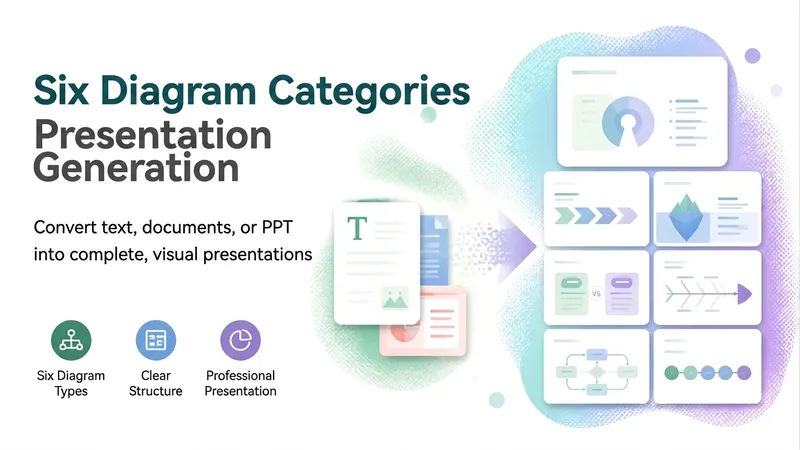 Slides
Diagram Presentation Generator
Transform text, documents, or existing Slides files into a ready-to-deliver presentation that retains original facts, data, and core conclusions while reorganizing slide structures based on content and context. Choose from key diagrams, arrow diagrams, iceberg diagrams, comparison diagrams, fishbone diagrams, or flowcharts to present your main content through clear visual relationships for key elements, directions, symptoms and underlying factors, current states versus goals, categorized issues, or action stages. During generation, the Skill adjusts colors, fonts, and visual styles based on your theme, audience, industry, and brand requirements, ensuring consistent covers, tables of contents, content pages, and endings without rigid template repetition, while keeping text, units, timelines, and logic accurate and clear. It will not fabricate numbers, causal relationships, sequences, or conclusions lacking source support, and will clearly point out missing information if a file cannot be read or key details are insufficient. You will receive a complete Slides file or accessible link rather than just a text outline, along with explanations of the chosen diagram type, important material gaps, and actual editability. It is ideal for project reporting, proposal explanations, business summaries, workflow planning, and information visualization.
 Slides
Claymation Style Slides
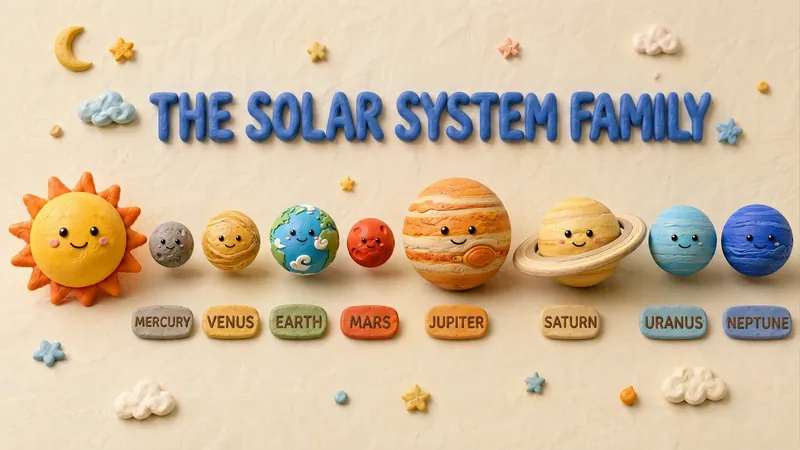
This Skill turns your creative scripts into highly artistic claymation-style Slides. It's more than just simple presentation creation - through 3D modeling-grade visual rendering, it shapes every idea into clay models that feel handcrafted and warm. Whether for science popularization, educational courseware, or creative presentations, it gives your content a playful, warm, and highly approachable visual style. You can choose your input method flexibly: just provide a topic and let the AI plan the content, or enter an outline or a full speech script, and the Skill will carefully plan everything. Before generating, it first creates a page-by-page outline that includes page layout, visual element descriptions, and the main color palette. You can review or adjust the narrative logic of each page to ensure the final output meets your expectations. Once you confirm the plan, the system generates high-quality 16:9 3D clay-style images page by page. These images have a realistic plasticine texture with delicate handcrafted details and soft studio lighting. All images are automatically assembled into a complete presentation, with each page featuring rounded 3D titles and clear visual labels, delivering a cinematic presentation experience.
Trending PPT Slides Generator
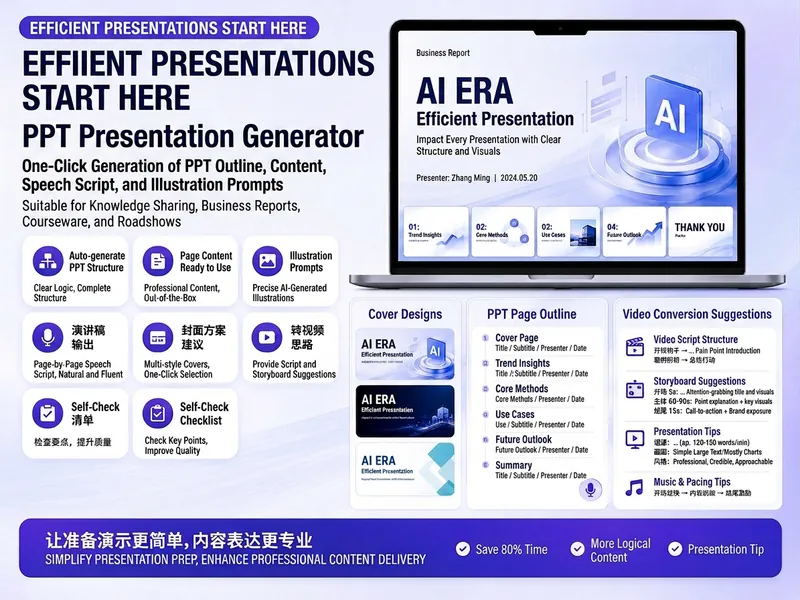
Easily create engaging PPT Slides for knowledge sharing, business reports, course teaching, product introductions, or roadshows. Simply provide the topic, purpose, audience, duration, number of slides, or style preferences to get a customized PPT content plan. This skill provides a detailed PPT slides plan, including the PPT title, one-sentence theme, audience analysis, slide structure, titles for each slide, body text, and key points for your speech. It also offers specific visual suggestions and image prompts for each slide, even including cover design keywords to help you create a visually cohesive and attractive presentation. If you need to convert your PPT to a short video, this skill can also provide professional video conversion suggestions, covering key elements like rhythm, subtitles, voiceover, camera movements, and cover art to help your content perform well on multiple platforms. Say goodbye to vague outlines; every slide's content is ready to copy and use, ensuring your presentation is both substantive and impressive.
Information
- Version
- v4
- Last updated
- Runtime credits
- Usage-based
- Models
- Auto
