Kallaway Neon Glass
Make dark tech videos with glass graphics
Kallaway Neon Glass
Make dark tech videos with glass graphics
Showcase
Description
Turn your own script, people, product footage, and interface assets into a dark, cinematic technology video with a credible on-camera host, translucent blue glass information layers, and spatial graphics that make complex ideas easy to see. This visual system works especially well for AI products, workflows, software demos, creator education, product explainers, and thought-leadership content that needs both human presence and structured visual explanation. It can shape evidence into web and product frames, organize people or examples into orbiting identity cards, and express systems through branching diagrams, workflow graphs, concentric maps, process cards, spatial data objects, metric cards, and luminous summary grids. Transitions connect objects and ideas naturally through card reveals, guided focus, diagram growth, and host-to-graphic movement rather than distracting effects. The look maintains deep navy space, cool cyan edge light, restrained warm practical light, readable white typography, and layered glass surfaces across both 16:9 and 9:16 formats. Bring a script or voiceover, presenter footage or portraits, product recordings or screenshots, logos or avatars you have permission to use, plus your preferred aspect ratio and duration. You’ll receive a visual storyboard that maps the spoken content to appropriate modules before production, while your original argument and wording remain intact. Missing assets can be represented with neutral placeholders, and the final handoff can identify which user materials were used, what still needs to be supplied, and how the piece could be adapted for vertical video.
Why we love this skill
An editor’s pick for dark tech storytelling that keeps the speaker credible while turning ideas into spatial systems. Its rigorously defined glass materials, cinematic lighting, modular diagrams, and restrained motion create polished videos without copying source content or sacrificing clarity.
Best for
Content creators, educators, and product teams explaining software, AI products, workflows, or complex ideas through human-led technology videos.
How to use this Skill
Provide your input
Provide a script or voiceover, presenter footage or portraits, product recordings or screenshots, permitted logos or avatars, plus the preferred aspect ratio and duration.
Run the Skill
The Skill maps your spoken content to a visual storyboard, then builds a dark technology video using host footage, translucent glass information layers, and spatial graphics while preserving your wording.
Review your result
Receive a cinematic technology video with a storyboard and a handoff noting used materials, remaining placeholders, and possible vertical adaptations.
Related Skills
View all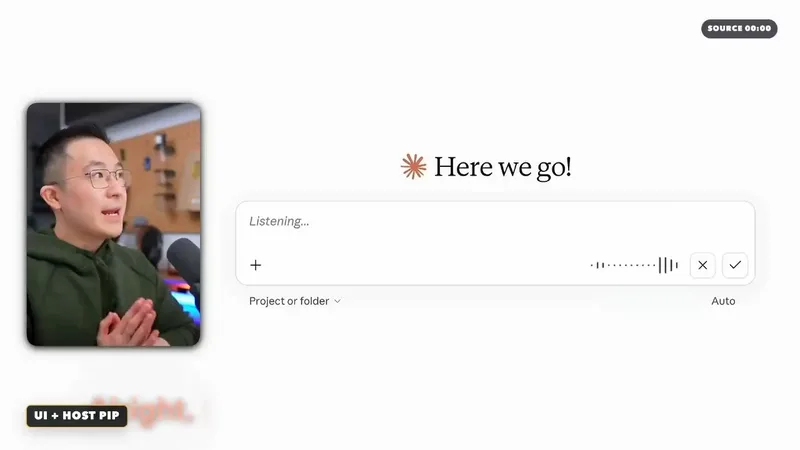 Video
video-style-jeffsu-ai-demo
Turn a technology, AI tool, or workflow script into an evidence-led video storyboard and post-production plan that is clear, credible, and ready to edit. The skill maps each spoken idea to the right visual treatment, balancing presenter footage for promises, explanations, and conclusions with real screen recordings or public product pages for demonstrations and proof. It also uses warm white vector system diagrams to explain relationships, rules, tool ecosystems, and workflow architecture without pretending that abstract graphics are real product interfaces. When a claim depends on visible evidence, the plan can call out a specific interface area, structure a fair side-by-side comparison, compress low-value waiting time, or introduce a restrained chapter transition. Visual emphasis, captions, colors, and layouts can be adapted to your brand guidelines rather than copied mechanically from a reference. For every brand, product, or service appearing in the new video, the skill helps gather authentic logos and relevant website or product screenshots, while clearly distinguishing official public material, user-provided recordings, and illustrative mockups. The deliverable includes an editable semantic timeline with dialogue purpose, visual state, screen text, key actions, exit conditions, fallback options, and a source-aware media list. It is especially useful for AI demos, SaaS tutorials, productivity workflows, automation explainers, and technology education where viewers need both a compelling story and verifiable UI evidence.
 Image
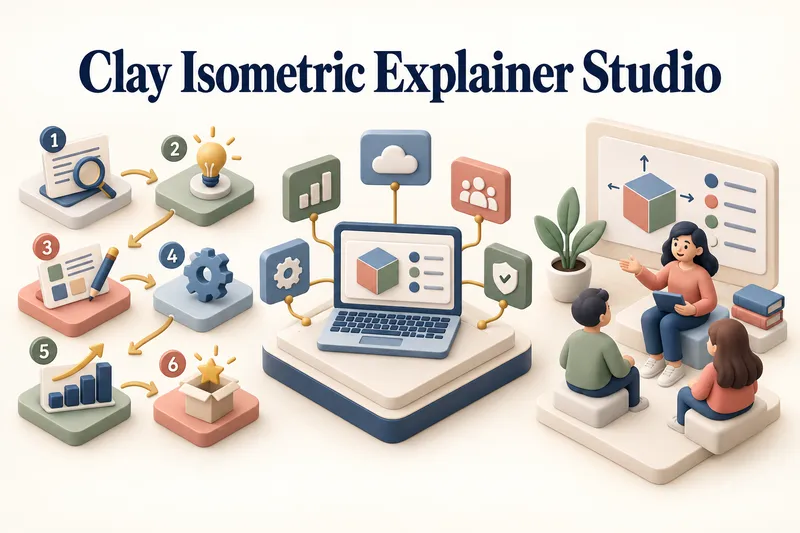
Clay Isometric Explainer Studio
Turn any topic into a clear, memorable visual explanation. Clay Isometric Explainer Studio transforms products, processes, services, systems, and educational subjects into polished hybrid 3D clay and isometric visuals. You can start with only a topic. The Studio performs a focused research snapshot, identifies the core message, recommends the clearest visual direction, and guides you through the creative process step by step. It builds the information architecture, maps each idea to a visual object, defines a consistent style system, and prepares a complete production prompt. Titles, numbered stages, information cards, labels, and short explanations are planned and included directly during image generation. Choose an Explainer Scene, Process Flow, Product Feature Board, Educational Visual, or a coherent 3–5-piece Visual Series. After the still image is approved, optionally turn it into a short image-to-video animation with subtle object motion, natural clay character gestures, or guided focus through numbered stages. Ideal for presentations, websites, social posts, posters, PDF pages, product communication, onboarding, and learning materials. Not intended for decorative 3D scenes without an explanatory purpose, random visual elements, dense paragraphs inside images, or final editable design files.
 Video
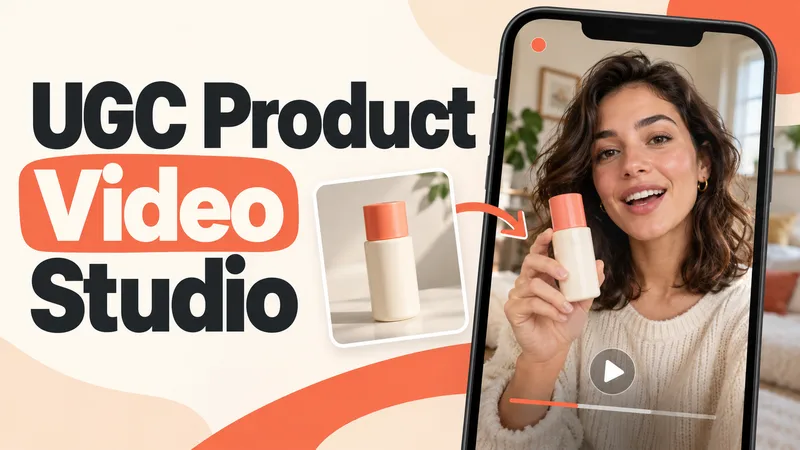
UGC Product Video Studio
Turn a product photo into a complete UGC video workflow: a lifelike AI creator, a connected sequence of scenes, natural dialogue, and prompts tailored to your chosen video model. Built for product owners, marketers, and creators who want to show their product through a believable everyday story. You guide the creative decisions: • Design your character step by step. Approve the look, refine specific features, or request a different person. • Build a sequence of portrait shots, product details, demonstrations, location changes, and a product-only closing shot. • Explore image variations and approve the final scene set before the script is finalized. • Review the scenario and spoken text, then adjust the hook, tone, pacing, or closing line. Realism goes beyond skin texture. Prompts account for natural facial detail, smartphone framing, lighting, and character consistency. Images are checked for awkward grips, floating caps, nozzle direction, and other physical contradictions. Complex actions can be simplified or split into separate shots before animation. Choose your platform, video model, spoken language, and audio method: • Speech generated directly inside the video. • Separate speech text or audio for lip sync. • Off-screen narration. Prompts adapt to the selected model, with language and audio support checked for that route. After approval, generate the video in YouMind, prepare a prompt package for another platform, or stop with the production report. Receive complete image and video prompts, the approved script, reference mappings, timing, and quality-check notes. Your character. Your scenes. Your approval at every key stage.
Information
- Version
- v3
- Last updated
- Runtime credits
- Usage-based
- Models
- Auto
- Use cases
- Images & designVideo & audioLearning & education
- What you get
- Video
- Visual styles
- CinematicFuturistic3D
