
video-style-jeffsu-ai-demo
Storyboard AI demos with real UI evidence
video-style-jeffsu-ai-demo
Storyboard AI demos with real UI evidence
Showcase
Description
Turn a technology, AI tool, or workflow script into an evidence-led video storyboard and post-production plan that is clear, credible, and ready to edit. The skill maps each spoken idea to the right visual treatment, balancing presenter footage for promises, explanations, and conclusions with real screen recordings or public product pages for demonstrations and proof. It also uses warm white vector system diagrams to explain relationships, rules, tool ecosystems, and workflow architecture without pretending that abstract graphics are real product interfaces. When a claim depends on visible evidence, the plan can call out a specific interface area, structure a fair side-by-side comparison, compress low-value waiting time, or introduce a restrained chapter transition. Visual emphasis, captions, colors, and layouts can be adapted to your brand guidelines rather than copied mechanically from a reference. For every brand, product, or service appearing in the new video, the skill helps gather authentic logos and relevant website or product screenshots, while clearly distinguishing official public material, user-provided recordings, and illustrative mockups. The deliverable includes an editable semantic timeline with dialogue purpose, visual state, screen text, key actions, exit conditions, fallback options, and a source-aware media list. It is especially useful for AI demos, SaaS tutorials, productivity workflows, automation explainers, and technology education where viewers need both a compelling story and verifiable UI evidence.
Recommended by
Dancang
Why we love this skill
Featured for turning AI video concepts into evidence-led, editable storyboards. It uniquely separates real interface proof from illustrative diagrams, requires sourced logos and screenshots, and uses deliberate visual rules for focus, comparison, pacing, and trustworthy product demos.
Related Skills
View all
Interactive Product Demo Video Studio
Transform any product, website, software application, digital service, or feature into an evidence-based demonstration video, complete scene-by-scene storyboard, synchronized voice-over script, caption track, and multi-platform production package using YouMind's native capabilities. Rather than generating generic marketing claims, the skill analyzes your actual interface and workflows to show the target audience's core problem, how the product works step by step, and the practical outcome users achieve.
 Write
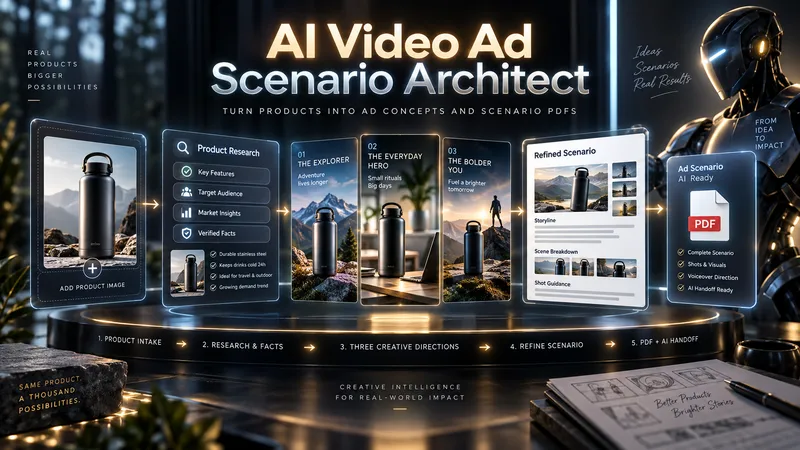
AI Video Ad Scenario Architect
From one product to three bold advertising directions. Great ads begin with a powerful idea—not a generic script. AI Video Ad Scenario Architect turns your product into a research-informed creative brief, three distinct ad concepts, and a production-ready video script. DISCOVER YOUR PRODUCT'S CREATIVE DNA Upload a product photo or provide a product/model name. The Skill identifies its visual identity, audience, strengths, and storytelling potential. For existing products, it checks reliable sources and separates verified features from creative assumptions. EXPLORE 3 DISTINCT AD CONCEPTS Discover three genuinely different approaches—not minor variations of the same idea. Compare their hooks, storytelling styles, emotional appeal, visual direction, and audience fit. Pick one, combine ideas, or introduce your own. CREATE TOGETHER, YOUR WAY Use Collaborative Mode to shape the concept with AI, refine the hook, adjust tone, and build a distinctive creative direction before approving the final scenario. FROM CONCEPT TO SCENE-BY-SCENE SCRIPT Receive a structured advertising script with scene timing, camera and visual direction, dialogue or voiceover, product visibility, sound design, a memorable payoff, and an optional call to action. PROTECT PRODUCT ACCURACY Product Identity Lock records recognizable details such as shape, color, logo placement, and distinctive features. Research notes help prevent unsupported product claims. ONE PDF. A COMPLETE CREATIVE HANDOFF. Your final PDF includes the approved scenario, verified sources where available, Product Identity Lock, production context, and a Universal AI Continuation Prompt—ready to guide image, video, voice, sound, and editing workflows with compatible AI tools. Optionally continue with AI Video Ad Production Workflow for a more advanced production pipeline. This Skill delivers a planning and scripting PDF, not a finished video. Research depth depends on available information and tools.
 Video
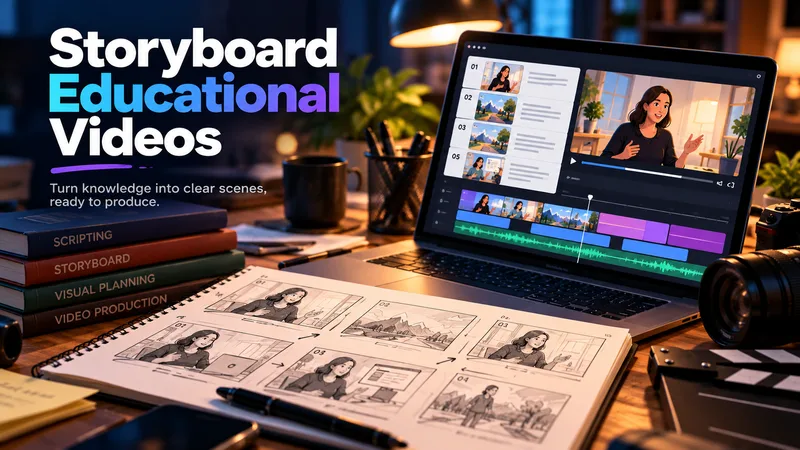
Storyboard Educational Videos
Hand it a document — a training guide, an SOP, a product brief, a course chapter — and get back a shooting plan you can film today: numbered scenes, one idea each, each with a clear visual direction, an English image prompt, spoken narration that fits the clock, and subtitles that match the voiceover word for word. Most documents are written to be read, not performed: the narration rambles, the visuals repeat the text, the subtitles drift out of sync. This Skill rebuilds the material for the screen — 3–6 observable learning objectives, a hook → orientation → teaching beats → recap → CTA arc, and a fixed time budget of 2.2 words per second per scene, so nothing gets cut later in the edit. Every plan ships with an overview, one visual style guide reused across all scenes, a scene index with exact timings, a per-scene breakdown (purpose, framing, on-screen text, English image prompt, voiceover, subtitle cues, audio), production notes and an explicit list of assumptions and content risks. How to ask for it — four shapes that work best: • Just the file: "Turn this into an educational video plan." Audience and runtime are inferred and stated as assumptions. • File + runtime + audience: "A 4-minute onboarding video for new support hires; screen recordings only, no on-camera presenter." • File + format: "A 60-second vertical 9:16 plan for LinkedIn, high tempo, one-line subtitles." • Thin or messy source: "These notes are scattered bullets — still build a 3-minute plan, mark the gaps TODO: and list your assumptions." Output language follows your message: ask in Turkish, Spanish or Japanese and the whole plan comes back in that language. Only the image prompts stay in English, ready for any image model. Built for L&D teams, course creators, product marketers and anyone handed a twelve-page PDF and told "make it a video".
Information
- Version
- v4
- Last updated
- Runtime credits
- Usage-based
- Models
- Auto
