Urban Impasto Diorama
Create minimal impasto style city diorama art
Urban Impasto Diorama
Create minimal impasto style city diorama art
Showcase
Description
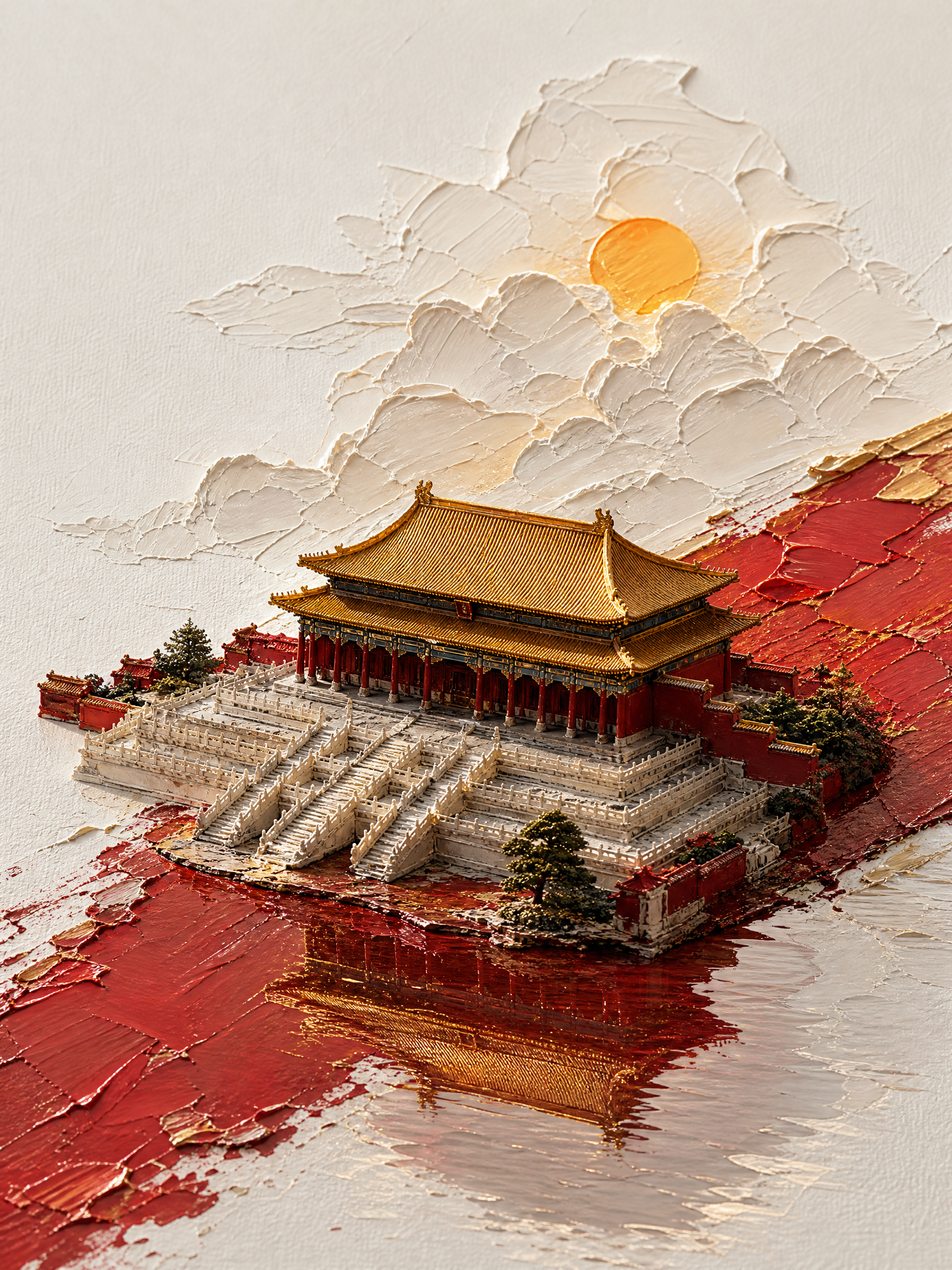
Condense a city or landmark into a recognizable urban impasto diorama image, ideal for visual inspiration, city-themed creation, travel souvenirs, or serial landmark displays. You only need to provide the city name, and can optionally specify a specific landmark, primary color, accent scenery, reference image, aspect ratio, or stylistic direction. Unspecified details are naturally completed based on city characteristics, and multiple cities can generate corresponding images separately. The finished artwork features a white textured paper background with generous negative space, combined with relief-like paint layers formed by palette knife impasto, distinctly angled color blocks, iconic landmark structures, and water reflections. The atmosphere is enriched with clouds, sunlight, and a small amount of city-related scenery. The overall design emphasizes the recognizable silhouettes of landmarks and a unified series texture, presenting a three-dimensional diorama sculpted with real paint rather than ordinary photography or flat travel posters. The final output delivers generated image files, not just text prompts.
Recommended by
Dancang
Why we love this skill
Transforms city landmarks into recognizable palette-knife impasto dioramas, establishing a unified aesthetic through generous negative space, diagonal oils, clouds, and complete reflections. It balances landmark accuracy with bold color choices for a real paint-sculpted look.
Related Skills
View all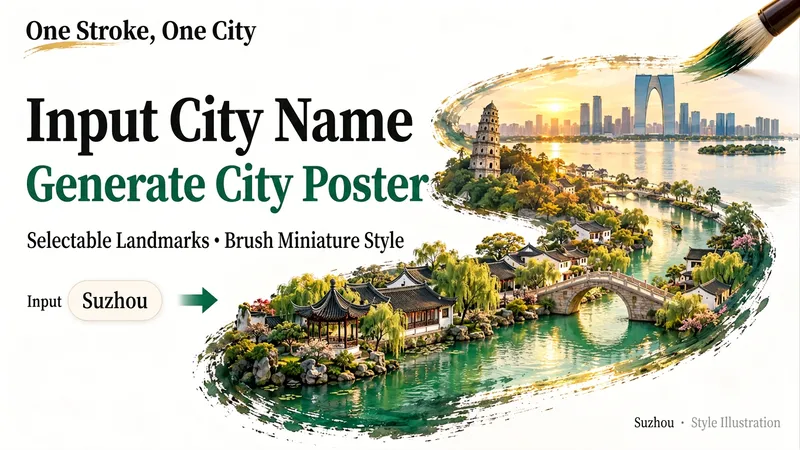 Image
Miniature City Reliefs
Fit an entire city into a single brushstroke. Enter a city name, and let its landmarks, gardens, waterways, or modern architecture unfold along the brush tip to form a detailed miniature relief artwork on a white background with generous negative space. It’s ideal for city-themed posters and travel keepsakes, or for exploring a familiar city from a new perspective. Before generating the image, I’ll organize the landmarks and visual concept for you. After you confirm which scenery to keep, generation will begin. You can specify landmarks, a classical or modern style, landscape or portrait orientation, and preferences such as no text or no visible hand. To skip a step, say “choose everything and generate directly.” If you’re only brainstorming for now, you can choose to organize the prompt without generating an image.
City Landmark Diorama
Turn a city’s representative landmarks into a miniature map illustration that combines geographic grounding with visual appeal. Simply provide the city name along with any preferences for coverage, language, scale, or style. The Skill will organize the relative positions of around 5–8 key landmarks, riverbank relationships, roads, bridges, and distances between landmarks, while shaping the scene around local architectural character. The final result is a complete, ready-to-view city landmark diorama—not just a prompt or composition plan. The scene uses a full-frame warm-toned map surface, refined, colorful 3D diorama models, a small and varied selection of background buildings, and clear Chinese labels to emphasize the visual hierarchy of “large landmarks, small buildings.” It also retains a city title plaque in the upper left, a north arrow in the upper right, and necessary artistic annotations. This makes it suitable for city introductions, travel and cultural content, regional overviews, and visual presentations. After generation, it also checks landmark recognizability, relative positions, river and road relationships, label text, and compositional consistency, making corrections when needed. This is an artistic illustration of city locations and does not replace navigation, surveying, or a map with a precise scale. When web research and image-generation capabilities are available, it can include brief sources, the research date, and reusable prompts. If image generation is not currently available, it provides a complete image-generation prompt and a location list.
 Image
Ink City Poster Generator
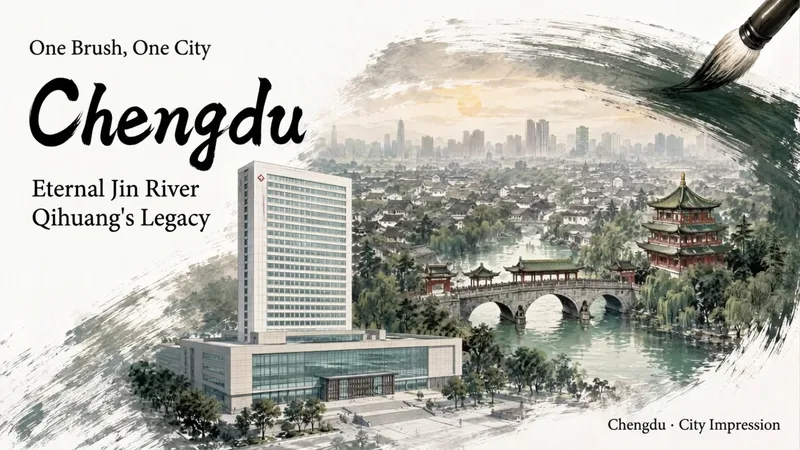
Enter a city name to create a miniature city poster with a strong sense of place and polished design, suitable for conference backdrops, city promotions, and event visuals. Traditional Chinese painting brushwork wraps realistic city scenes, organizing landmark buildings, waterways, neighborhoods, and skylines into three layers of depth: foreground landmarks, midground city, and distant outlines. Clear negative space is reserved for titles and brand copy, allowing the city image and text information to blend naturally. Create posters for conferences or city-related events. You can specify landmarks, a main title, subtitle, brand copy, and details such as the meeting name, date, time, and location. Choose a brush effect—ink brush, pen, pencil, or charcoal—and pair it with ink black, stone green, ochre, cobalt blue, cinnabar red, smoke gray, or a custom color. You can also adjust the presentation from expressive to balanced to realistic. Landscape, portrait, and square formats are supported. Meeting fields display only the information actually provided, with no placeholder content added. During generation, the city’s buildings are first checked for their names, locations, forms, and sources. The composition is then planned and the poster is generated. Delivery also includes an architectural reference table and itemized review results, with a focus on landmark attribution, building forms, spatial relationships, Chinese text, brushwork texture, layout spacing, and parameter consistency—helping you create a city visual more suitable for formal presentation.
Information
- Version
- v2
- Last updated
- Runtime credits
- Usage-based
- Models
- Auto
