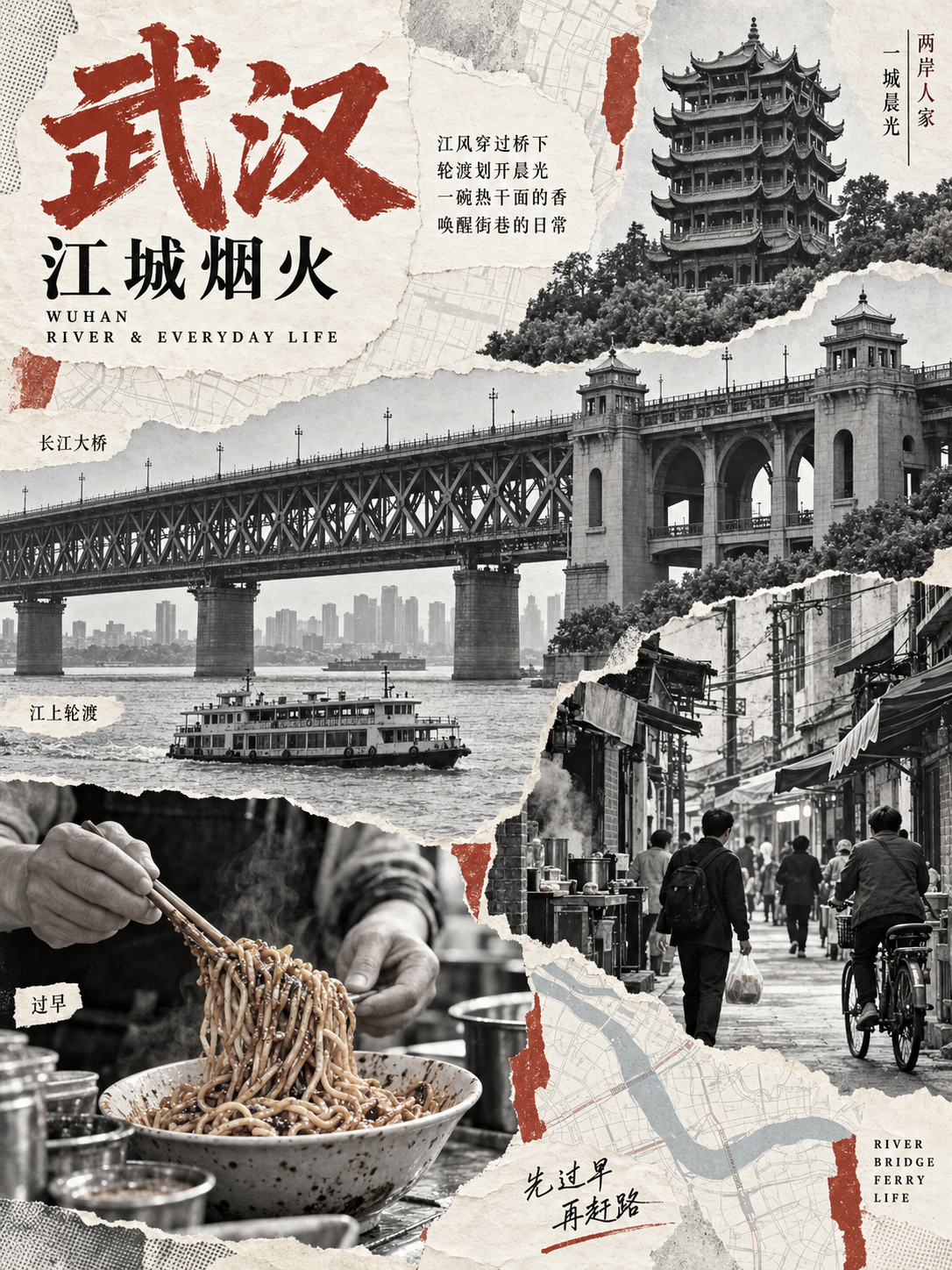
Human Archive Collage Poster
Narrative collage posters for city stories
Human Archive Collage Poster
Narrative collage posters for city stories
Showcase
Description
Turn cities, neighborhoods, local cultures, or traditional crafts into human archive collage posters, with images generated directly by default. Designed for urban memory posters featuring black-and-white documentary photography, contour cutouts, old-map textures, and monochrome accents. It also supports your own photos, variations on the same theme, and poster series. Not intended for ordinary photo grids or general photo editing.
Why we love this skill
Turns cities, streets, and crafts into narrative paper collages—not simple photo stacks—with local details, original lines, annotations, restrained accent colors, and layouts redesigned around each theme.
Best for
Content creators turning city memories, local culture, or traditional crafts into narrative visual posters.
How to use this Skill
Provide your input
Provide a city, neighborhood, local culture, or traditional craft theme. You may also include photos, elements to keep, colors, a title, copy, aspect ratio, and quantity.
Run the Skill
Organizes locally distinctive photographs, architecture, objects, and people into a layered paper collage, adding a matching title, short lines, and annotations.
Review your result
Get a finished human archive collage poster. If you only need a prompt, you can also receive a complete, ready-to-use image-generation prompt.
Related Skills
View all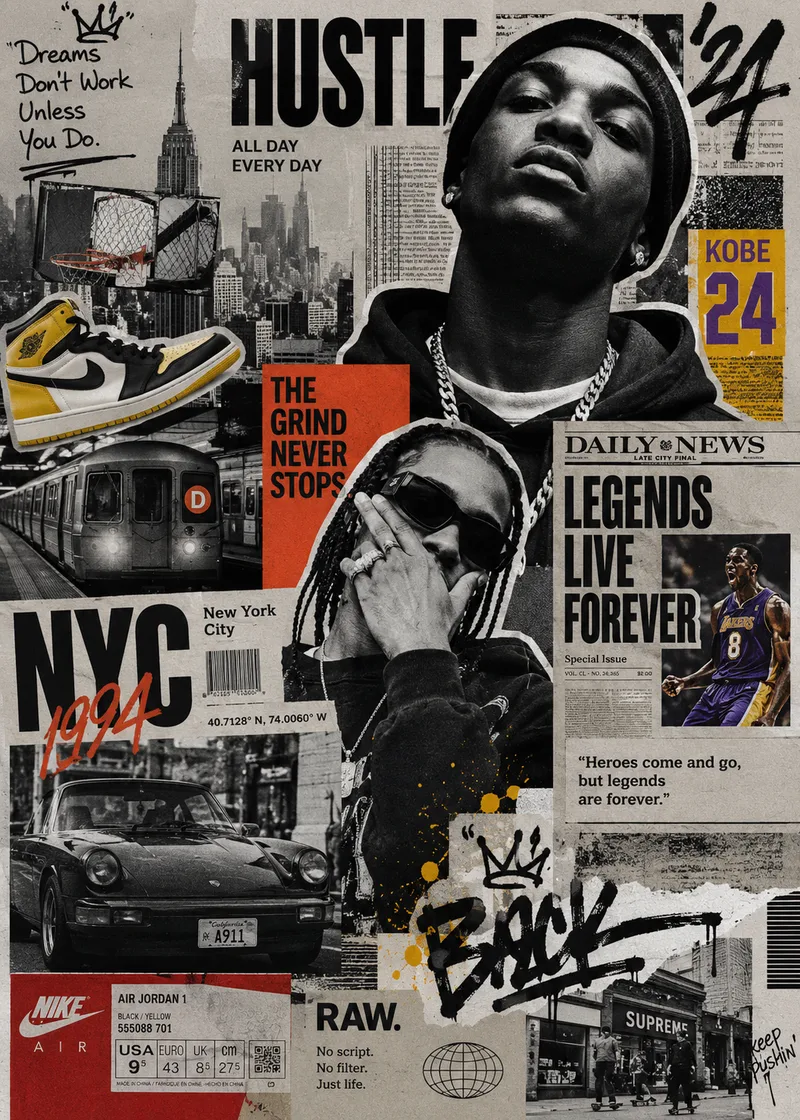 Image
ImageStreet Culture Collage
A Skill for generating street culture editorial collages. It recombines user-provided portraits, products, sneakers, cars, posters, text, and other custom assets with elements from magazines, newspapers, zines, street photography, Hip-Hop, sports, music, and fashion culture to create highly layered Editorial Collage artwork. The Skill supports multiple color modes, including black and white, black and white with selective accent colors, and vintage full color. Through techniques such as subject cutouts, cropped assets, cross-page layering, oversized typography, handwritten doodles, newspaper details, film grain, and printed-paper textures, it creates asymmetrical collages with a nostalgic street culture feel. Users can let AI generate assets based entirely on a theme or freely specify and customize their own, so every piece maintains a cohesive visual language while expressing a distinctive theme.
 Image
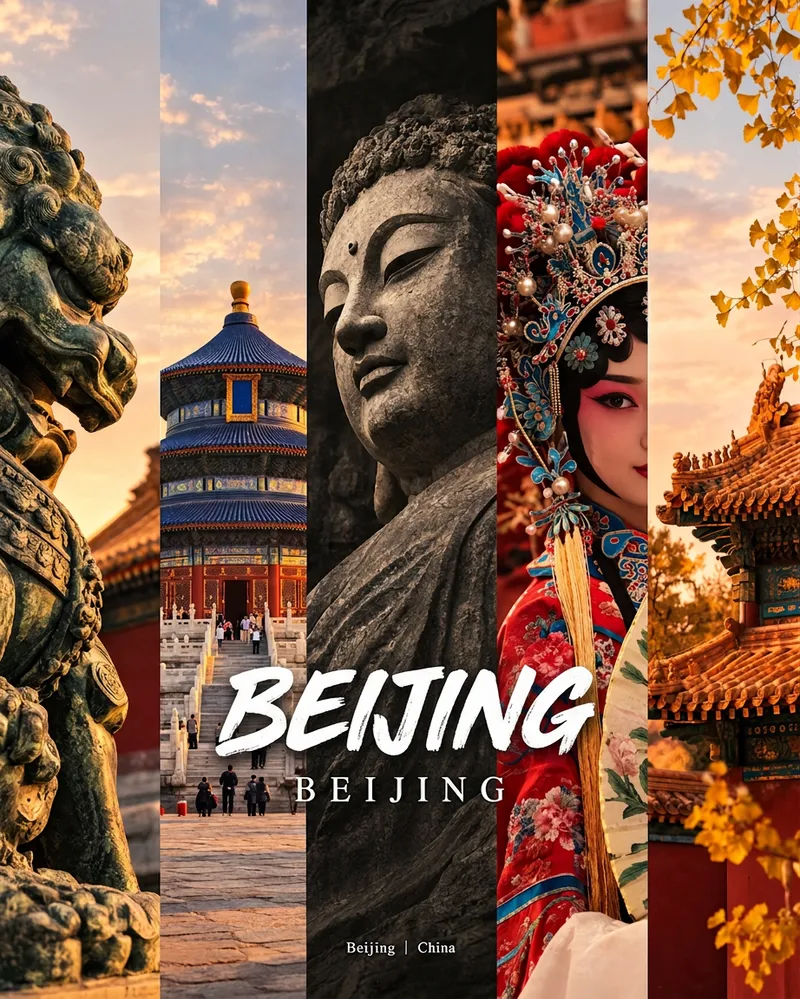
ImageCity Culture Poster Maker
Enter a place name to instantly create a polished city identity poster in a five-panel vertical-strip format. The design seamlessly combines five equal-width vertical strips: close-ups of cultural artifacts and nature on the outer panels, an architectural landmark in the second panel, local customs and cultural life in the fourth, and the city’s most soulful cultural symbol in the center. The overall look uses warm golden-hour light and cinematic color grading. The center panel is darkened and desaturated to create a "warm—cool—warm" visual rhythm. A large white calligraphic place name, its English serif name, and the small text "Administrative Region | Country" are layered below the center panel. Two ways to use it: · Upload 5 photos you took yourself and enter a place name: the system automatically sorts them by content, crops them vertically, applies consistent color grading, and combines them into a poster in the same style · Enter only a place name: the system automatically selects 5 of the area’s most representative real-world elements and faithfully generates the poster Ideal for travel blogger covers, city tourism promotion, Xiaohongshu/Instagram carousel cover images, city identity cards, and album covers.
 Image
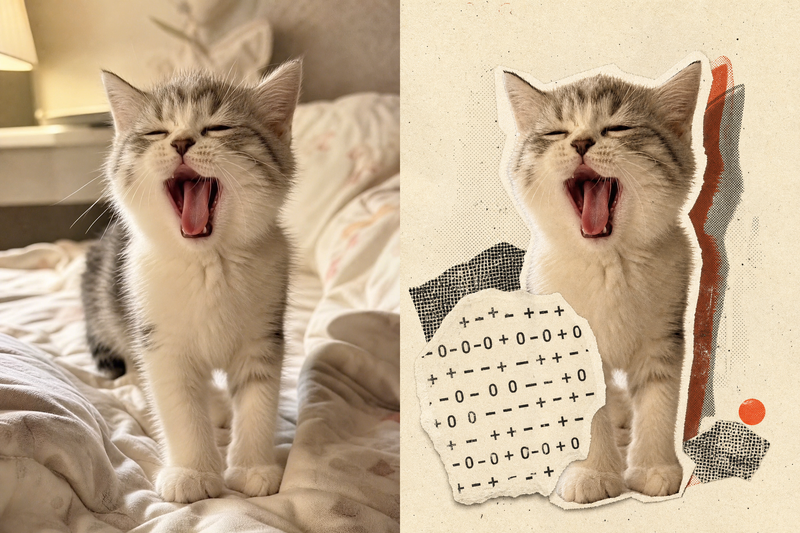
ImageRetro Collage Art
This Skill transforms your uploaded photos into visually striking vintage archival artworks, with a particular focus on portraits, still lifes, and landscape photography. Using distinctive “garbled sticker” and “print glitch” styles, it creates a dynamic visual reinterpretation while carefully preserving the original subject’s outline, pose, and position. The system precisely identifies the main subject and uses warm-white, fibrous-paper garbled silhouettes, halftone dot backdrops, and offset same-shape patches to create the visual rhythm of a handmade collage. Visually, this Skill aims for an authentic archival feel, with fine paper grain, screen-printed ink marks, and photocopy noise. Subtle registration shifts and localized fading add the warm, oxidized feeling of an old archive, while retaining about half of the original colors and key visual cues. This approach keeps the subject recognizable while using the contrast of black, warm white, and accent colors from the original image to create a visual style that feels both avant-garde and nostalgic. It is ideal for creating distinctive art posters, personalized social media avatars, or design-forward visual assets.
Information
- Version
- v4
- Last updated
- Runtime credits
- Usage-based
- Models
- Auto
- Use cases
- Images & design
- What you get
- ImagePrompt
- Visual styles
- CollageBlack and whitePaper art
