Object Animator
Add cute expressions and limbs to objects
Object Animator
Add cute expressions and limbs to objects
Showcase
Description
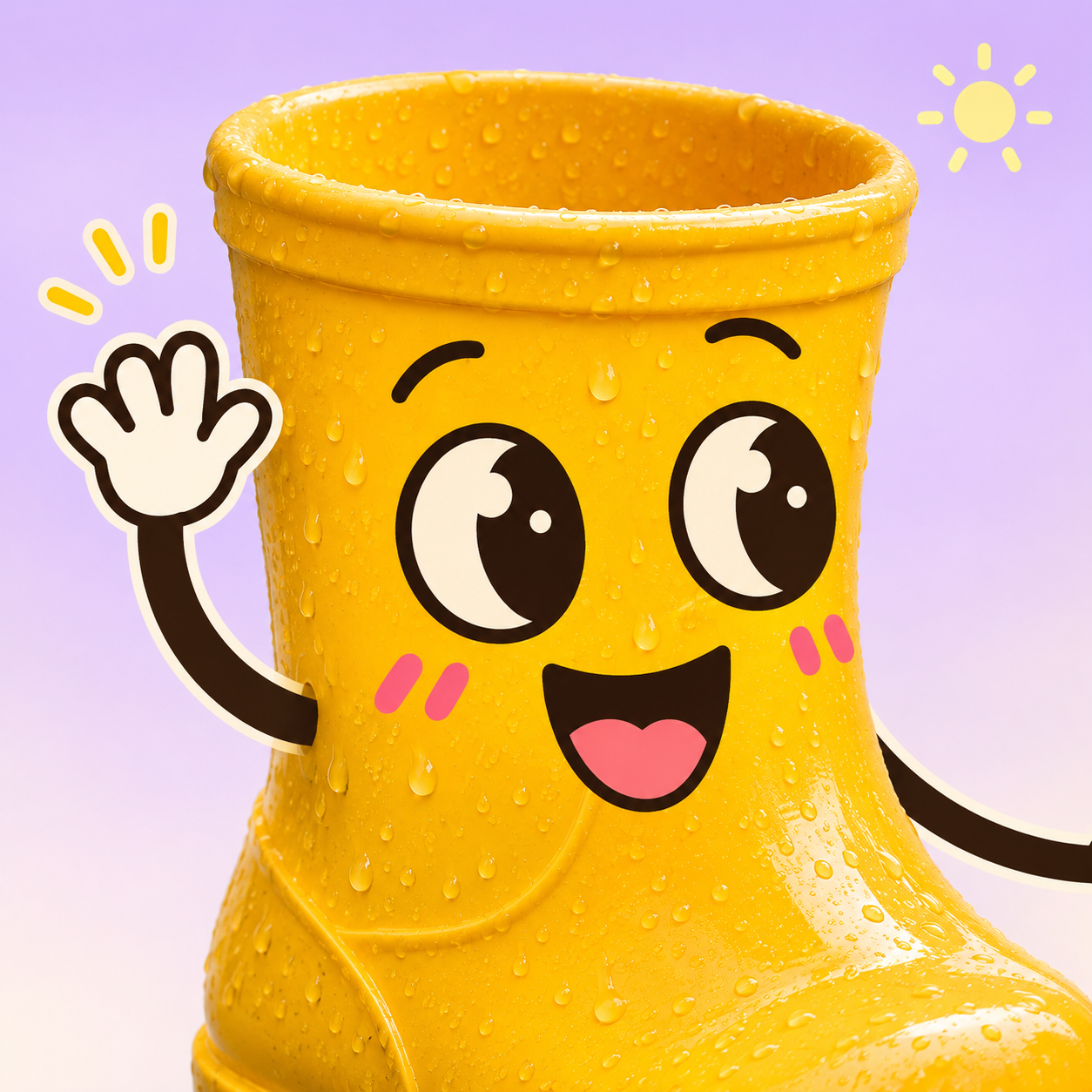
Your kettle is already waiting to clock off work? Upload a photo of any object, add big eyes, cute expressions, and simple line limbs to turn everyday items into characters with personality. The real textures and original setting stay in the frame, making the ordinary adorable with just a few doodles. Here is how you can play: • Rainboots in a puddle: Smiling and waving, with one leg happily lifted. • Kettle waiting for water: One hand on the hip, one hand checking a watch, pouting anxiously. • Stapler feeling sleepy: Resting its chin and yawning, just like you on a Monday afternoon. Cups, fruit, bags, stationery, furniture, electronics... Pick an object around you and tell it how it feels today. You can also just upload a photo and let the skill arrange the expressions and actions. By default, it generates a single static image without added text, matching the original photo's aspect ratio. You can adjust expressions, actions, limb styles, quantity, and background. When you don't have a photo, you can create new characters using text. If you only want ideas, just say "prompts only". Try: "Add cute expressions and limbs to this object, have it wave happily, keep the original background, and no text." Supports both Chinese and English communication within the same skill. Display images are original AI-generated assets, including before-and-after editing examples of rainboots.
Recommended by
Dancang
Why we love this skill
Preserves the texture, outline, and background of real objects while adding clever, playful expressions and slender limbs, instantly giving fruit, furniture, or small appliances situational character.
Best for
Great for anyone who wants to turn everyday objects into cute, personable little characters.
How to use this Skill
Provide your input
Upload a photo of an object, or describe the new character you want to create in text. You can also directly specify expressions, poses, limb styles, and background requirements.
Run the Skill
The skill adds clear, cute anthropomorphic expressions and doodle limbs while preserving the object's texture, shape, and original scene. If you only need concept ideas, you can choose to generate prompts only.
Review your result
Receive a static anthropomorphic object image or ready-to-use creation prompts. Images do not include added text by default and maintain the original photo's aspect ratio as much as possible.
Related Skills
View all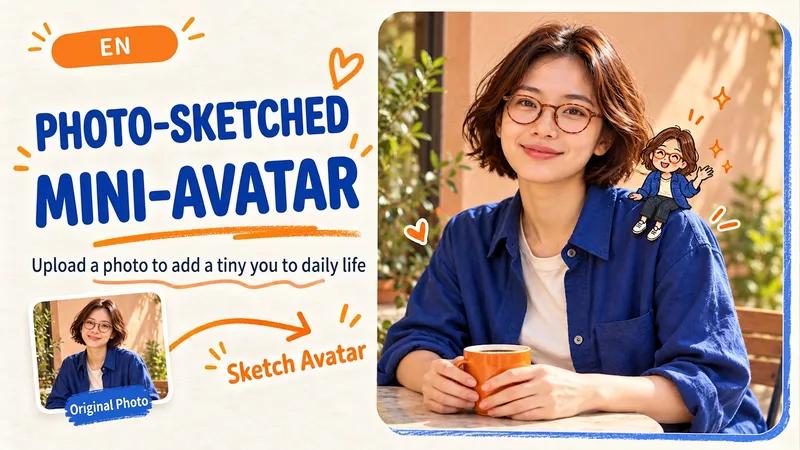
Doodle Little Me
Upload a photo and let a tiny hand-drawn you join the scene. Sit on your own shoulder, climb a backpack strap, or greet your cat on the windowsill. Keep the person and setting photographic while a small 2D doodle adds a playful moment, with relaxed ink lines, light crayon texture and a few flat colors. Create an original drawn double of a person or pet, echoing visible hair, glasses, clothing or fur markings. Pick an action and position, or let the scene guide the choice. You can also ask for the entire photo to become a hand-drawn illustration. By default: one edited image per photo, one small drawn character, the original aspect ratio and no added text. Customize the count, pose, placement, format or lettering. Use Chinese or English, with bilingual prompts on request. Try: “Add a tiny hand-drawn me sitting on my shoulder. Keep my round glasses and blue shirt. No text.”
 Image
Sketch Sidekick
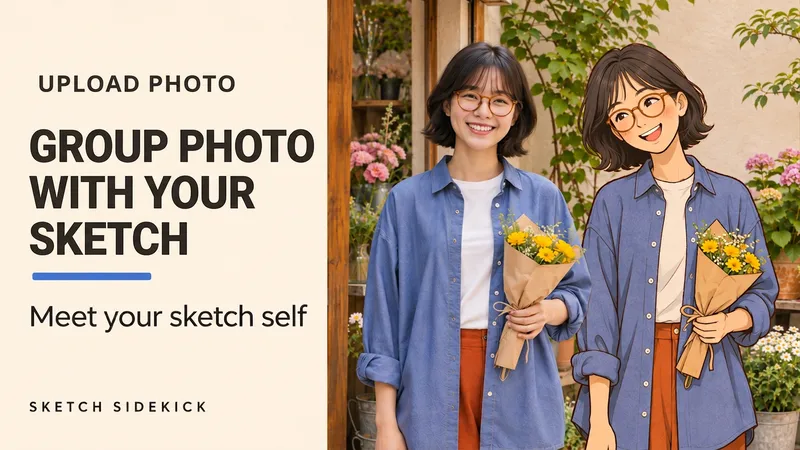
Upload one photo to create a portrait of you beside your matching, life-size 2D hand-drawn double. You can also choose a standalone hand-drawn portrait. Like meeting another drawn version of yourself in a flower shop, bookstore, or studio. The real person retains photographic quality, while the hand-drawn double echoes your hairstyle, glasses, outfit, and accessories, standing with you in the same frame. What you can do: • Side-by-Side Photo: Real person plus life-size hand-drawn double, perfect for travel, outfit posts, and everyday memories. • Custom Poses: Standing shoulder to shoulder smiling, reading a book together, or interacting based on the visible posture in the photo. • Standalone Illustration: Keeps only the single-person 2D illustration, featuring clean lines paired with soft color blocks. By default, it generates a text-free 4:5 image keeping the framing of the original photo. You can adjust the pose, background, and aspect ratio. Supports Chinese and English. Upload a photo and simply say: "Let me take a photo with my hand-drawn self, keep my glasses and blue shirt, no text." Meet your sketch self. Upload one photo to create a portrait of you beside your matching, life-size 2D hand-drawn double. Keep the person and setting photographic while the illustrated self echoes your hair, glasses, outfit and accessories with fine ink outlines, matte colors and a little pencil texture. Create a friendly side-by-side portrait, choose a pose or scene, or switch to a standalone illustration with one drawn person. Made for outfit diaries, travel memories and everyday moments. One text-free 4:5 image by default, framed to match your source photo. Customize the action, setting and aspect ratio. Start in Chinese or English. Try: "Use my photo. Let me pose beside my hand-drawn double. Keep my hair and clothes. No text." 更多玩法 / More ways to start "让手绘版的我坐在旁边,一起看书,保留原照取景。" "只要单人纯手绘版,保留我的发型和穿搭,不加字。" "Seat my sketch double beside me with a book. Keep the source crop." "Make a standalone illustration of me. Keep my hair and outfit. No text."
 Image
Before/After Transformation Ad Studio
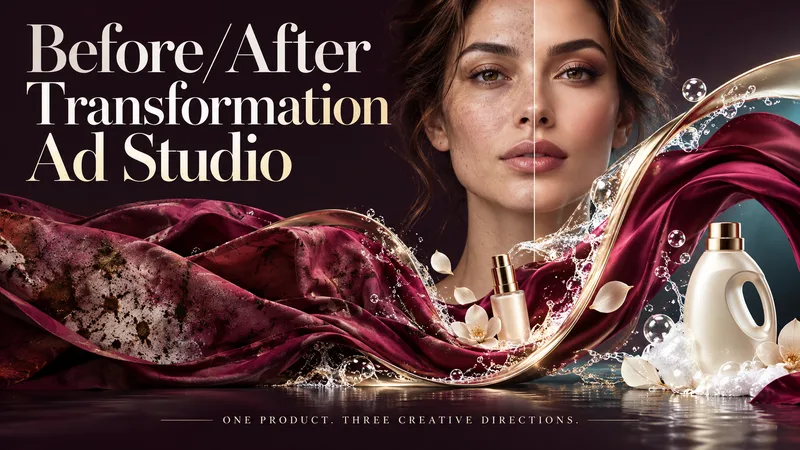
Make the transformation the hero. Turn a single product photo into bold before-and-after advertising visuals with expressive art direction, striking compositions, and a transformation that takes center stage. From cosmetics and personal care to cleaning and fitness, this skill explores your product’s uses and develops creative ways to visualize its relevant benefits. YOUR PRODUCT. YOUR CREATIVE DIRECTION. Start with a photo. The skill researches the product, then helps you choose the scene, materials, visual elements, format, and text style. Prefer a surprise? Let AI take the creative lead. THREE CONCEPTS. THREE DISTINCT VISUAL IDEAS. Explore three tailored concepts with complete image-generation prompts. Think flowing fabric reveals, sculptural environments, dramatic close-ups, glass transitions, or an unexpected world built around your product. Each concept offers a different visual story. BEFORE & AFTER, FRONT AND CENTER. Large, clearly readable transformation scenes lead the composition. Product placement, atmosphere, and typography work together to make the change stand out—even on a phone screen. YOU APPROVE. THEN IT CREATES. Review the prompts, request adjustments, and select one concept or all three. Image generation begins only after your approval, using the capabilities available in your workspace. BUILT AROUND YOUR PREFERENCES. Choose square, portrait, landscape, or custom dimensions. Add a bold headline, keep the copy minimal, or let the visuals speak. The workflow adapts to your language, while production prompts are written in English by default. Upload your product. Shape the scene. Bring the transformation into focus.
Information
- Version
- v4
- Last updated
- Runtime credits
- Usage-based
- Models
- Auto
- Use cases
- Images & designLifestyle & entertainment
- What you get
- ImagePrompt
- Visual styles
- Hand-drawnCartoon
